
RemoteUser
RDM 2026.3.5 - RDM Sessions resolution very small at first logon.
Yes, it is fixed now with the updated release.
Thank you, Team.
Updating the Vault Content with the most updated Entries from Active Directory ?
@Samuel Dery,
Does the synchronizer run regularly or manually?
I am using the latest edition 2026.2.13.0 64-bit (PreJIT).
The Data Source is Active Directory.
Updating the Vault Content with the most updated Entries from Active Directory ?
People,
How can I update the Vault entries that contain Active Directory computer objects with the OS = *Server* ?
This was created a long time ago, but it is not automatically updated with the most recent AD computer objects from my AD Domain, despite the AD synchronizer is already setup.
Accessing remote Linux server GUI options
Hi Team,
What are the options available for me to access Linux VM as the GUI, not just SSWH console (Ubuntu, Parrot and Kali for example), from the Windows Desktop RDM application?
Deleting the insecure password from the Reports > Password analyzer
Under: reports/password-analyzer in Devolutions Hub
How can I delete the insecure entries?
Because there is no way to manually remove the password.
When you click on the entries, it can only show "Go to", but there is no other way to delete just the password.
High privileged requirements for Microsoft Azure AD / Entra ID tenant request
Can someone here please explain why the RDM application wanted to become a highly privileged application in my Microsoft Azure AD / Entra ID tenant?
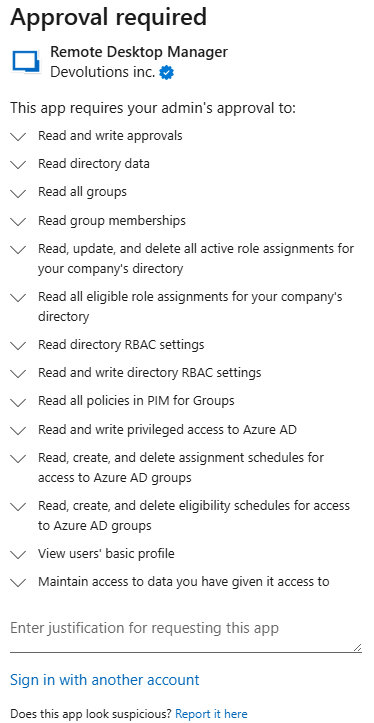
What would occur if the Global Administrator account approves the above request?
The RDM application is only used by 2 or 3 Senior engineers, so I'm not sure why the required approval above is tenant-wide.
Any help would be greatly appreciated.
What is the purpose of RDM AI assistant?
Can someone here please assist in explaining the purpose of the new AI assistant feature?
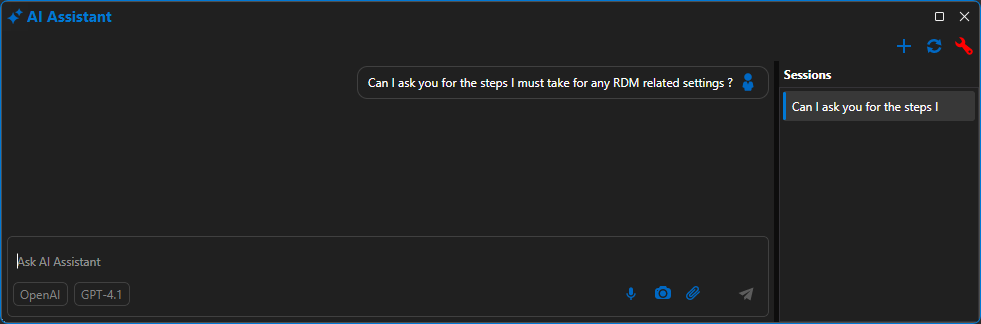
Because it doesn't return any result at all after waiting for a long time.
AI Assistant not working or responding ?
Hi Team,
Using RDM 2026.1.23.0 64-bit (PreJIT), I got this error,
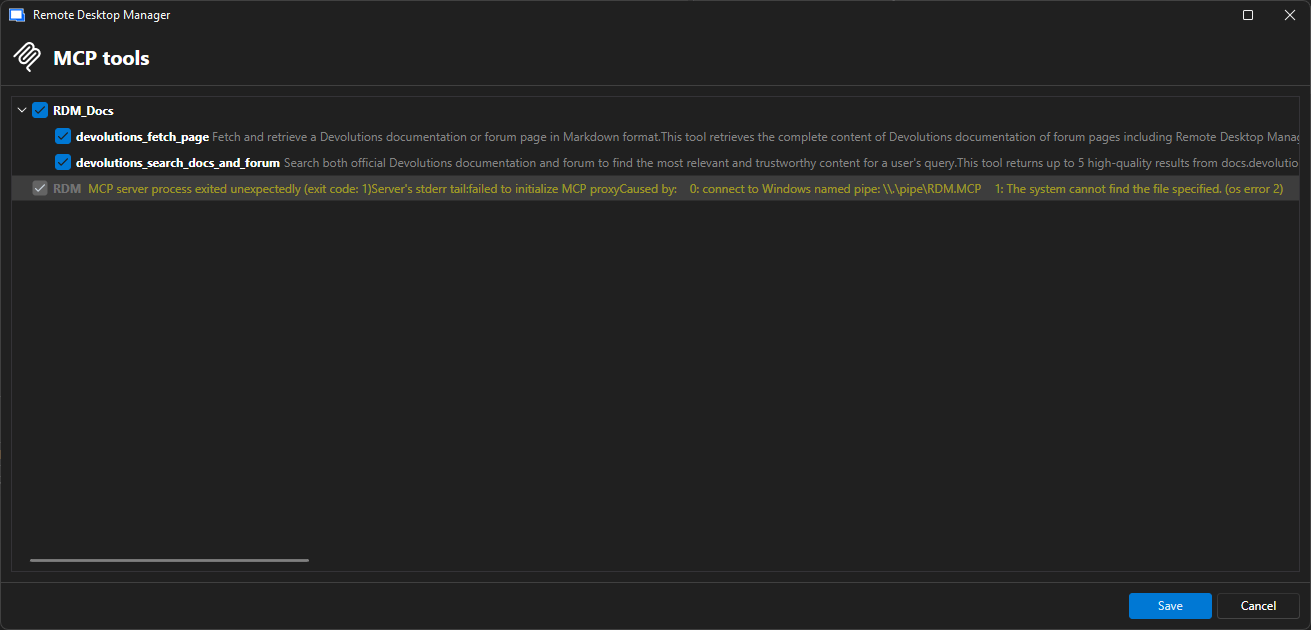
Am I missing something here, or is this just a temporary issue on the Devolutions back-end MCP server ?
How to discover and add Azure VM to the Navigation pane dynamically
@Tommy SandersFor the Synchronizer service account credentials, what authentication methods are supported with Microsoft Azure or Entra ID?
Because hard-coding the password into the synchronizer settings one by one is cumbersome when rotating the password.
How to discover and add Azure VM to the Navigation pane dynamically
@Tommy Sanders,
Thank you for the response, based on this article you've shared: https://docs.devolutions.net/rdm/kb/how-to-articles/configure-an-azure-vm-synchronizer-entry-in-rdm/#general-tab Do I need to create just one for all of my tenant Azure VM or one for each Azure Subscription ?
How to discover and add Azure VM to the Navigation pane dynamically
Using the latest version of RDM and the Azure Global Reader service account, how can I automatically add all of my Azure VMs in multiple subcriptions to the Navigation pane ?
Thank you.
After updating to 2026.1.22.0 64-bit (PreJIT) the RDM app is very slow to open
Not sure what the PreJIT installer is, this RDM is the only installation I have.
Running it as Administrator, I have the same symptoms with long delays in opening the Splash screen.

After updating to 2026.1.22.0 64-bit (PreJIT) the RDM app is very slow to open
@Carl Marien,
The directory %LOCALAPPDATA%\Devolutions\RemoteDesktopManager\Logs cannot be found?
Where can I send the logs, or should we create the Support ticket for this one instead?
After updating to 2026.1.22.0 64-bit (PreJIT) the RDM app is very slow to open
PS C:\Windows\System32> dotnet --list-runtimes
Microsoft.NETCore.App 8.0.26 [C:\Program Files\dotnet\shared\Microsoft.NETCore.App]
Microsoft.NETCore.App 9.0.15 [C:\Program Files\dotnet\shared\Microsoft.NETCore.App]
Microsoft.NETCore.App 10.0.7 [C:\Program Files\dotnet\shared\Microsoft.NETCore.App]
Microsoft.WindowsDesktop.App 8.0.26 [C:\Program Files\dotnet\shared\Microsoft.WindowsDesktop.App]
Microsoft.WindowsDesktop.App 9.0.15 [C:\Program Files\dotnet\shared\Microsoft.WindowsDesktop.App]
Microsoft.WindowsDesktop.App 10.0.7 [C:\Program Files\dotnet\shared\Microsoft.WindowsDesktop.App]After updating to 2026.1.22.0 64-bit (PreJIT) the RDM app is very slow to open
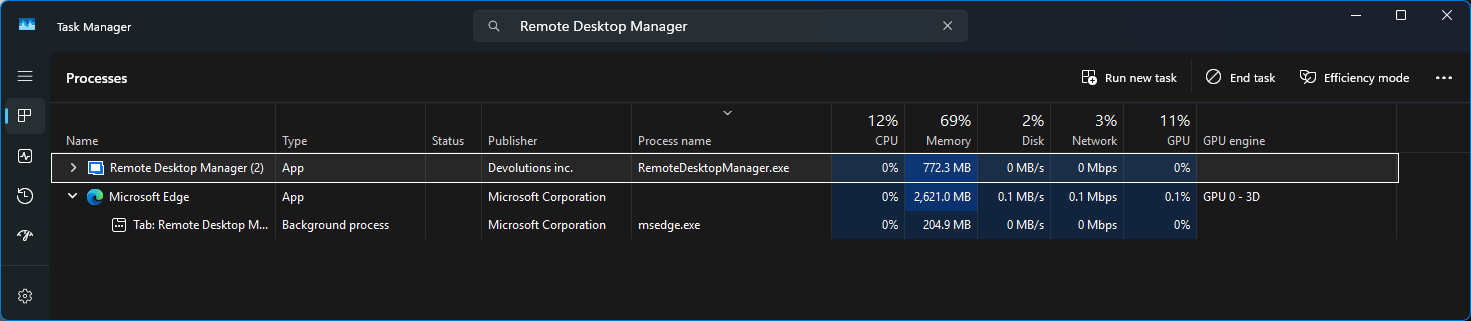
After updating to 2026.1.22.0 64-bit (PreJIT) the RDM app is very slow to open
Team,
After updating to 2026.1.22.0 64-bit (PreJIT), the RDM app is very slow to open, approximately 5-10 minutes and then the splash screen shows up.
The process is already up and running after clicking on the Remote Desktop Manager (RDM) application on the taskbar or desktop.
How can this be rectified, as it is slowing down productivity?
Unable to use different account to RDP when double clicking the AD Computer object.
I've noticed that all of my Windows Server AD computer objects listed under my object tree cannot use separate accounts to log in to the RDP session. It would be helpful to investigate this issue further and explore potential solutions to enable account logins.
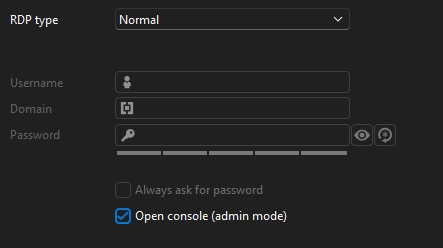
How can I troubleshoot the issue of using a different account for my RDP sessions on all servers compared to my Windows login?
Unable to access VM console from RDM - Could not obtain a ticket for the remote virtual machine vm-14103. Is the ID correct?
2026.1.15.0 64-bit (PreJIT)
Not sure how to get the Data Source as it is disdabled I cannot click it:
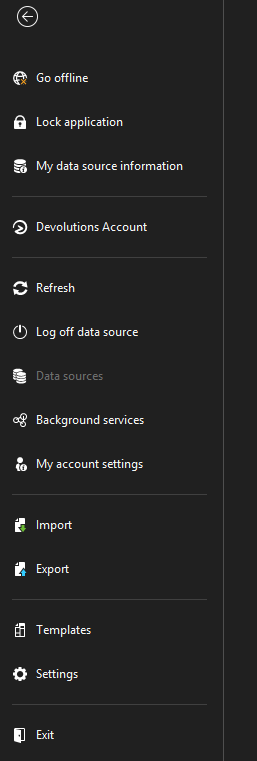
Remote Desktop Manager Module Delinea - Configuring the Secret Server Cloud Integration
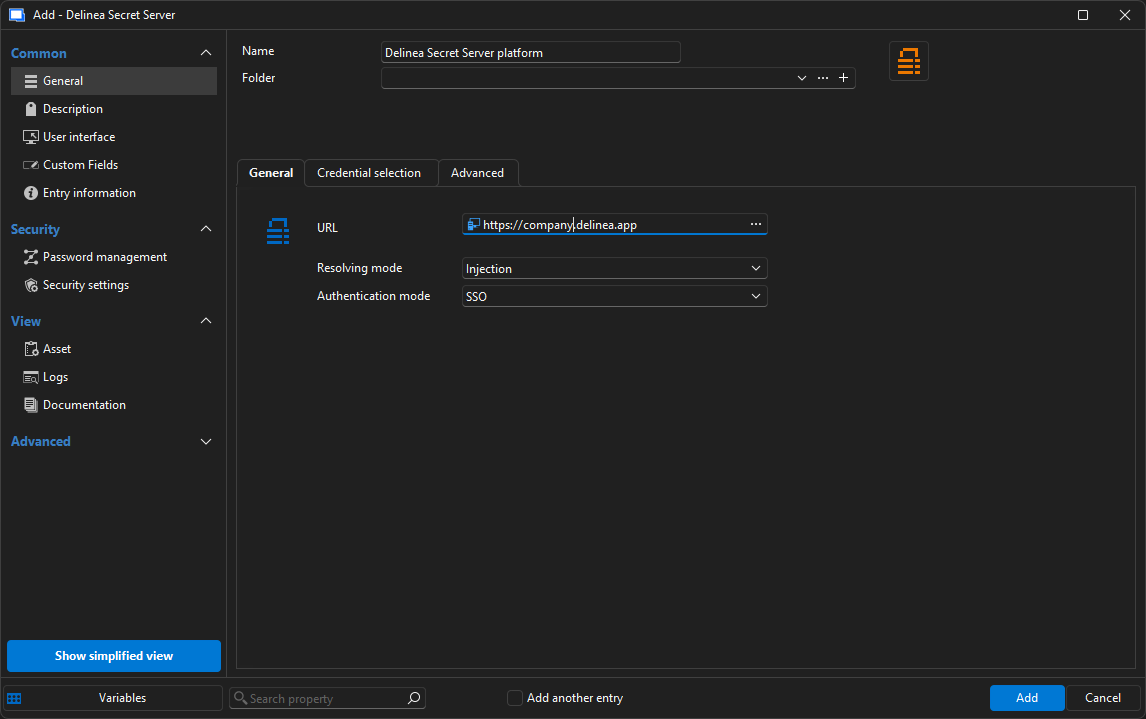
I was able to enter this:
But not sure which entry I should select for this window after succesful login:
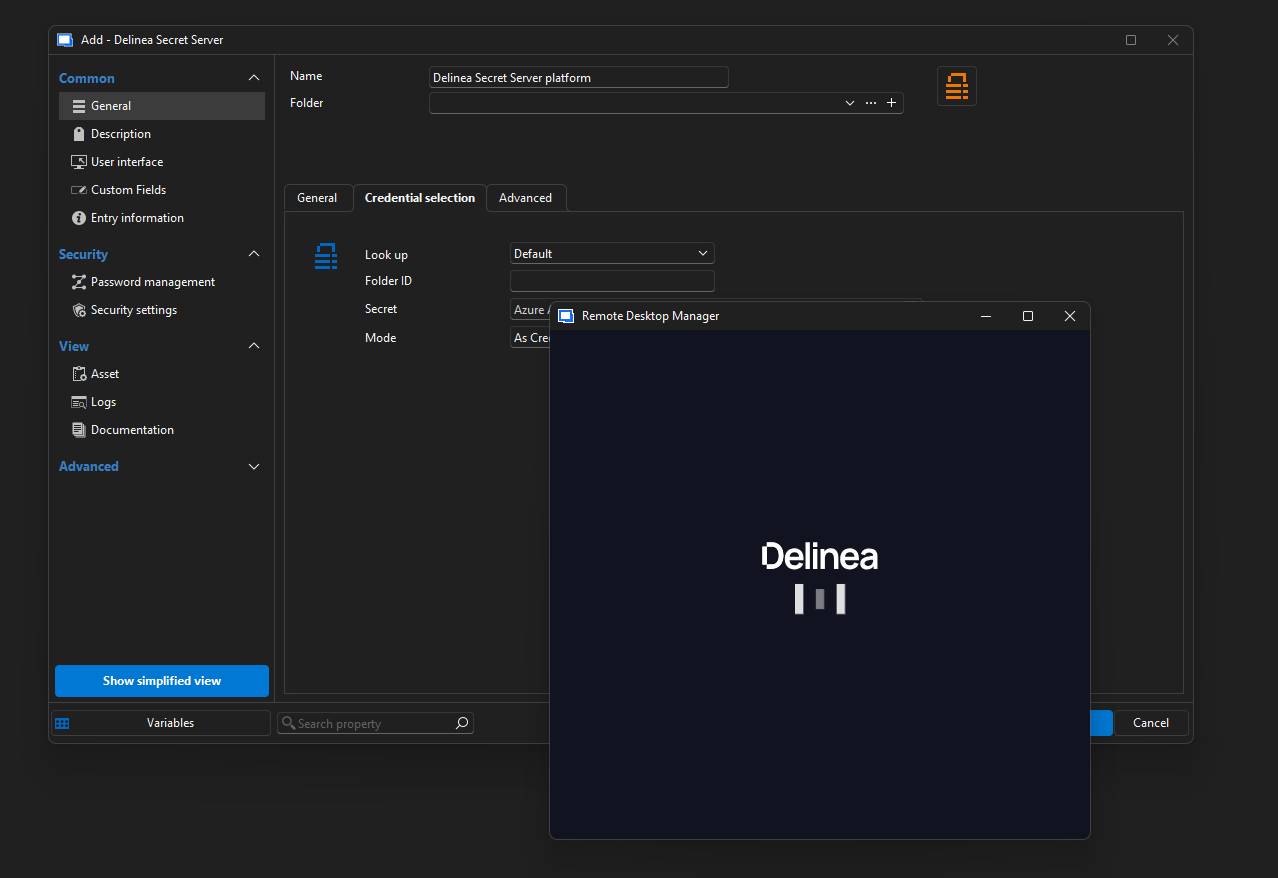
Remote Desktop Manager Module Delinea - Configuring the Secret Server Cloud Integration
Hi @Erica Poirier,
Thank you for the clarification. Yes, it is quite confusing, hence I ask the question here.
My existing license is Remote Desktop Manager Module Delinea.
Security Auudit failure
That's great, thank you @Eduard Sepúlveda López.
Remote Desktop Manager Module Delinea - Configuring the Secret Server Cloud Integration
Hi All,
How can I configure the RDM 2026.1.15.0 64-bit (PreJIT) to integrate with the Delinea Platform - Secret Server Cloud?
Because from this article: https://docs.delinea.com/online-help/integrations/devolutions/config/index.htm the Vault Selection is already there to select ?
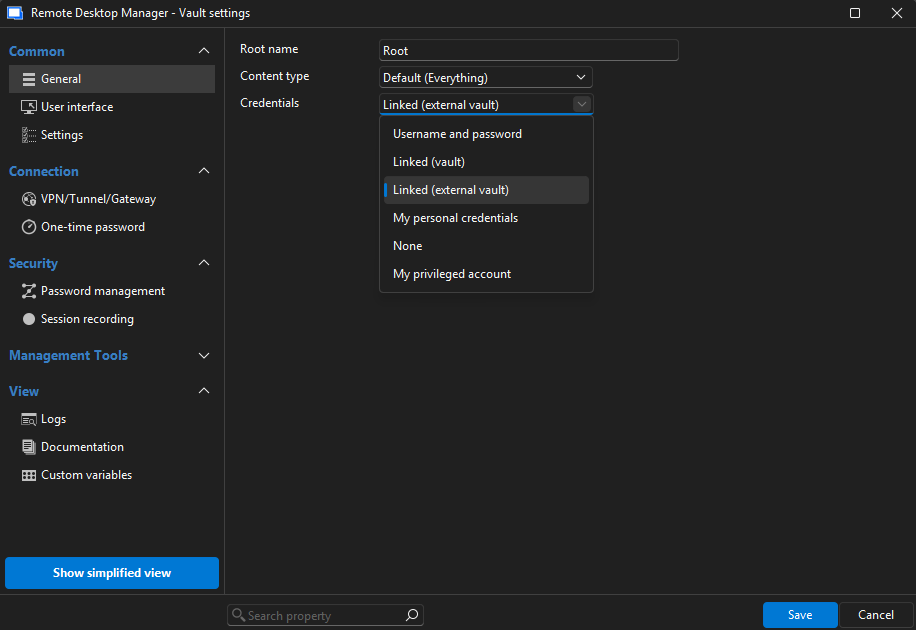
Thanks.
Security Auudit failure
Hi Folks,
There is a typo in the drop-down entries in the latest edition of Devolutions RDM 2026.1.15.0 64-bit (PreJIT):
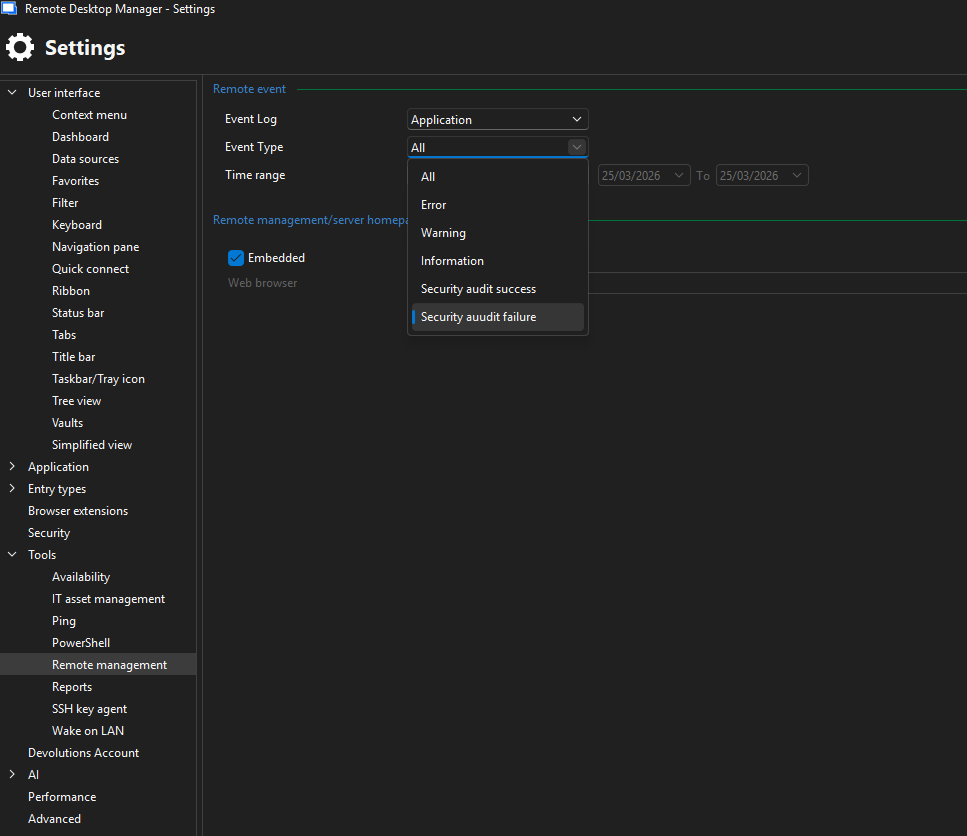
Unable to access VM console from RDM - Could not obtain a ticket for the remote virtual machine vm-14103. Is the ID correct?
I am trying to access the VMware vSphere VM by double-clicking the object in the navigation pane tree; however, I got this error:
Could not obtain a ticket for the remote virtual machine vm-14103. Is the ID correct?
How to fix the issue above?
Can Remote Desktop Manager be used to access VMware vCenter VM without Web console?
@Samuel Dery,
Could you show me where to configure the 'VMWare Dashboard entry within RDM' ?
I am using the RDM client only, without a server, version 2025.3.28.0 (64-bit).