AI Assistant not working or responding ?

Hi Team,
Using RDM 2026.1.23.0 64-bit (PreJIT), I got this error,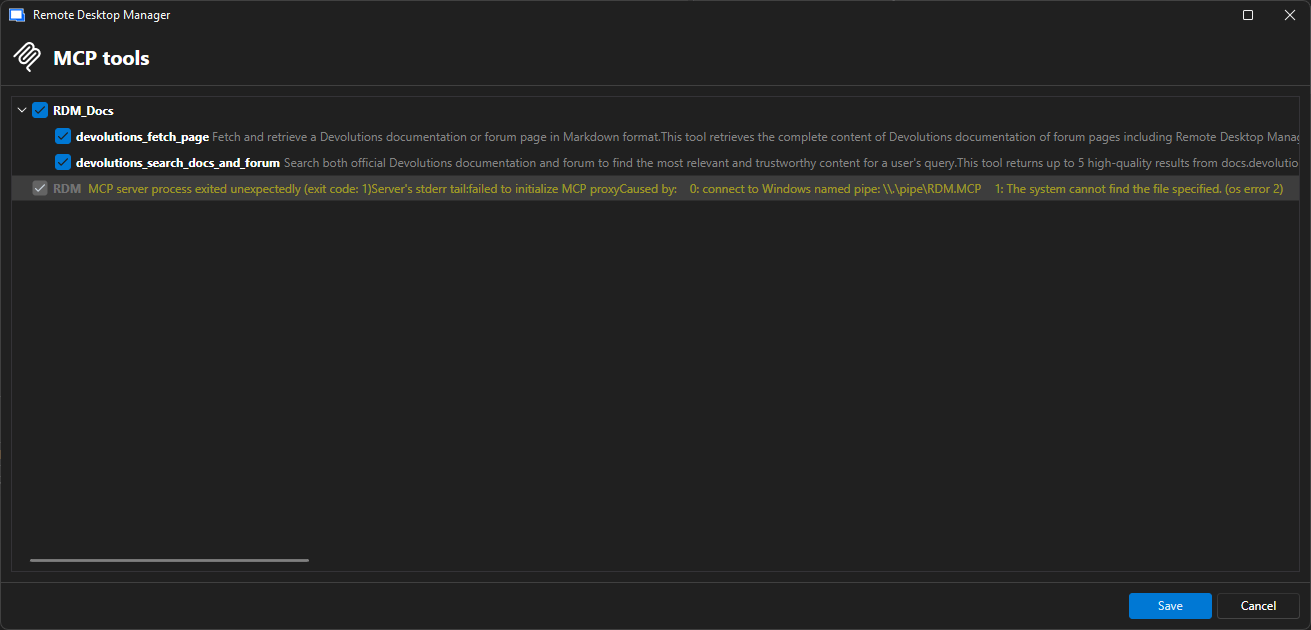
Am I missing something here, or is this just a temporary issue on the Devolutions back-end MCP server ?
8652b143-39f0-4a32-a24b-cc78891e7452.png
All Comments (1)
Hi @RemoteUser,
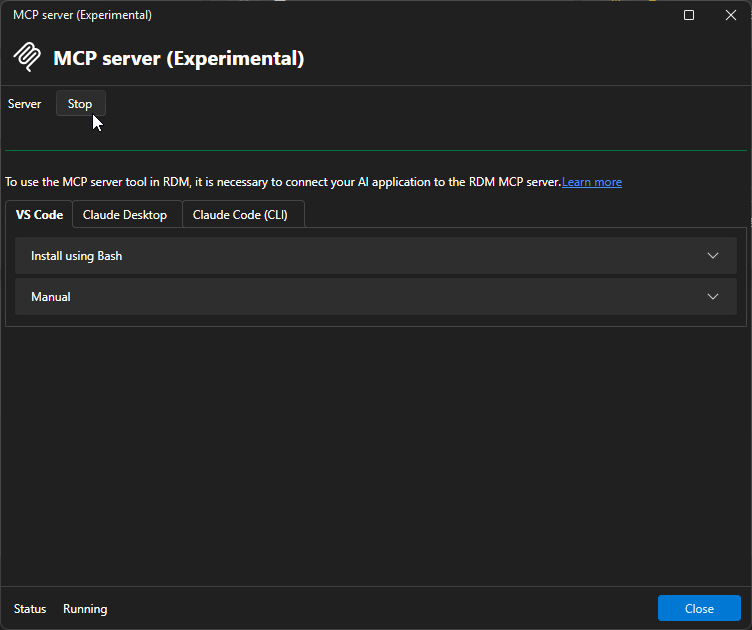
Did you start the MCP Server in your RDM?
Users can choose in the settings whether the MCP Server should start manually or automatically on startup. The steps for both options are provided below.
For RDM on Windows, this behavior has been improved in the upcoming major release, RDM 2026.2. Starting with that version, manually starting the MCP Server will no longer be required; it will work out of the box as long as AI Assistant features are enabled in RDM.
For reference, AI Assistant features can be disabled via GPOs or through the Disable AI Assistant option in the settings.
You can set it up to automatically start on startup in your settings like so: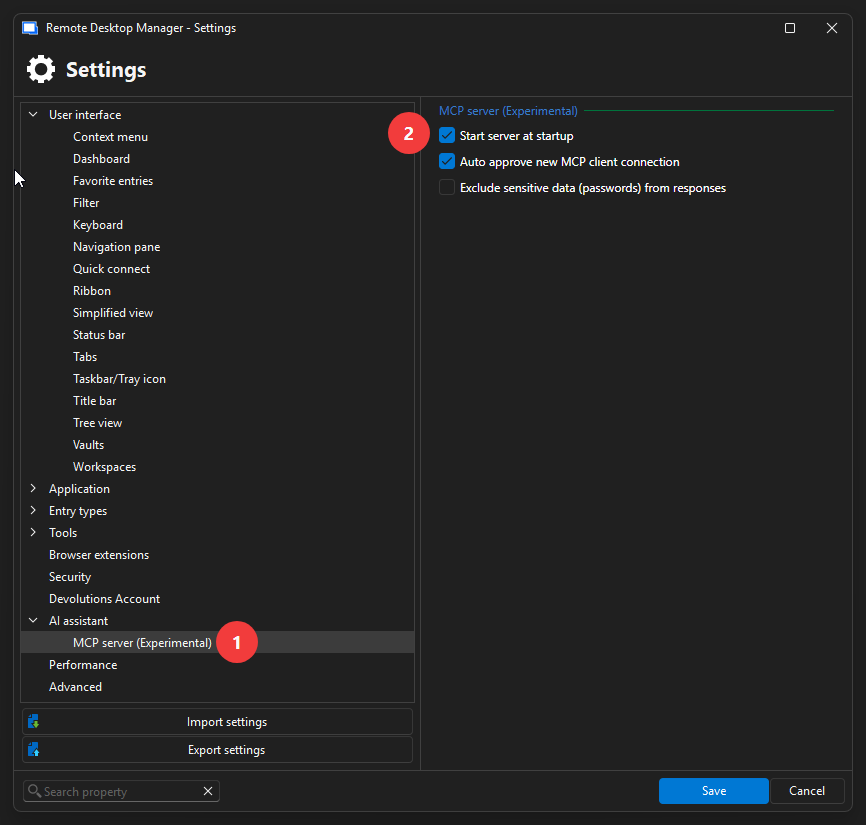
You can also start/stop it manually in the Tools - More tools in the ribbon.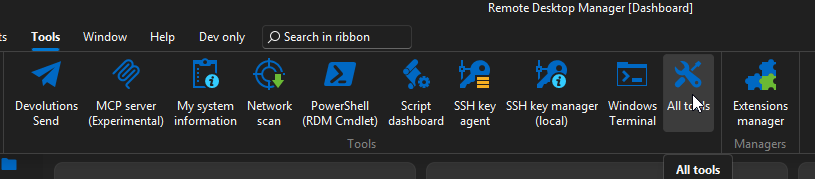
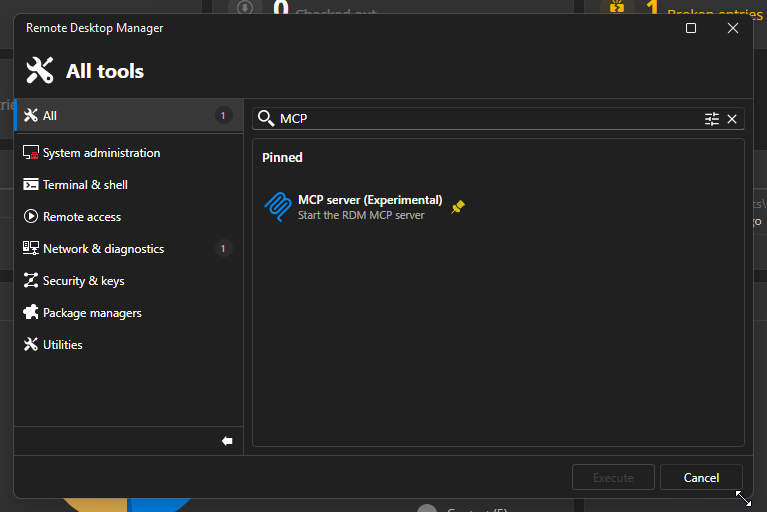
If it still doesn't work, I'll have to investigate more as you would be the first to report this kind of issue with the AI Assistant.
Best regards,
Maxime Forest
17db1cfd-d575-4d30-8365-ec5a5cd78fe7.png
b55895f7-2c20-4fdc-a03d-16457b331586.png
d2a4cf2f-6fc7-4fab-b21a-9d4dc44d4105.png
af17f4ee-e320-4c68-8f77-5a0c301c1af9.png