RDM 2026.3.5 - RDM Sessions resolution very small at first logon.
RDM 2026.3.5 - RDM Sessions resolution very small at first logon.

Hello! With the RDM 2026.3.5 update i have following problem: the resolution after logon is very small. Instead of normal resolution screen i see only small window. Looks like this.. I have to close an open the session up to 3 times till it shows in a normal size.. How do I fix that?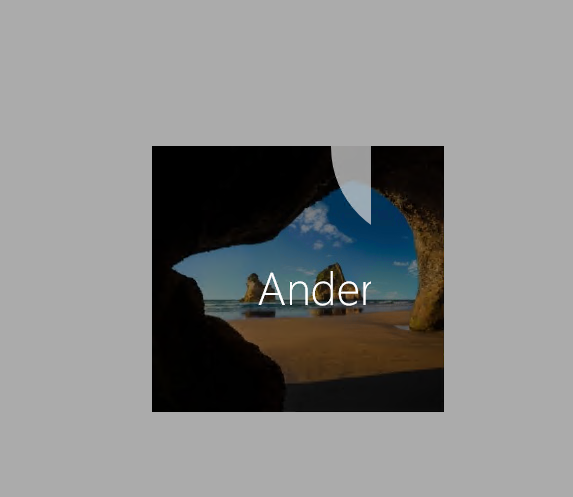
rdm.png
All Comments (5)
Hello,
This is a bug that was found in the latest version of RDM. It seems to be easier to trigger from the favorites treeview but can be triggered through other means.
From what we saw it seems to be caused by a focus issue due to our UI migration to Avalonia. We will have a fix for it starting from the next version of RDM 2026.3.6.0. We'll most likely release it later today or tomorrow after it goes through QA testing.
Best Regards,
Michaël Beaudin
Hello,
For the issue where RDP opens in a small size, a new version containing a fix has been released. Please update to version 2026.3.8.0 or later.
Regards,
Hubert Mireault
New release is working fine.
Can we get rid of this new design? It is horrible!!
The old design was much better.. Slim and functional.
Hello,
What don't you like about the design? You can change the ribbon, menu, or toolbar mode. You can also right-click on the nav bar to move it back to the bottom or move the vault selector, workspace selector, and filter wherever you prefer. Let me know what is missing, and I will try to adjust it.
By the way, you can also change the dark theme tint in File -> Settings | User Interface.
Regards
David Hervieux
Yes, it is fixed now with the updated release.
Thank you, Team.