
Xavier Fortin
Can RDM use my local SSH configuration to connect to a remote host?
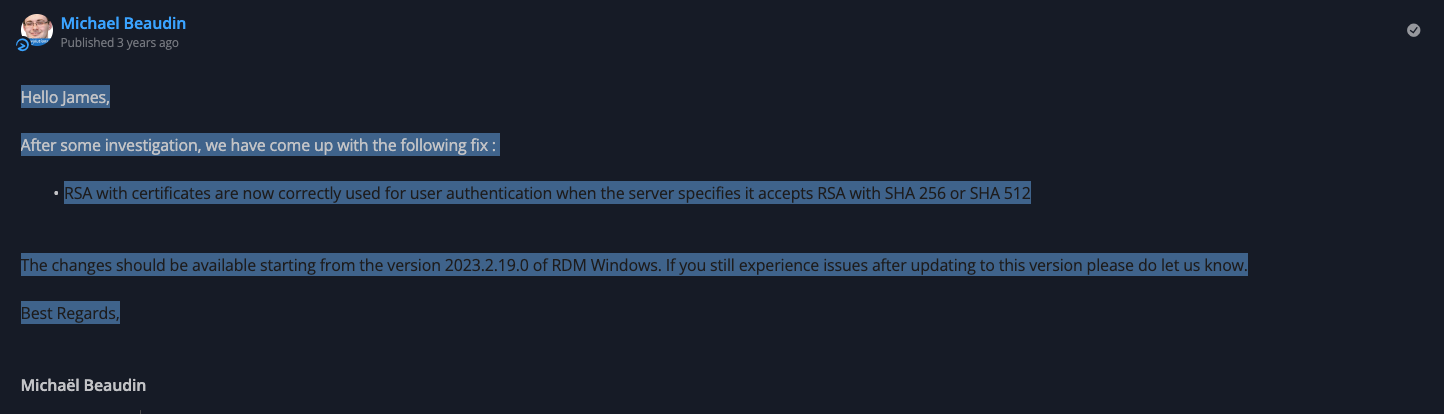
Are you perhaps also using a dark theme? Because I believe it's just a font color issue, the text is still selectable:
Best regards,
Allow configuring Azure Authority Host in Entry ID dashboard entry
Hi!
I've taken the liberty of moving your request to a new thread.
This is not possible at the moment in RDM, but should be feasible. We seems to be currently enforcing Azure Public Cloud (https://login.microsoftonline.com/), but it's just a question of exposing a property to allow customizing this.
I will open a ticket.
Best regards,
SSH Session copy wrapped text is adding LF
Hi!
We will take your suggestion into consideration and will keep an eye out for additional feedback from other users.
Best regards,
SFTP Integration with Delinea Secret Server Proxy
Unfortunately no. The ticket for this is still open, but it hasn't been planned yet.
Best regards,
CyberArk Dashboard - Hide Popups
Hi,
Yes, I've heard about this from our support team. We will open an improvement ticket.
That being said, this window reproduce CyberArk behavior. If you don't need the "HTML5 Remote Access" option, you can disable it in CyberArk and this window shouldn't show again. Otherwise, if you need it (let's say for people using CyberArk directly from the web portal), there is no immediate solution for this and this will have to wait for an improvement.
Just to validate, would having a checkbox at the left corner of this prompt (something like "Do not prompt again for optional options") that, when checked once, will disable this prompt when all options are optional be sufficient?
Best regards,
Delinea Secret Server Integration with RDM and AAD IDP
Alright, so the issue isn't with the integration, per se, but really with RDM connecting to your Secret Server server altogether. I'd go the proxy route then, most likely, something is interfering between RDM and the server, and I cannot imagine much else other than a proxy.
What external browser did you use earlier when doing your test?
Best regards,
Delinea Secret Server Integration with RDM and AAD IDP
Yes, we are able to connect to the Delinea Secret Server instance through an external browser from the same client.
Alright, this is good to know, and if you try the same, but with RDM's integrated browser (see attached video)?
Delinea Secret Server Integration with RDM and AAD IDP
For your first point, no, I do not know why this fails. In my case, the test button works, and with a proxy configured on the system (Charles Proxy). If you are getting an error there, I feel like you very well might have a proxy configured on your system.
You should be able to validate this under the Windows -> Settings -> Network & Internet -> Proxy window.
Also, for the error with the Test button, you can probably find more info in the application logs of RDM (Help -> Application logs).
I would reiterate my initial inquiry, are you able to connect to your Delinea Secret Server instance through an external browser (Google Chrome, Firefox, Edge, etc.)?
I also do not know why your server receives TLS 1.0 requests. I just validated using Charles Proxy, and I can clearly see we are sending TLS 1.2 requests:

Is it possible that whatever proxy you have configured on your system his modifying the requests?
Best regards,
Connect to local host
Hi!
This should already be possible with RDM Windows? It's found at the same place as RDM Mac, that is, Tools -> Windows Terminal:

Best regards,
Support for eEye Retina CS
Hi,
We unfortunately can't support SAML with the BeyondTrust API we use for the integration, which requires API key authentication. Unless something as changed on BeyondTrust since our last time investigating this, we can't support this for now outside of a full re-write, which is not trivial.
Since you are a client, you could reach out to BeyondTrust and confirm with them if the API (linked above) supports authentication with SAML.
Best regards,
Microsoft Entra ID dashboard - customer tenant
Well, it looks like I got it wrong originally 😅
I will open a ticket to fix this. Sorry for the inconvenience!
Best regards,
Microsoft Entra ID dashboard - customer tenant
Hi Nicolai!
What is the behavior you are observing when you are authenticating with the "..."?
Multi-tenant environment is a case I could never test by lack of such an environment, but in theory, we should be prompting for all tenants available to this user. But I might have been wrong on this.
Best regards,
Delinea Secret Server proxy
Hi,
The RDP/SSH over Delinea Secret Server proxy are indeed unavailable in RDM Mac. They also won't ever be as this functionality has been deprecated in favor of a more manageable solution for us to maintain.
This alternative will be available to RDM Mac in the next major release (2025.3). Instead of using dedicated entry types (RDP/SSH over Delinea Secret Server proxy), you'll be able to use regular RDP/SSH entry and link them through the normal credential linking mechanism to a Delinea Secret Server credential entry configured to support proxy connection.
So the session (an RDP for instance) would look like this:

And the credential entry would look like this:

Best regards,
Delinea Generate TOTP
Hi,
This as been implemented and should be available in an upcoming release of RDM. To enable OTP resolving in your credential, you will need to check the "Allow OTP retrieval" checkbox under the Advanced tab:

Best regards,
Delinea Secret Server MFA with Cisco Duo Mobile Push
Hi,
I'll open a ticket to investigate this. Looking at how we seem to have implemented the 2FA, I believe there's some improvements to be made there in general (i.e. relying on the server response to establish if a 2FA is required instead of having users manually configure it directly in the session). I can't provide any ETA at this moment unfortunately though.
Best regards,
Integration with AD for one identity safeguard
Hi,
We already have an opened ticket for this. We will post back here when it is done.
Best regards,
Delinea Generate TOTP
Actually, I've just validated, and this feature is planned for the next major version of RDM (i.e. 2025.3). So you can expect it somewhere in early Octobre (at the latest).
Best regards,
Delinea Generate TOTP
Hi,
The ticket is still opened and planned, but there is no ETA yet for it unfortunately.
We will post here when this will change.
Best regards,
Delinea RDP/SSH Proxy for macOS
Hi,
Connecting to through the Delinea Secret Server proxy will be possible with the upcoming release of RDM Mac (2025.2.12.0) following the method described in my previous post.
Best regards,
Delinea Secret Server Integration with RDM and AAD IDP
For error inside the browser prompt, I'm not sure we have any specific logs.
First and foremost though, could you make sure you have no proxy configured in RDM specifically:

I would then recommend trying to connect to your Delinea Secret Server with a regular Website entry. Just to validate if there is really something in RDM preventing you from authenticating (i.e. that it is or not limited to the integration per se).
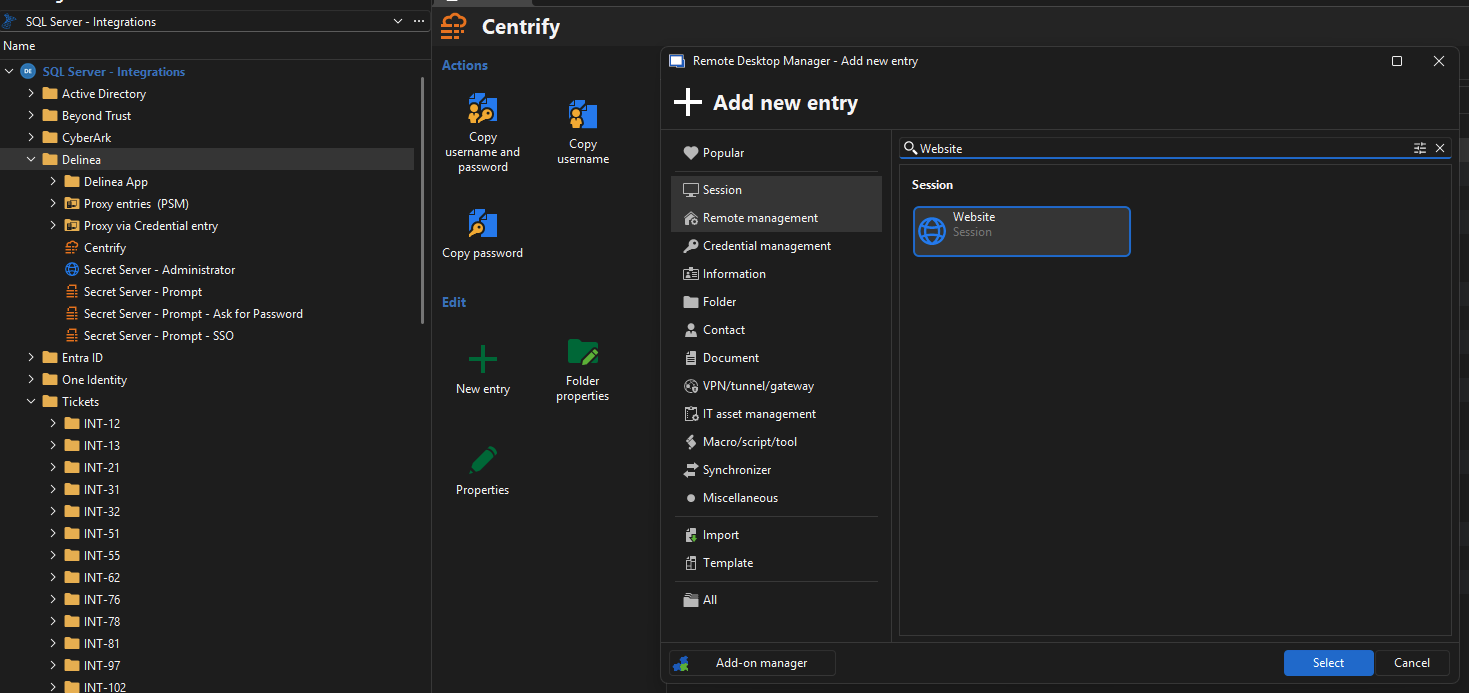
And of course, making sure that using an external browser outside of RDM (Chrome, Firefox, etc.) works properly to connect to the server.
Best regards,
Delinea Secret Server Integration with RDM and AAD IDP
Hi!
Good question! I'll be honest with you, I'm not quite sure myself. If you've tried both mode and neither worked, I'm going to assume that no, it is not supported. I would have expected SSO to work though, as we are delegating to the website authentication. What's the behavior you are observing when trying the SSO authentication? Are you getting prompted to authenticate in browser and it fails? Do you get any errors?
Best regards,
Be able to use RDM variables inside Delinea Secret Server Secrets fields
Hi,
This would require resolving the variables after resolving the credential (I presume we do it before currently if this does not already work). This would work fine for credential resolving with the Delinea Secret Server credential entry (or any other credential entry actually). But I don't think it would really apply to RDP over Delinea Secret Server Proxy though. This entry does not really resolve credential in the traditional sense, it makes a proxy request and receives the proxy information (host/domain/port) as well as generated temporary username and password. The domain here would be the domain to connect to the proxy, not to the end host, so I doubt you'd find a way to pass your variable along like this. Was RDP over Delinea Secret Server Proxy a real case of yours? Or do you just intend on doing credential resolving?
Best regards,
Delinea RDP/SSH Proxy for macOS
Hi!
The entries RDP/SSH over Delinea Secret Server proxy will unfortunately no be implemented per se. It was determined that the way they were implemented would hinder further development (such as supporting other types like SCP and SFTP). So we pivoted to a more flexible approach.
The new approach, while not available yet, works as follow:
You create (or modify) a Delinea Secret Server credential entry
You set the "Resolving mode" to "Connection through proxy"
You create an RDP or SSH entry
You link this entry to the previously created Delinea Secret Server credential entry (through whichever means you prefer, e.g. Linked (vault), Find by name (user vault), Linked (external vault), etc.)
You launch the previously created RDP or SSH entry
In this way, we can piggyback on the full spectrum support of credential resolving. The only difference with regular credential linking is, instead of resolving the credentials (username/domain/password), we make a proxy request and replace on the spot the info of the RDP or SSH session to make it go through the proxy.
This new approach should be available in the upcoming RDM Mac version 2025.2.12.0.
Best regards,
Cyberark SIA Inheritance
Ah! I think I understand what you mean, you configure your session like this:

And you want to configure the CyberArk SIA settings on the folder. I still think that just making the UI appear properly wont be enough, there's probably some code that must be made to properly cascade the settings, but this should be feasible.
I will open a ticket and we will keep you posted on any progress.
Best regards,
Cyberark SIA Inheritance
Hi,
As you've noticed, RDM indeed does not currently supports inheritance of CyberArk SIA. For this, we would need to add a new settings with a mode set to inherited. Unfortunately, since entries have already been created by users, the mode couldn't be set to inherited by default, you'd need to set it through your entry and folder chains (although I guess we could switch to inherited by default on new folders). Would that work for you?
Also, do you want all editable settings to be inherited as a package (in your screenshot example: Access mode, Network and Just-in-time elevation with a vaulted credential)?
And for the un-editable ones (Target user, Address, Target domain) those are inferred from the entry itself. Do you see this behavior changing? For those specifically, I expect this is already possible simply by settings the Host and Credential mode of the entry to Inherited.

Best regards,