Microsoft Entra ID dashboard - customer tenant
1 vote

Hi,
I love the Entra ID dashboard and would love to use it to access our customers tenants. We have access to our customers tenants through GDAP and it would be fantastic if we could create users, groups and assign licenses through the Entra ID dashboard. We access all customers with the same user (like user@contoso.com) and that user has access to several tenants. So we would need some option to select or type in the specific tenant ID we would like to manage. This would be a great feature for us!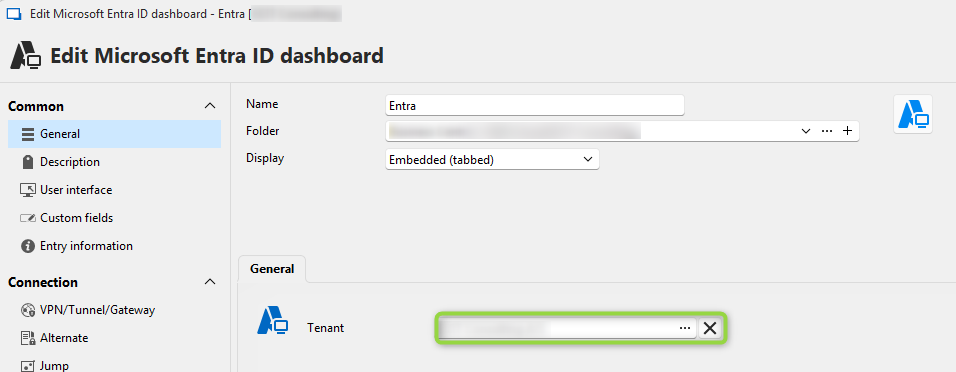
bcc88ace-465e-4176-90da-0b65261a728e.png
All Comments (15)
Hello,
Thank you for the request. Our team will analyze this and we'll see what we can do to support this. We might come back to you with some additional questions if need be.
Regards,
Hubert Mireault
Hi Nicolai!
What is the behavior you are observing when you are authenticating with the "..."?
Multi-tenant environment is a case I could never test by lack of such an environment, but in theory, we should be prompting for all tenants available to this user. But I might have been wrong on this.
Best regards,
Xavier Fortin
Hi Xavier,
When I click the "..." my browser opens up and asks me to authenticate. I authenticate with my "Microsoft Partner user" that has access to several tenants, but the 'Tenant' field is filled out with the primary tenant (the tenant my user belongs to). I don't get a choice to select any other tenant.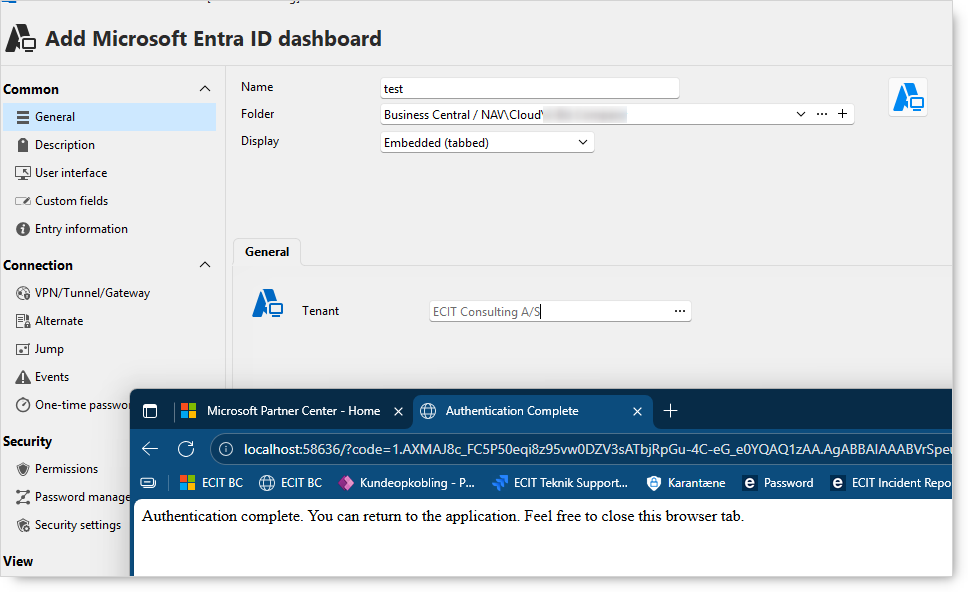
Best regards
Nicolai
ffea7232-d427-4565-aeb5-fd97fb787334.png
Well, it looks like I got it wrong originally 😅
I will open a ticket to fix this. Sorry for the inconvenience!
Best regards,
Xavier Fortin
Hi Nicolai,
I wasn't able to fully test this fix internally due to the lack of a Microsoft Partner environment on our end, but I've pushed a potential fix that should address your issue. It will be available in the next major release, 2026.2.
The fix now queries all three relevant Microsoft Graph endpoints when loading the tenant picker — your home tenant, DAP contracts, and GDAP delegated admin relationships — so all customer tenants you have access to should now appear in the list.
I'd really encourage you to give it a try once 2026.2 is out. If it turns out it still doesn't work as expected, please let us know and we'll dig deeper to find another solution.
Best regards,
Léon Le Brun
Im trying to get this to work but it only shows the tenant that my account belongs to. None of my GDAP tenants show up. Im running 2026.2.1.2, how do I get my GDAP tenants to show up?
Hi,
Thank you for reaching out and sorry for the trouble.
We did some digging and we have an idea of what might be going on. First, a quick question: when you click the browse tenant button and go through the sign-in, do you see any kind of error or warning message appear afterward?
If you don't see any error, could you try the following and let us know what happens:
- Go to File → Options → Entry Types → Microsoft Entra ID
- Click "Clear Authentication Records"
- Try selecting a tenant again
Note: This is safe, it only removes cached sign-in tokens for Entra ID. Your connections, passwords, and all other settings are completely unaffected.
This will force a fresh sign-in and give us a clearer picture of what's actually happening on your end.
Based on what you report back, we believe the root cause may be a missing Microsoft Graph permission (DelegatedAdminRelationship.Read.All) that isn't being correctly requested during authentication, which would cause the GDAP source to silently fail and leave only your home tenant visible. A fix for this is already in progress.
Thanks again for your patience, and please let us know what you see after the cache clear!
Thanks for looking at this
I cleared the Authentication Records but its still only showing my home tenant. Im using Mac version of RDM if that makes a difference
Hi,
Thank you for confirming, and yes, the Mac version does make a difference here.
We identified that the Mac client was using a legacy code path that only ever fetched your home tenant, regardless of your setup. This has been fixed and will be available in version 2026.2.12.
Additionally, for GDAP specifically, we discovered that discovering GDAP-managed tenants requires an extra step on the user's side: you will need to create an Azure App Registration in your partner tenant with the Read delegated admin relationships permission, and provide its Client ID in RDM. We are adding a dedicated field for this in the same release to make the setup straightforward :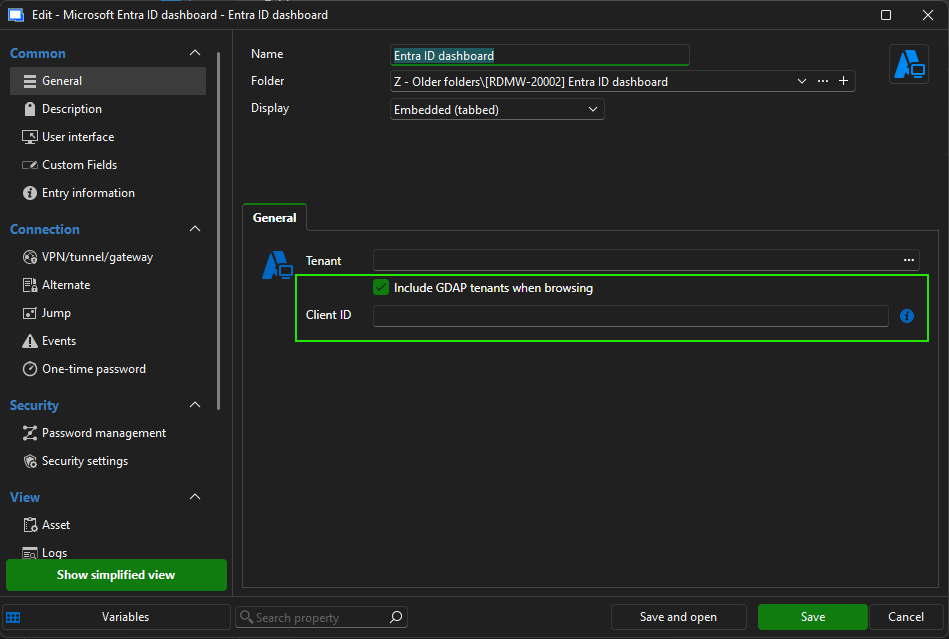
Since we don't have a GDAP environment to test against, this is somewhat of a blind fix on our end. We would really appreciate it if you could give it a try once 2026.2.12 is out and let us know whether everything works as expected or if any issues remain.
Sorry again for the inconvenience!
Best regards,
Léon Le Brun
23b5e046-de3b-4bbb-afc9-adc463f305ec.png
Thanks for looking into this. I manage a large GDAP environment and would be happy to test when 2026.2.12 becomes available. I should be able to test on both the Mac and PC RDMs
Hello,
Thank you for being so patient!
I'm pleased to inform you that a new version of RDM (2026.2.12.0) has been released, featuring the fix for your issue.
Latest Version: Download RDM
Please let us know if this works or if you encounter any issues.
Best regards,
Maxim Robert
Hi Maxim,
This is excellent, I can't wait to try it out. I ran into an issue though. When listing the available tenants it looks like it "only" shows the first 102 tenants and the one I am looking for is a bit further down the list. Is this a tiny thing to fix? ;-)
Best regards,
Nicolai
Looks like the mac version of RDM is still at 2026.2.2.1. Is there a update for the Mac version?
Hi Nicolai,
I looked into the tenant count issue and believe to have fixed it. This fix should be in the next minor release 2026.2.14.
Best regards,
Léon Le Brun
Hi steve3,
RDM macOS 2026.2.3.1 was just released and contains the new entra id settings. Hopefully this will resolve your issues on macOS. If there are issues, don't hesitate to let us know.
Best regards,
Maxim Buisson