Delinea Secret Server Integration with RDM and AAD IDP

Hi All,
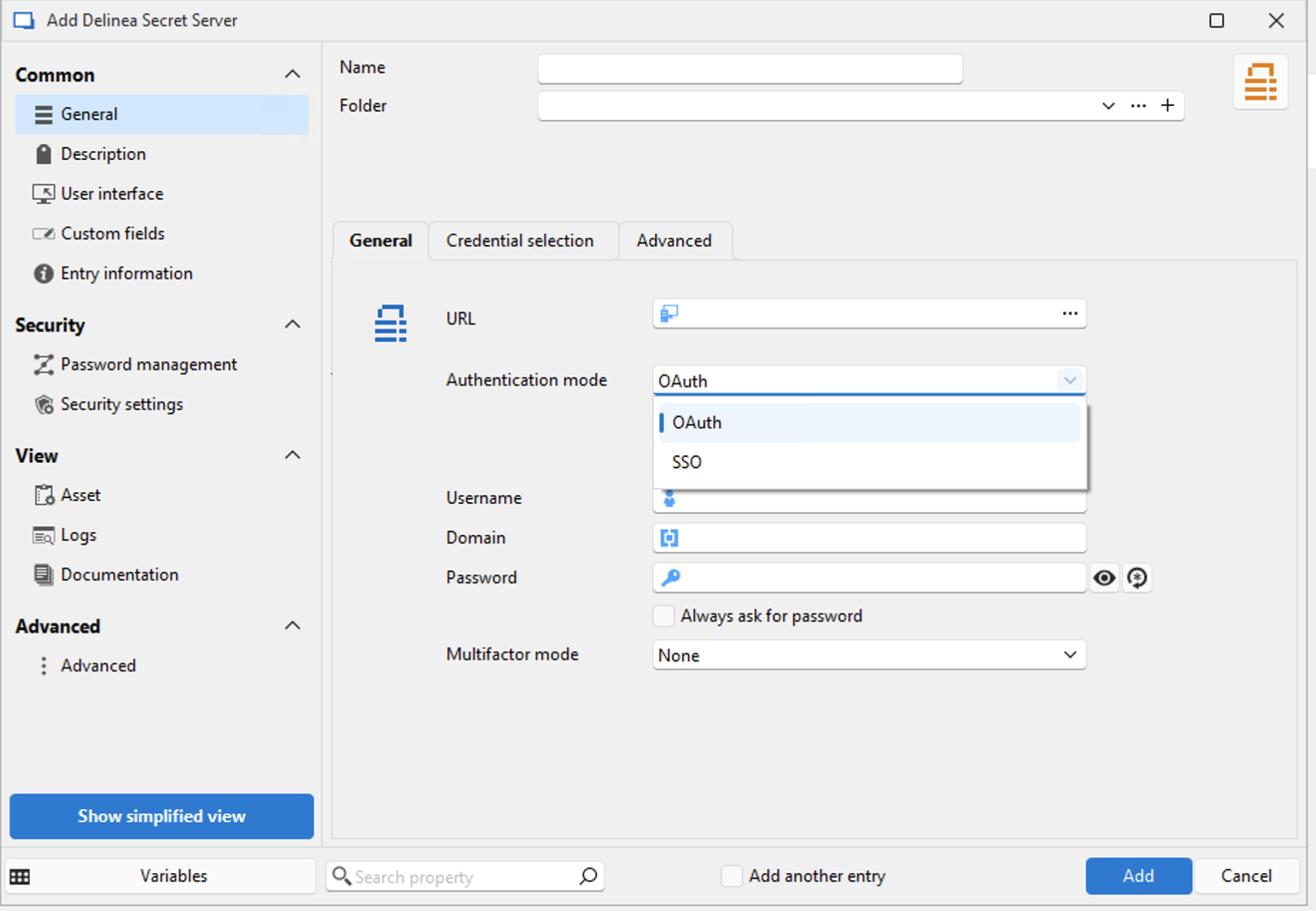
Not sure if anyone know if this setup works with the RDM integration.
- On-Prem Delinea Secret Server installation
- Secret Server Integration with multi AAD tenants for user sync https://docs.delinea.com/online-help/secret-server/directory-services/azure-active-directory/index.htm
- enforced AAD MFA policy
- RDM integration works well with on-prem AD users
- Tried both oAuth and SSO, none of the settings work.
Thank you in advance!
43608217-bd7a-4583-843b-f62ea4950b7d.png
All Comments (9)
Hi!
Good question! I'll be honest with you, I'm not quite sure myself. If you've tried both mode and neither worked, I'm going to assume that no, it is not supported. I would have expected SSO to work though, as we are delegating to the website authentication. What's the behavior you are observing when trying the SSO authentication? Are you getting prompted to authenticate in browser and it fails? Do you get any errors?
Best regards,
Xavier Fortin
Thank you Xavier for your valuable advice!
Following your suggestion, we focused on the SSO authentication settings and discovered that something on the device is blocking RDM from successfully communicating the Delinea Secret Server.
Is there a way or any logs we can check to verify that in RDM?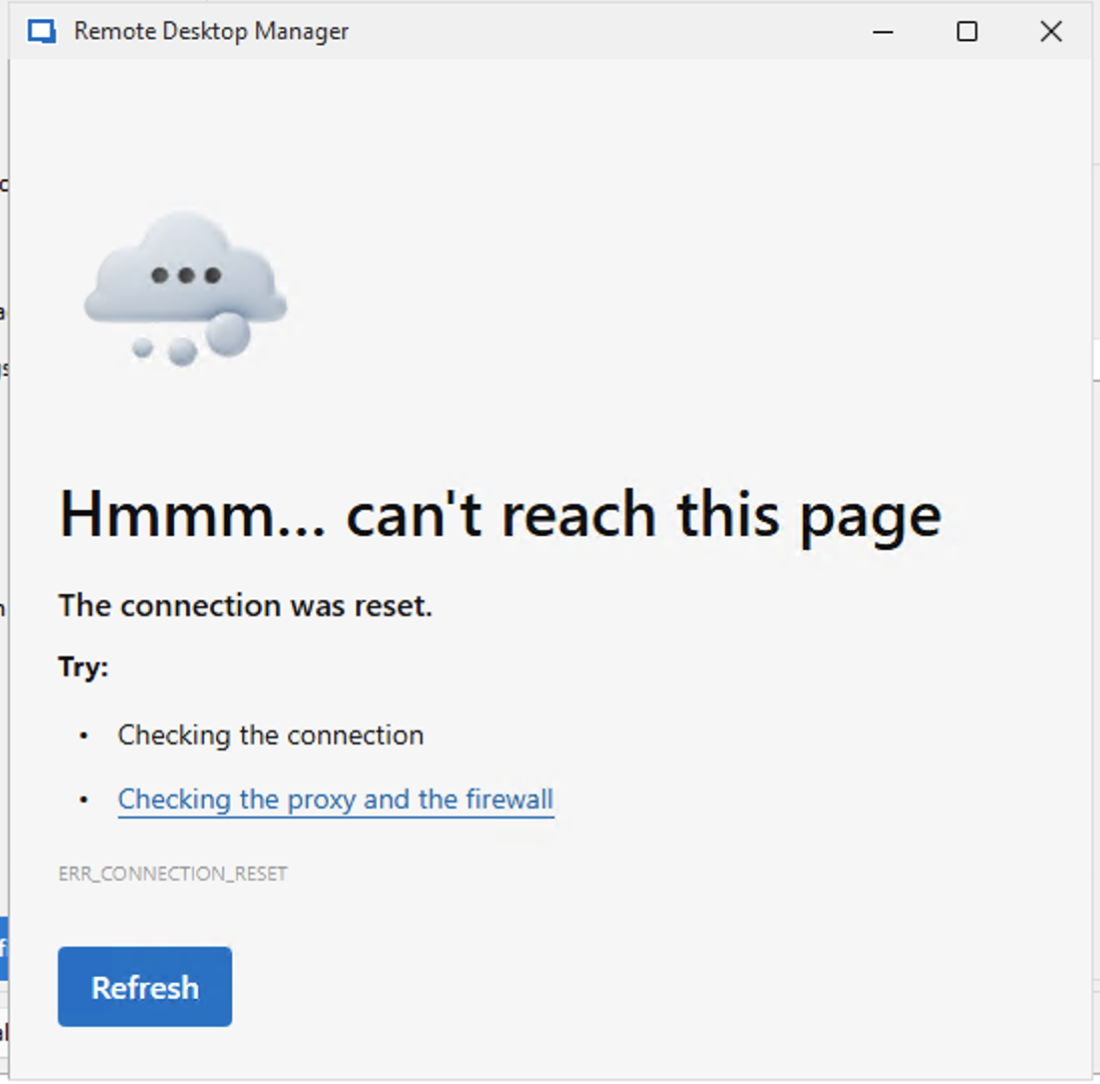
Best Regards,
Peng
b7e056f2-68ff-41e7-9d56-5a644614d0be.png
For error inside the browser prompt, I'm not sure we have any specific logs.
First and foremost though, could you make sure you have no proxy configured in RDM specifically:
I would then recommend trying to connect to your Delinea Secret Server with a regular Website entry. Just to validate if there is really something in RDM preventing you from authenticating (i.e. that it is or not limited to the integration per se).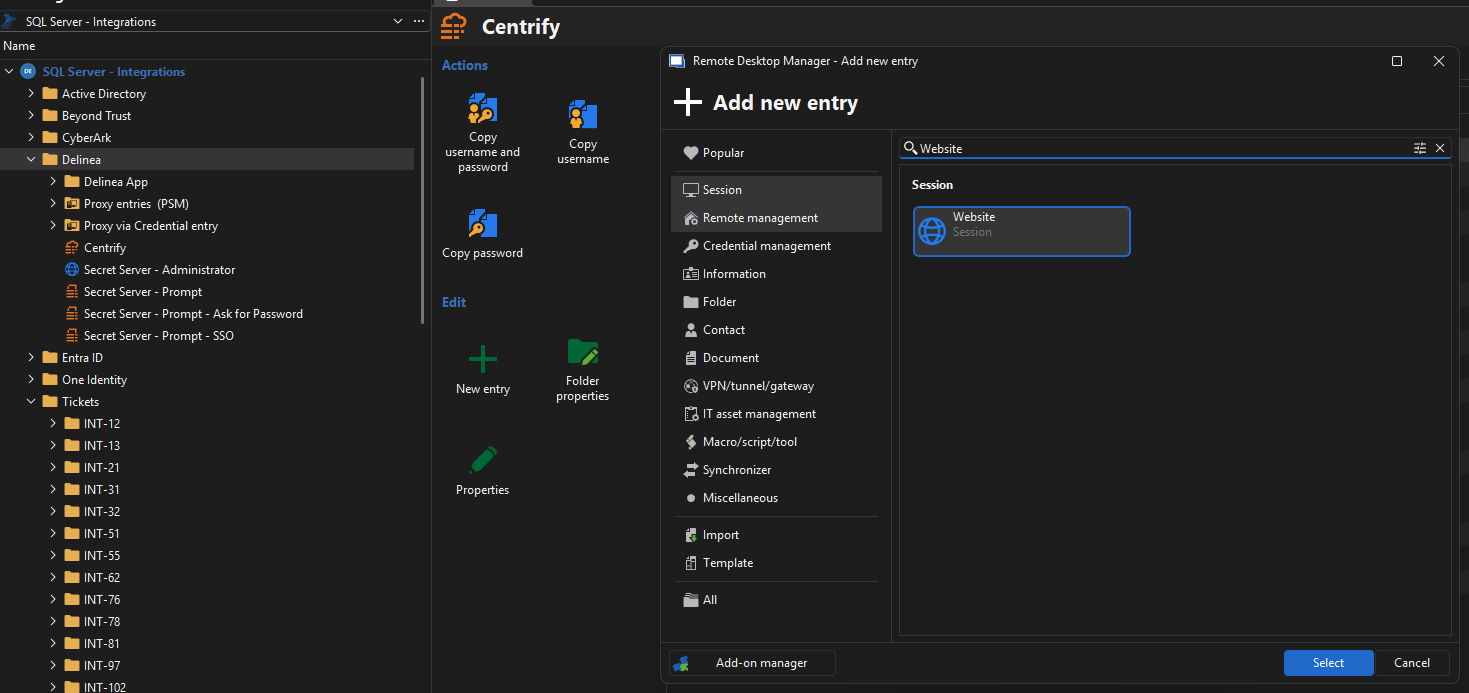
And of course, making sure that using an external browser outside of RDM (Chrome, Firefox, etc.) works properly to connect to the server.
Best regards,
Xavier Fortin
b5cca5cb-625c-4b1e-9507-cd4a7f69d9ab.png
Screenshot 2025-08-01 at 8.11.21 AM.png
Hi Xavier,
Thank you very much for your suggestions.
We investigated internally but were still unable to identify the root cause.
When we use the system’s default proxy and click the test button, we encounter the following error: “SSL connection could not be established.”
Do you have any idea what might be causing this?
On the other hand our network team checked and said the F5 is seeing a TLS 1.0 request from the client. My question is: How can I force Devolutions RDM to use TLS 1.2 instead of TLS 1.0 when opening a WebSession? Maybe this is the reason? When accessed the Secret Server web through the browser, the connection uses TLS 1.2, which functions properly.
Any help would be appreciated!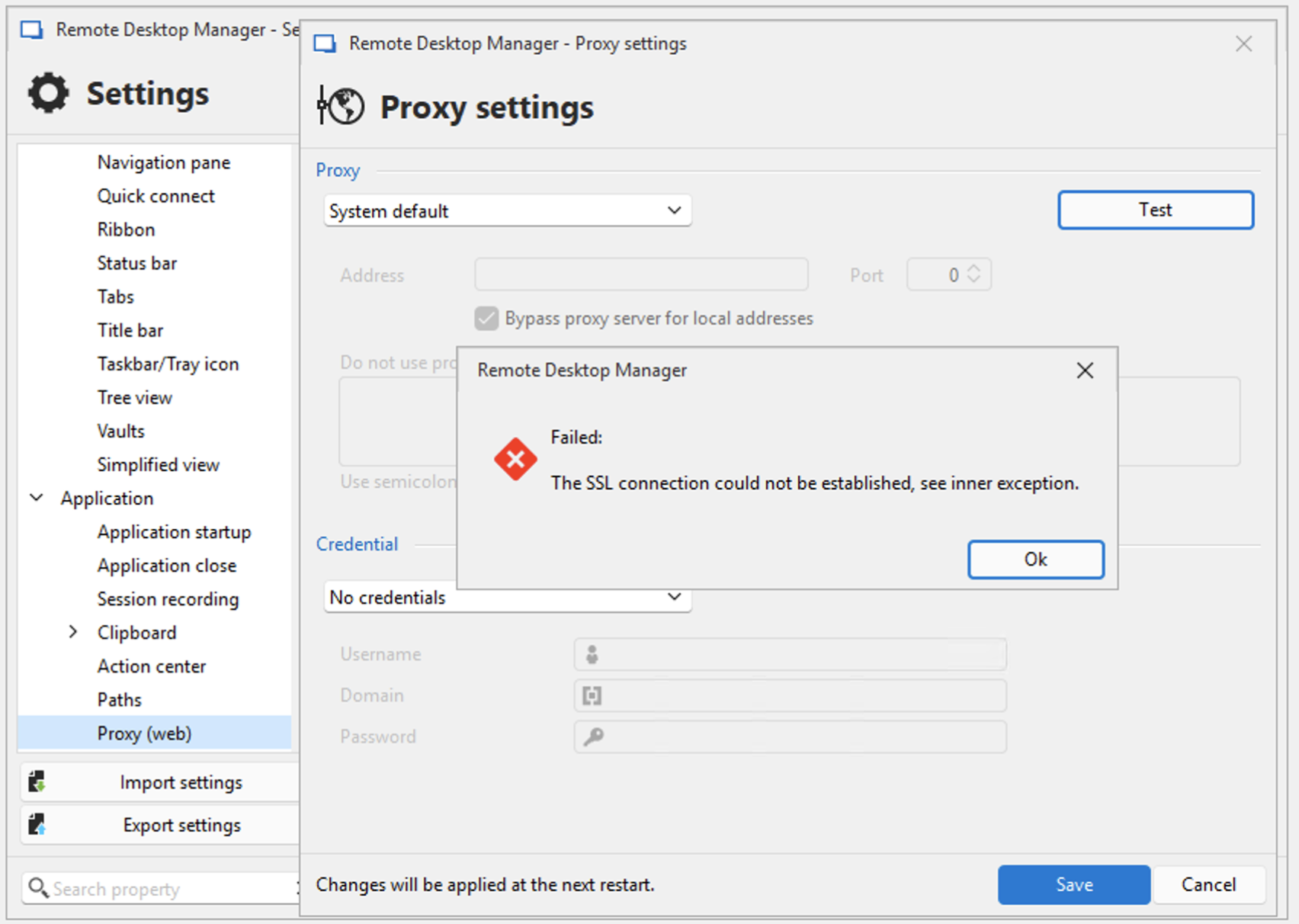
9e8a1ab8-7457-494a-bee4-667be4c7551b.png
For your first point, no, I do not know why this fails. In my case, the test button works, and with a proxy configured on the system (Charles Proxy). If you are getting an error there, I feel like you very well might have a proxy configured on your system.
You should be able to validate this under the Windows -> Settings -> Network & Internet -> Proxy window.
Also, for the error with the Test button, you can probably find more info in the application logs of RDM (Help -> Application logs).
I would reiterate my initial inquiry, are you able to connect to your Delinea Secret Server instance through an external browser (Google Chrome, Firefox, Edge, etc.)?
I also do not know why your server receives TLS 1.0 requests. I just validated using Charles Proxy, and I can clearly see we are sending TLS 1.2 requests:
Is it possible that whatever proxy you have configured on your system his modifying the requests?
Best regards,
Xavier Fortin
Screenshot 2025-09-23 at 8.33.51 AM.png
Hi Xavier,
Thank you for your reply!
Yes, we are able to connect to the Delinea Secret Server instance through an external browser from the same client.
Here is the application log error.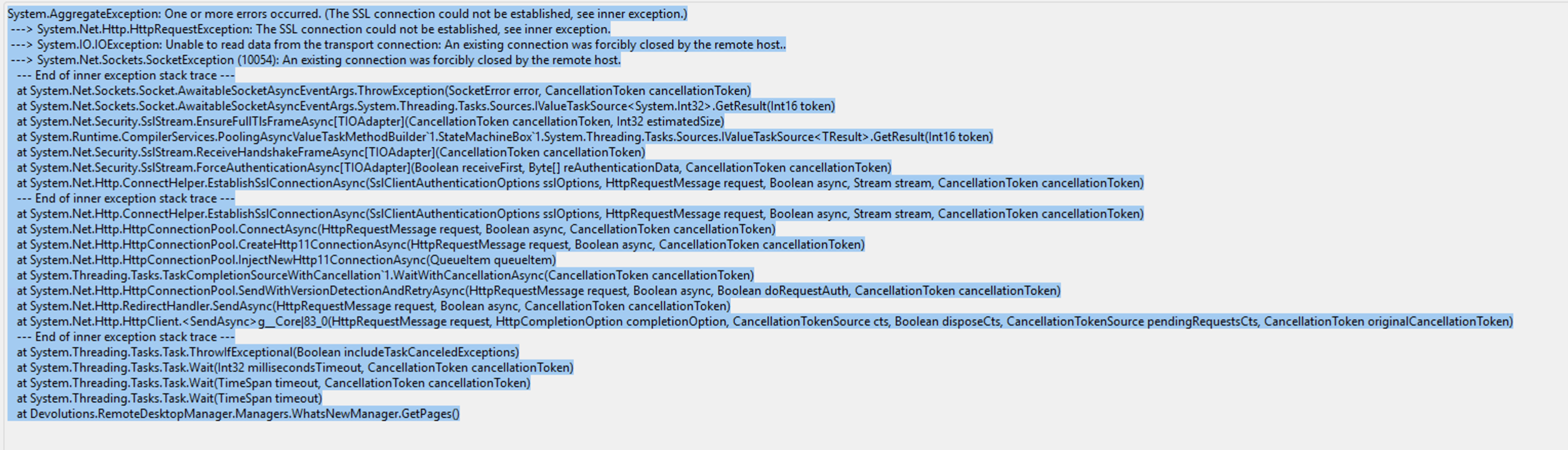
Let me check with the network team again to see if the proxy is modifying the request.
e9e4db4e-971e-4dd6-843d-5365d7debbbe.png
Yes, we are able to connect to the Delinea Secret Server instance through an external browser from the same client.
Alright, this is good to know, and if you try the same, but with RDM's integrated browser (see attached video)?
Xavier Fortin
OpenWebBrowser.mp4
From the RDM's integrated browser, we tried to follow your video instruction, same "the connection was reset" error when using quick connect to the Delinea Secret Server landing page.
Thank you!
Alright, so the issue isn't with the integration, per se, but really with RDM connecting to your Secret Server server altogether. I'd go the proxy route then, most likely, something is interfering between RDM and the server, and I cannot imagine much else other than a proxy.
What external browser did you use earlier when doing your test?
Best regards,
Xavier Fortin