Can RDM use my local SSH configuration to connect to a remote host?
Can RDM use my local SSH configuration to connect to a remote host?

We have Azure VM's running that we can connect to via SSH.
We have to generate SSH keys as they expire after a while.
This information (host IP, keyfiles, etc) is stored in my personal .ssh folder in the config file
it is generated like so with the Azure CLI:
az login
az ssh config
This results in 3 ssh key files:
.ssh/az_ssh_config/<snipped>/id_rsa
.ssh/az_ssh_config/<snipped>/id_rsa.pub
.ssh/az_ssh_config/<snipped>/id_rsa.pub-aadcert.pub
In my ssh config file (~/.ssh/config) I have:
Host MASKED_RG_VM_NAMES
User xxx@xxx.com
HostName 20.nn.nn.nn
CertificateFile ".ssh/az_ssh_config/<snipped>/id_rsa.pub-aadcert.pub"
IdentityFile ".ssh/az_ssh_config/<snipped>/id_rsa"
Host 20.nn.nn.nn
User xxx@xxx.com
CertificateFile ".ssh/az_ssh_config/<snipped>/id_rsa.pub-aadcert.pub"
IdentityFile ".ssh/az_ssh_config/<snipped>/id_rsa"
(some hostnames and ip addresses are masked or snipped and paths shortened to prevent sensitive information being posted)
When I use VS Code I can connect to a remote via SSH in the command palette and VS code will offer me all the entries from my ssh config file.
I have 2 questions:
1) Can RDM also use these entries from my ssh config file as well? If so, how?
2) I have a script that renews the key files from Azure and alters the ssh config file. This script is written in Powershell but as I am on a MacOS I get the message from RDM that I cannot use Powershell. Why is that?
It is a bit odd that RDM on MacOS is complaining about Powershell scripting, Powershell has been multi platform for quite a while now and I would assume RDM woant to make good use of that, but it won't.
Any timeline on supporting Powershell Core on MacOS in RDM?
All Comments (18)
Hello,
I will have to check with the engineering department regarding your questions, keep you updated!
Best Regards,
Etienne Lord
Hello,
With RDM right now, the only way would be to use the Key Agent and load your local keys, then tell your SSH entry to use the key agent.
https://help.remotedesktopmanager.com/tools_keyagentmanager.html
After speaking with the engineering department, they mentioned that it would be a good improvement to make.
We will have a ticket open for that!
Best Regards,
Etienne Lord
Did you ever manage to get the Key Agent working?
It seems like the SSH certificates generated by the az cli do not work with RDM.
Hello,
I will contact our engineers for an update and we will send news as soon as we receive some from them.
Best regards,
Oh wow, this thread/question is still active? Man, I gave up on this months ago, no solution and had to move on without the vendor.
Curious though, why does thuis take so long?
Hello,
I will check back with them for further details!
Best regards,
Etienne Lord
Hi steven09,
The issue seemed to have fallen between the cracks. Sorry for that.
I have one question regarding your initial question
When I use VS Code I can connect to a remote via SSH in the command palette and VS code will offer me all the entries from my ssh config file.
What command from VScode command palette are you referring to? Do you have a plugin installed?
Best regards,
Xavier Fortin
Hi Xavier,
I can't speak for VScode specifically, but this is what I'm doing directly on the command line.
# Generate the SSH certs required
az ssh config --ip * --file ./sshconfig --keys-dest-folder ./.ssh
# Use the SSH certs to connect to a server
ssh -F ./sshconfig <IP_ADDRESS>
What we want to do is have RDM use these SSH certs to connect to a server, but they don't seem to be supported.
"you can use any SSH clients that support OpenSSH-based certificates to sign in through Azure AD"
Cheers
Thanks for this James,
I'll add this information to the ticket.
Best regards,
Xavier Fortin
Hi jamesmatthews,
Just to confirm with you, in RDM Windows, there is a Certificate tab under the Private Key tab of the SSH Shell entries that allows configuring a public key certificate:
Would such a thing work for you? Or do you need RDM to parse the config file?
Best regards,
Xavier Fortin
CertificateTab.png
Hi Xavier,
I have tried this, however as per the documentation for access to CentOS 7 servers (which most of ours are), you need to add the below to the local SSH config file
PubkeyAcceptedKeyTypes +ssh-rsa-cert-v01@openssh.com
Source: Log in to a Linux virtual machine in Azure by using Azure AD and OpenSSH - Microsoft Entra | Microsoft Learn
There doesn't seem to be a way to do this in RDM. I have tried Terminal > Advanced > Algorithm Support, but "ssh-rsa-cert-v01@openssh.com" is not a listed option.
Thanks
Hi James,
I confirmed that we do support ssh-rsa-cert-v01@openssh.com. This actually has nothing to do with Algorithm Support, so it's normal that it is not there.
Just to confirm again, with RDM Windows you tried to configure your SSH entries by putting your certificate in the section shown in the screenshot above, and the connection failed regardless?
If so, could you generate logs for the sessions and share them with us? You can do so by following these instructions (for RDM Windows): https://docs.devolutions.net/kb/remote-desktop-manager/how-to-articles/send-ssh-logs-verbose/
Best regards,
Xavier Fortin
Hi Xavier,
Indeed, using the certificate in the config does not work. Below is the verbose log:
[28/07/2023 10:16:43] Devolutions Protocols version: 2023.7.5.1 Windows

[28/07/2023 10:16:43] Terminal font: Courier New [Courier New, fixed=True]

[28/07/2023 10:16:43] Starting SSH, verbose level: 2

[28/07/2023 10:16:43] Setting up connection

[28/07/2023 10:16:43] Connecting to port: 22 (IP any)

[28/07/2023 10:16:43] SSH banner: SSH-2.0-OpenSSH_7.4


[28/07/2023 10:16:43] Sending kex init

[28/07/2023 10:16:43] Received kex init

[28/07/2023 10:16:43] Selected algorithms: curve25519-sha256, ssh-ed25519, chacha20-poly1305@openssh.com, chacha20-poly1305@openssh.com, implicit by cipher, implicit by cipher, none, none

[28/07/2023 10:16:43] Sending Ed25519 kex init

[28/07/2023 10:16:43] Received Ed25519 kex reply

[28/07/2023 10:16:43] Successfully authentified server

[28/07/2023 10:16:43] Sending new keys message

[28/07/2023 10:16:43] Received new keys message

[28/07/2023 10:16:43] Sending userauth service request

[28/07/2023 10:16:43] Received extension info message

[28/07/2023 10:16:43] Server accepts public key types: rsa-sha2-256,rsa-sha2-512

[28/07/2023 10:16:43] Received service accepted message

[28/07/2023 10:16:43] Using provided key data

[28/07/2023 10:16:43] Using provided SSH certificate

[28/07/2023 10:16:43] Sending userauth init request

[28/07/2023 10:16:48] Received userauth failure: publickey

[28/07/2023 10:16:48] Starting authentication by key

[28/07/2023 10:16:48] Validating public key: rsa-sha2-512

[28/07/2023 10:16:48] Received userauth failure: publickey

[28/07/2023 10:16:48] Key not accepted accepted by server

[28/07/2023 10:16:48] No authentication method available

[28/07/2023 10:16:48] The server does not accept interactive authentication

[28/07/2023 10:16:48] The server does not accept password authentication

[28/07/2023 10:16:48] Disconnection in progress

[28/07/2023 10:16:48] Bytes sent: 2684, Bytes received: 1725

[28/07/2023 10:16:48] Packets sent: 6, Packets received: 7

[28/07/2023 10:16:48] Kex completed: 1

[28/07/2023 10:16:48] Disconnecting
This is what my local ssh config file is, which is generated by Azure and works
Host *
	User <REDACTED>
	CertificateFile "C:\Users\<REDACTED>\.ssh\id_rsa.pub-aadcert.pub"
	IdentityFile "C:\Users<REDACTED>\.ssh\id_rsa"
    PubkeyAcceptedKeyTypes +ssh-rsa-cert-v01@openssh.com
In RDM, I pointed the certificate config to "id_rsa.pub-aadcert.pub", and private key to "id_rsa".
Regards,
James
Hi,
Thanks for this! We are investigating the issue.
Best regards,
Xavier Fortin
Hello James,
After some investigation, we have come up with the following fix :
- RSA with certificates are now correctly used for user authentication when the server specifies it accepts RSA with SHA 256 or SHA 512
The changes should be available starting from the version 2023.2.19.0 of RDM Windows. If you still experience issues after updating to this version please do let us know.
Best Regards,
Michaël Beaudin
Hi Michael,
I can confirm this is now working!
Thanks so much for the prompt fix.
Cheers
James
Hello Michael
That is long time ago, but why you removed the comment, I also need it :-D
Best regards
Julien Andonov
Are you perhaps also using a dark theme? Because I believe it's just a font color issue, the text is still selectable: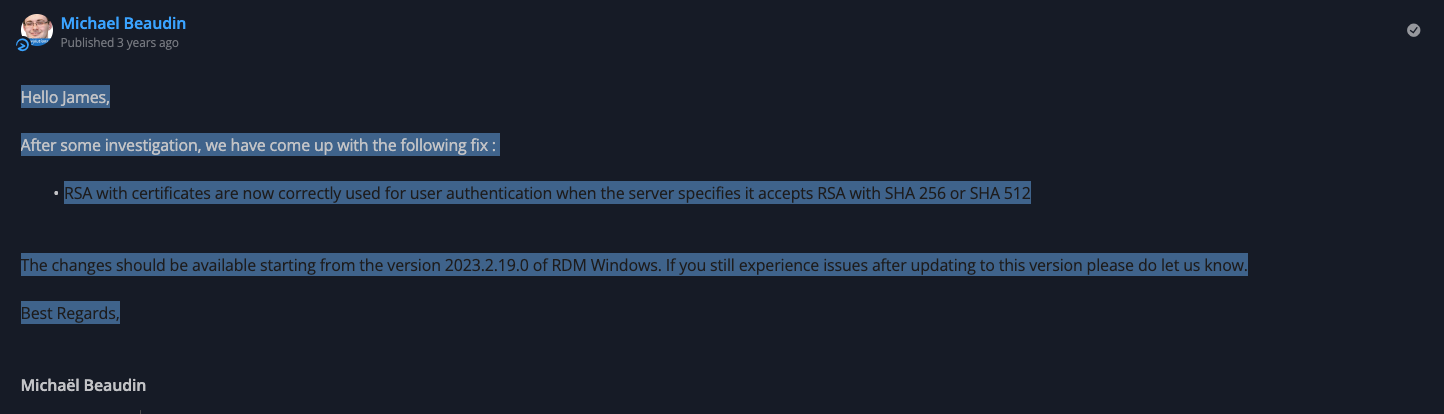
Best regards,
Xavier Fortin
2d362efb-6d7d-4feb-903b-92ee71ffbd75.png