Cyberark SIA Inheritance

Hi,
I've been following the documentation here: CyberArk SIA entry - Devolutions Documentation
I have found that setting up multiple servers, inside multiple folders. I have to individually set these up to work with SIA. I've been scraping the guides and forum for any indication on what to do and haven't been able to find anything yet. I spoke with our 3rd party who is helping us set this up and the recommended I post here.
I noticed the inheritance on the folders don't have the correct CyberArk SIA settings for the VPN so they are unable to pass down that information. Am I missing something in my configuration?
The goal is to inherit the same connection details all the way to the top folder and have the settings there.
I need to then export this configuration and include it in the setup of Remote Desktop Manager so when new installs happen on a laptop it comes mostly pre-configured. We don't have to go through and individually change 50+ server details with the username. 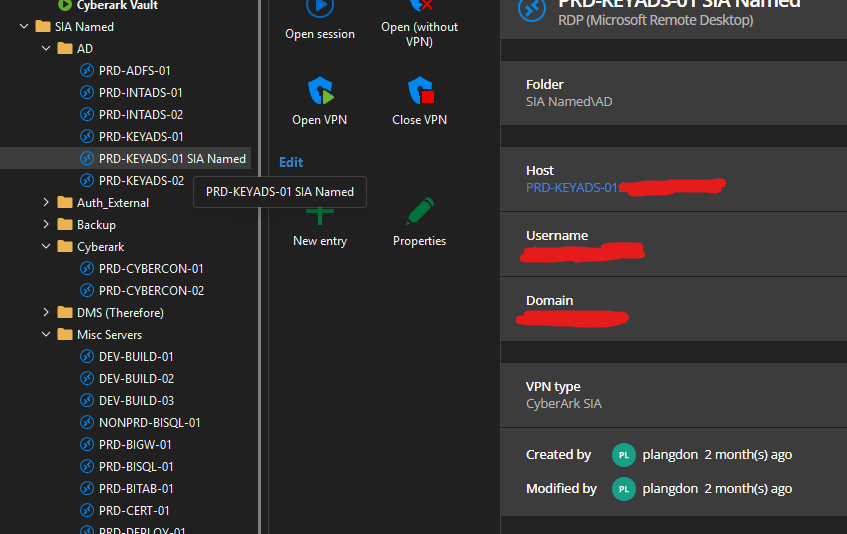
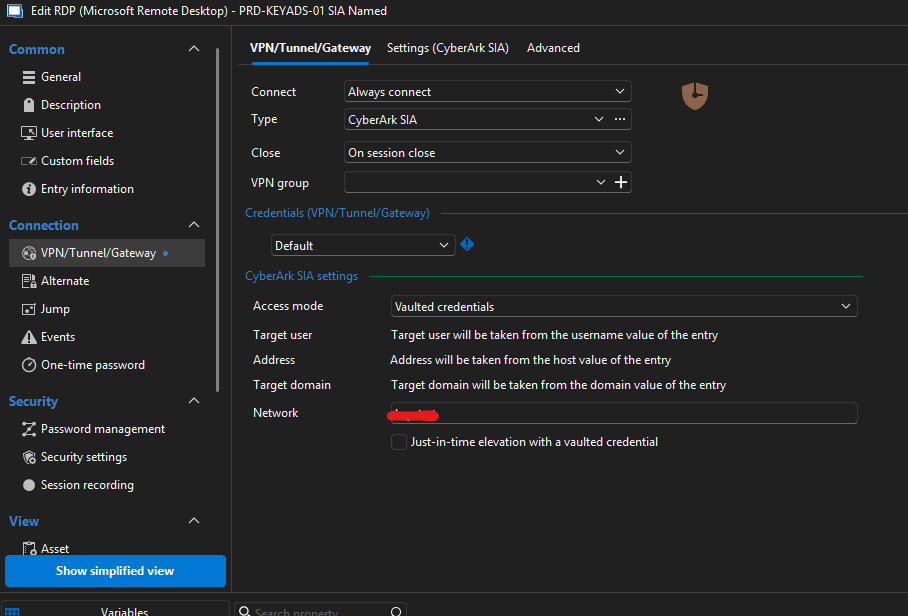
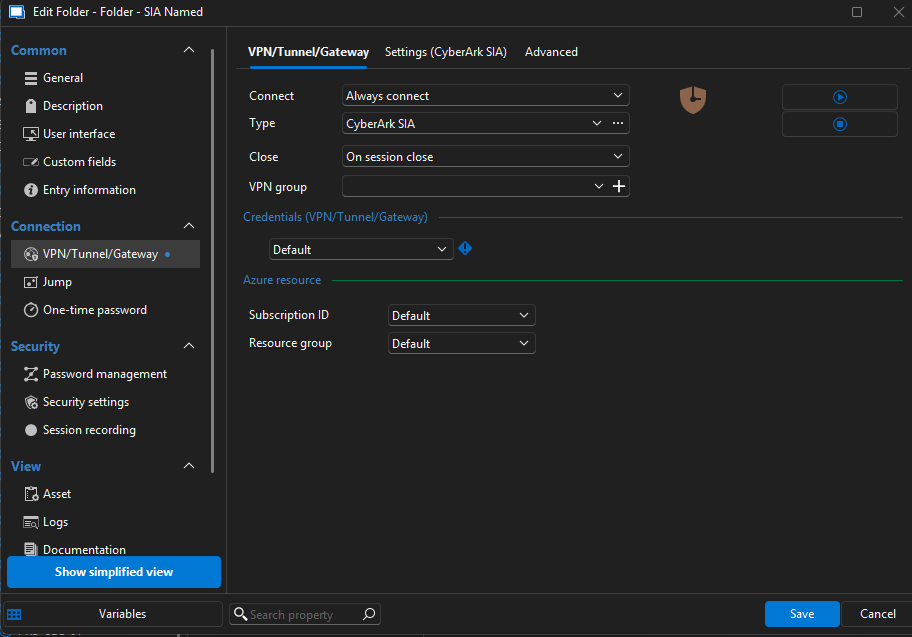
The above settings on the folder trigger the ZSP, which we're not using in the end. We only want the SIA named accounts to work. I just want the connections to inherit all their settings from the folder so there is a lot less configuration on a new install.
Thanks for any help or guidance.
Phil
e610045b-3880-4fef-bdfd-3ee24ddb142e.png
70599df2-85fb-4c46-b9d5-acc11745c229.png
55ff0c90-33a6-417a-b354-05411c300b03.png
All Comments (4)
Hello,
Thank you for reaching out!
My name is William and I'm here to assist you in any way I can.
You are correct, I confirmed on my side that I can replicate the issue. I've opened the discussion with our development team to see if we could get this fixed. I will let you know as soon as I have more information from their side.
In the meantime, you can always use the advanced search, select all the RDP session and batch edit them to point them to the SIA entry.
Feel free to reach out if you have any questions or need further clarification.
Best regards,
Hi,
As you've noticed, RDM indeed does not currently supports inheritance of CyberArk SIA. For this, we would need to add a new settings with a mode set to inherited. Unfortunately, since entries have already been created by users, the mode couldn't be set to inherited by default, you'd need to set it through your entry and folder chains (although I guess we could switch to inherited by default on new folders). Would that work for you?
Also, do you want all editable settings to be inherited as a package (in your screenshot example: Access mode, Network and Just-in-time elevation with a vaulted credential)?
And for the un-editable ones (Target user, Address, Target domain) those are inferred from the entry itself. Do you see this behavior changing? For those specifically, I expect this is already possible simply by settings the Host and Credential mode of the entry to Inherited.
Best regards,
Xavier Fortin
Screenshot 2025-07-16 at 8.12.23 AM.png
Thanks for the replies, the inheriting would work but it's this specific SIA setting we're not seeing on the folders: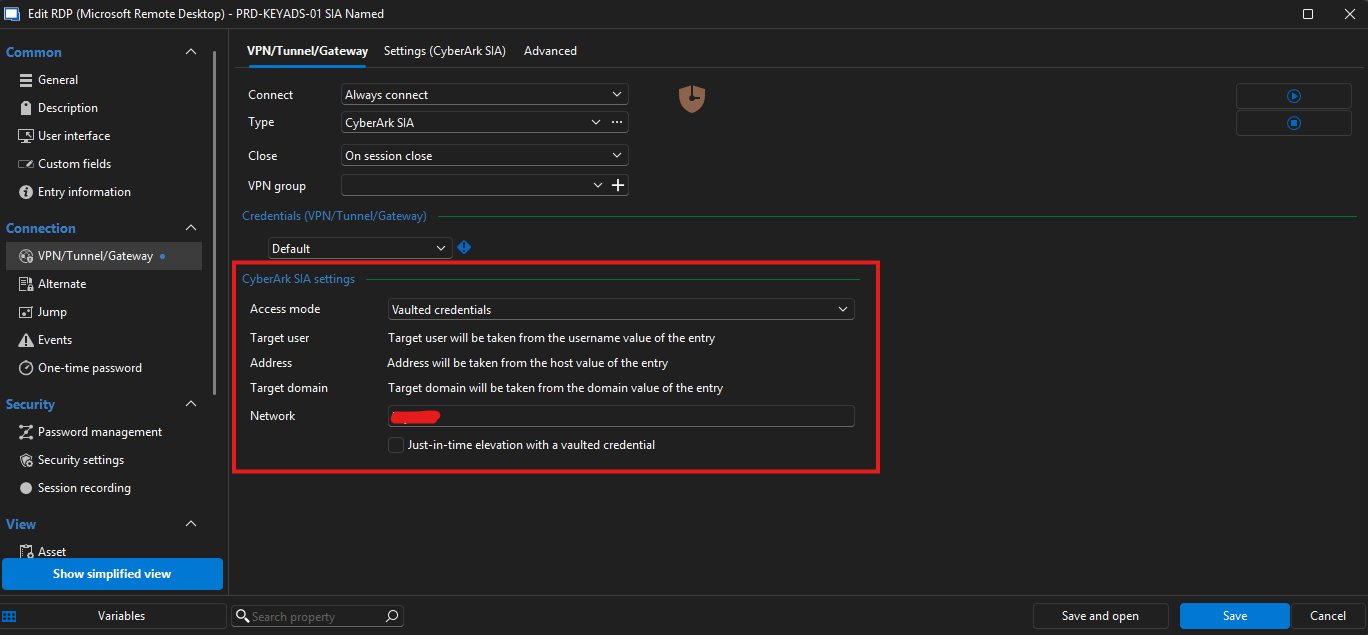
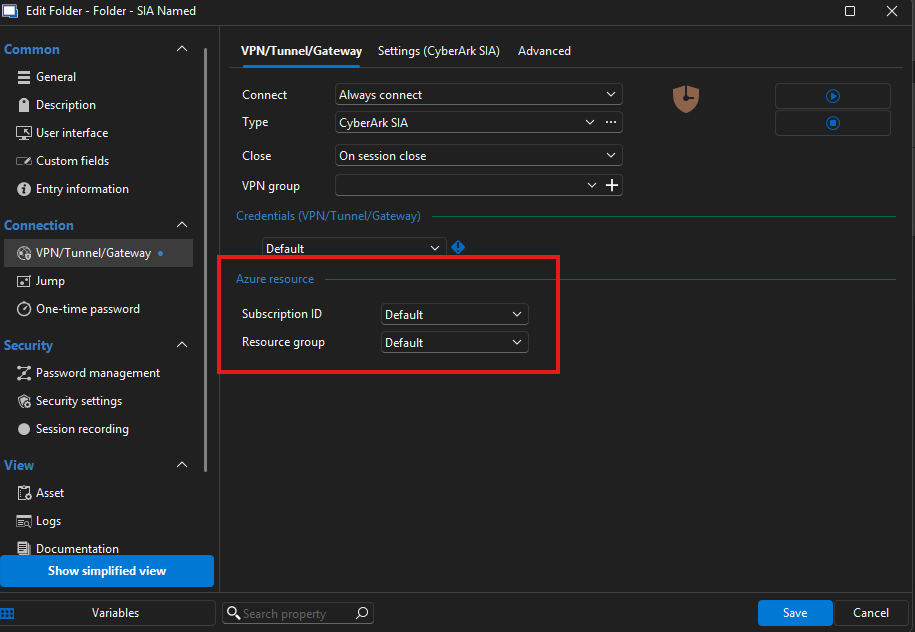
I think this setting is what stops it trying to connect to SIA via ZSP.
Thank you again for the replies, if i'm misunderstanding how that works let me know!
In the meantime i'll try this batch edit, I may just have to write that into the setup guide if that's the case for now.
f91d6cc1-e11e-4ea2-a1d8-bb620ebf8174.png
46c16b64-1873-4fcc-9e4b-2a877a6a0e92.png
Ah! I think I understand what you mean, you configure your session like this:
And you want to configure the CyberArk SIA settings on the folder. I still think that just making the UI appear properly wont be enough, there's probably some code that must be made to properly cascade the settings, but this should be feasible.
I will open a ticket and we will keep you posted on any progress.
Best regards,
Xavier Fortin
Screenshot 2025-07-17 at 8.02.31 AM.png