RDMTinkerer2
RDM window goees to background when a RDP error occurs
Thank you for additional details. Fingers crossed for the fix!
RDM window goees to background when a RDP error occurs
I just upgraded to RDM 2026.3.13.0 64-bit (PreJIT) and for me it also DID NOT fix the issue reliably. Initially it seemed like RDM stays on top, but then after few trials and switching between apps it again started to hide behind other windows. All 3 scenarios are reliably reproducing the issue:
connection to an RDP without credentials and cancelling the credentials prompt
connection to an RDP using a user that has no permissions to connect
signing out of an RDP session by using "Sign out" inside the connected session.
Hope it can get fixed soon, fingers crossed.
RDM 2026.3.9: High priority: Auto-type doesn't work
Hello Erica,
thank you for following up. It indeed seem to be fixed. Thanks!
RDM window goees to background when a RDP error occurs
Hi,
This is 2026.3.12, but the issue started I think a couple releases ago, but now has become very annoying to me.
When an RDP session is canceled due to:
lack of credentials
lack of permissions for my account to connect to the target server
maybe other reasons I didn't encounter,
the RDP window goes to back. It shouldn't be doing that.
Look at the attached screencast. It is RDM in front of a Notepad, to show the issue.
I'm trying to connect to a server, then cancel the credentials prompt, and on that moment RDM disappears.
A second later it blinks briefly, but I then need to do ALT+TAB or find the window using other means.
With the second screencast you can see I added a credential, but I have no permissions to log in to this server. When displaying that notification - the main RDM screen also disappears into background, for no reason...
Please fix it. Thanks in advance.
RDM 2026.3.9: High priority: Auto-type doesn't work
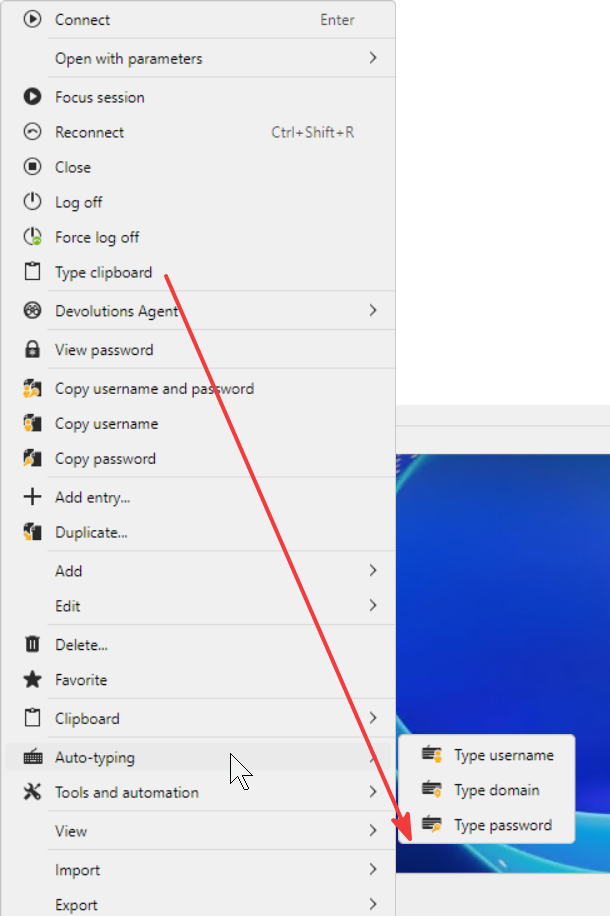
Auto-typing username/domain/password started working for me in 2026.3.12. "Type clipboard" is also working, albeit differently, it doesn't make pauses between keystrokes in the same way "Type password" does.
While we're at it, please consider moving "Type clipboard" to "Auto-typing" submenu. It just doesn't make sense in the main menu next to "Force log off" (dangerous) and it would help make main menu a little shorter. Thanks!
RDM sometimes loses the "Check for updates" menu item in Help
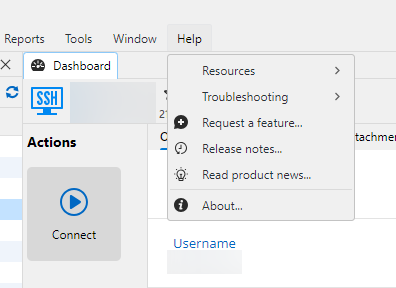
Thanks for your response. That I didn't check. But it's quite strange :-) Instead of completely deleting the menu item it'd be more intuitive if it was just visible but disabled. Then I could infer that it may be something to do with internet connectivity. Or it could just be enabled and in case I click it and it is unable to contact Devolutions servers to check for updates, it could show the warning dialog "Unable to check for updates. Verify your network connectivity." When the menu gets deleted and later reappear, it seems like it's unstable.
Thanks!
RDM sometimes loses the "Check for updates" menu item in Help
Sometimes when I open my computer in the morning and would like to check for updates of RDM, the Help menu doesn't have the item anymore. I think it occurs when the computer is put to sleep and later woken up, but I'm not too confident about that. It's the screen from RDM 2026.3.10 but this issue occurred for a long time. Please fix to make it always appear. Thanks in advance.
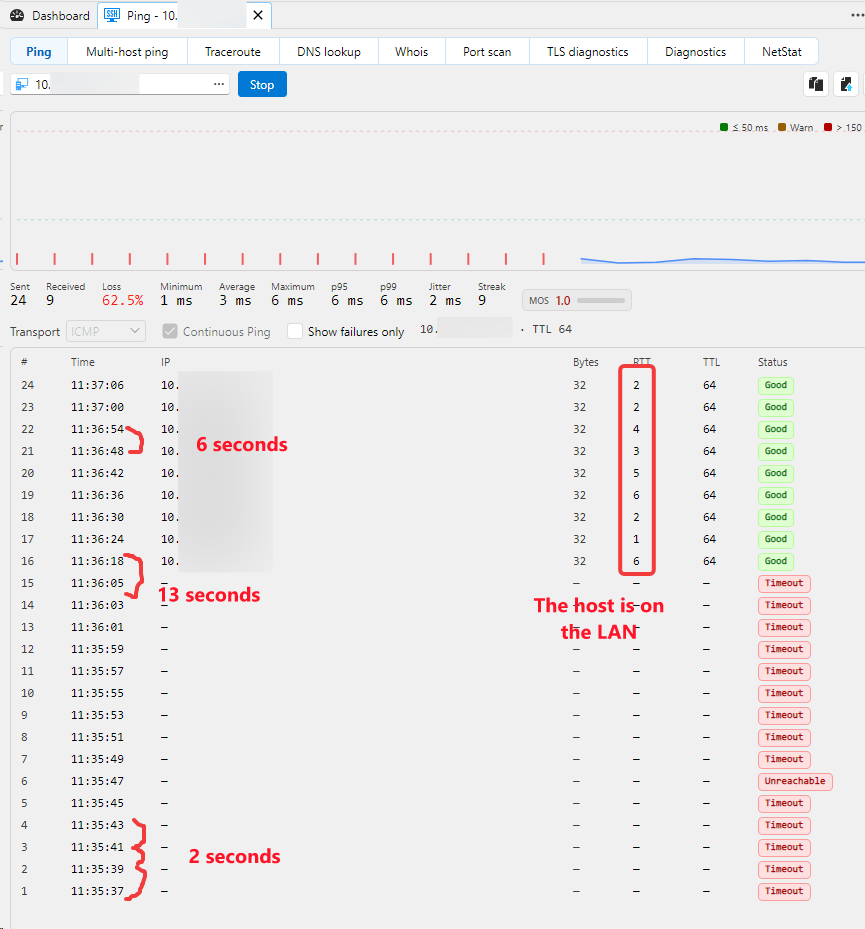
Continuous ping has unreliable, arbitrary gaps between packets
I have used "Continuous ping" for at least 2 years, but since RDM 2026.3 it has become strange.
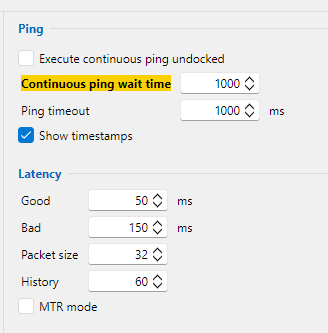
In the past it used to emit a packed every 1 second, no matter if the host is reachable or not. This was the correct behavior. Starting with 2026.3 the gaps between packets are arbitrary. I checked the settings and there's 1 second there. Please see the screenshot below, which is from 2026.3.10. Please fix it to restore reliable behavior. Thanks in advance.
RDM 2026.3.9: High priority: Auto-type doesn't work
Hello,
After the upgrade to 2026.3 (2026.3.9) in particular, password auto-type stopped working. It's a critical function for me, because some contexts I use it in don't allow/don't handle password copy-paste through clipboard, and the passwords are generated, thus very difficult and long.
It looks like RDM has no focus on the target session. It should type the characters not on the focused window, but on the target session.
Repro:
Open an RDP session to a target Windows machine.
Open a notepad, or other app that would receive the keystrokes.
Use the auto-type -> paste password on a credential entry
Observe password is not typed
If you click on the RDP session, so it gets focus, the last letters of the password may get typed, but not the whole password.
I am attaching screen recording showing the issue. Please fix it. Thanks in advance!
Active tab barely recognizable
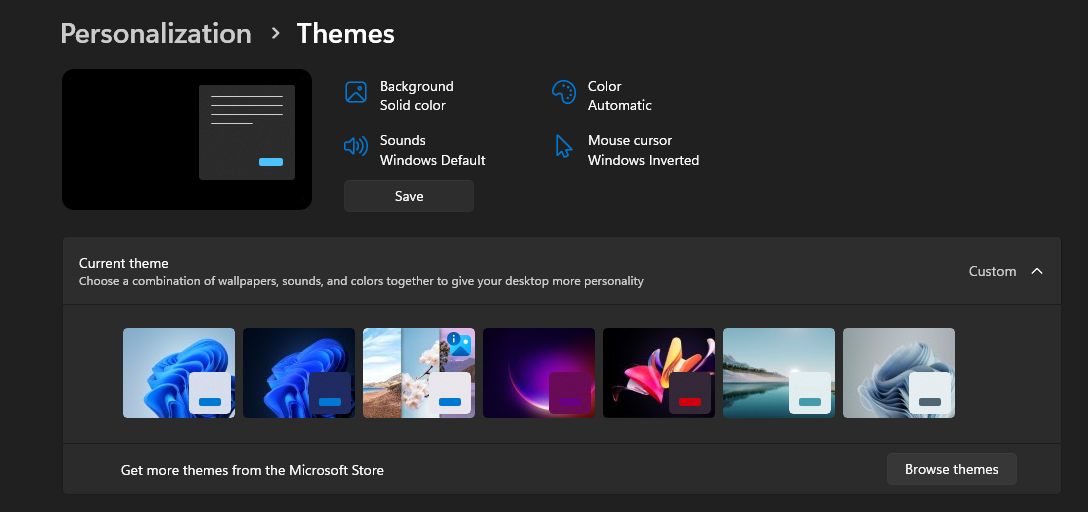
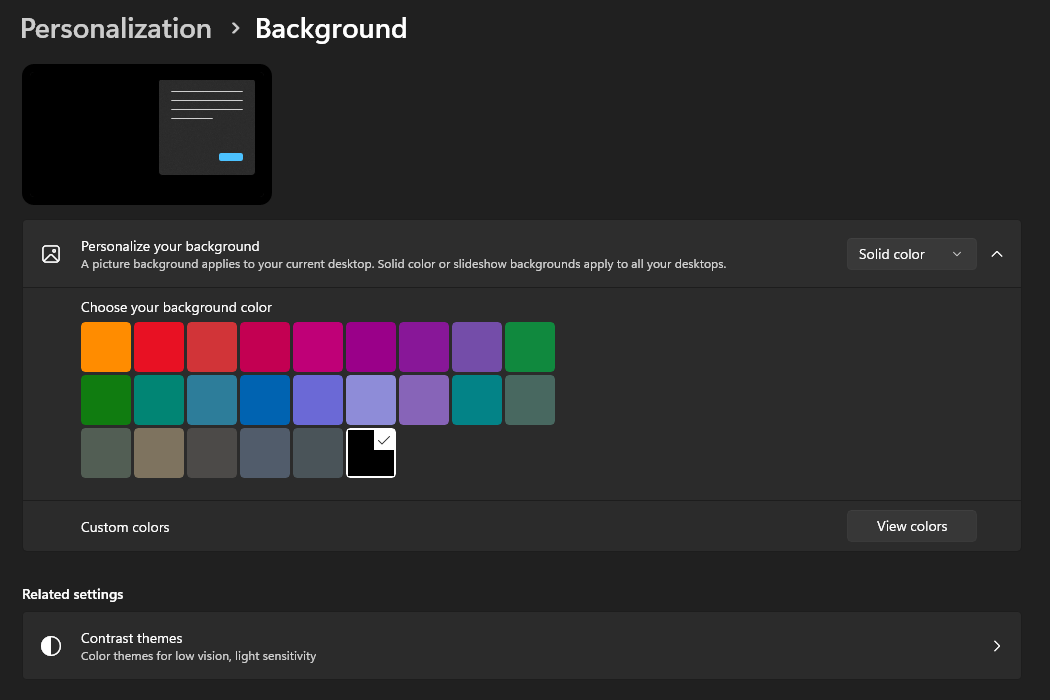
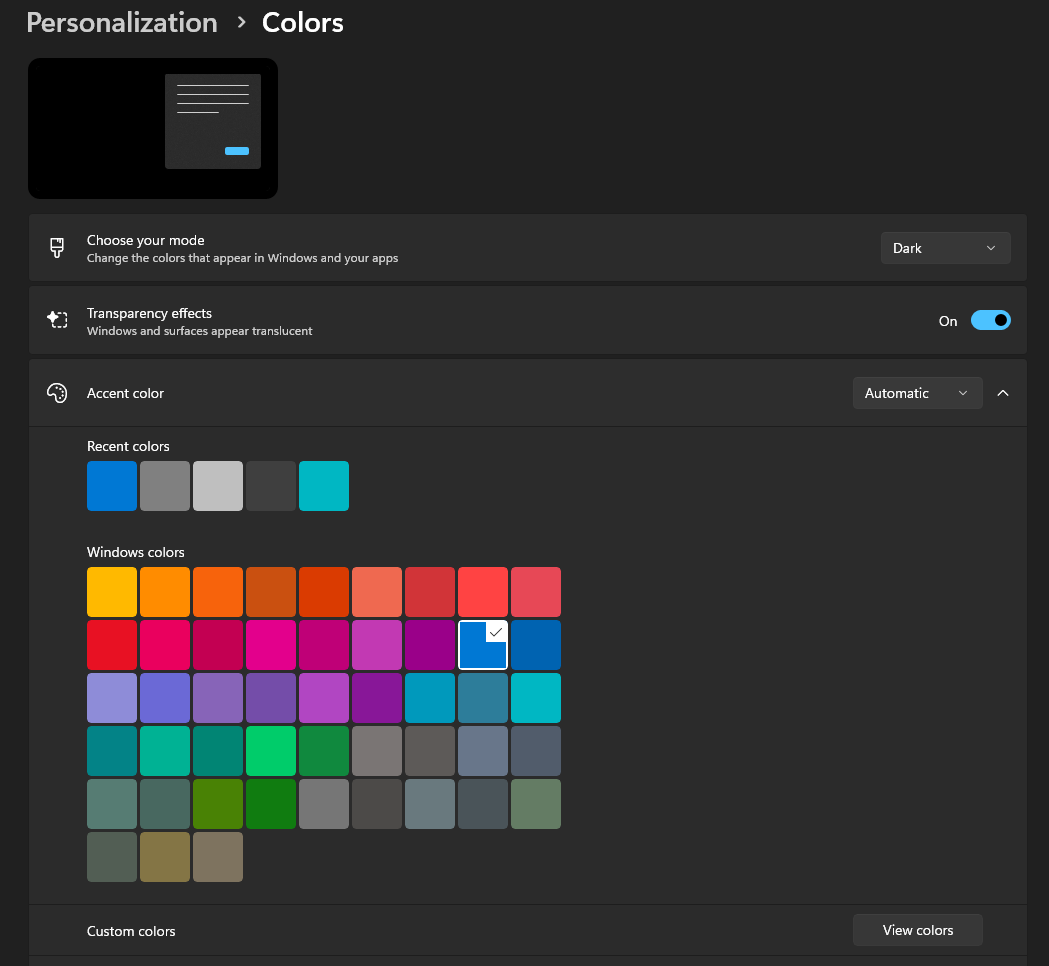
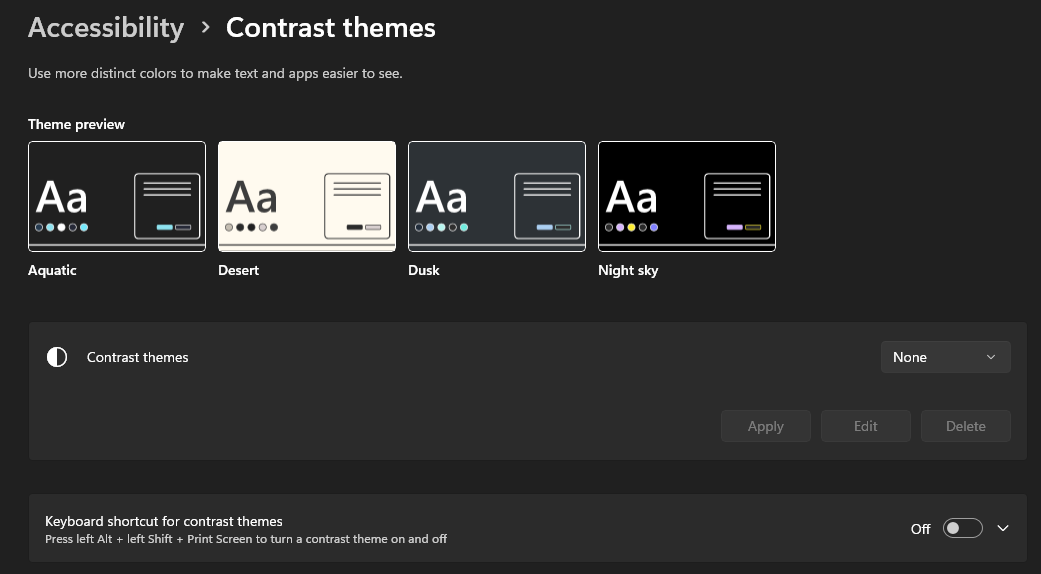
Those are my Windows settings.
For Windows I prefer dark mode, whereas for some individual apps, such as RDM, I set Light theme in the app.
Hope it helps.
Active tab barely recognizable
Thanks, I appreciate your attention to PII. I submitted sanitized file as instructed.
Active tab barely recognizable
Hey I uploaded the cfg file to the folder provided. Thanks!
Annoying web reauthentication for Devolutions Cloud
Hi,
Thank you, it's much better than it used to be. I think I haven't seen any web reauth requests, and RDM works smoothly without unnecessary hurdles.
Great job!
Password List improvements
> we don't currently save that information on a per-item basis
Then I'd like to request this feature:
save a per-item audit columns
display them in the GUI in properties window
make them available through automation API (PowerShell, .NET)
Thanks!
> By the way, these cmdlets also have a -Set parameter which persists the change directly, which might be simpler for your needs.
Worth noting, thank you!
Password List improvements
Thank you! That makes it way easier to work with password lists programmatically!
One more small thing: would it be possible to also have the audit columns (CreateDateTime,CreatedBy,UpdateDateTime,UpdatedBy)? Also displayed in the properties window? It'd make it very robust when it comes to many kinds of bulk password management/storage.
For a casual reader: in order to properly modify the password list, you need:
$entry = Get-RDMEntry ...
Add-RDMEntryPasswordListItem -InputObject $entry -Name ... -Username ... ...
Set-RDMEntry $entry
Remember the last line - Set-RDMEntry, otherwise the changes won't get persisted into your database.
Active tab barely recognizable
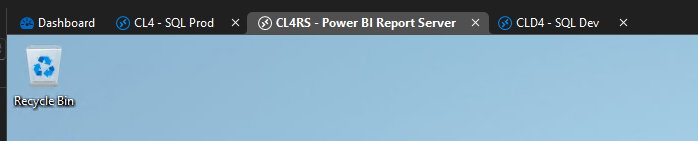
The Dark Theme is a bit better, but I'm not a huge fan of it with RDM.
When designing color scheme, I'd suggest that the active tab has blue icon adornment, and the inactive is gray. This is how it usually works: something active, current is colorful, and other things are dimmed, gray, not visually attractive.
Thanks.
Active tab barely recognizable
Hello,
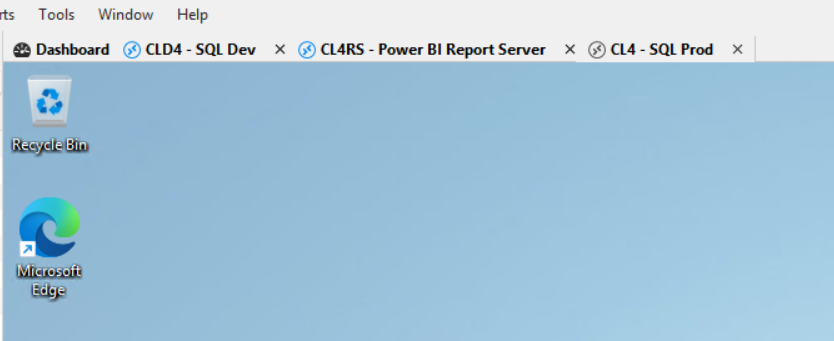
Today I noticed that RDM changed its color scheme (or is it the rewrite to Avalonia UI causing it?), and it's barely recognizable which of my tabs is active - the one I'm working with. Please fix this. It's 2026.2.13.0 64-bit (PreJIT).
Thank you.
Change behaviour of right-click on an item in the navigation tree
Hi!
Yes I can confirm that it works well (so far) in 2026.2.12. If I find any other edge case when it misbehaves, I'll let you know here.
Thanks a lot for the fix.
Data source "Devolutions Cloud" is crazy slow
Thank you!
I enabled this setting and difference is very visible! Refresh of a hub needs only 2 progress bars, but they're much faster.
The issue remains when you edit an entry. Opening and saving an entry is still slow.
On opening there are 4 progress bars in the bottom status bar, and on save I cannot even count, there's so many, close to 10. See the screencast I attached.
So it seems that so far you were able to speed up individual requests - which is already great!
The next part I think would be to offload Save to a background thread, that is when I click "Save", really save the data to RAM, immediately close the Properties window, and do the stuff using background task while I am already able to do something else with RDM (open the session or edit another entry - for example). And if possible - consolidate those network requests using 1 round trip to the server. That maybe means a new endpoint to do the complex task of saving, checking-in and who-knows-what tasks all using one request/response.
Thanks so far!
"Unable to resolve the password or sensitive information"... 2026.2.7.0
Hi,
Thanks. In 2026.2.8 the error stopped appearing, but the password is lost - the password field is now empty.
It's not a big problem for me, just to let you know.
Hopefully you found and fixed the issue, and if so, please close this one.
Change behaviour of right-click on an item in the navigation tree
Hi,
Thank you for the information. Unfortunately the behavior is not 100% fixed and not 100% consistent. I am using RDM on Windows 2026.2.8.0. Here's one scenario that still exhibits the bug:
Create a website entry that points to a website that surely doesn't exist. I used http://10.11.12.13/ defined in the Devolutions Business Hub.
Have another entry next to it (for the right-click). It can be credential entry, SSH, RDP, website, whatever. You can just duplicate the above. Doesn't matter.
Restart RDM. The issue doesn't always show when RDM is already running. For best result, restart it.
Open the session http://10.11.12.13/ by double-clicking or using "Open session" button in the Actions vertical toolbar. You're going to see black screen until the browser eventually times out and displays the error. You don't have to wait for the timeout, you can immediately proceed to the next step.
Right-click on the other entry.
Observe the issue. Dashboard of the other entry steals the screen.
It seems that when I right-click in the above scenario, RDM displays some context menu, but it then in a blink of an eye changes it for another one, and then the issue occurs. This is what I saw. I have no idea if it's specific to the Devolutions Business Hub data source, didn't have time to test other combinations.
Please fix it.
"Type clipboard" / "Type password" broken
No worries. I can work, it's just that the issue will surely reoccur for others. Happy vacation!
"Type clipboard" / "Type password" broken
Thank you for detailed description. It aligns with what I understood.
I checked this Supermicro's HTML5 console within Chrome dev tools and it looks like it uses something sorta kinda similar to heavily customized noVNC library: https://github.com/novnc/noVNC/tree/master/core/input, and it works with HTML key events, does some translation and then somehow injects them into the console. Unfortunately I don't get too much of it, but maybe that'll help you understand the issue.
Thanks a lot.
"Type clipboard" / "Type password" broken
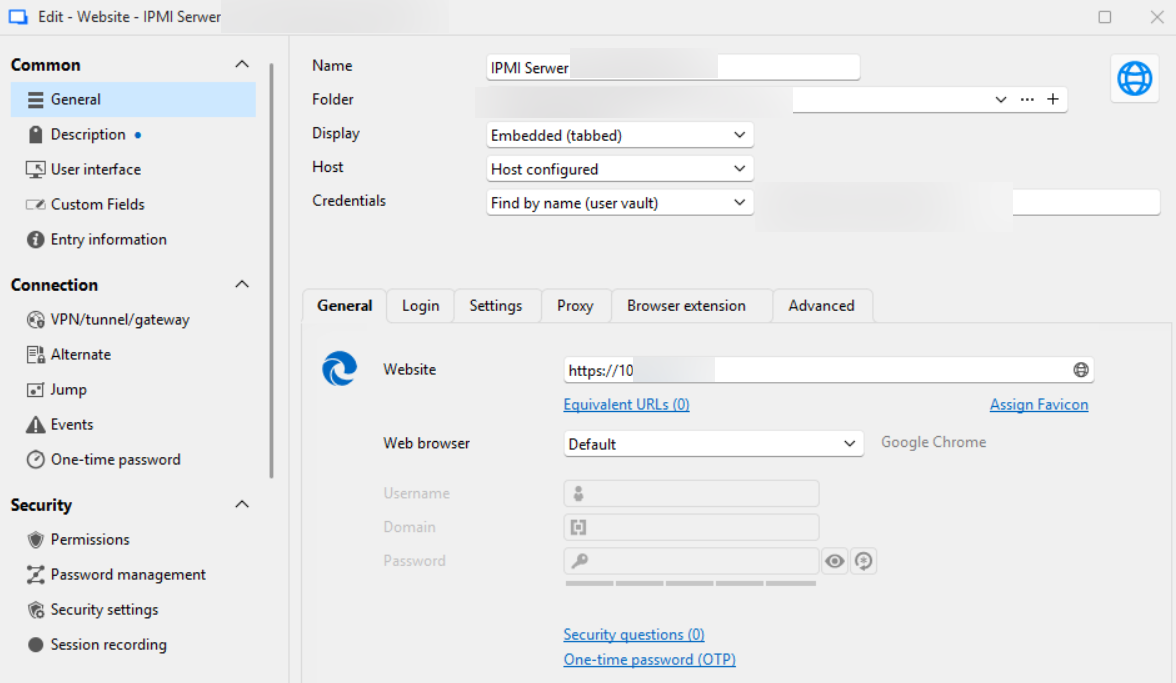
RDM is installed on my laptop. No prior RDP'ing into another machine.
The entry is just a website, with password autocompletion.
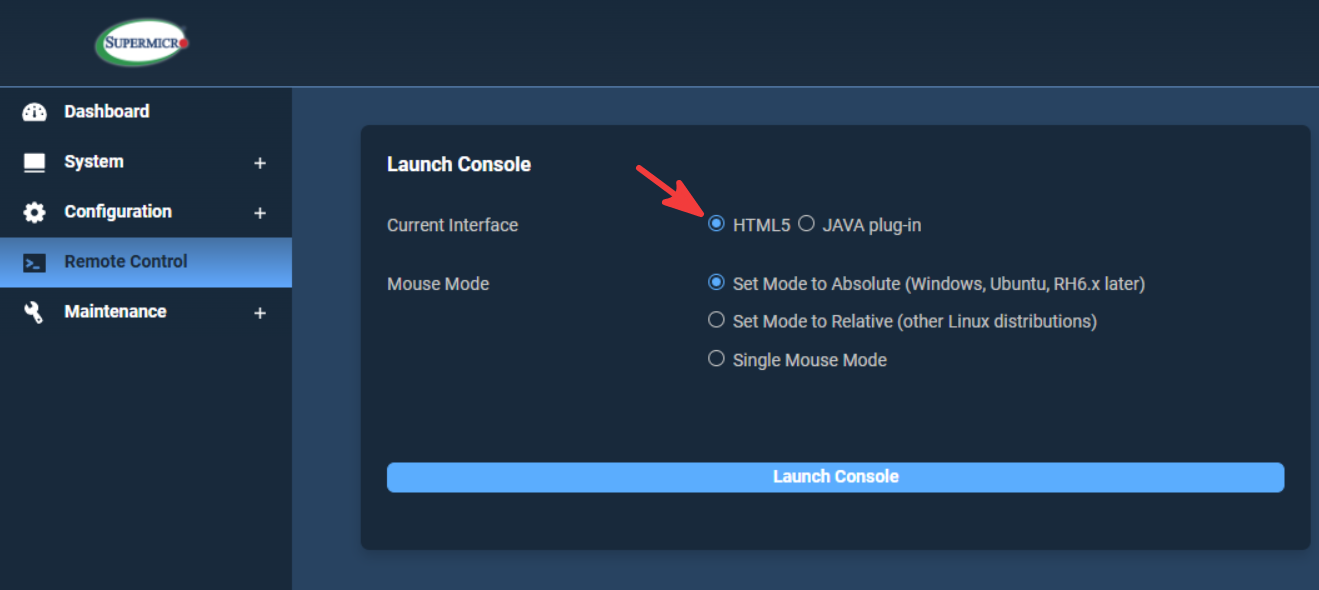
That website has HTML5 console:
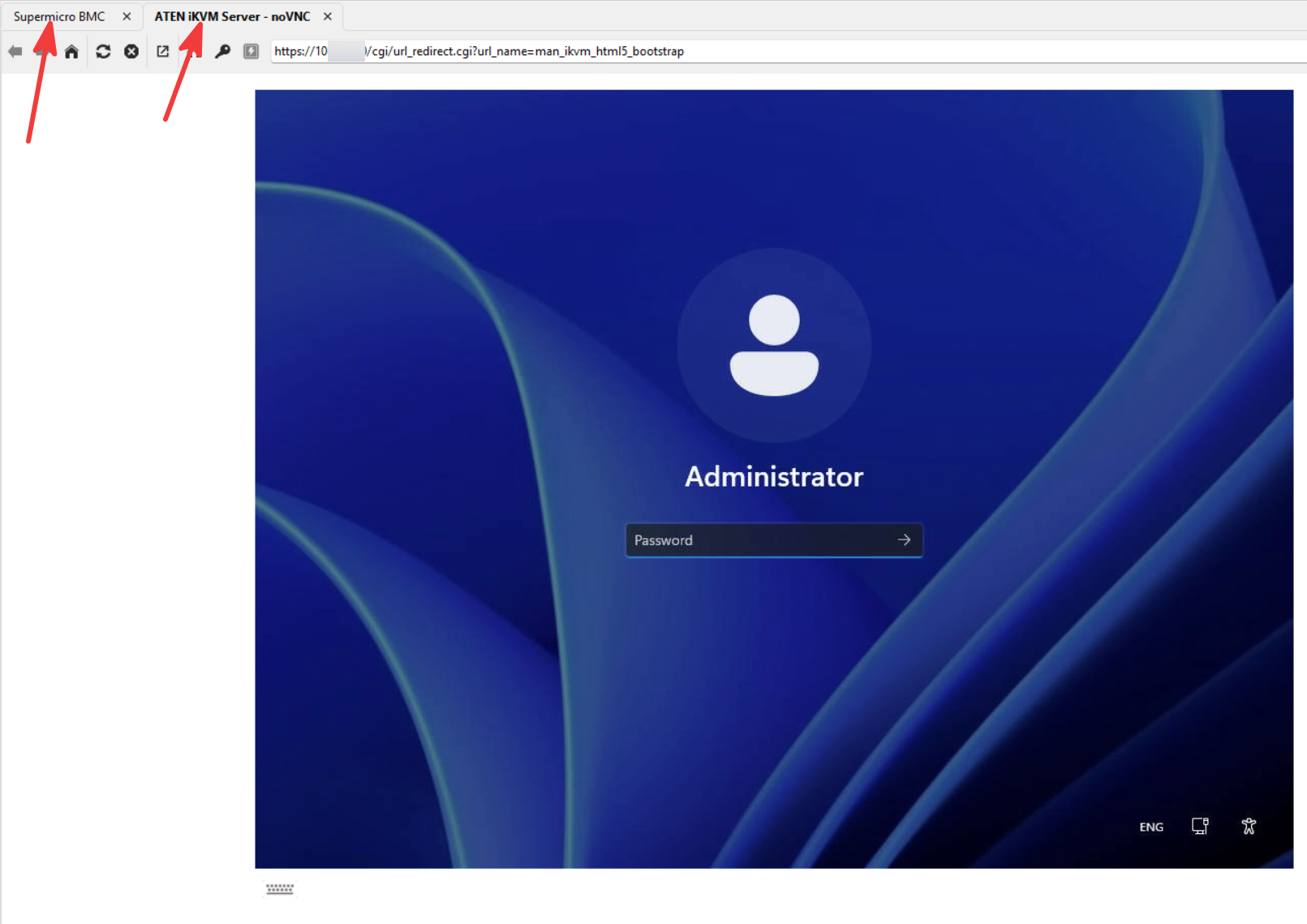
And clicking on "Launch Console" opens a second tab within RDM:
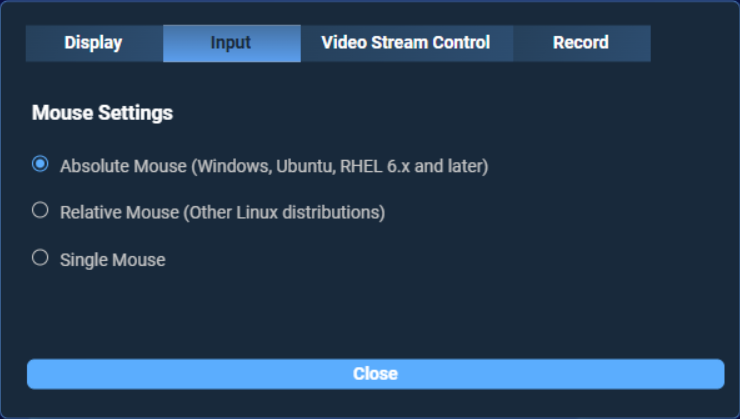
They do not have any settings for keyboard behavior, just some settings for mouse:
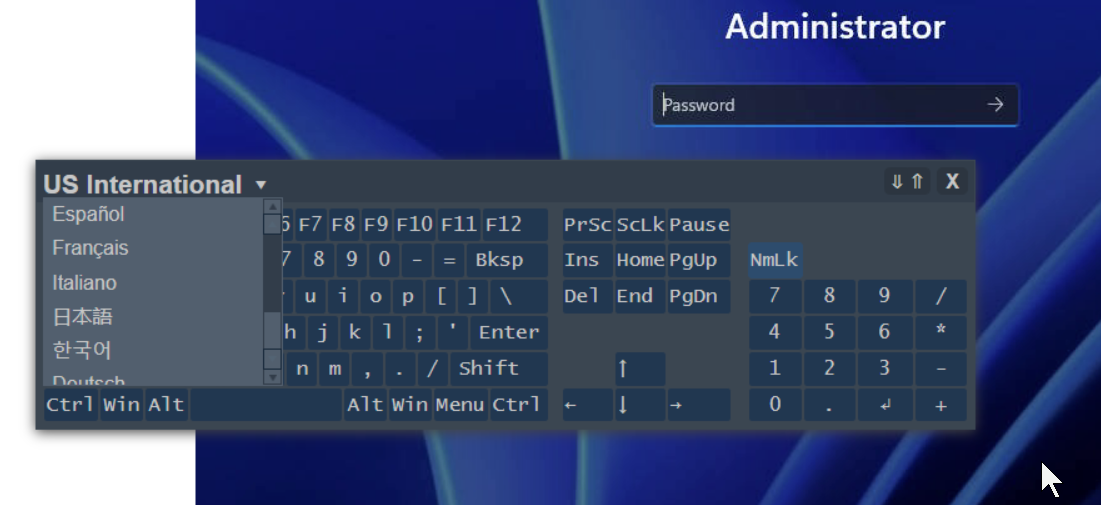
The builtin visual virtual keyboard has only a few layouts:
"Unable to resolve the password or sensitive information"... 2026.2.7.0
Hi,
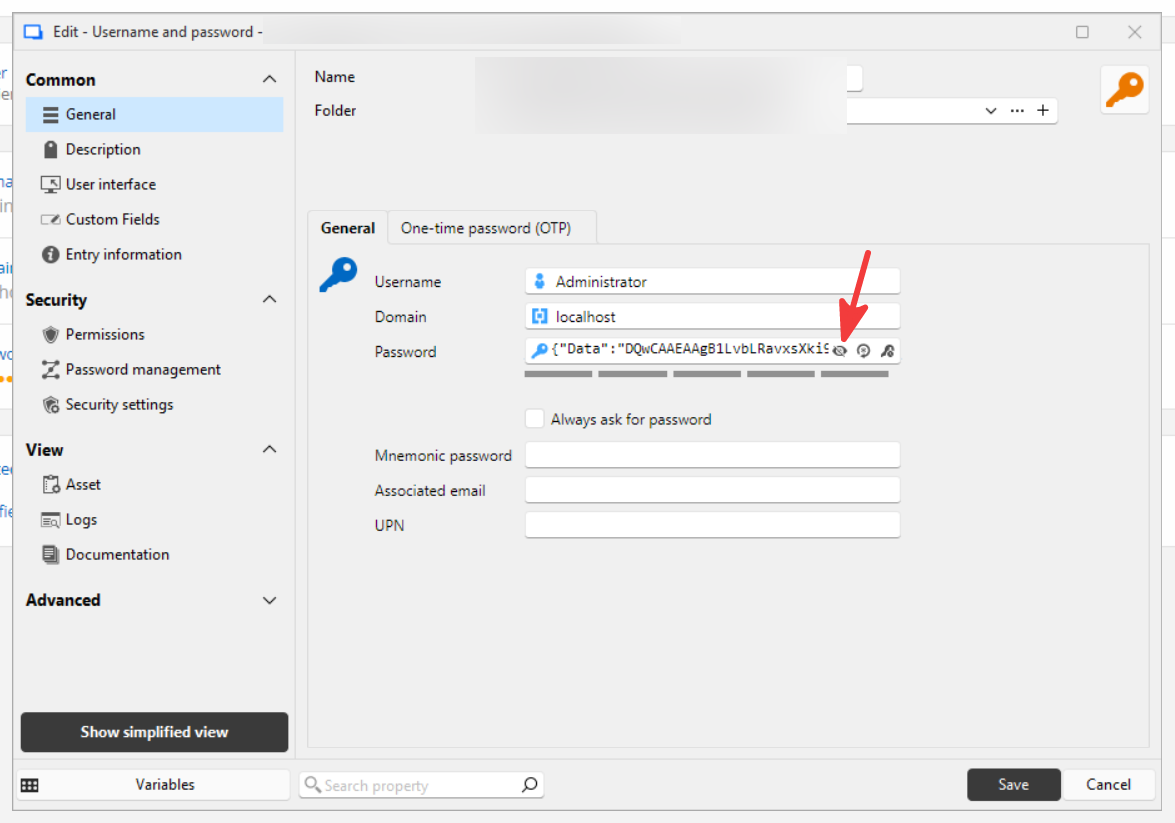
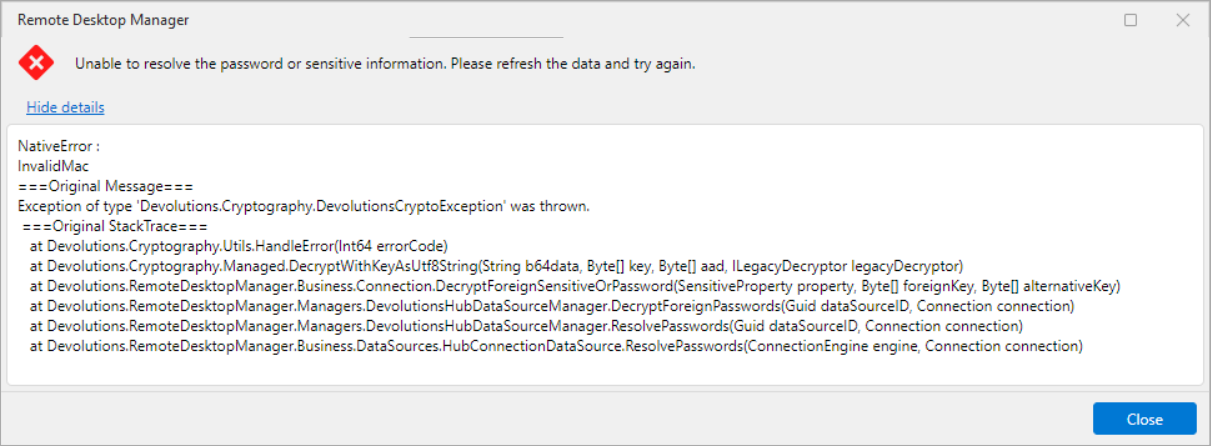
The RDP entry is causing the following error for a credential entry. When I open a credential entry and try to view the password, the error appears and I see JSON instead of my password. Another entry that sits next to this one is working fine.
Also an attempt to open an RDP session with credential linked to this one has the same effect.
Tried to restart RDM already.