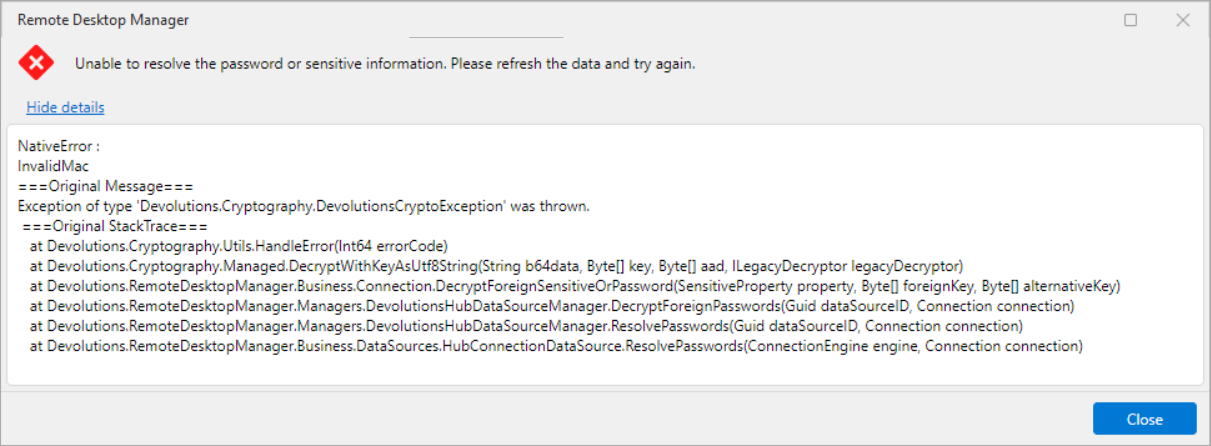
"Unable to resolve the password or sensitive information"... 2026.2.7.0
"Unable to resolve the password or sensitive information"... 2026.2.7.0

Hi,
The RDP entry is causing the following error for a credential entry. When I open a credential entry and try to view the password, the error appears and I see JSON instead of my password. Another entry that sits next to this one is working fine.
Also an attempt to open an RDP session with credential linked to this one has the same effect.
Tried to restart RDM already.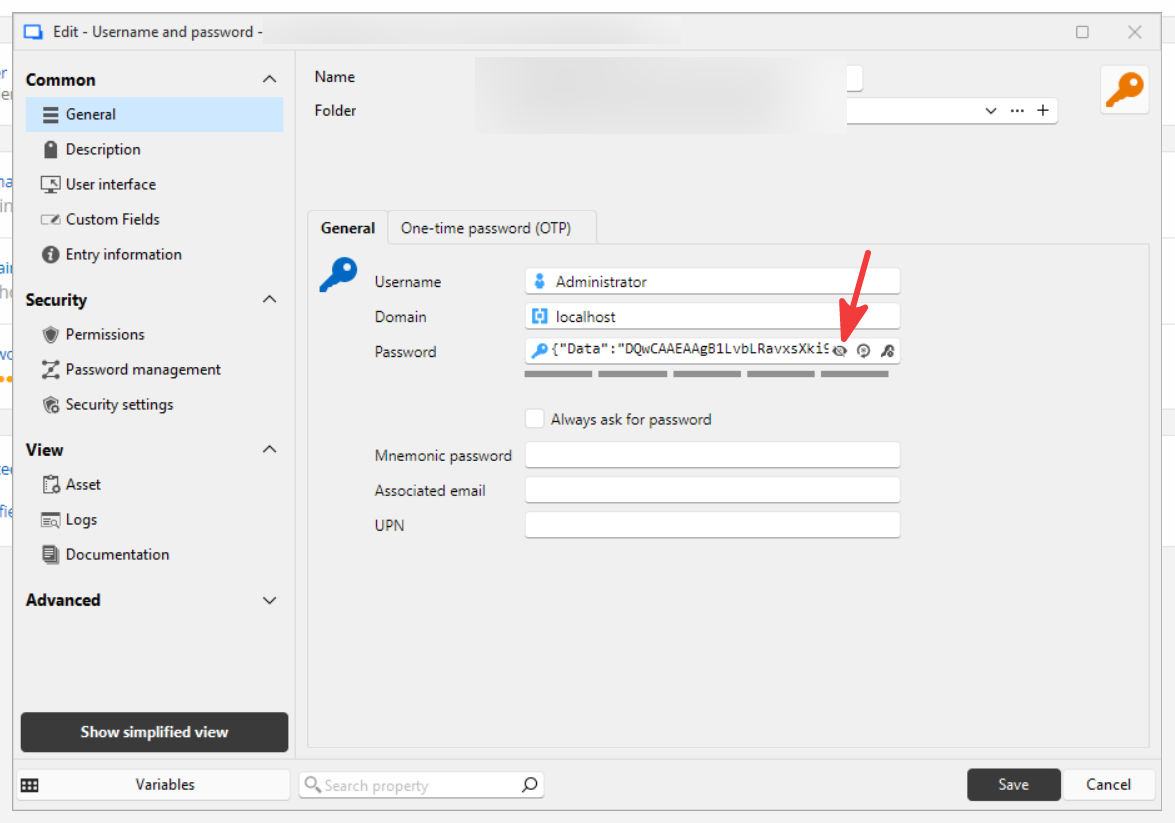
23fa3be9-ec4f-412b-9b71-d1332a9d5cc8.png
409c37a1-c250-46ce-b2a5-ee84ac3b83d2.png
Recommended Answer
Hi @RDMTinkerer2 ,
Thank you for the details.
Could you please update to RDM 2026.2.8 and try to reproduce the issue again?
If possible, could you also test with the portable version of RDM to confirm whether the issue persists in that environment as well?
You can find the instructions here: https://docs.devolutions.net/rdm/kb/how-to-articles/portable-rdm-installation/
If the issue still occurs after trying these steps, could you please upload a video showing the exact steps you follow until the error appears using the link I sent you by private message? This would help us better understand the behavior and investigate further.
Best regards,
Alexis Geller Peiro
All Comments (2)
Hi @RDMTinkerer2 ,
Thank you for the details.
Could you please update to RDM 2026.2.8 and try to reproduce the issue again?
If possible, could you also test with the portable version of RDM to confirm whether the issue persists in that environment as well?
You can find the instructions here: https://docs.devolutions.net/rdm/kb/how-to-articles/portable-rdm-installation/
If the issue still occurs after trying these steps, could you please upload a video showing the exact steps you follow until the error appears using the link I sent you by private message? This would help us better understand the behavior and investigate further.
Best regards,
Alexis Geller Peiro
Hi,
Thanks. In 2026.2.8 the error stopped appearing, but the password is lost - the password field is now empty.
It's not a big problem for me, just to let you know.
Hopefully you found and fixed the issue, and if so, please close this one.