"Type clipboard" / "Type password" broken

Hi,
[2026.2.7.0] I just realized that the password that's typed via "Type clipboard" and "Type password" is garbled, it's not the password that I set.
Here's the password entry: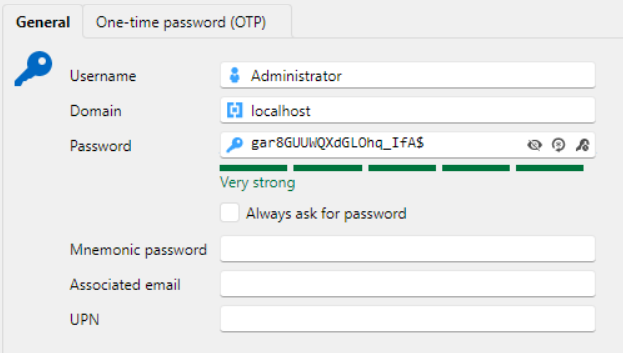
Here's what gets pasted into the session. Capital letters turned into small letters, special characters lost.
I am fighting access issues for the entire morning, and it turns out I unknowingly set different passwords that I wanted. Very annoying issue. The session is just a HTTPS website to the Supermicro IPMI session, where I work with the target server through a virtual console.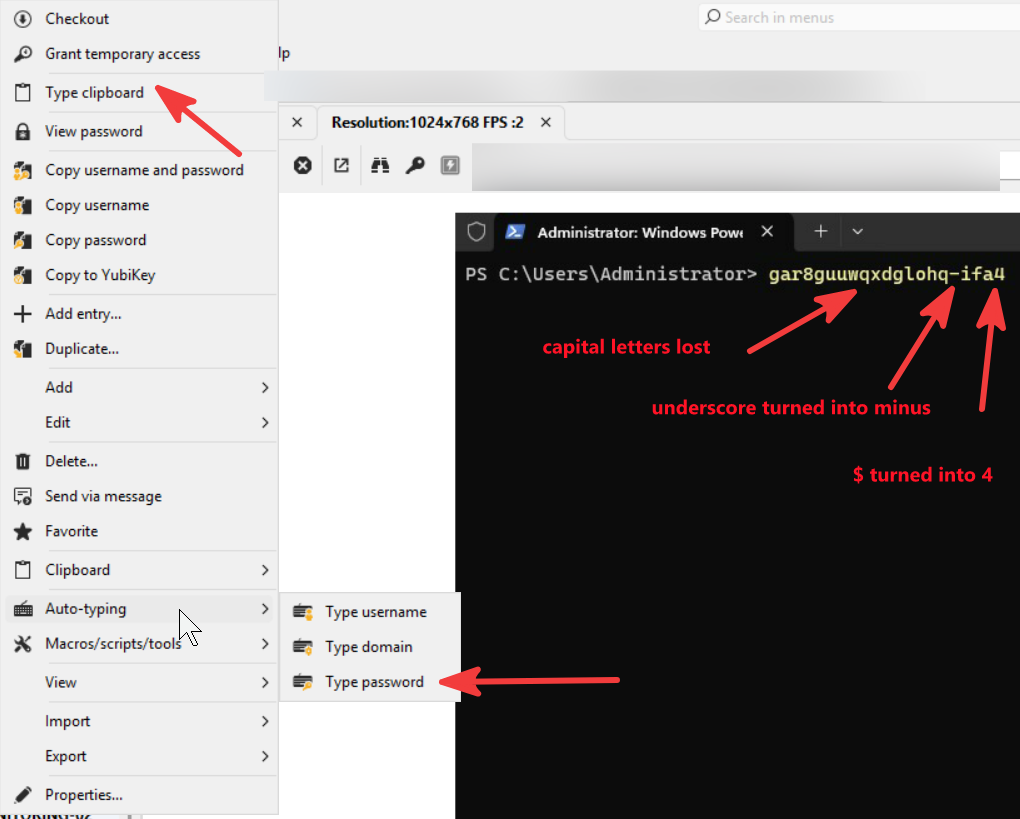
It may be an issue that RDM is typing those characters too fast, and Supermicro IPMI virtual keyboard is unable to properly "press" and "release" the virtual SHIFT key. Is it possible to set the inter-character typing delay? I was unable to find that in settings.
6c833fcc-959f-46a8-ac5f-a0348ba867d3.png
c44aa2ab-6288-4342-8424-72dc8ba6b302.png
All Comments (11)
Hello,
I'm curious, do you get the same behavior if you auto type in notepad?
Regards
David Hervieux
Hello
Further to what David wrote, there could be a few things going on here (I might suspect a scan code versus unicode input issue, where we've seen similar things with VMWare's remote console in web). It could also be a key delay issue like you said but I doubt it. We have some options (most of them hidden) that can tweak behaviours here.
Is this a regression? If you're on 2026.1.x for example, was it / is it working well?
Thanks and kind regards,
Richard Markievicz
> I'm curious, do you get the same behavior if you auto type in notepad?
Looks the same. Or you wanted a different test?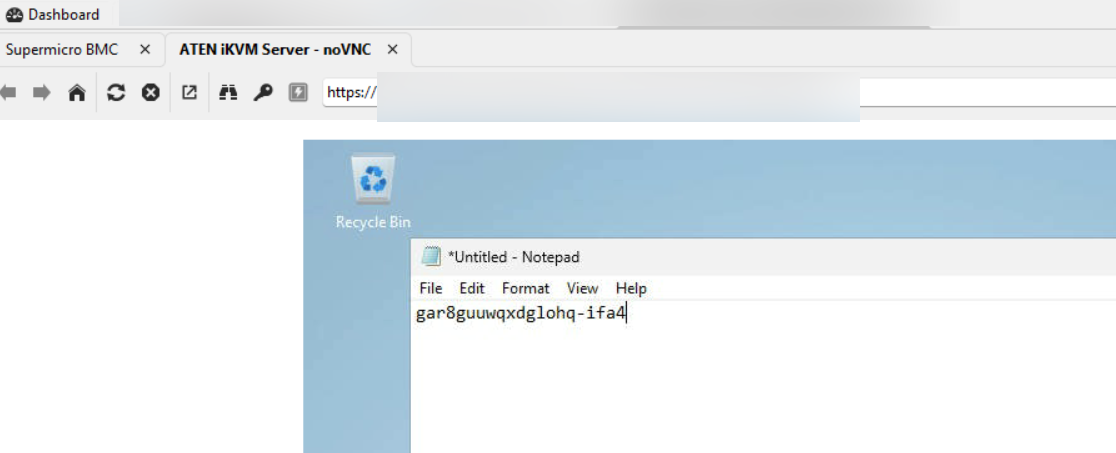
> Is this a regression? If you're on 2026.1.x for example, was it / is it working well?
I didn't notice it in the past, but I didn't have Supermicro servers before. They arrived just yesterday and I am tasked with provisioning them.
I think with Dell iDRAC the auto-type worked fine. But Supermicro turned to be ... less nicely integrated, to put it mildly.
b4026243-6744-41b4-b1b8-daf006d5bbaa.png
Hello
I strongly suspect that the Supermicro web KVM is doing something "different" than what we expect; that is certainly the case with other web-based KVMs like VMWare. It's hard for me to say authoritatively without looking at their Javascript sources or inspecting traffic (both of which need a setup on my side, which I don't have right now).
If you don't mind experimenting a little to try and narrow down the issue, it will mean hand editing your RemoteDesktopManager.cfg file (typically in %localappdata%\Devolutions\RemoteDesktopManager). Before changing the file you must close RDM and I strongly recommend taking a backup of that file before changing it.
First, you can check your initial suspicion by changing the key delay by putting the following options before the closing </Option> tag:<KeyboardSimulatorKeyDelay>50</KeyboardSimulatorKeyDelay>
That will double the key delay from the default value of 25ms to 50ms.
Next, try adding the following option (either in combination with the above or independently):<KeyboardSimulatorTranslateUnicodeToScanCode>true</KeyboardSimulatorTranslateUnicodeToScanCode>
If that works better, it will be a really indicator of what's going on; but likely doesn't represent a real solution right now because it's a global toggle and will affect all sessions. In practice this may not matter but it really depends on your local setup and the systems
Let me know if you have some questions
Kind regards,
Richard Markievicz
`<KeyboardSimulatorKeyDelay>50</KeyboardSimulatorKeyDelay>`
This did not help
`<KeyboardSimulatorTranslateUnicodeToScanCode>true</KeyboardSimulatorTranslateUnicodeToScanCode>`
This indeed helped!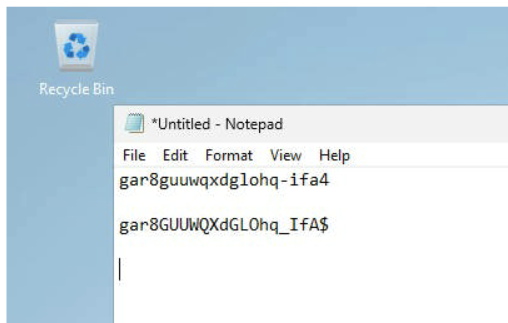
Therefore please consider exposing those settings.
Thanks a lot for the workaround!
b37ebefe-8f7d-4061-ae88-ecefecdd798a.png
Hello
Great news! Before commenting further, can I ask one question: are you going directly from RDM running on your local workstation and just opening the web session from there? Or are there intervening steps (maybe you are connecting to another machine first by RDP, then running RDM from there and opening the web session?).
Let me know if something isn't clear
Kind regards,
Richard Markievicz
RDM is installed on my laptop. No prior RDP'ing into another machine.
The entry is just a website, with password autocompletion.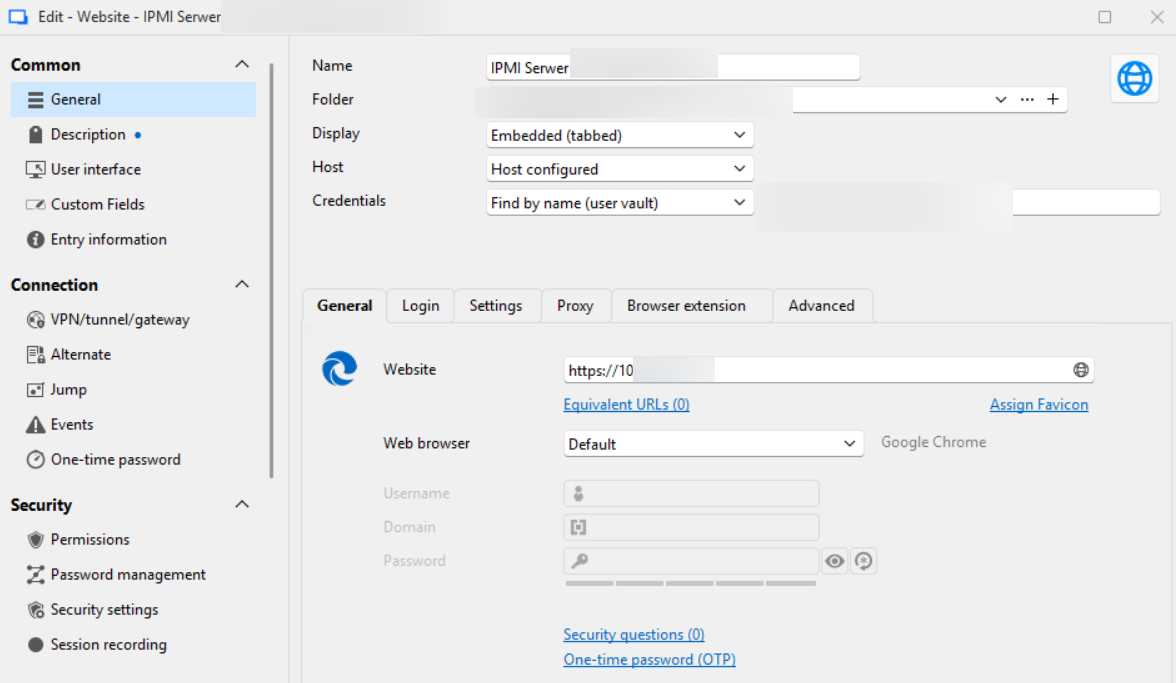
That website has HTML5 console: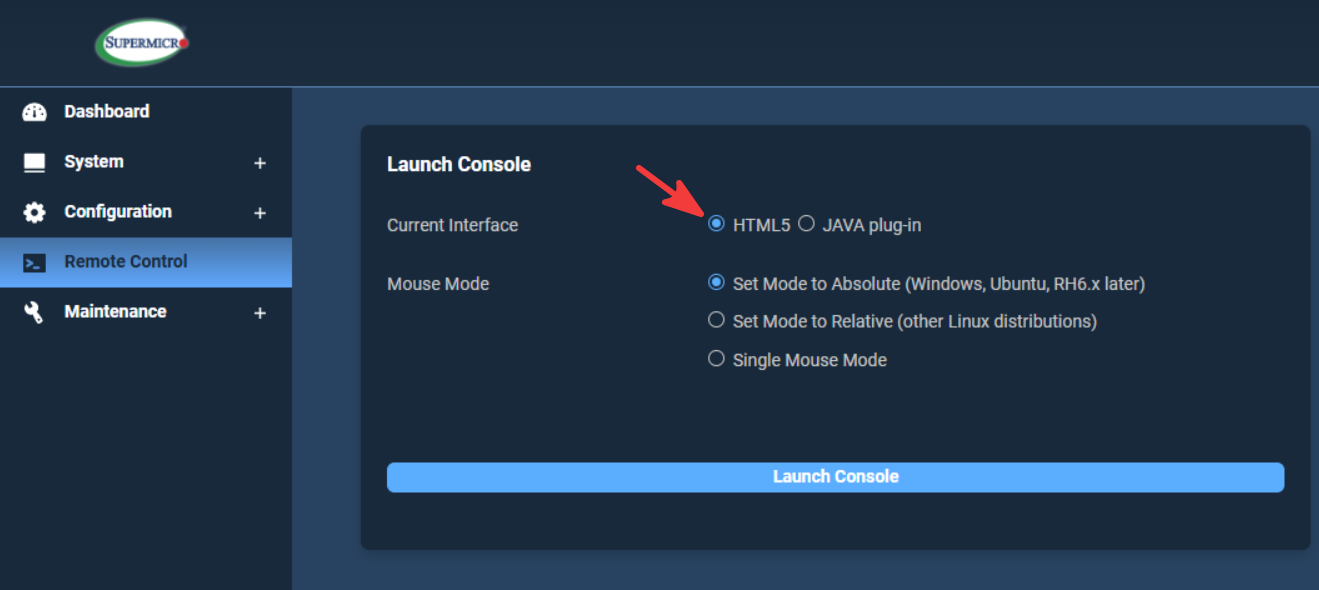
And clicking on "Launch Console" opens a second tab within RDM: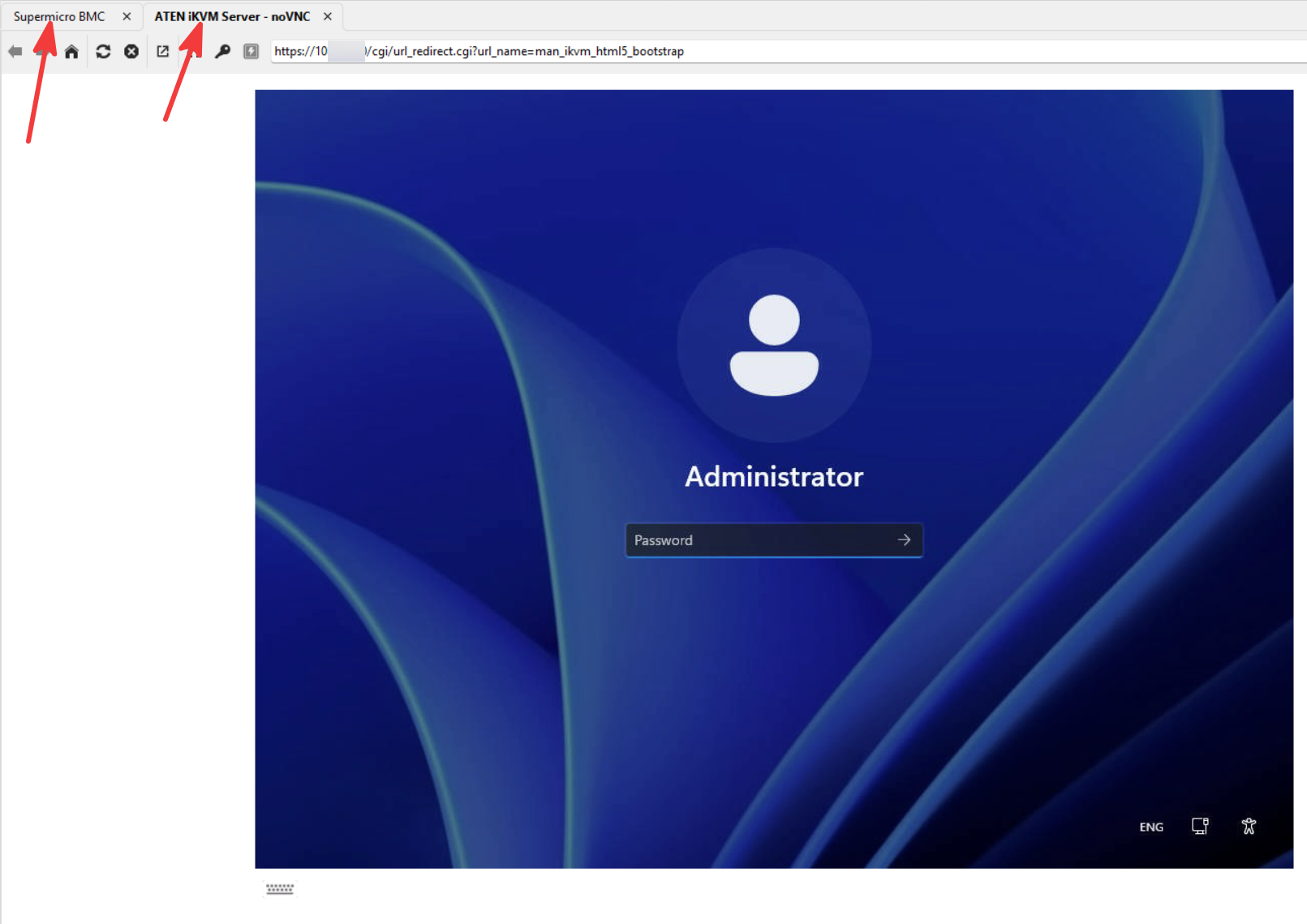
They do not have any settings for keyboard behavior, just some settings for mouse: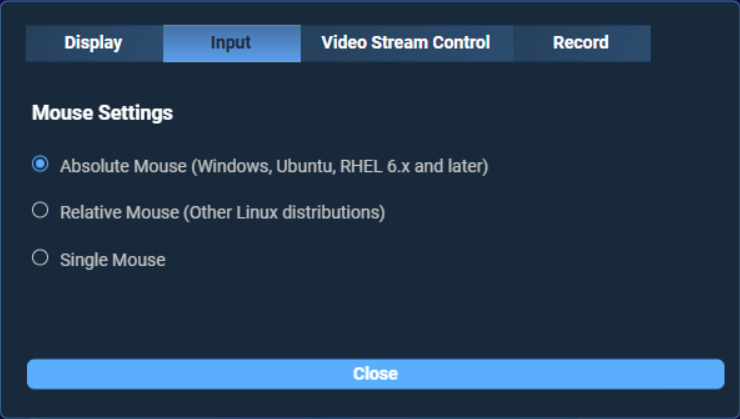
The builtin visual virtual keyboard has only a few layouts: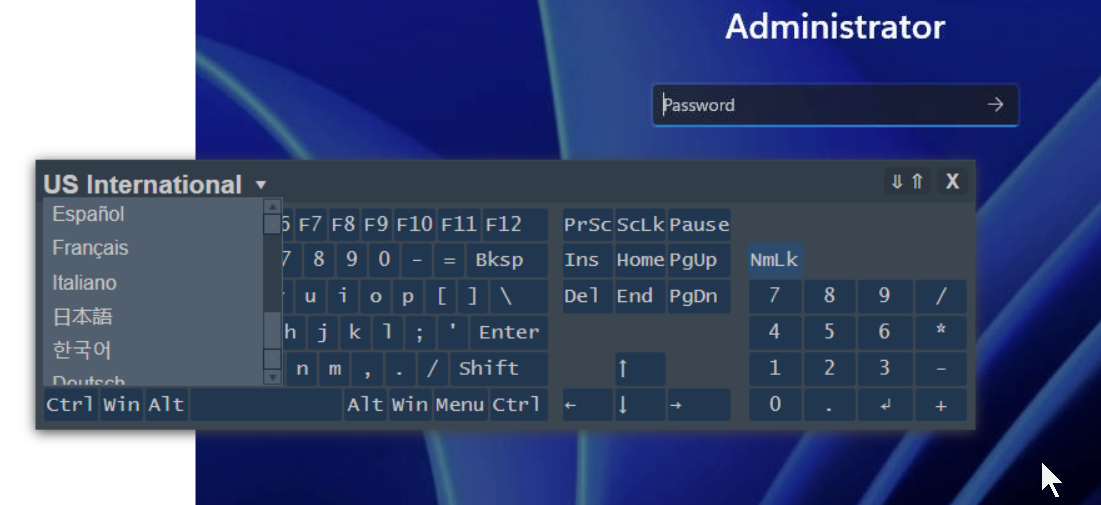
49a90830-b1ea-4f13-9e67-4ec8be21254b.png
f2dbf7d5-6528-4825-ac86-ea09060dc80c.png
dd109c41-084e-426a-8191-870269cce729.png
d6fa0a04-3106-46fc-92ae-715083a50e22.png
51d1295e-2162-4216-9fd2-829169a798aa.png
Hello
Ok, thanks for that information.
When we "simulate" text entry in RDM, we inject input events into the current session and typically that's done by injecting unicode characters. What this means is, to type "A" we send the symbol "A"; not "hold the (left) shift key, press and release the first key on the second row, release the (left) shift key". For the most part that's the best way because, in general, applications on Windows understand unicode input and the technique is layout agnostic (the symbol "A" is the same symbol regardless of the keyboard layout either locally or remotely).
What I guess is happening in this case, is the web KVM console is listening for raw key down and key up events in Javascript, and forwarding the modifier used separately; meaning it can't read composed Unicode characters the way most applications would. Effectively when we simulate the unicode symbol "A", the KVM just sees the key code for "a" but no modifier.
So we understand the issue, and we have a workaround. I believe there is already a ticket to uplift this setting to the options UI and I need to check on that. But as it is, it may not be perfect because as I wrote this is a global override, meaning it will affect keyboard simulation in all session types. Does it matter for your case? Maybe, maybe not. As I wrote the main advantage of unicode input is that it's layout agnostic so where you'd likely see problems with the scan code approach is cases where the local keyboard layout does not match the layout of the remote keyboard.
That being said I've proposed this same workaround for other customers in the past with VMWare, and I haven't had any negative feedback.
So; please run with this set for now; but if you do experience weirdness or other issues don't hesitate to post back. We've seen these edge cases before and they just need special handling.
Kind regards,
Richard Markievicz
Thank you for detailed description. It aligns with what I understood.
I checked this Supermicro's HTML5 console within Chrome dev tools and it looks like it uses something sorta kinda similar to heavily customized noVNC library: https://github.com/novnc/noVNC/tree/master/core/input, and it works with HTML key events, does some translation and then somehow injects them into the console. Unfortunately I don't get too much of it, but maybe that'll help you understand the issue.
Thanks a lot.
Hello
Thanks. With VNC there's a lot of unknown if they've customized noVNC; they could be using something totally custom or maybe a known encoding like the QEMU extensions. It's really hard to say without looking at their code myself or analyzing the traffic. iDRAC just does weird things on the client side but it's really vanilla VNC underneath. HP iLO on the other hand looks like VNC, but actually it's a completely bespoke protocol from the top down. All of these KVM boards are a bit different.
The main problem is that to truly understand it we'd need either to get some corresponding hardware to test with, or maybe a traffic capture from an active session (which can be problematic to get from a client since we'd see everything that happened in the session).
None of that is a hard block from my side, but it's also not something I can obtain overnight.
Personally, I'll be on vacation for the next week; please see how things go with the workaround for the next few days and let me know. At the very least it could be appropriate to not only uplift this setting to the UI, but also provide it at the session level instead of globally.
Thanks and kind regards,
Richard Markievicz
No worries. I can work, it's just that the issue will surely reoccur for others. Happy vacation!