Active tab barely recognizable

Hello,
Today I noticed that RDM changed its color scheme (or is it the rewrite to Avalonia UI causing it?), and it's barely recognizable which of my tabs is active - the one I'm working with. Please fix this. It's 2026.2.13.0 64-bit (PreJIT).
Thank you.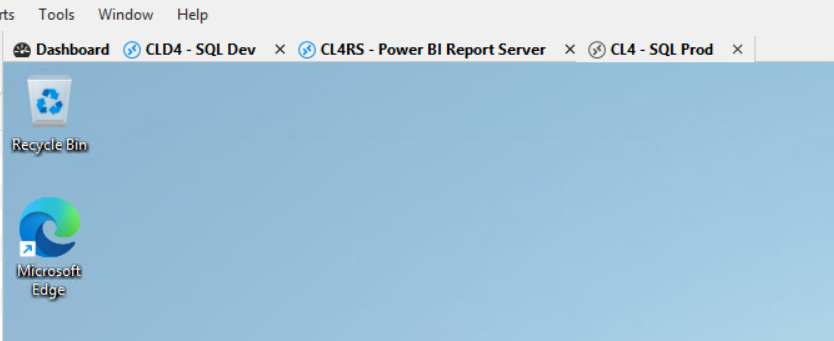
b9ae7d3e-2bd7-4ef1-9563-9f61831eecce.png
All Comments (11)
Hello,
We are currently investigating your issue. Do you experience the same behavior with the Dark Theme?
Best regards,
Antoine Mauger
The Dark Theme is a bit better, but I'm not a huge fan of it with RDM.
When designing color scheme, I'd suggest that the active tab has blue icon adornment, and the inactive is gray. This is how it usually works: something active, current is colorful, and other things are dimmed, gray, not visually attractive.
Thanks.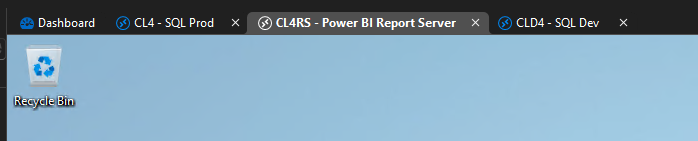
db1add6b-5e77-40f6-bb79-2d0512e6a853.png
Hello,
Just to give you an update: I would ask for your RemoteDesktopManager.cfg file to try to reproduce your issue, but our internal file-sharing setup is having issues at the moment. As soon as this is fixed, we will contact you.
Best regards,
Antoine Mauger
Hello,
Thank you for your patience.
I will send you a link via DM where you can upload the requested RemoteDesktopManager.cfg file.
Please let us know once it's been uploaded.
Thank you in advance!
Best regards,
Hey I uploaded the cfg file to the folder provided. Thanks!
Hello,
Thank you for sending the file.
Apologies, however, I should of asked you to sanitize the file before sending as per the document: https://docs.devolutions.net/rdm/knowledge-base/how-to-articles/send-a-sanitized-copy-of-your-configuration-file
Therefore, we have deleted the file you sent us. If you could please attach a new sanitized CFG file to the link provided, that would be greatly appreciated.
Apologies for the inconvenience caused.
Thank you again!
Best regards,
Thanks, I appreciate your attention to PII. I submitted sanitized file as instructed.
Hello,
We have a good lead on reproducing the issue and are currently looking into it. Do you use any contrast themes in Windows?
Best regards,
Antoine Mauger
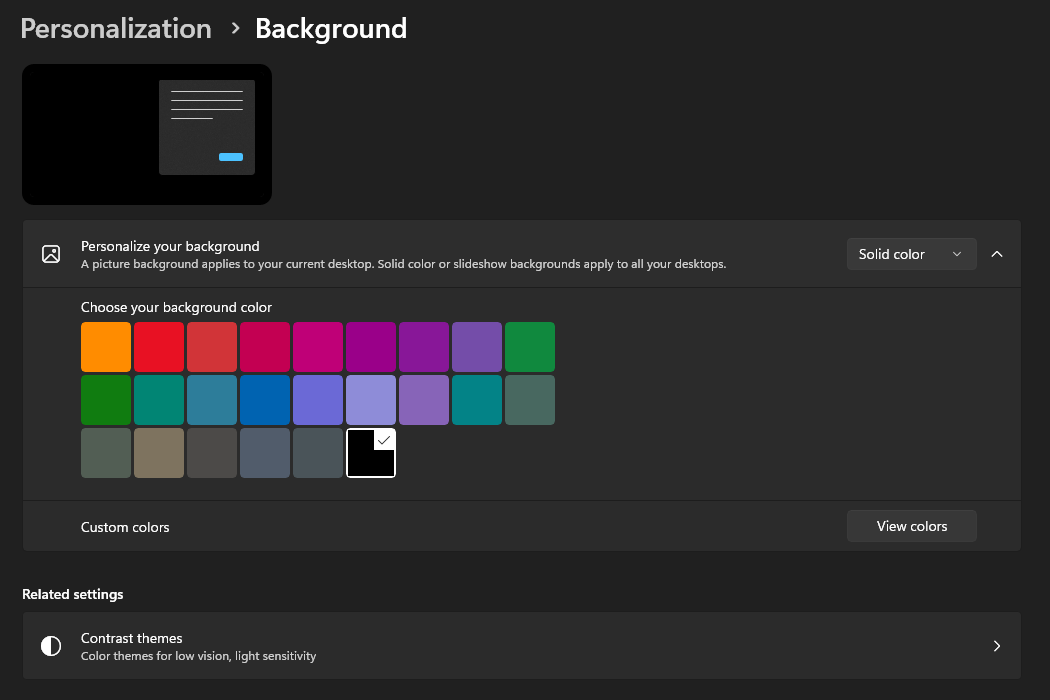
Those are my Windows settings.
For Windows I prefer dark mode, whereas for some individual apps, such as RDM, I set Light theme in the app.
Hope it helps.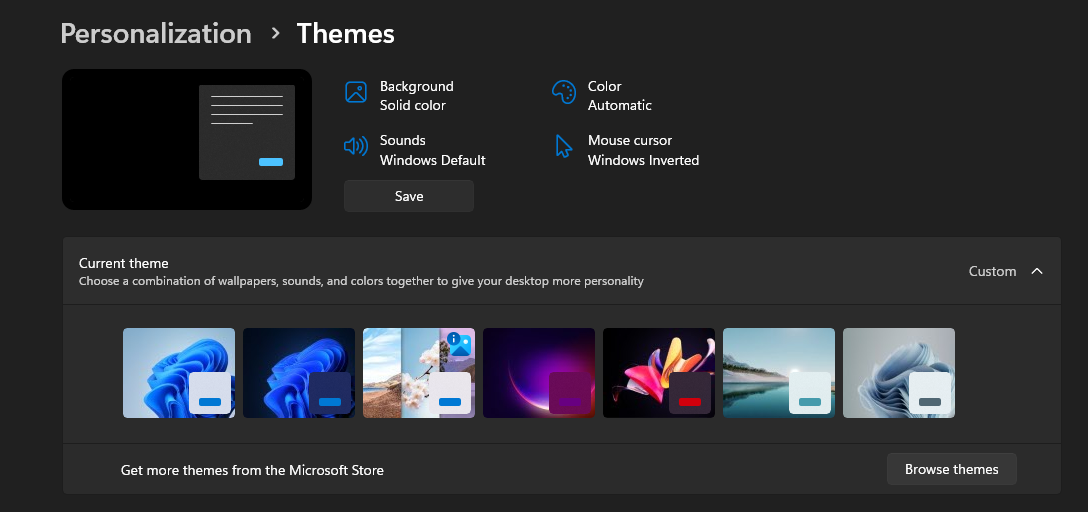
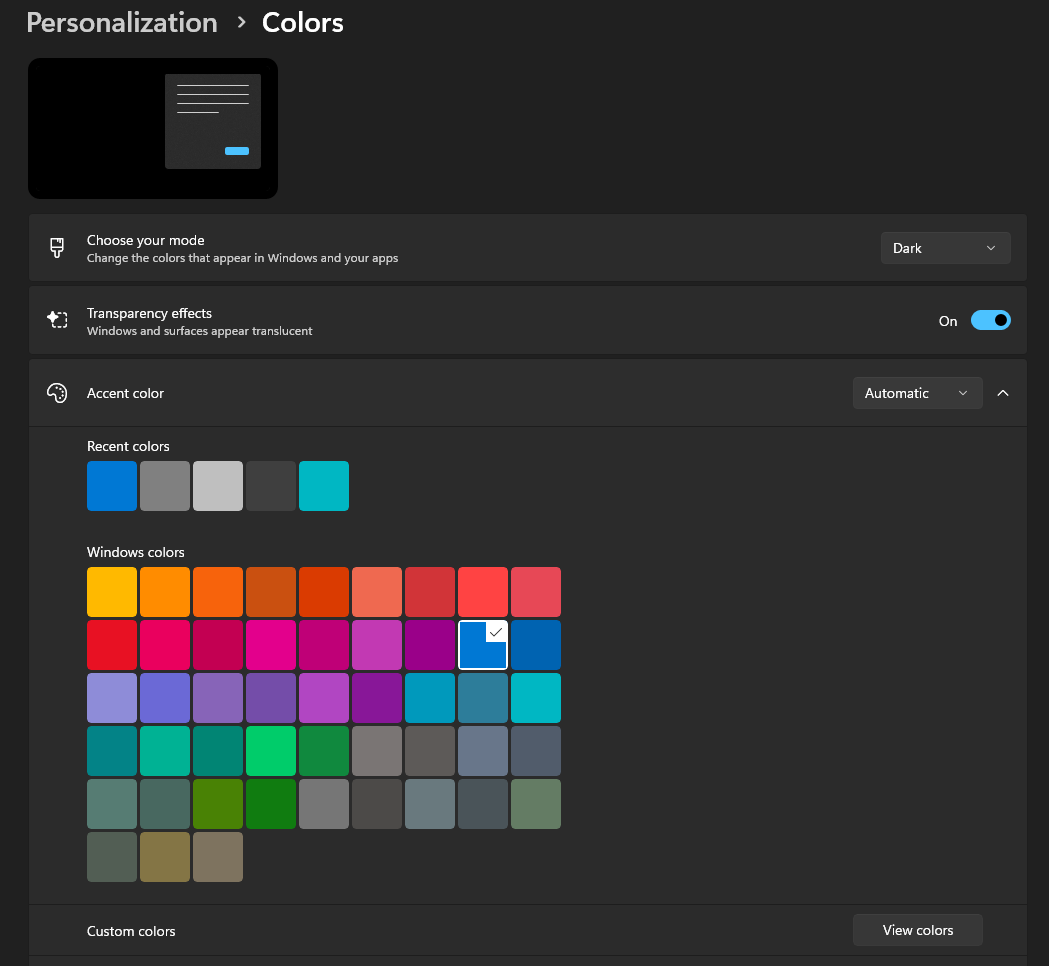
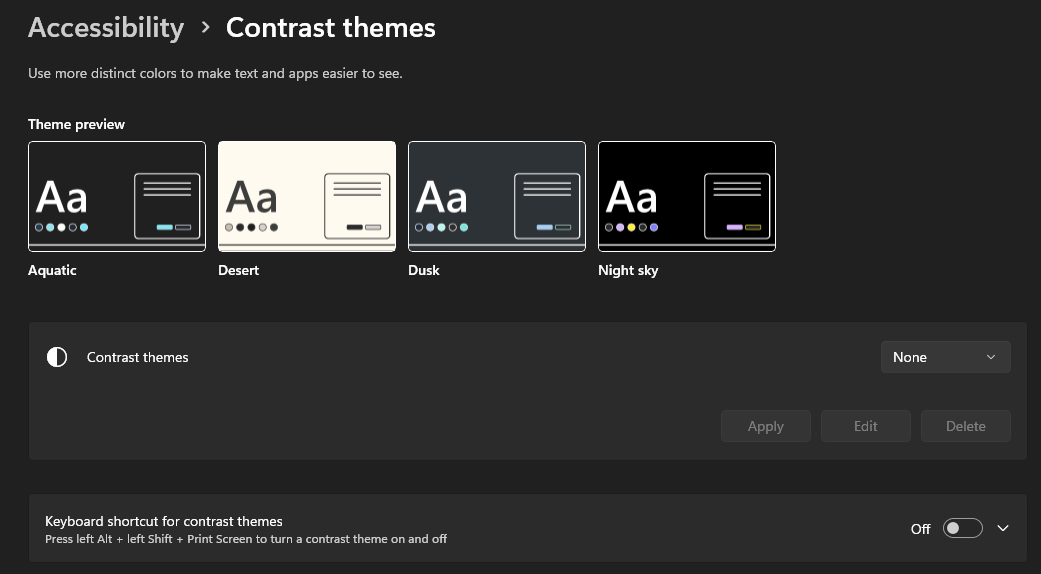
7fc209b7-096f-4171-aaa2-29a805db0bab.png
5f5a74a0-a163-4494-82ac-7cdb9c10fdc2.png
66404433-9f8d-4306-a2d8-f04850e18b17.png
4342edc1-e3ea-46ba-8a05-85a32ee1c87e.png
Hello,
I have found a way to reproduce the issue, but I'll need to talk to the Engineering Team. As soon as we have news, we'll post here.
Best regards,
Antoine Mauger
Hello,
Good news: the issue should be fixed in the next major release of RDM (2026.3), which is coming soon.
Best regards,
Antoine Mauger