
mantoze
RDM macOS – Integrated FTP client fails to list remote directory (Pure-FTPd)
Hello,
I’m experiencing an issue with the Integrated FTP client in Remote Desktop Manager for macOS.
The FTP connection and authentication succeed, but the remote directory remains empty. The same server works perfectly using curl from macOS Terminal, including both FTP and FTPS.
Environment
RDM version: 2026.8.19.1
OS: macOS
FTP server: Pure-FTPd
Host: krapas.serveriai.lt
Port: 21
Security: Explicit TLS or SSL
Secure transfers: Enabled
Passive mode: Enabled
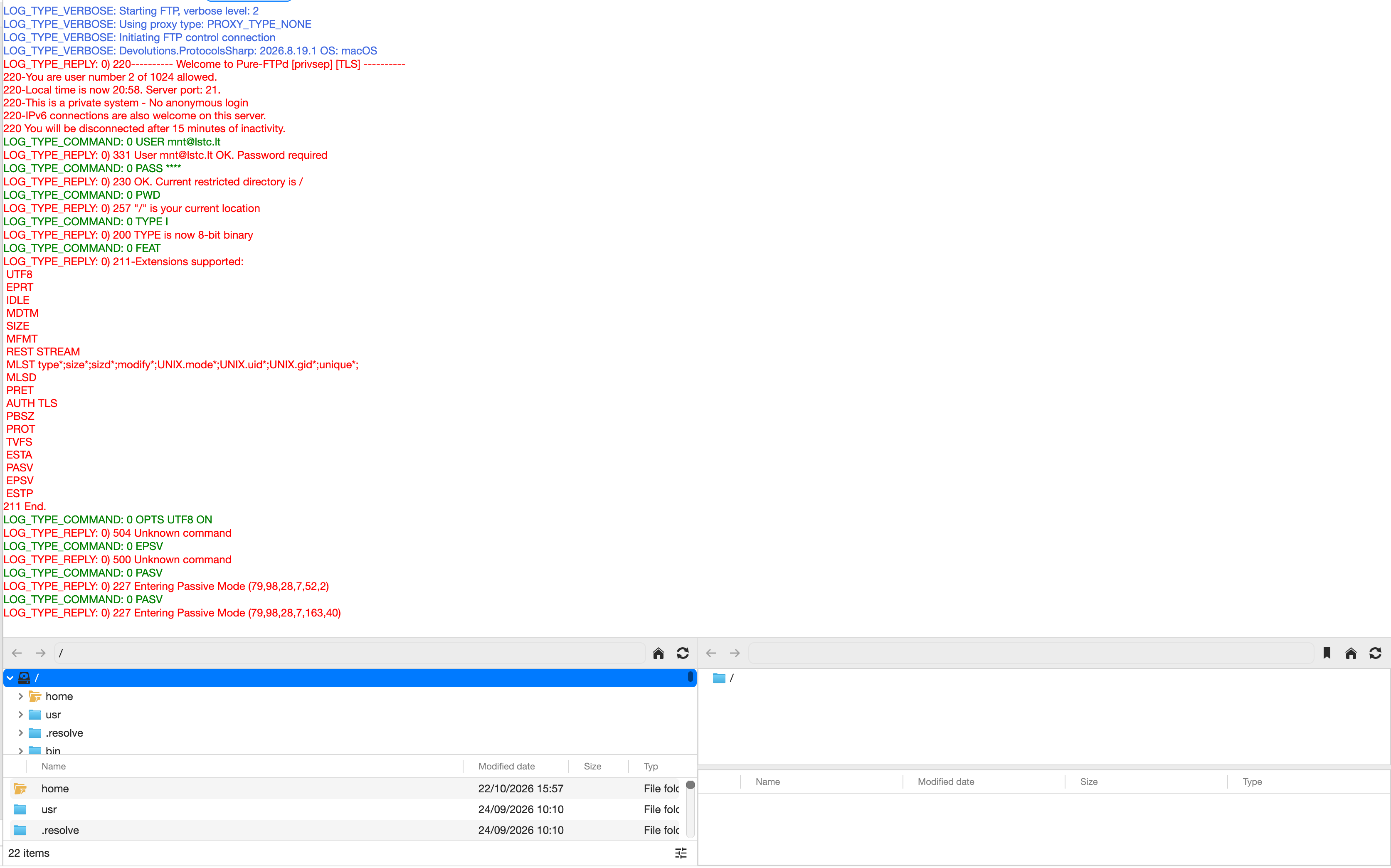
RDM Log
Authentication and TLS negotiation succeed, but the directory listing never appears.
AUTH TLS
234 AUTH TLS OK.
USER [username]
331 User OK. Password required
PASS ***
230 OK. Current restricted directory is /
PWD
257 "/" is your current location
PBSZ 0
200 PBSZ=0
PROT P
200 Data protection level set to "private"
EPSV
500 Unknown command
PASV
227 Entering Passive Mode (79,98,28,7,246,100)
PASV
227 Entering Passive Mode (79,98,28,7,71,127)RDM sends PASV twice but never proceeds to LIST or MLSD.
Successful curl Test
Running the following command on the same Mac works correctly:
curl -v --ssl-reqd ftp://krapas.serveriai.lt/ --user 'USERNAME'Relevant output:
AUTH TLS
234 AUTH TLS OK.
SSL certificate verify ok.
EPSV
500 Unknown command
PASV
227 Entering Passive Mode (79,98,28,7,99,67)
Connecting to 79.98.28.7 port 25411
Connected 2nd connection to 79.98.28.7 port 25411
LIST
150 Accepted data connection
[Directory listing received successfully]
226 39 matches totalBoth LIST and NLST work correctly using curl.
Additional Tests
Plain FTP without TLS: Same issue in RDM.
Active Mode: Also fails (Mac is behind NAT).
Passive Mode: Works correctly with curl.
FTP port 21 and passive data connections are accessible.
TLS certificate validation succeeds.
Questions
Could this be a bug or compatibility issue in Devolutions.ProtocolsSharp 2026.8.19.1?
Why does RDM send PASV twice without executing LIST or MLSD?
Is there a way to disable EPSV and force PASV?
Is this a known issue with the macOS Integrated FTP client?
Since curl works perfectly on the same machine with the same credentials, the issue appears to be specific to RDM.
Any suggestions would be appreciated.
Thank you!
[macOS] Embedded SFTP browser cannot access user’s home directory when /home has restricted permissions
Hello,
I would like to report a possible bug in Remote Desktop Manager for macOS related to the embedded SFTP file browser.
I am using a server managed by CloudPanel (Ubuntu 24.04), where website users have restricted filesystem permissions.
The problem:
When opening an embedded SFTP connection in Remote Desktop Manager, authentication succeeds, but the file browser displays the server’s root directory (/) instead of the user’s home directory.
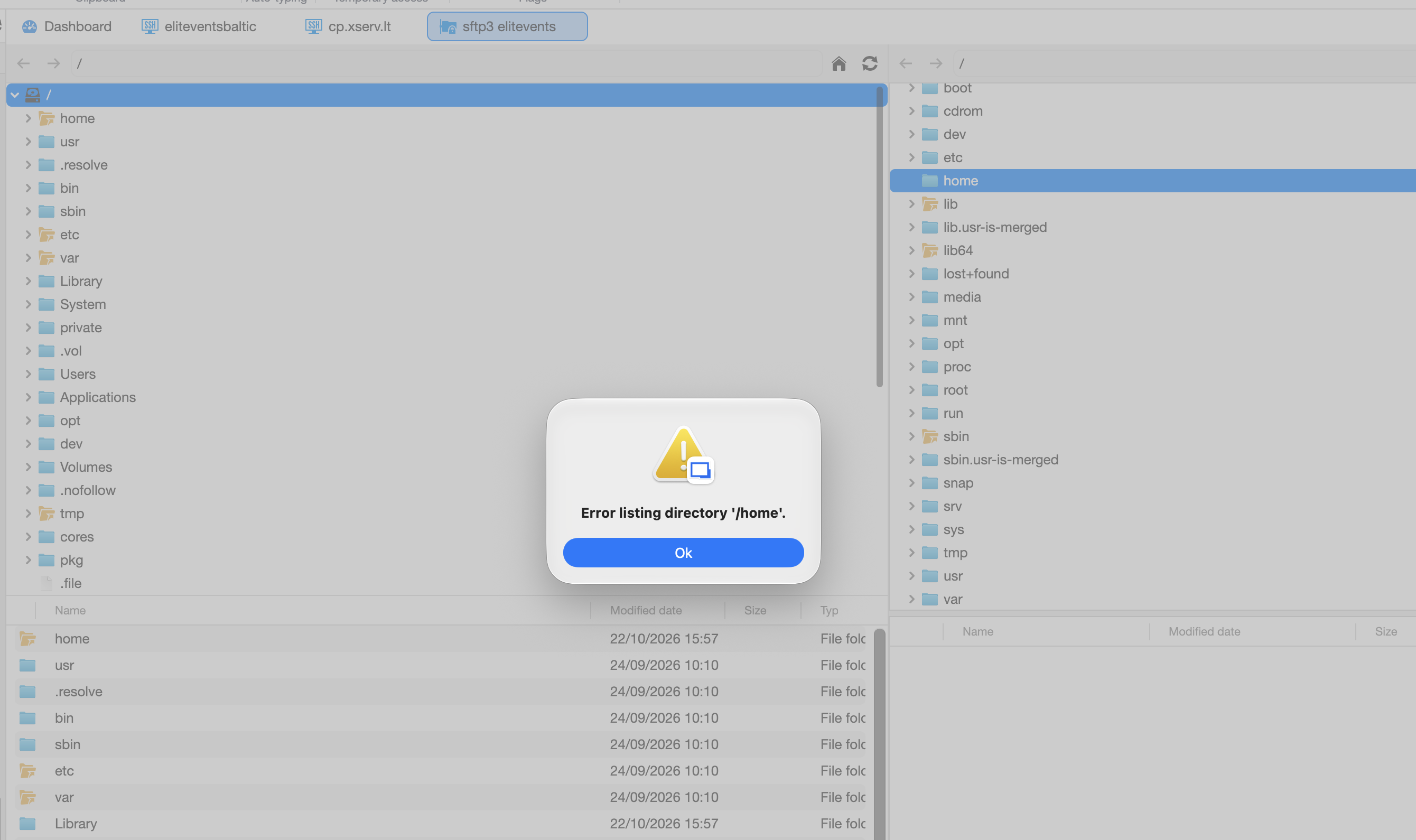
When trying to navigate to /home, the following error appears:
Error listing directory '/home'.
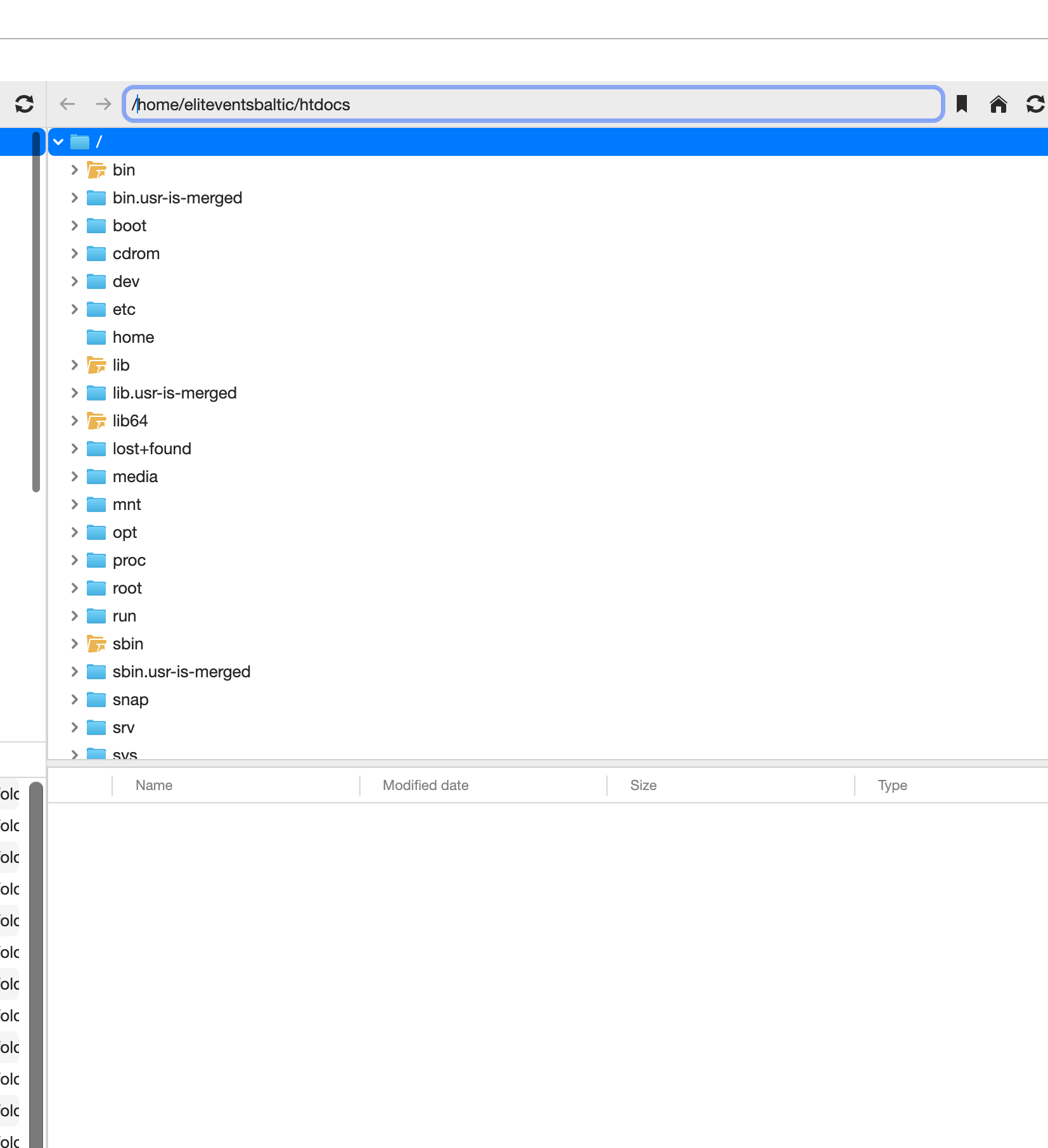
The file browser remains empty or fails to navigate to the user’s home directory, even when the correct absolute path is entered manually.
Server configuration:
Operating system: Ubuntu 24.04
Hosting panel: CloudPanel
Protocol: SFTP
Custom SSH port: 222
User home directory: /home/eliteventsbaltic
/home permissions: 711 (drwx-----x)
User’s home directory permissions: 770 (drwxrwx---)
What I have tested:
SSH authentication works correctly.
SFTP authentication also works correctly.
Connecting from macOS Terminal works without any issues:
sftp -P 222 username@server
The SFTP session automatically starts in the correct home directory:
/home/eliteventsbaltic
I can list files and navigate through subdirectories normally using the terminal SFTP client.
In Remote Desktop Manager, manually entering /home/eliteventsbaltic or /home/eliteventsbaltic/htdocsdoes not resolve the issue.
Changing the Starting location setting also does not help.
Expected behavior:
The embedded SFTP browser should open the user’s home directory directly, without requiring permission to list the contents of the parent /home directory.
The user has permission to access /home/eliteventsbaltic, even though listing /home itself is restricted.
Actual behavior:
The embedded SFTP browser appears to attempt to list the parent /home directory before navigating to the requested home directory.
Because the user does not have read permission on /home, the navigation fails, and the file browser does not display the user’s files.
This behavior does not occur with the macOS Terminal SFTP client.
Could you please investigate whether this is a bug in the embedded SFTP browser’s directory navigation logic?
Thank you!
[macOS] SFTP custom port is not passed to FileZilla
Hello,
I believe I found a bug in Remote Desktop Manager for macOS when using FileZilla as an external SFTP client.
My connection settings are:
Application: FileZilla
Protocol: SFTP
Host: 88.119.xx.xx
Port: 222
Authentication: Username and password
Problem:
When launching the connection from Remote Desktop Manager, FileZilla attempts to connect using the default SSH port (22) instead of the configured port (222).
As a result, authentication fails.
Workaround:
I discovered that changing the Host field from:
88.119.xx.xx
to:
88.119.xx.xx:222
while keeping the Port field set to 222 makes the connection work correctly.
I also verified that connecting directly from the macOS Terminal using sftp -P 222 works without any issues.
Expected behavior:
Remote Desktop Manager should automatically pass the configured Port value to FileZilla without requiring the port to be included in the Host field.
Could you please confirm whether this is a known issue or a bug in the FileZilla integration?
Thank you!
PageUp/PageDown and Copy features in MC (midnight commander) and mcedit
I'm using 2019.2.2.0 version.
Macbook pro 15 2019.
fn+arrow up/arrow down not working for me.
PageUp/PageDown and Copy features in MC (midnight commander) and mcedit
Hello,
On Macbook Pro. SSH session.
It would be good PageUp and PageDown buttons combination in MC (midnight commander) and mcedit (F3-view mode, F4-edit mode).
In others ssh clients: PageUp = fn+arrow up, PageUp = fn+arrow down
Next feature: Copy text in MC and MCEdit with Shift+trackpad/mouse
Thank you
Version 5.7.0.12 Beta - Problems focusing sessions
hello
maybe impossible to fix this problem?
all my sessions is shh/putty and a little uncomfortable then focus does not go the putty window.
Thanks... I like this program.
Version 5.7.0.12 Beta - Problems focusing sessions
Hello,
How about this problem???
Is it possible to fix?
thank you
windows 7 taskbar pin RDM and tray icon
hello,
something is wrong in windows 7 :)
i have pinned RDM icon to taskbar and then i launch RDM all ok.

but if minimaized RDM window, pinned RDM icon in taskbar is not active

and then you can see the icon in tray, but in RDM options i unchecked "Always show tryicon"

and now, when click on pinned icon in taskbar, RDM open not maximaized.
P.S. putty session(embded window) always lost focus if I come to putty session from another program or from other Tab in RDM.
edited by mantoze on 11/20/2009
Windows 7 - RDM minimize/restore strange behaviour
i have the same problem with RDM minimize/restore in windows7.