[macOS] Embedded SFTP browser cannot access user’s home directory when /home has restricted permissions
[macOS] Embedded SFTP browser cannot access user’s home directory when /home has restricted permissions

Hello,
I would like to report a possible bug in Remote Desktop Manager for macOS related to the embedded SFTP file browser.
I am using a server managed by CloudPanel (Ubuntu 24.04), where website users have restricted filesystem permissions.
The problem:
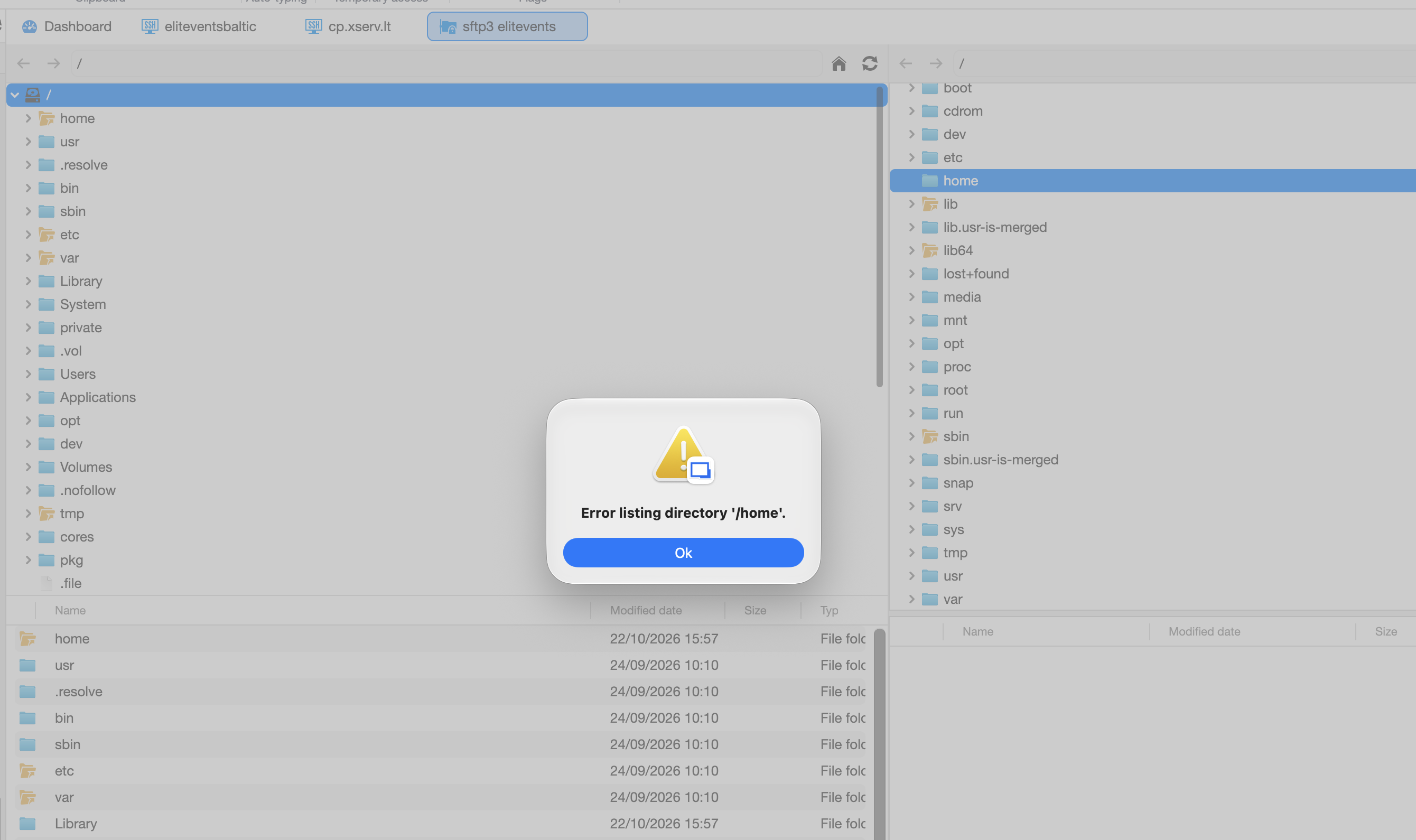
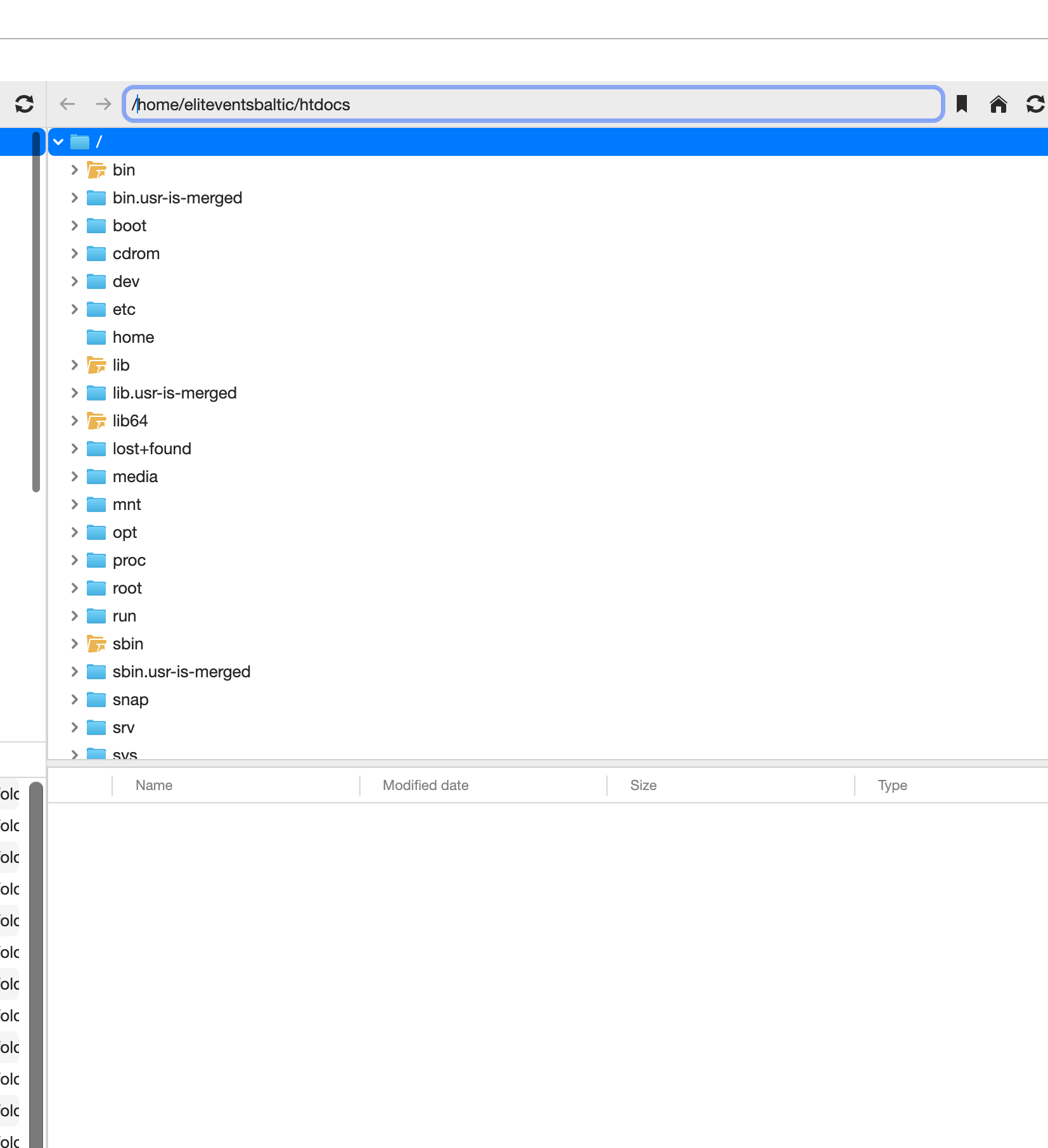
When opening an embedded SFTP connection in Remote Desktop Manager, authentication succeeds, but the file browser displays the server’s root directory (/) instead of the user’s home directory.
When trying to navigate to /home, the following error appears:
Error listing directory '/home'.
The file browser remains empty or fails to navigate to the user’s home directory, even when the correct absolute path is entered manually.
Server configuration:
Operating system: Ubuntu 24.04
Hosting panel: CloudPanel
Protocol: SFTP
Custom SSH port: 222
User home directory: /home/eliteventsbaltic
/home permissions: 711 (drwx-----x)
User’s home directory permissions: 770 (drwxrwx---)
What I have tested:
SSH authentication works correctly.
SFTP authentication also works correctly.
Connecting from macOS Terminal works without any issues:
sftp -P 222 username@server
The SFTP session automatically starts in the correct home directory:
/home/eliteventsbaltic
I can list files and navigate through subdirectories normally using the terminal SFTP client.
In Remote Desktop Manager, manually entering /home/eliteventsbaltic or /home/eliteventsbaltic/htdocsdoes not resolve the issue.
Changing the Starting location setting also does not help.
Expected behavior:
The embedded SFTP browser should open the user’s home directory directly, without requiring permission to list the contents of the parent /home directory.
The user has permission to access /home/eliteventsbaltic, even though listing /home itself is restricted.
Actual behavior:
The embedded SFTP browser appears to attempt to list the parent /home directory before navigating to the requested home directory.
Because the user does not have read permission on /home, the navigation fails, and the file browser does not display the user’s files.
This behavior does not occur with the macOS Terminal SFTP client.
Could you please investigate whether this is a bug in the embedded SFTP browser’s directory navigation logic?
Thank you!
All Comments (1)
Hello,
I created a setup similar to yours and I believe I have reproduced your issue. I will create a ticket to fix it.
Best regards,
Maxim Buisson