
Alexandre Bélisle
Cyberark Privileged Access Solution
Hello,
Thanks for your feedback.
We tried on our side, and it's working as expected with the inherited SIA VPN/Tunnel/Gateway.
The approach is quite different than the using PSM, and this is maybe the part I missed in my first response.... The PVWA entry is not used at all; this is handled by SIA.
As specified at the bottom of the VPN/Tunnel/Gateway UI when selecting the SIA, the Privileged Account to be used is set in the Username field of the RDP entry, and so is the domain in the Domain field.
When launching the session, RDM will, through SIA, generate the RDP File normally obtained by CyberArk SIA and will use the documented username and domain from the RDP Entry.
Let me know if this works.
Best regards,
RDM Web Form Login with Domain
Hi!
Thanks for reaching out.
You will find this setting in the WebBrowser session's Properties > Advanced section (at the bottom on the left).
You should find a Username format setting that will apply this format to the entry.
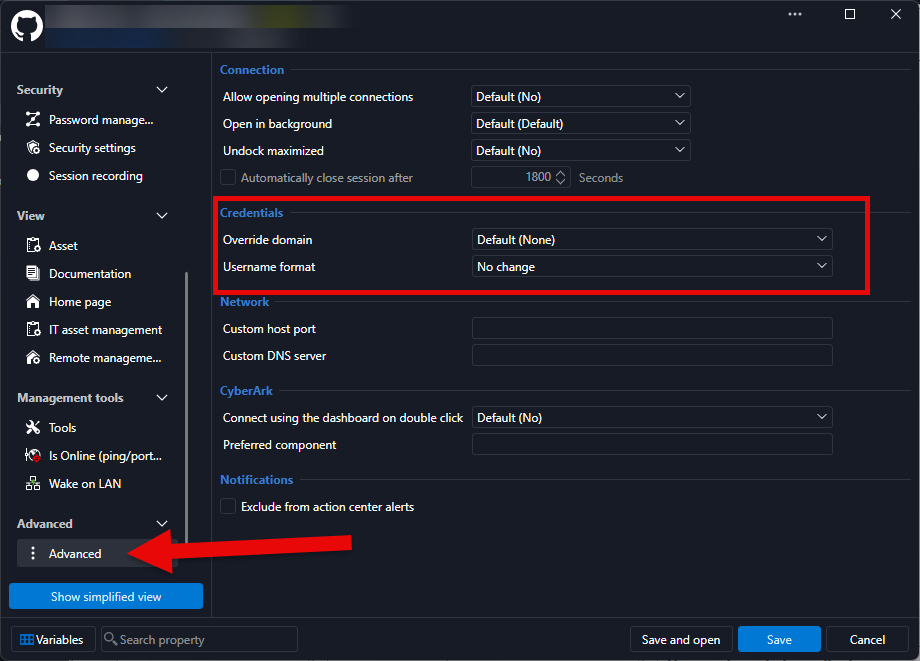
Let me know if this helps!
Best regards,
New DVLS Server
Fantastic! Thanks for the update!
Cheers,
Cyberark Privileged Access Solution
Hello Mr. Blue,
The reason we cannot make a "direct" link to the user vault is that it's linked to an entry's ID (GUID). Each object in the database has a different ID.
That's why User Vault Search is the best way to keep the share vaults generic and customizable.
On my end, I can make SIA inheritable on the folder to the sessions. Can you send screenshots of your configuration so I can understand?
On my end:
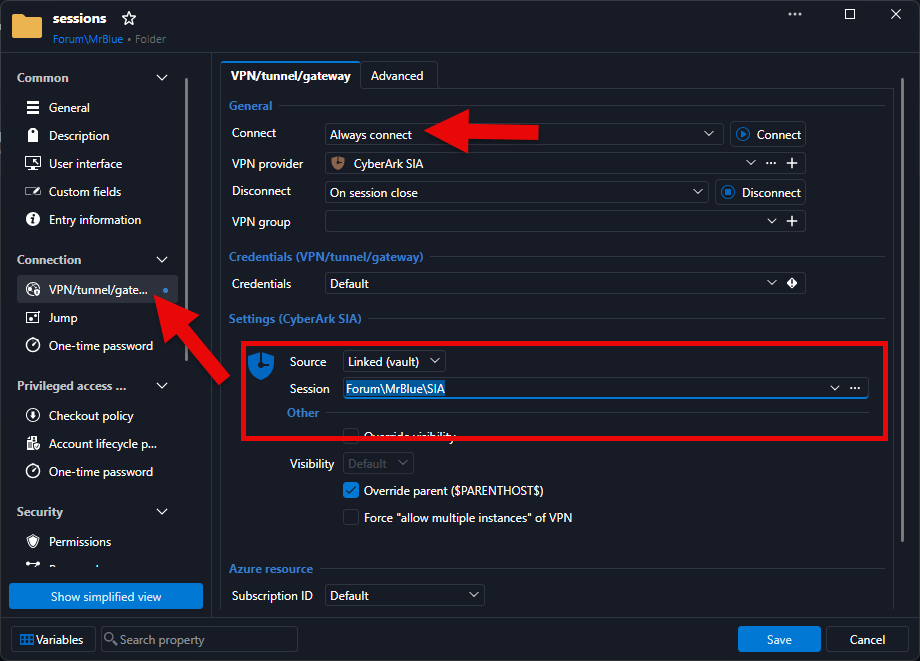
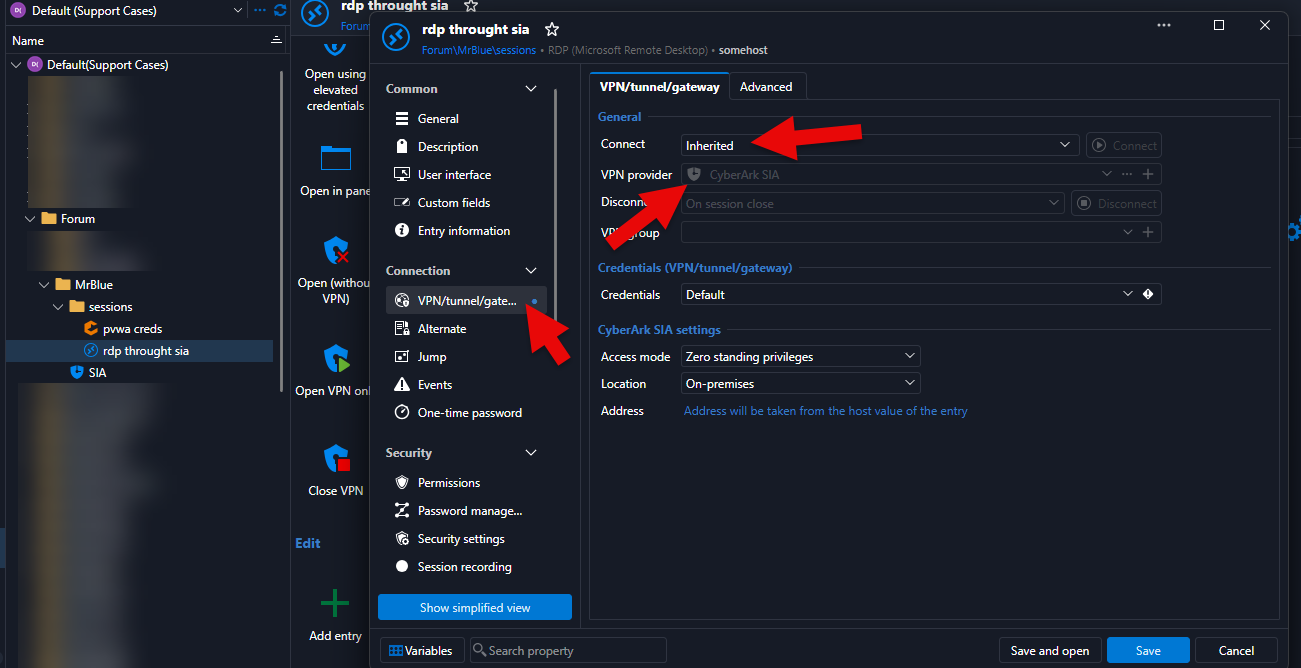
Best regards,
New DVLS Server
Hi Elaine,
Yes, that will work, and you will keep everything (providers, policies, permissions, entries, etc.) since it all lives in the database. You don't need a fresh database; just point the new instance to your existing POC database.
The staging article you read is actually the same procedure we use to move DVLS to another server. In short:
On the POC server, export the encryption keys (Devolutions Server Console > your instance > Encryption Keys > Export). This step is critical: without these keys, the data in the database cannot be decrypted.
Take a full backup of the POC database (just in case).
On the new server, install the Devolutions Server Console and create a new instance, ideally with the same DVLS version as your POC.
At the database step, enter your existing POC database information.
When prompted, provide the encryption keys file exported in step 1.
Reinstall the companion components on the new server (Scheduler service for PAM, Devolutions Gateway, etc.) and apply your new trial license.
Stop or decommission the POC instance so that only one instance uses the database.
If the new machine keeps the same name as the POC server, you won't need to update the access URL in Remote Desktop Manager; otherwise, simply update the workspace URL.
Reference: Migrating Devolutions Server to another server
Let us know if you have any questions.
Best regards,
trouble setting -value using New-UDAutocomplete with -OnLoadOptions
Hello,
Thanks for your patience.
We have a technician on this case; he should be back to you by tomorrow at the latest.
Best regards,
Commandes manquantes dans la documentation en ligne et erreur de frappe
Bonjour!
Merci de porter ceci à notre attention.
J'ai transmis le message à l'équipe de documentation.
Cordialement,
Mise à jour de la documentation
Bonjour!
Merci de porter ceci à notre attention.
Effectivement, ceci a également été rapporté ici: https://forum.devolutions.net/topics/55929/commandes-manquantes-dans-la-documentation-en-ligne-et-erreur-de-frapp
J'ai transmis le message à l'équipe de documentation.
Cordialement,
Git sync doesn't work after upgrade from 5.6.13 2026.1.7
Hi!
Well, that's good news!
Thanks a lot for the update.
Let us know if the issue comes back.
Cheers!
Unable to De-select "is Administrator" in DVLS for an Entra-Synced Group
Hi!
Excellent! Thanks for the feedback.
Have a great one.
Best regards,
Unable to De-select "is Administrator" in DVLS for an Entra-Synced Group
Hello @davidyates ,
Thanks for reaching out.
The system seems to snag on reading 'netbiosName' from the currently configured group.
I could not replicate in my environment; the check box does the trick.
I'm using DVLS 2026.1.12.
Maybe you have a different version? Thanks for confirming
Given that this was an admin group, is it safe to assume it doesn't have specific permissions on Vault/Folders/entries?
If that's the case, I think we could try deleting and re-importing it.
Thoughts?
Best regards,
New provider FortiNet (FortiOS/FortiGate)
A customer is asking if it's possible to add a new PAM Provider to manage FortiNet appliances privileged accounts
Version 2026.1.11.0 (March 19, 2026)
Hello!
Thanks for your patience.
We identified some verifications that were not completely accurate.
Incidentally, the console assumed the presence of certain dependencies, although their versions did not necessarily match.
We will have a fix for this in the next version of the Devolutions Server Console.
Thanks for reporting this.
Best regards,
Version 2026.1.11.0 (March 19, 2026)
Hello,
Thanks for reporting this.
We're investigating this behavior.
Best regards,
Every credential on vault greyed out
Hello,
Thanks for reaching out.
Real quick, this seems to be related to the database connection.
A colleague of mine will reach out to you promptly through a support ticket.
Please stay tuned, we should be able to meet quickly.
Best regards,
Changes to security architecture
Hello @sjames,
Thanks for your feedback.
Can you confirm you also updated RDM? This should work starting from 2025.3.18.
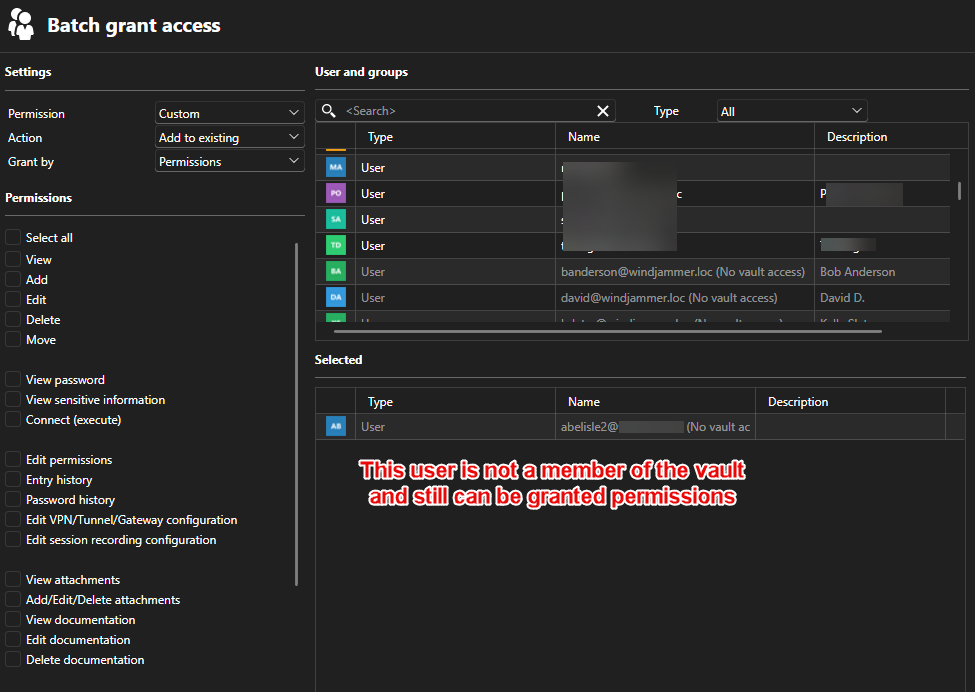
Furthermore, from the web:
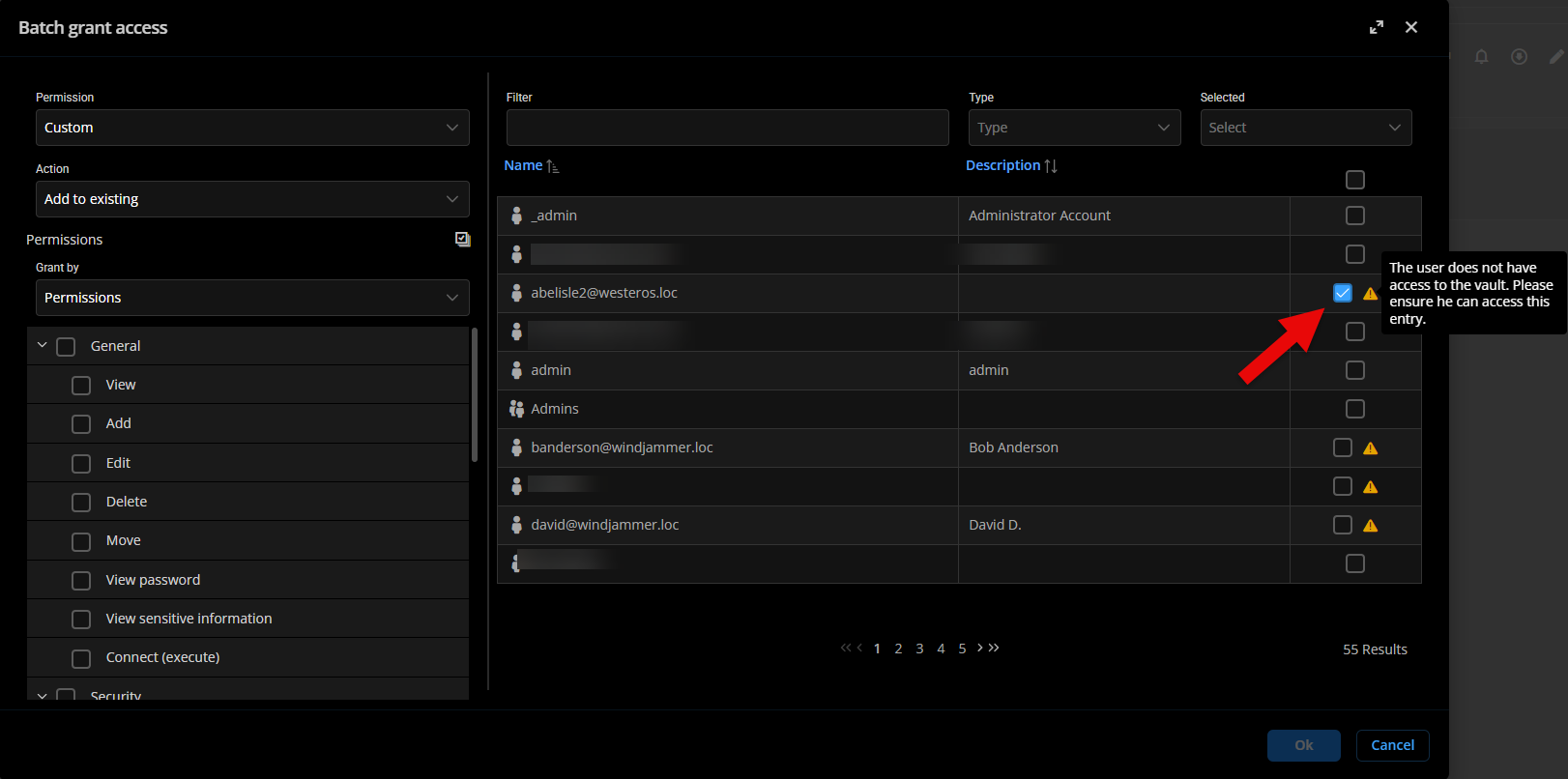
Do you have a different behavior?
Thanks for letting us know.
Best regards,
Changes to security architecture
Hello @sjames ,
We released DVLS 2025.3.5 (https://devolutions.net/server/download/) containing the fix.
Let us know if it's now working as it should.
Thanks!
Best regards,
Duo MFA link existing devices
Hello!
Thanks for your patience; we had a good discussion around this.
We identified mainly 2 possible improvements on the DUO integration
1. Allow configurable username mapping
Let the user (or their admin) choose what username is sent to Duo
This makes the process more flexible and removes the need for managing aliases in Duo.
2. Use the Duo user_id instead of the username
This one may show more challenges, but would likely prevent issues related to username changes in the long run.
We're not excluding the development of both solutions as fallback options.
Thoughts?
Best regards,
Problem running the application as administrator
Hello,
I'm just mentioning that we're reviewing this through a support case; we'll post the conclusions.
Regards,
Duo MFA link existing devices
Hello Arnoud,
Thanks for reaching out.
To my knowledge, the alias (workaround) is the way to go.
I will see with our QA department if we can attempt to replicate...
Thanks for your patience.
Best regards,
More integration with PAM
Hello Simon,
Thanks for your patience.
The ticket is still under revision.
One of the challenges we're encountering (and we think there is not much we can do) is when there is an LDAP timeout because the data source timeout will come up prior to the LDAP.
But error messages that can be improved will be.
I hope this helps!
Best regards,
New-DSSession crashes with unhandled error
Hello!
A clearer message will be shown when the connection fails, starting on Devolutions.Powershell 2025.2.4.
I will still display an error, but we'll give better guidance on handling the error.
I hope this helps!
Best regards,
CyberArk PSM/PVWA connection
Hello,
Not sure why my message was duplicated.
I meant to answer to:
No, the Connect button is not showing up when I select an account in a safe.
With: In that case, this is most likely the issue.
Since RDM takes its settings from Cyberark, I'm not surprised that the connect option doesn't show on RDM's side.
You still can leverage the PVWA Credentials with the "Injection" Resolving Method, but this will bypass your PSM server.
I hope this helps.
Best regards,
New-DSSession crashes with unhandled error
Hello!
We opened a ticket to improve the error message in New-DSSession when the module is unable to reach the public server info...
We'll keep you posted.
Best regards,
New-DSSession crashes with unhandled error
Hi!
Wow, did I miss a good one...
Sorry for that, I've read the issue, knew the solution, but did not read til the end.
I'll report this and see what can be done.
Thanks for your patience.
Best regards,