
blackstream
SSH sessions are flapping back and forth
Hello Maxim,
at first glance, it looks good now, but I'll keep an eye on it, since the error didn't occur every time.
Thank you for your efforts!
Best regards,
Markus
SSH sessions are flapping back and forth
Hello,
I'm back. Thank you for your answer. I will test it when version 2026.2.18.0 is available.
Regards,
Markus
SSH sessions are flapping back and forth
Hello,
I'm so sorry, I'm on parental leave from now for 6 weeks, I am not able to test.
But if you can reproduce the issue I hope your development team can solve this.
We can keep in touch after this 6 weeks, sorry for this! Maybe you got a solution already if I'm back :-)
Best regards,
Markus
SSH sessions are flapping back and forth
Hello Jacob,
thank you for your reply.
It's a bit tricky because the flapping error does not appear every single time when I open two SSH sessions.
However, I was able to reproduce it. I uploaded my screen recording. Please have a look.
Thank you so much in advance!
Best regards,
Markus
SSH sessions are flapping back and forth
Hello,
I open the SSH sessions in quick succession, and they immediately start jumping back and forth.
Version 2026.2.12.0
I have to close the sessions via right-click because I'm not able to type anything in command line.
Thank you,
Markus
Global Logging SSH sessions
Hello Hubert,
this is exactly what I wanted. Thank you so much!
You can close the feature request.
Best regards,
Markus
Global Logging SSH sessions
Hello,
is there a global log function in RDM for SSH sessions (like in PuTTY) in order to set variables such as:
&H for Hostname
&Y for Year
&M for Month
&D for Date
&T for Time
for the printable output?

I know the "Logs" function in individual SSH sessions here:

However, I need a function (such as in PuTTY) to automatically set Hostname, Date, Time, etc. pp for the file name in the Log path when I open the SSH session.
But I need a global function because there are hundreds of SSH sessions - to edit every session is difficult.
Best regards,
Markus
Keyboard Shortcut for "Remove all broadcast"
sorry for this, got it! Thank you so much. Request can be closed.
Keyboard Shortcut for "Remove all broadcast"
Hello,
there is already a keyboard shortcut for "Broadcast all":

Green icon works with STRG+B:

But for function "Remove all broadcasts" (red symbol) there is no option for setting a shortcut:

Thank you so much,
Markus
Change font color while using dark theme
Hello Min Destens,
thank you for the help.
Deleting "C:\Users\<username>\AppData\Local\Devolutions\RemoteDesktopManager\WebView2.Cache" worked for me :-)

Best regards,
blackstream
Change font color while using dark theme
Hello,
just a small optical thing. If I use the dark theme in Remote Desktop manager, the "Release Notes" text is also in black font. It's hard to read. Could you please change font color to white if dark theme is used?
Thank you in advance.
Markus
Screenshot:

MultiExec Button SSH sessions with automatic split-screen
Hello,
thank you for implementing the new feature. I have tested it and I hope you can do a small change afterwards to improve it.
If I open two SSH sessions, they are never active for broadcast immediately. I have to click into the SSH session window every time before the "broadcast all"-button gets visible.
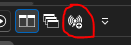
Can you add "broadcast all"-button permanently that it will be active directly after open two SSH sessions?
Thank you so much!
Best regards,
Markus
MultiExec Button SSH sessions with automatic split-screen
Hello,
I hope this feature request is still on your road map... can't wait to use this feature :-)
Thank you so much.
Best regards,
Markus
Fehler beim Fenster schließen im Broadcast-Modus
Hallo Min,
vielen Dank für deine Hilfe und Mühe!
LG,
blackstream
MultiExec Button SSH sessions with automatic split-screen
Hello,
that's alright. Thank you!
Regards,
blackstream
MultiExec Button SSH sessions with automatic split-screen
Hello Hubert,
are there any updates yet?
Regards,
blackstream
Fehler beim Fenster schließen im Broadcast-Modus
Hallo,
ich muss mich korrigieren: Es ist nicht ausschließlich im Broadcast-Modus, sondern auch bei einzelnen SSH Sessions von Cisco Switches.
Wenn ich zum gleichen Gerät eine SSH-Session, z.B. über PuTTY öffne, kann ich das Fenster ohne Fehlermeldung über "exit" schließen.
LG,
blackstream
Fehler beim Fenster schließen im Broadcast-Modus
Hallo,
danke für deine Nachricht.
Die Option "Einrichtung von Umgebungsvariablen überspringen" hat leider nicht geholfen.
Ich habe die "Ausführliche Protokollierung 2" aktiviert und das Log in ein Textfile laufen lassen. Habe es hier angehängt. Ich hoffe das hilft.
[22.05.2024 09:13:19] SSH Error reading raw input
[(10053L) Eine bestehende Verbindung wurde softwaregesteuert
durch den Hostcomputer abgebrochen.]
Grundsätzlich schließt er ja nach dem "exit"-Kommando auch die Session, aber es kommt eben immer diese Fehlermeldung zuvor:

LG,
blackstream
Fehler beim Fenster schließen im Broadcast-Modus
Hallo,
ich nutze eine lokale Datenquelle:

Unter Hilfe => Anwendungsprotokolle gibt es leider auch keine weiteren nützlichen Informationen dazu. Im Programm "MobaXterm" funktioniert es mit den gleichen zwei Geräten z.B. problemlos.
LG,
blackstream
Fehler beim Fenster schließen im Broadcast-Modus
Hallo,
ich nutze die Version 2024.1.28.0 64-bit. Was genau meinst du mit Datenquelle?
Ich öffne z.B. zwei SSH Shells zu Cisco Switches. Mit dem Programm "MobaXterm" kann ich z.B. über den "MultiExec"-Button beide Fenster gleichzeitig mit dem Befehl "exit" beenden.
Fehler beim Fenster schließen im Broadcast-Modus
Hallo zusammen,
wenn ich z.B. zwei SSH Shells im Broadcast-Modus offen habe und beide gleichzeitig mit "exit" schließen will, kommt folgende Fehlermeldung:
Hier sollten sich die beiden Fenster eigentlich einfach schließen. Ist das ein Bug?
Merkwürdes Verhalten von RDM beim wechseln von Fenstern
@DR: Aktuell ist Version 2024.1.28.0
MultiExec Button SSH sessions with automatic split-screen
Perfect, thank you so much!
MultiExec Button SSH sessions with automatic split-screen
Hello Hubert,
your suggestion "One shortcut for toggling the broadcast on all currently opened SSH Shell entries" sounds really good. So worklfow would be that I open two (or more) SSH Shells and then only click one shortcut in navigation bar to broadcast all opened SSH sessions without selecting them manually. If I click the shortcut a second time, the broadcast mode for all opened SSH sessions is closed.
If I can be honest, I actually see the function of the window mode differently. It's not only my personal view, I asked a lot of admins for this reason.
Advantages:
The greatest value of broadcast mode is to compare content of two devices (or more) and configure them at the same time (such as Switches/Router/Firewalls) ... if you compare two things, wouldn't you put two documents next to each other to compare them, would you? Even outside the digital world, people would even place two sheets of paper next to each other and not on top of each other, right?
Devices can always be stucked in command line so admins always want to see the content they are writing on their command line. So I don't see a reason that people don't want to change the window mode after activating the broadcast function. (Software MobaXterm shows how it's done by "MultiExec"-button in navigation bar because it really makes sense to automatically change window to vertical after using broadcast mode :-) )
Tile vertical could be set as the default mode after activating broadcast mode - of course users could change the mode afterwards anyway so this shouldn't be an issue
Thank you so much.
Best regards,
blackstream
MultiExec Button SSH sessions with automatic split-screen
Hello Hubert,
thank you for your response. I'm already using the "manage broadcast" window with a keyboard shortcut.
But: I always have to press the broadcast shortcut keys + select all opened SSH Shell entries + click OK + click on windows / share windows vertically. I think every admin, who uses this broadcast mode, wants to see all command lines in all sessions while typing in commands so the split-screen button is always used after activating the broadcast function.
The good news: RDM already got these functions implemented, but all is separately, so it is inconvenient. Imagine you just have to open 2 SSH Shells and click a new "broacast"-button in navigation bar in ordner to activate broadcast mode and got a splitted screen only from opened SSH Shells. This could be 2 sessions, or 4 sessions ... just include all open SSH sessions (until you reach the maximum of the possible monitor size).
In my opinion, this would be a very important feature and could support a lot of admins and save time.
Best regards,
blackstream