
Chuck
Devolutions Gateway ongoing bug
Hi Chuck,
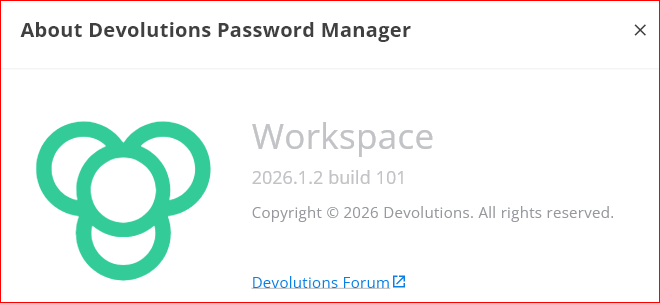
Thanks for the details. Version 2026.1.2 predates the redesign of the password generator. Since version 2026.2.2, the generator remembers your last-used mode and settings, including your passphrase options, after you restart the application.
Updating to the latest version of Devolutions Password Manager should resolve this. If your settings still reset after updating, please let us know.
Best regards,
@Dany Galarneau
Interestingly enough, when I click "Check for Updates", I get the following:
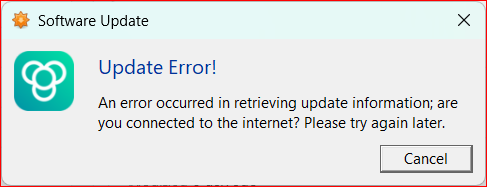
That is a misinformed error, as I am typing my reply on the same machine that is checking for an update.
Come to think of it, I always were getting update messages automatically, until landing on this version.
I have not received any update messages since. So, I will have to update manually.
Maybe this is a bug in the version I have installed?
Chrome Browser Plug in Freeze
Hi,
The freeze you experienced was likely caused by the Passphrase settings in your Password Policy, where the Frequency value was set higher than the password length.
Could you try switching between the Default Password Policy and your Passphrase Policy to verify that passwords are generated correctly according to the selected policy?
Best regards,
@Olivier Desalliers
Sir...
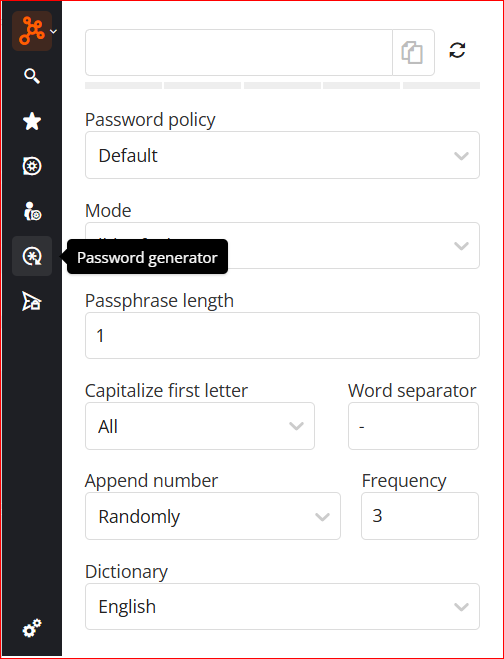
When I click Password Generator, this is what defaults:
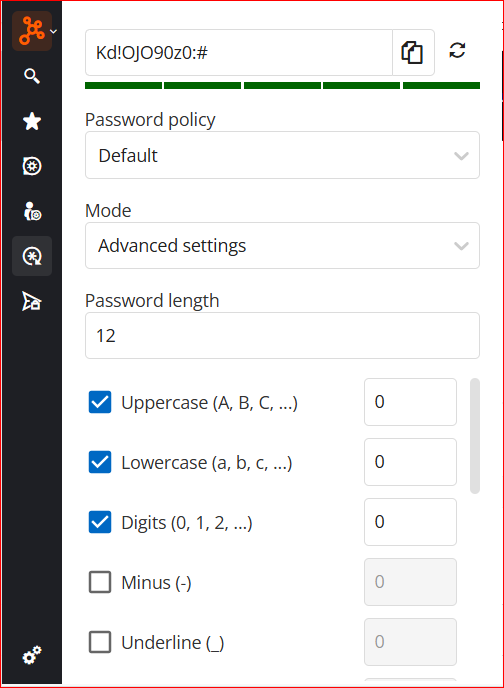
For Complexity, I get this:
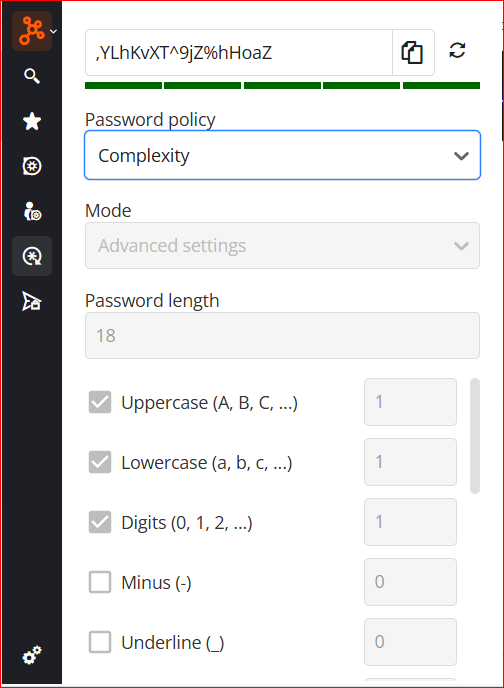
And Passphrase, this:
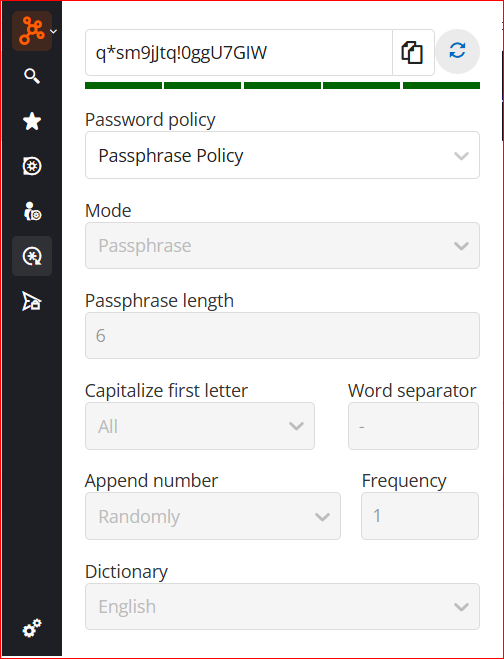
HOWEVER... If I left the Policy to "Default", and just changed the "Mode" to Passphrase, it seems to operate correctly:
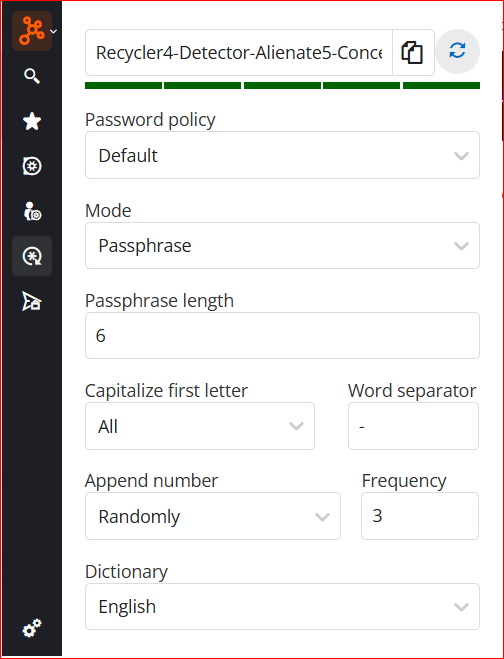
So, maybe this pinpoints to a possible bug between the Password Manager and RDM where I have the policies actually set at?
What to do when login has more than U/N and P/W
Good morning Chuck,
This website is very tricky since their html ids have a generated UUID in them, this means that the id changes each time the page is loaded and so you cannot use it to fill.
There is a work around however, in this case you can set the id of the custom control to be "Account ID" and the extension will find the input with the label text. This will most likely break if your language is not set to english however, so be careful.
I made a test entry and it works on my end. If it does not work for you, contact me in this thread and we will look at other options.
Example:
To find the custom controls option you will need to click on show all properties
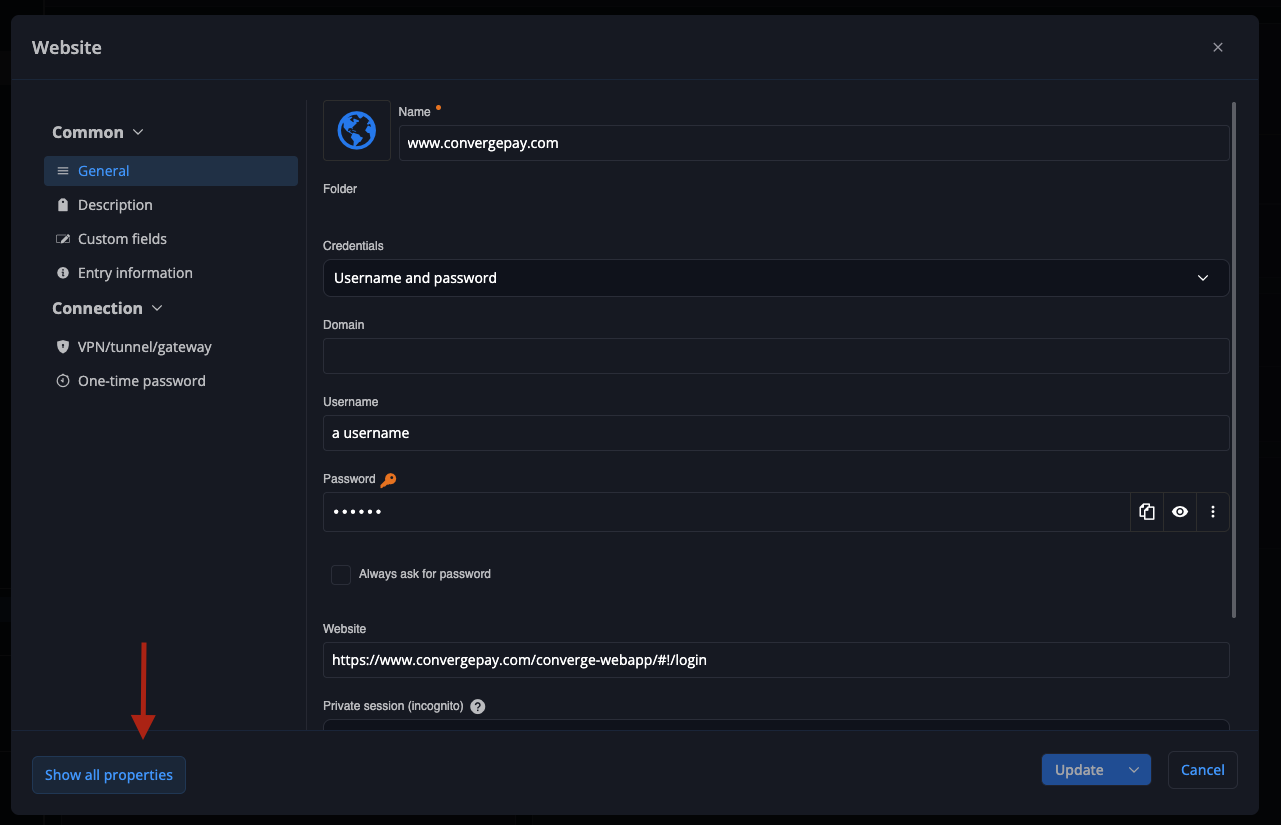
Then scroll down until you see custom controls
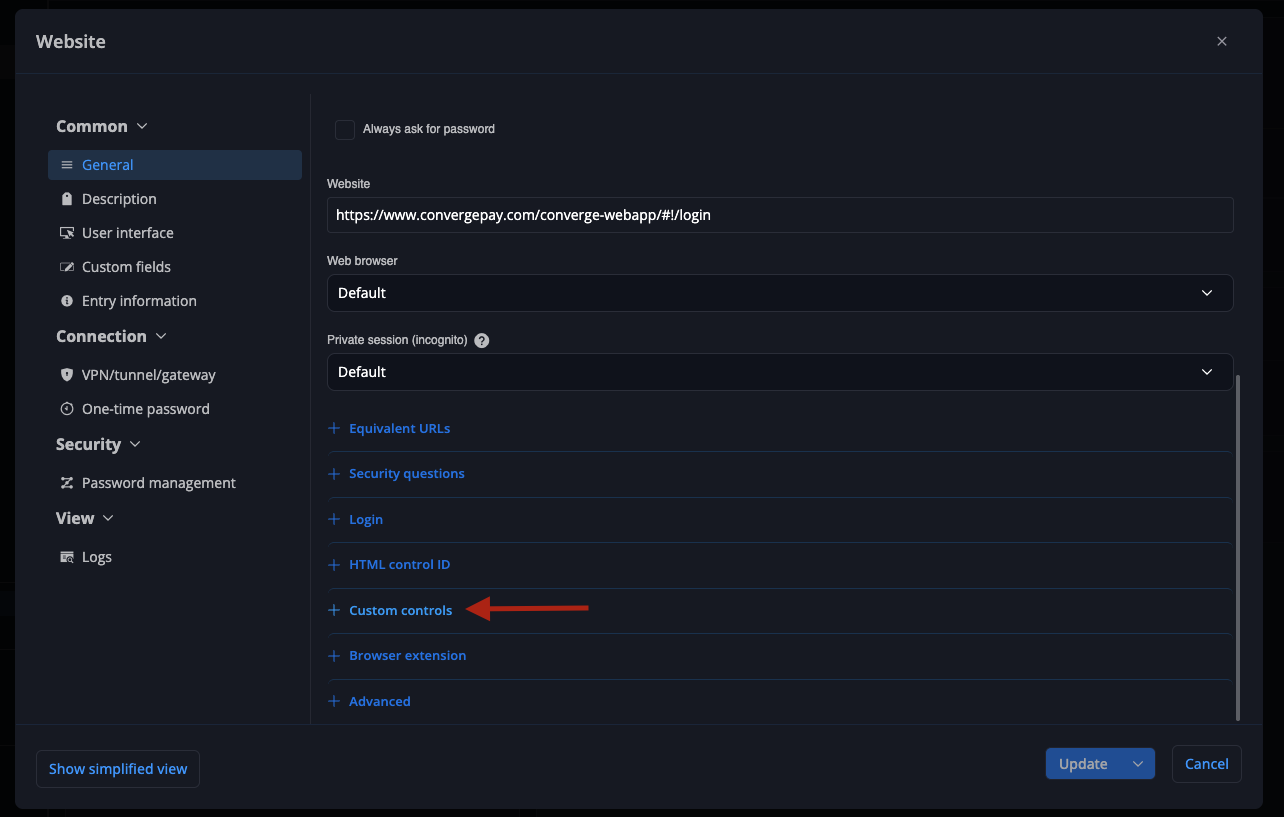
Add a custom control if you did not have one then use these settings (replace "the account id" by your actual account id)
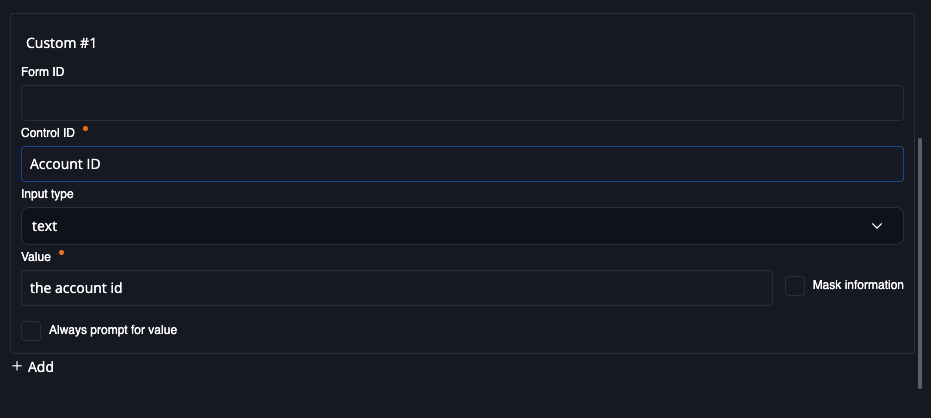
Then fill
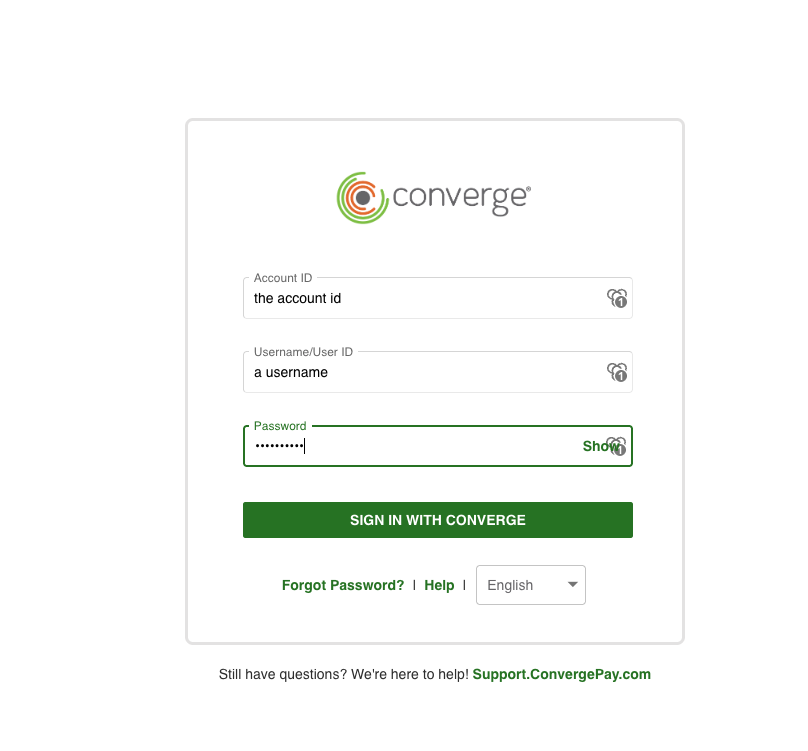
I also tested autofill on load and it does work after a delay.
Best regards,
Samuel
@Samuel Boucher
Worked for me as well, sir.
I don't know why adding the "Custom Field" within Devolutions Workspace app didn't carry over, but once I added to the browser plugin, it worked as expected.
Thank you!
Chrome Browser Plug in Freeze
Hi,
We're investing into your password generator freeze.
To help us confirm the cause, could you tell us:
1. Does it only happen when you generating a passphrase?
2. If so, is Append number set to Randomly, with a Frequency always higher than the Passphrase length?
In the meantime, you can try importing the attached file. It resets the password generator to its default settings:
1. Open the extension's settings. Don't open the password generator first.
2. Select Import settings, then choose the attached file.
3. Confirm the import.
The import only replaces your password generator settings. Your other settings stay the same.
Does the password generator still freeze after the import?
Best regards,
@Olivier Desalliers
That json import got it to (somewhat) work correctly now. It no longer freezes as soon as I click the password generator.
Answers to your original questions:
1) The browser plugin works fine until I simply click the password generator icon. As soon as I click it, it freezes and the plugin no longer responds to anything. After a little while, it starts responding again, and as long as I don't click the password generator icon, it continues to function appropriately.
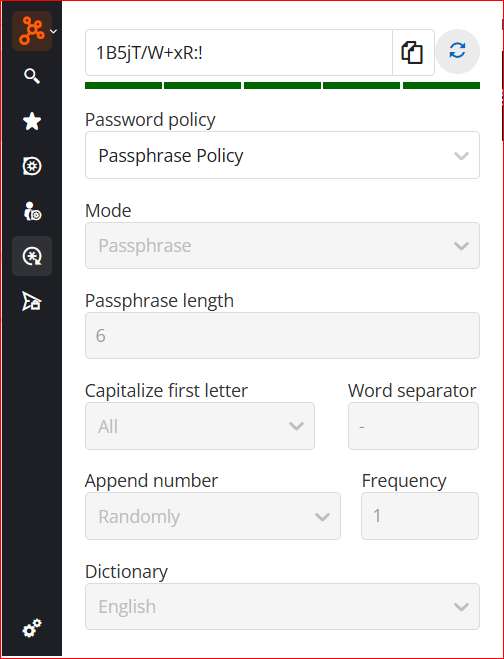
2) The screenshot below are the settings I have setup.
3) Now, as you can see in the screenshot, passphrase no longer generates what it should:
What to do when login has more than U/N and P/W
Hello,
If you want to auto fill the "Account ID" field that is not supported by default, you can add a custom control to your website entry to fill that field.
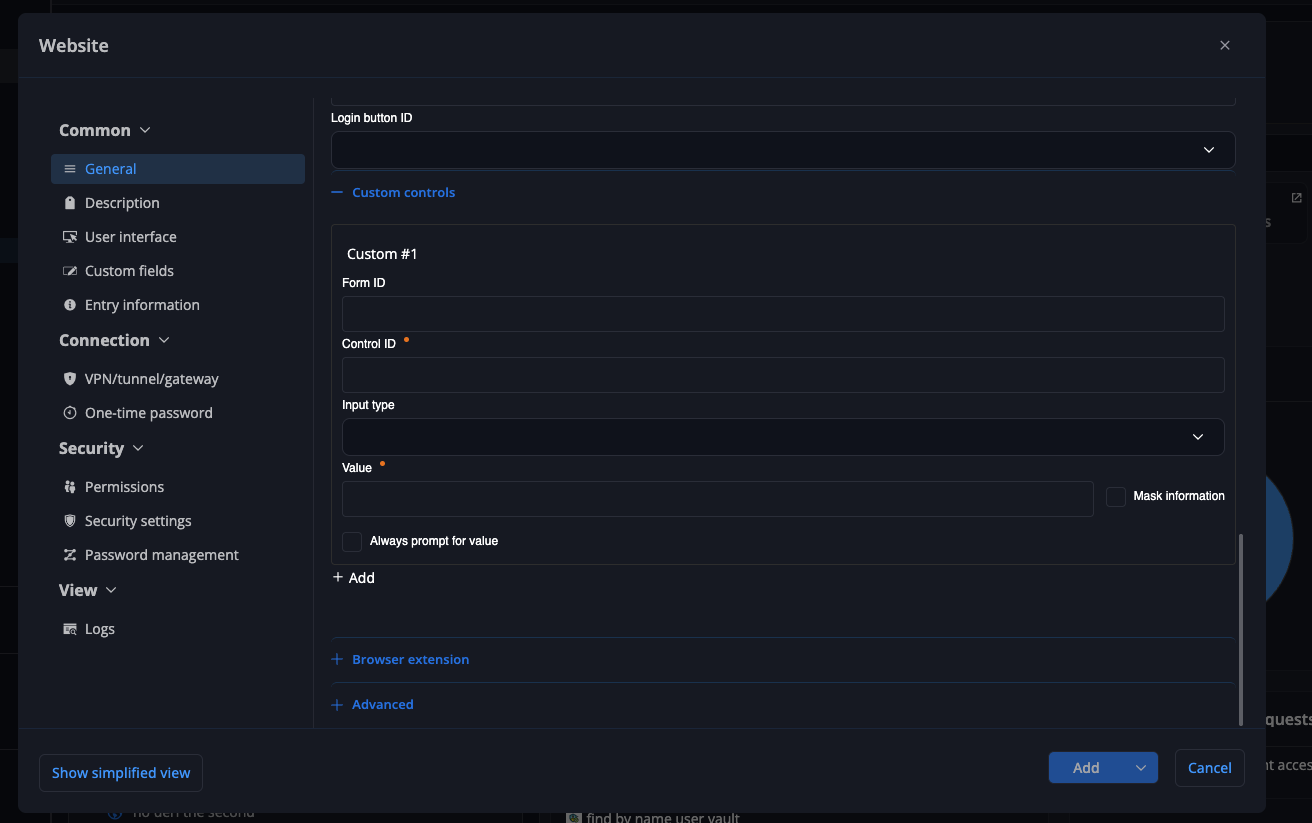
You can then set the control id and value, the extension will auto fill that field along the other fields. The location of the custom control tab might differ between clients but should be present in the website edit view in all clients.
Autofill on load might work without html ids if you set your custom control, but if it does not work you need to add html ids for the login and password fields.
Hope this helps!
Best regards,
Samuel
@Samuel Boucher
Good morning, Samuel.
I updated the entry via Devolutions Workspace app and waited for it to "sync" to the browser plugin as shown below:
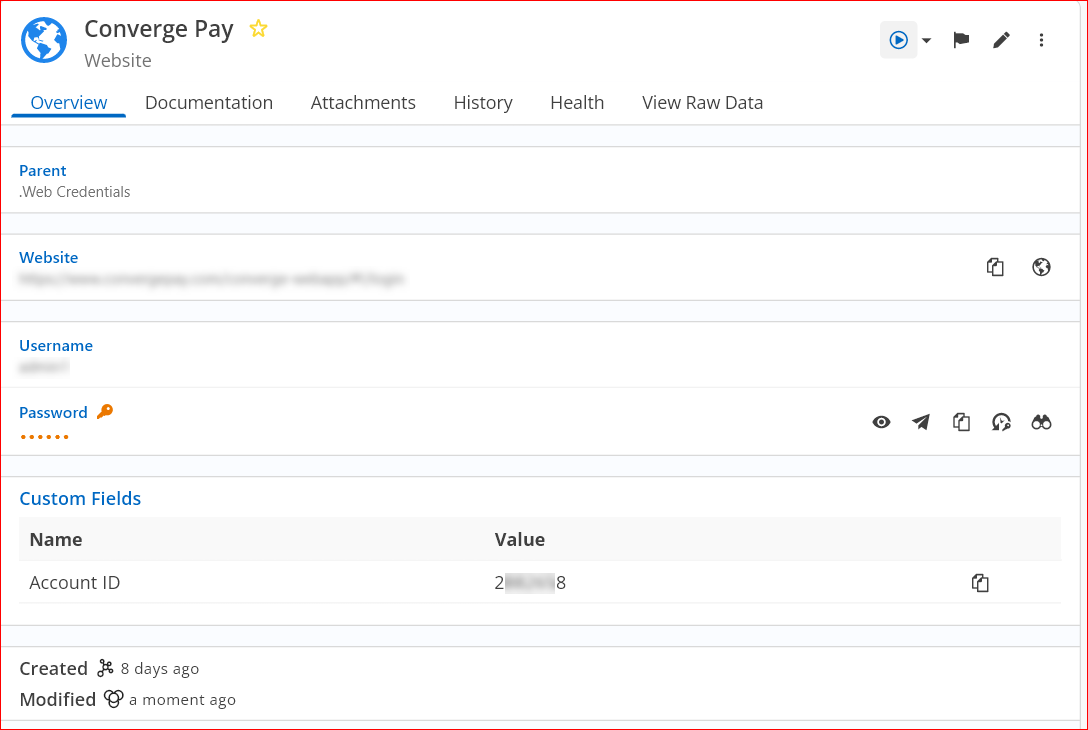
When I go to the website, it still doesn't show the 3rd field.
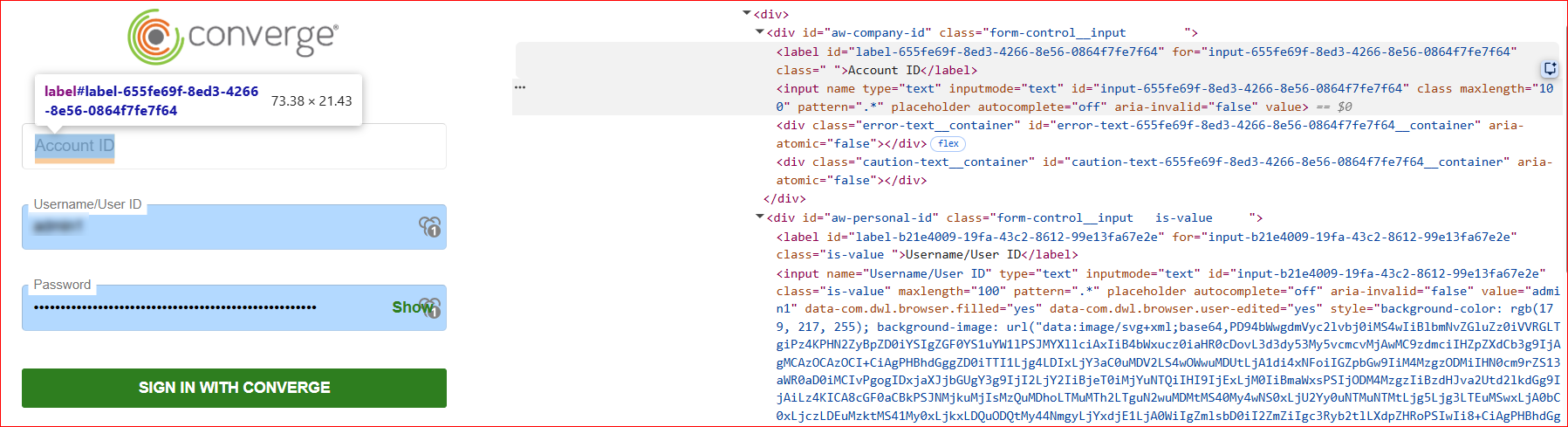
The above screenshot "inspect" for the field hopefully will give you something that pops out that I need to do in order for it to work?
I appreciate the assistance, sir.
Devolutions Gateway ongoing bug
Hi Chuck,
Thanks for the report. To confirm, do you mean Devolutions Password Manager rather than Devolutions Gateway?
If so, could you tell us which version you’re using?
Best regards,
@Dany Galarneau
My apologies. I know better than to not include that information
Chrome Browser Plug in Freeze
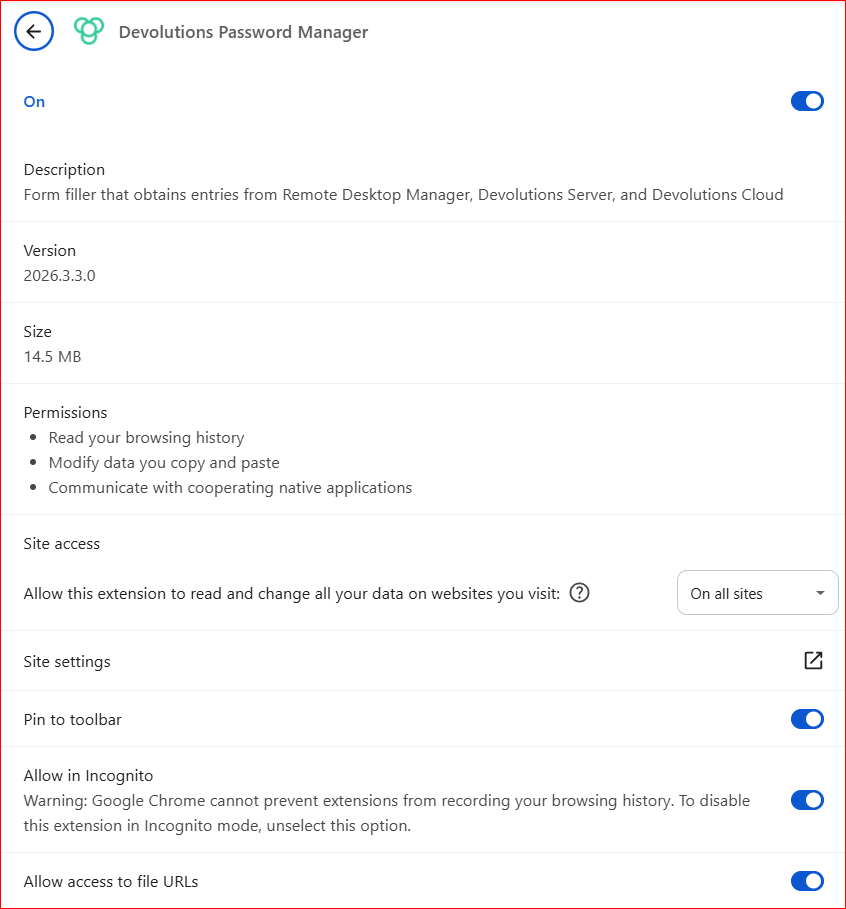
I don't know if this has been reported or not, but within Chrome, the plug in is useless.
When you click on the Password Generator, it hangs and does not work.
Showing the CORRECT Password when there's multiples
Hello,
Thank you for reaching out to Devolutions Support.
The browser extension lists every entry that matches the current page in alphabetical order. It does not currently move an exact match to the top. This means the admin entry appears on your diags page because its URL comparing type (Host by default) matches the whole website, not only the admin page.
To show only the right entry on each page, I recommend narrowing the comparing type on each entry's URL. For example, set the admin entry's URL to https://yoursite/admin/ with the Starts with comparing type, and the diags entry to https://yoursite/diags with Starts with. With this setup, only the diags entry should be offered on the diags page. Exact also works, but only if the page URL never changes, since any extra parameter in the address will prevent it from matching. If an entry also has equivalent URLs, please make sure they are narrowed the same way.
You can refer to the following documentation article:
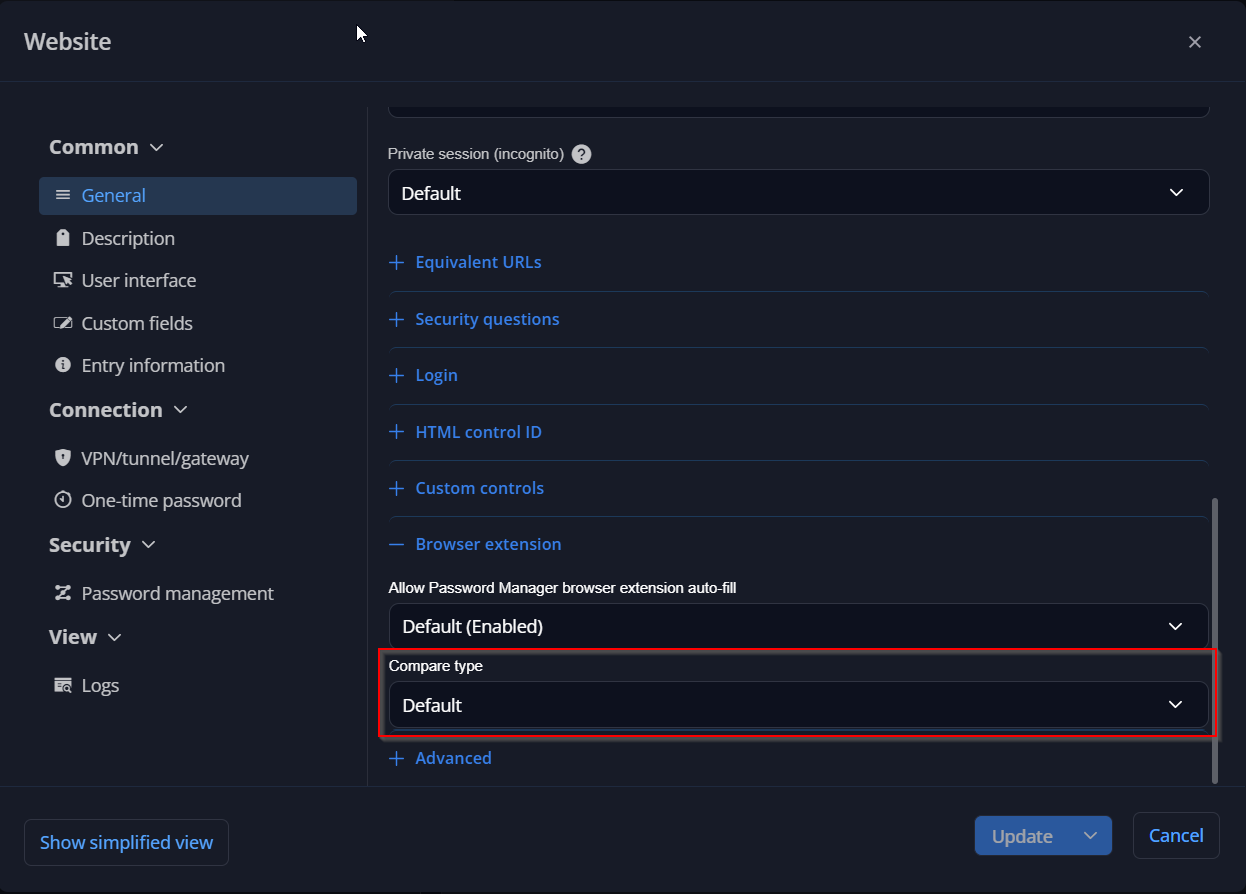
Regarding the "Exact Match" label, it was most likely the "Matching current website" section, which appears when you type in the search box and the results include both entries that match the page and entries that don't. There is no setting to make it appear in the default list.
Please let me know if this helps.
Best regards,
@Jacob Lafrenière
Thank you.
I went ahead and changed all the settings to "Exact", since no, the URL does not change (variables, base URL, etc).
Once I did that with, I received only the one single selection:
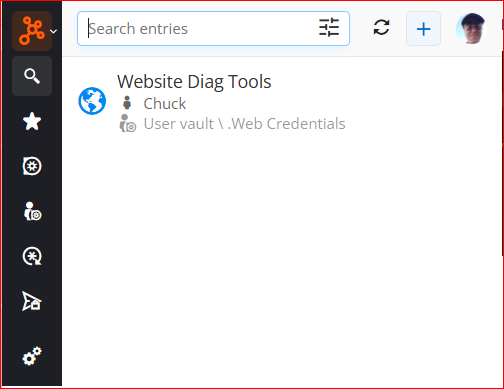
I also went ahead and updated the defaults in Password Manager as well:
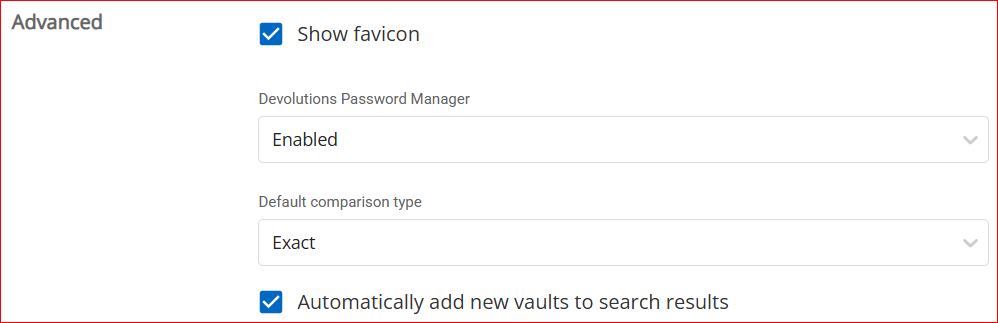
I thought before, when I asked about this, one of the representatives said to use the settings I was doing, so that's where that came from.
I appreciate all the information.
Also, since now this seems to be integrated with RDM, and RDM can use integrated PowerShell commands, is there a PS command I can run within RDM to update all entries in P/M to "Exact"?
Thanks!
Devolutions Gateway ongoing bug
I *THOUGHT* I reported this bug before, but it still seems to be lingering in the Devolutions Gateway > Tools > Password Generator.
It never keeps the settings used prior. Whenever I load it, and I change to Passphrase, it starts with these settings:
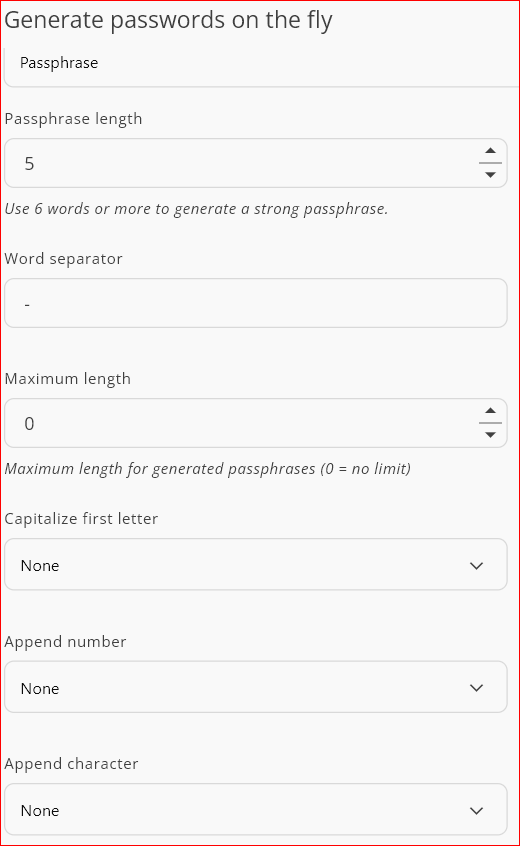
I then change them to the appropriate settings I want/need to use as follows:
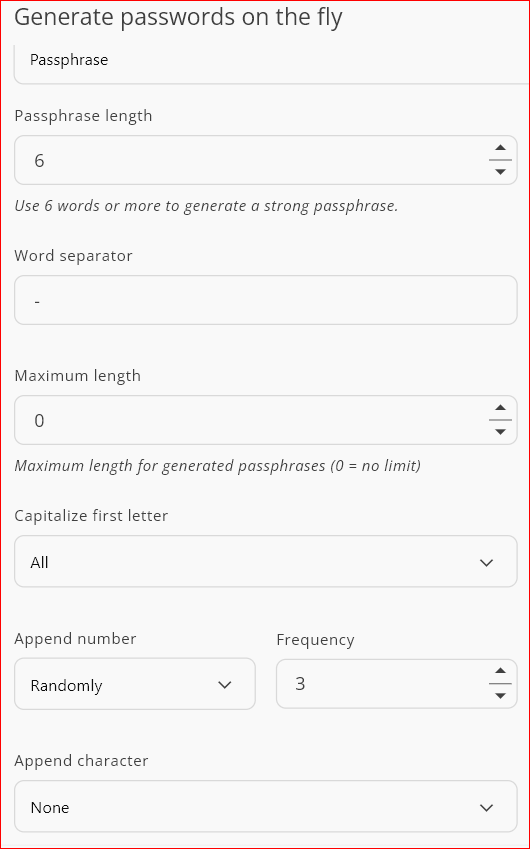
If I exit Gateway, and restart, then it is back to the program defaults that are not what were last used.
Can that please be looked at?
Showing the CORRECT Password when there's multiples
Good morning.
I keep trying to get the settings correct for when there is a variance in settings.
For instance, when I go to my website that has `/diags` in the URL (2nd listing shown), it still shows multiple entries. The 1st entry shown is for the admin panel `/admin/login`.
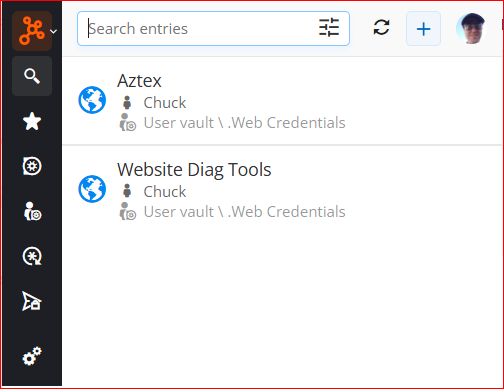
Every now and then (it has been quite awhile), I will see an option that says "Exact Match" in the listing, but that hasn't popped up in quite awhile. There are some sites that have multiple login variance pages and I have to scroll down a long list.
What is the correct way to setup the options so if I go to an exact match website, it will pop that entry at the top of the list and possibly show the "Exact Match" message again?
Thanks!
What to do when login has more than U/N and P/W
Hello,
If you want to auto fill the "Account ID" field that is not supported by default, you can add a custom control to your website entry to fill that field.
You can then set the control id and value, the extension will auto fill that field along the other fields. The location of the custom control tab might differ between clients but should be present in the website edit view in all clients.
Autofill on load might work without html ids if you set your custom control, but if it does not work you need to add html ids for the login and password fields.
Hope this helps!
Best regards,
Samuel
@Samuel Boucher
Thank you, sir.
I didn't even think about the custom controls. I will have to keep trying and find the correct setting.
What to do when login has more than U/N and P/W
Good morning.
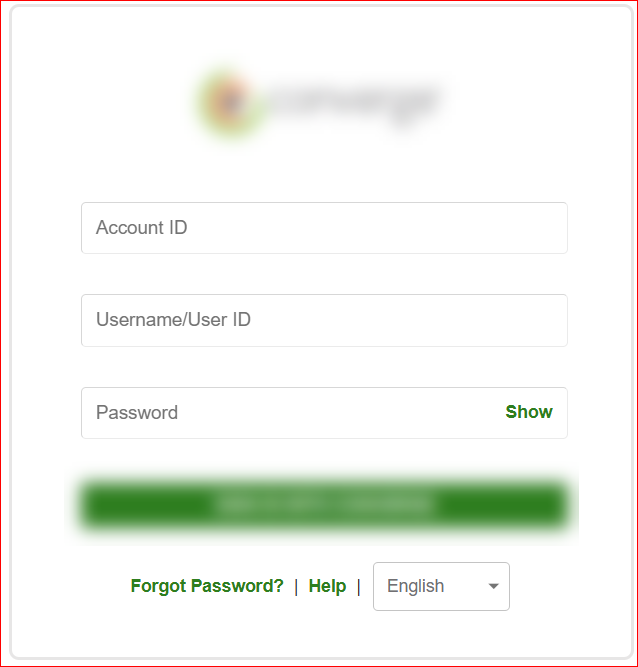
I am curious to know, since I have to add the website manually into password manager, what fields all do I need to do for the obivious extra required field?
Thanks!
Option to mark entry NOT associated when showing up
Good evening, folks...
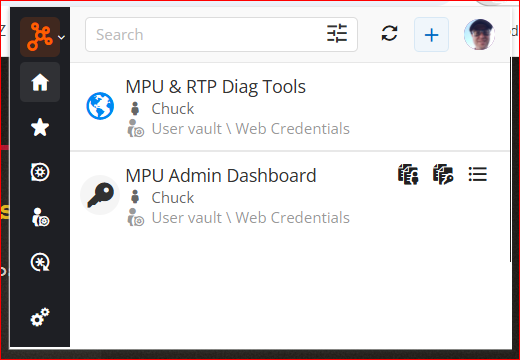
Do you know how awesome it would be, if we could have something that when entries appear that have absolutely nothing to do with the URL being visited we could mark invalid or not appropriate or something?
These two below, the 1st one is spot on with the URL I am visiting.
The 2nd one there is no trace, no verbiage, or no settings with the 1st URL in it, but yet it still appears.
I have this quite often, where wrong entries appear, so this would be extremely helpful!
404 - Page Not Found with any browser extension
Hi!
Could you please update the application to the latest version that just got released (2026.2.3)?
Once updated, please try the following steps:
Open the Menu.
Press and hold your workspace.
Select Log out.
Then, add the workspace again.
Please let me know if the issue is still happening afterward. Thanks!
Best regards,
@Dany Galarneau
My apologies for the delay.
I had to completely remove any instances of the workspace I had, and re-add.
So, it seems the migration from the old cloud to the new cloud y'all did wasn't quite perfect. ;-)
SSH - Hide Transfer Windows After Successful Transfers
Hello,
This improvement will be included in version 2026.3.2.0.
For now, the setting to enable it will be located in File -> Settings -> Entry types -> Sessions -> File explorers. Please let us know if you absolutely need it at the entry level, that part could be added in the next major version (2027.1).
Regards
@Jonathan Del Signore
OK, now for real this time...
Am I missing something? This is on 2026.3.2.0
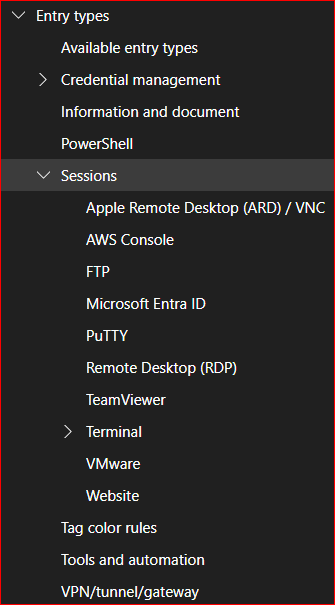
SSH - Hide Transfer Windows After Successful Transfers
Nevermind.. I just noticed this mornings push was
2026.2.18.0
SSH - Hide Transfer Windows After Successful Transfers
Hello,
This improvement will be included in version 2026.3.2.0.
For now, the setting to enable it will be located in File -> Settings -> Entry types -> Sessions -> File explorers. Please let us know if you absolutely need it at the entry level, that part could be added in the next major version (2027.1).
Regards
@Jonathan Del Signore
Good morning...
Am I missing something under this area?:
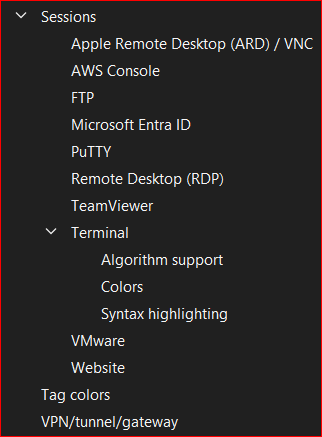
404 - Page Not Found with any browser extension
Hi,
Are you using a custom name/subdomain for your Devolutions Cloud URL, the default URL, or the legacy hub.devolutions.com URL (for example, if you previously used Hub Personal)?
You can find more information about Devolutions Cloud URLs here:
When accessing your database through the web interface, do you also receive the “Access denied” error?
Also, could you confirm whether you are using the same URL in both the web interface and the browser extension?
Best regards,
@Olivier Desalliers
As far as this error... Devolutions IS the Administrator - lol
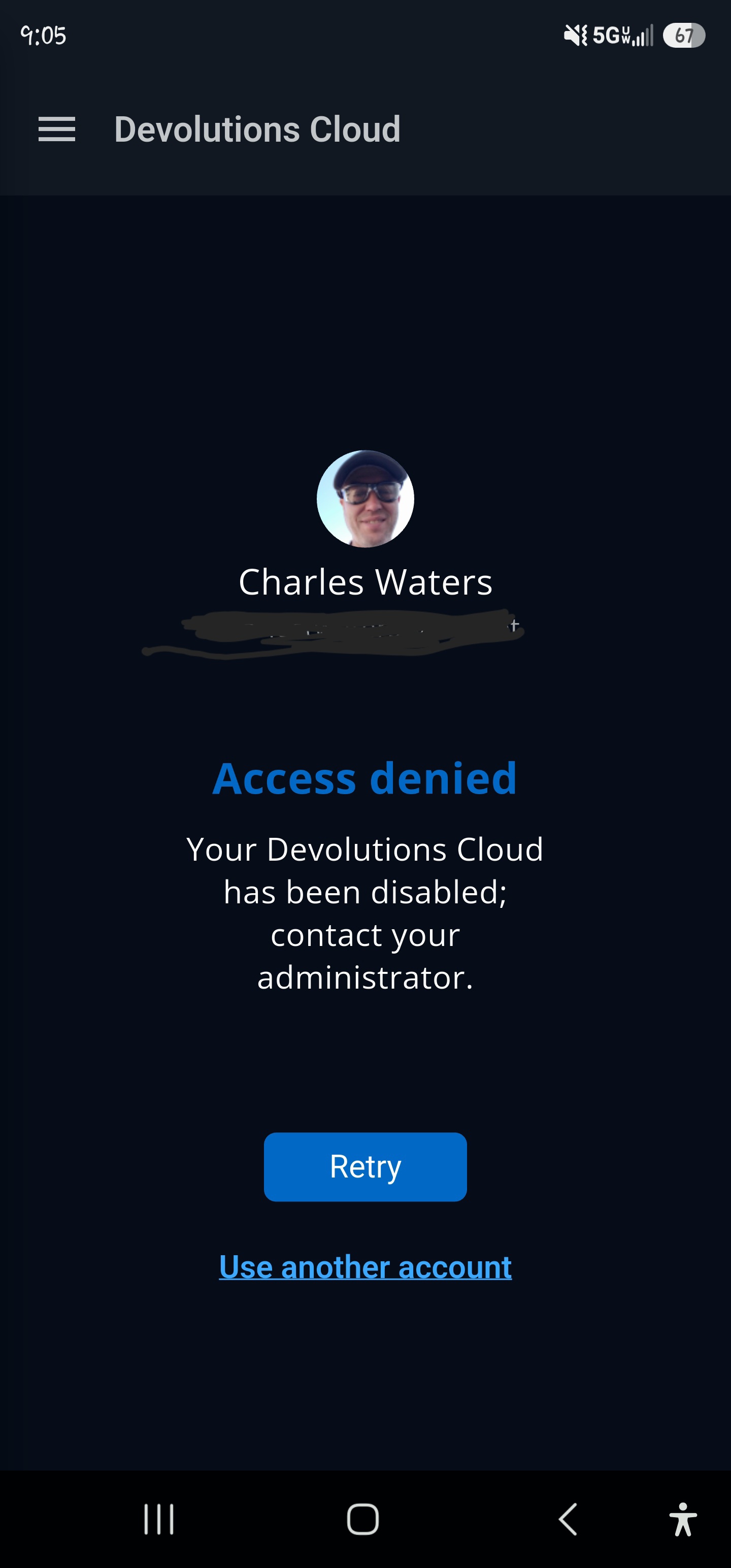
404 - Page Not Found with any browser extension
Hi,
Are you using a custom name/subdomain for your Devolutions Cloud URL, the default URL, or the legacy hub.devolutions.com URL (for example, if you previously used Hub Personal)?
You can find more information about Devolutions Cloud URLs here:
When accessing your database through the web interface, do you also receive the “Access denied” error?
Also, could you confirm whether you are using the same URL in both the web interface and the browser extension?
Best regards,
@Olivier Desalliers
I have been using Devolutions PAM since it came out. So, when you folks did the forced conversion, that is when I started getting the access denied **in the app** when I get a push notification.
As for the web based, I will go in and double check later today.
404 - Page Not Found with any browser extension
Hello.
The last couple weeks, every time I go to edit an existing entry, I get the following:
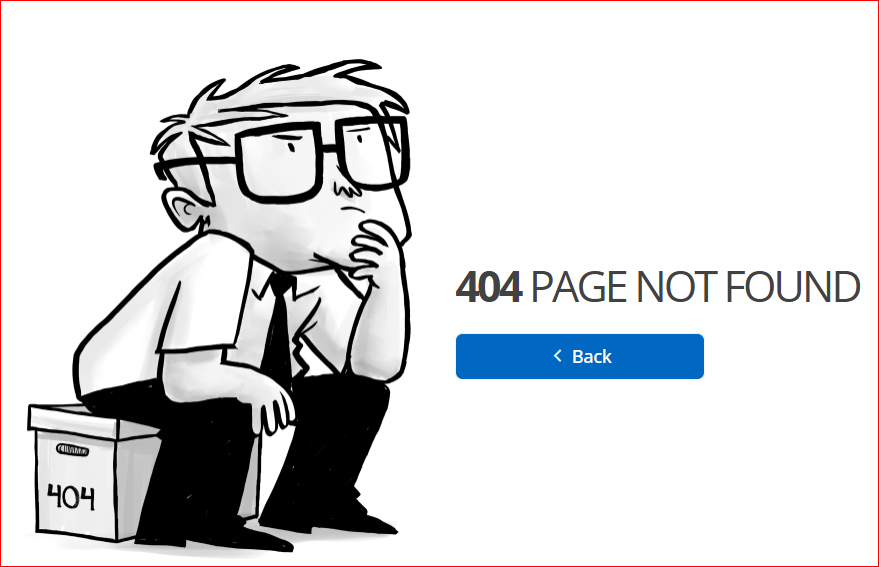
Workspace itself works, but none of the browsers dow.
Also, whenever I get a push notification sent to me, and I go to approve it, it comes back and gives me access denied in to my own database. This has been going on since the transition a couple months ago.
Please fix ASAP!
SSH - Hide Transfer Windows After Successful Transfers
Good morning.
I think not just myself, but anyone who uses the Folder Transfers for SSH sessions would very much appreciate having the transfers window clear and hide automatically after xxx seconds, instead of just having them keep stacking up (especially when doing a lot of transfers and having to keep track of what is transferred each time).

Maybe we can add something here under the SFTP tab for "Clear & Hide Successful Transfers Time" in seconds?

Copy & Paste within SSH session
Hello Chuck,
Thank you for contacting Devolutions Support.
In your entry Properties, under the "Advanced" section, can you check what the "Mouse Click mode" is currently set to? Could you try the different options to see if one of them works better for you in this case?
Let me know,
Best regards,
@Samuel Dery
That's what it was - thank you.
Windows = Menu presented when right click
Default = Menu presented when right click
XTerm = Absolutely nothing happened when right click
Compromise = Automatically pastes what is in the keyboard buffer
So Compromise is what I was looking for. Interesting that it has to be this setting, but thanks!
Copy & Paste within SSH session
Is there no one that can point me in the right direction?
Copy & Paste within SSH session
Hello.
I made a setting yesterday that worked like a champ, but when I closed down RDM, I guess it did not save.
I have a few SSH shell entry sessions with SFTP set to automatically open the file transfer window (I move stuff back and forth quite a bit), with default folders both local and remote.
Every new SSH shell entry I create, when I copy something from my local machine and do a Ctrl-V in the SSH shell terminal window, I get the "^V", and I have to right-click and Paste in the SSH terminal window.
Yesterday, I obviously changed something, somewhere, that allowed me to do a simple Ctrl-V of my keyboard in the SSH shell terminal window, and it pasted my clipboard contents.
What change did I do for that, and where do I find it again!?
Matching URL's to Entries
Hi,
What I meant is that, for example, if I have the following URL in one entry:
https://forum.devolutions.net/product/cloud
and this URL in another entry:
https://forum.devolutions.net/product/server
If my current tab is:
https://forum.devolutions.net/product/cloud
I will not see the second entry with https://forum.devolutions.net/product/server unless https://forum.devolutions.net/product/cloud is added as an equivalent URL in that second entry.
In your case, are https://{sitename1}/diags and https://{sitename2}/diags configured in the same entry as equivalent URLs?
In my own example, I would have two separate entries: one for https://{sitename1}/diags and one for https://{sitename2}/diags. However, I understand that this may not be possible in your configuration.
Best regards,
@Olivier Desalliers
I can do separate entries, that's not a problem. I just had them combined since they use the same username and password across both those domains.
I will go ahead and create separate entries and mark it *exact*. It would be nice, after y'all get done with the ticket, if the new update doesn't show anything not matching "exact" for that specific URL, that would be fabulous! Then if multiple stuff need to be shown, the default action, other than "exact", can be used.