Showing the CORRECT Password when there's multiples

Good morning.
I keep trying to get the settings correct for when there is a variance in settings.
For instance, when I go to my website that has `/diags` in the URL (2nd listing shown), it still shows multiple entries. The 1st entry shown is for the admin panel `/admin/login`.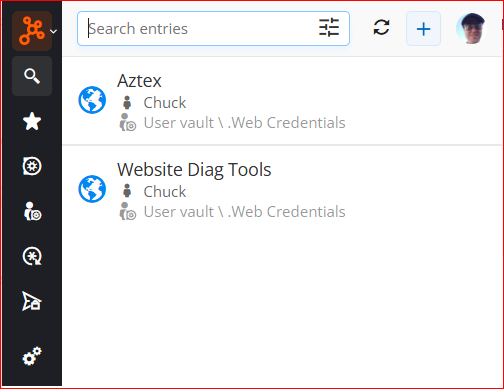
Every now and then (it has been quite awhile), I will see an option that says "Exact Match" in the listing, but that hasn't popped up in quite awhile. There are some sites that have multiple login variance pages and I have to scroll down a long list.
What is the correct way to setup the options so if I go to an exact match website, it will pop that entry at the top of the list and possibly show the "Exact Match" message again?
Thanks!
--- Chuck
Overgaard, AZ (-7 MST / Zulu Year-Round)
RDM Version: 2026.3.2.0 64-Bit - Free
64aef596-cb89-4fac-8808-72a1d79fb330.png
All Comments (1)
Hello,
Thank you for reaching out to Devolutions Support.
The browser extension lists every entry that matches the current page in alphabetical order. It does not currently move an exact match to the top. This means the admin entry appears on your diags page because its URL comparing type (Host by default) matches the whole website, not only the admin page.
To show only the right entry on each page, I recommend narrowing the comparing type on each entry's URL. For example, set the admin entry's URL to https://yoursite/admin/ with the Starts with comparing type, and the diags entry to https://yoursite/diags with Starts with. With this setup, only the diags entry should be offered on the diags page. Exact also works, but only if the page URL never changes, since any extra parameter in the address will prevent it from matching. If an entry also has equivalent URLs, please make sure they are narrowed the same way.
You can refer to the following documentation article:
https://docs.devolutions.net/password-manager/knowledge-base/browser-extension-knowledge-base/urls-comparing-types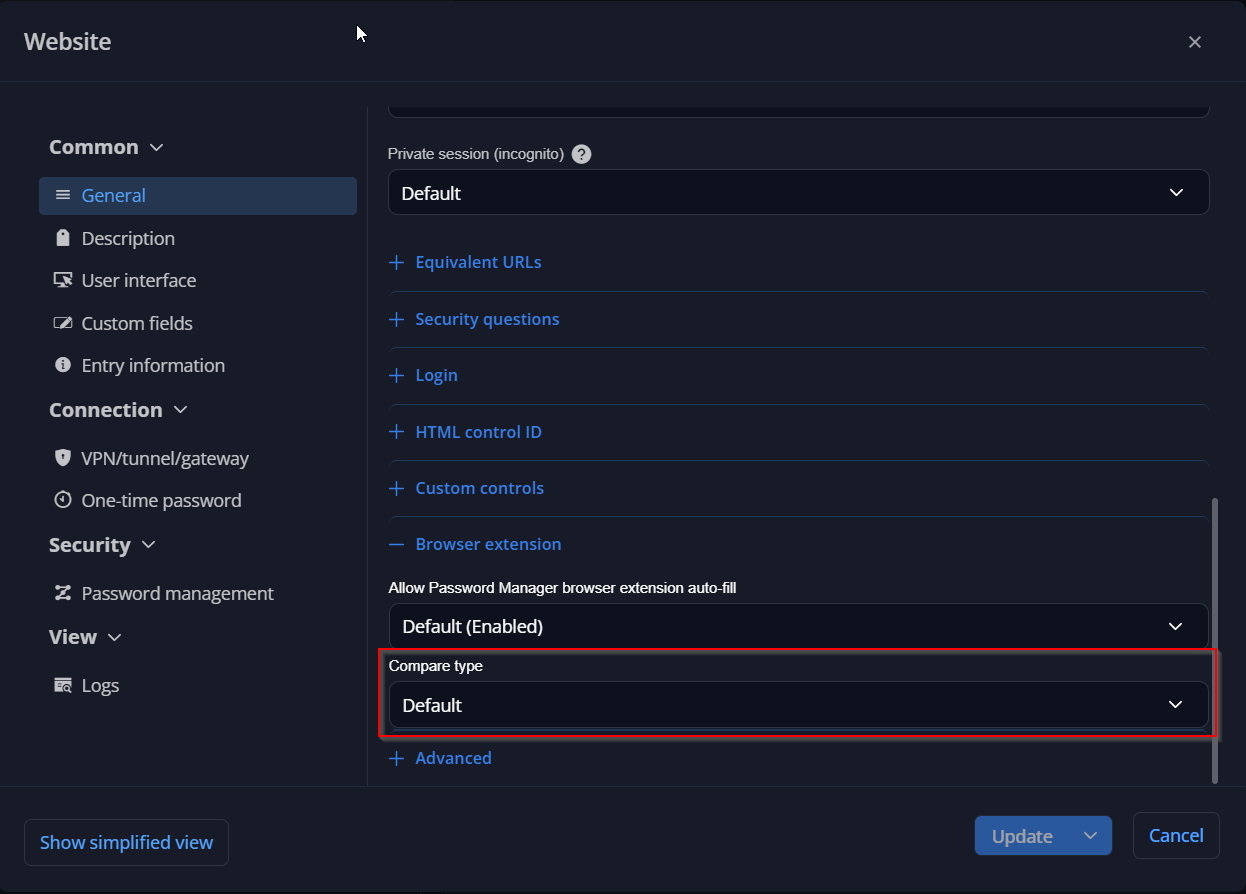
Regarding the "Exact Match" label, it was most likely the "Matching current website" section, which appears when you type in the search box and the results include both entries that match the page and entries that don't. There is no setting to make it appear in the default list.
Please let me know if this helps.
Best regards,
Jacob Lafrenière
be7a2422-f2a9-43db-b457-4f7aa01e1c53.png