Option to mark entry NOT associated when showing up
1 vote

Good evening, folks...
Do you know how awesome it would be, if we could have something that when entries appear that have absolutely nothing to do with the URL being visited we could mark invalid or not appropriate or something?
These two below, the 1st one is spot on with the URL I am visiting.
The 2nd one there is no trace, no verbiage, or no settings with the 1st URL in it, but yet it still appears.
I have this quite often, where wrong entries appear, so this would be extremely helpful!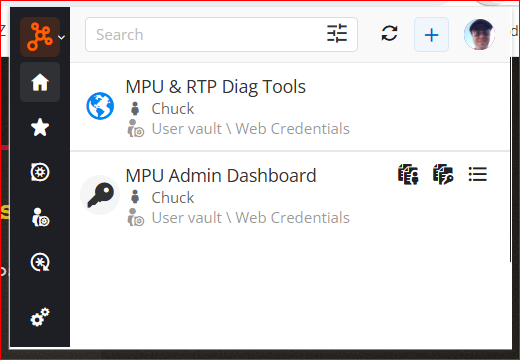
--- Chuck
Overgaard, AZ (-7 MST / Zulu Year-Round)
RDM Version: 2026.3.2.0 64-Bit - Free
a270cf94-94fd-428f-b750-cf49014edb97.png
All Comments (1)
Hi,
The setting you’re looking for is URL Comparing Types:
https://docs.devolutions.net/password-manager/knowledge-base/browser-extension-knowledge-base/urls-comparing-types
If the comparing type for your Website URL and Equivalent URLs is set to Default, it will use the setting configured in the browser extension, which is Host by default.
With the Host comparing type, an entry will appear as long as the hostname matches. The URL path is not taken into account.
In your case, if you want the entire URL to be compared and require an exact one-to-one match, you may want to use the Exact comparing type instead.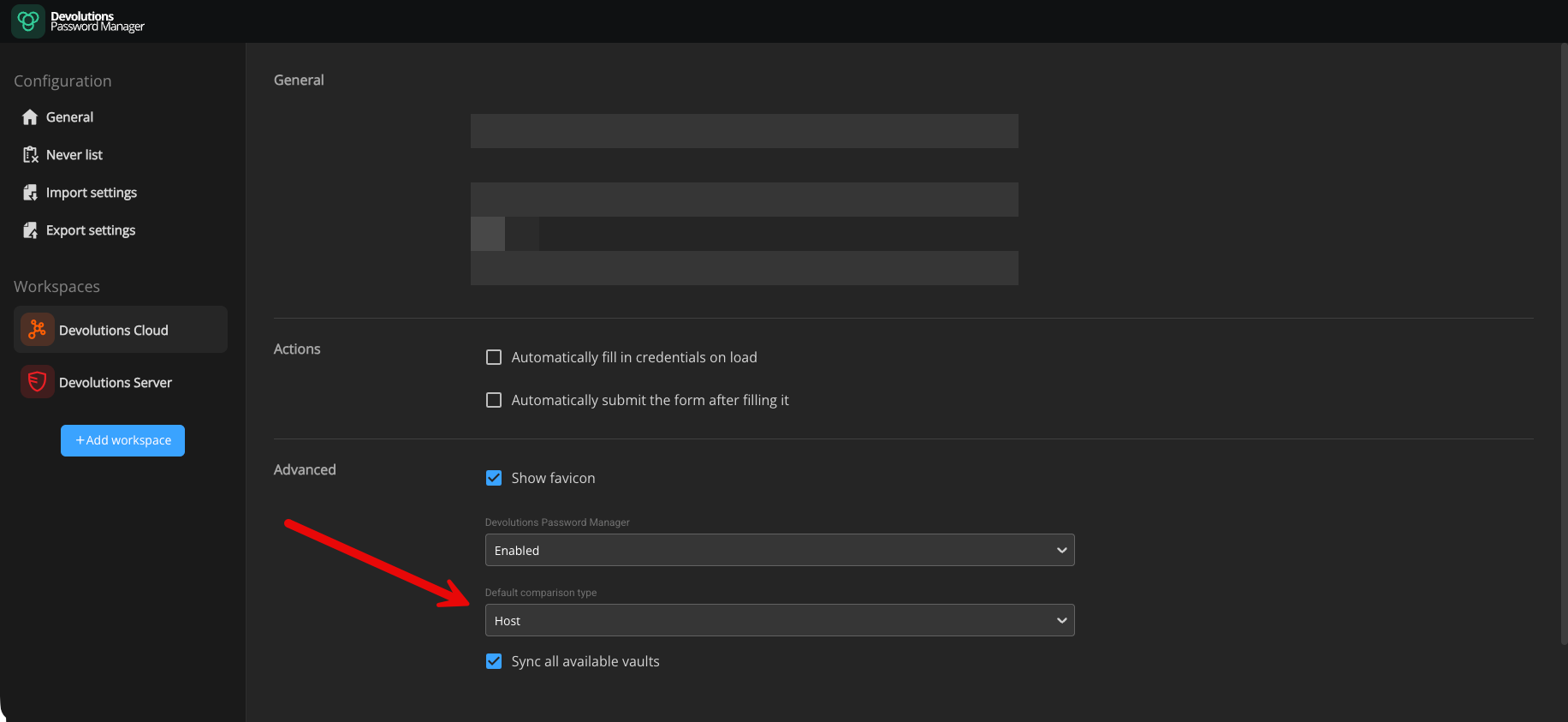
Best regards,
Olivier Désalliers
DefaultComparisonTypeDPM.png