aviado
License showing as Cloud Free and experiencing "Unable to find credential entry" errors
Hello,
Thank you for your feedback.
Could you try installing version 2026.1.23.0 as a portable installation to see if you can use the entries as it was before the update?
https://docs.devolutions.net/rdm/kb/how-to-articles/portable-rdm-installation/
https://cdn.devolutions.net/download/Devolutions.RemoteDesktopManager.Bin.2026.1.23.0.zip
What entry types are displaying this error message?
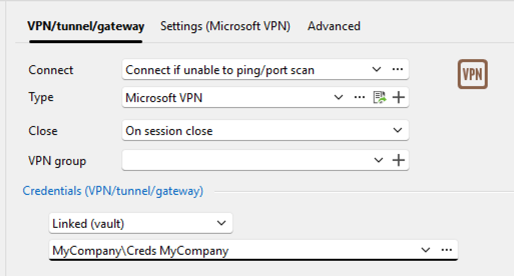
How are your credentials configured on your entries? Are they set using the Linked (vault) option?
Have you set the Linked (vault) option elsewhere, like in the VPN settings?
Thank you for your collaboration.
Best regards,
@Erica Poirier
Hi Erica,
Thank you for the reply.
To answer your questions, the error happens on RDP entries. Their credentials are configured using the Linked (user vault) option. I do not use this option in the VPN settings.
Honestly, I prefer not to install the portable version. I am worried that mixing different versions might cause more severe disruptions or data loss.
Also, since the last update, I started experiencing another strange issue. The computer folder tree on the left side suddenly collapses completely on its own. I then have to manually reopen the entire tree just to see my objects.
Is there another way we can troubleshoot or fix these issues on my current version?
Thanks.
License showing as Cloud Free and experiencing "Unable to find credential entry" errors
Hello,
A fix regarding your issue is available in RDM 2026.2.7.0. Is this the version that you are running?
If you, you can download this version here https://devolutions.net/download-center/#rdm
Best regards,
@Jeff Dagenais
Hi Jeff,
Thank you for the quick response.
As I mentioned in my original post, I am already running version 2026.2.7.0 (64-bit JIT on Windows 11).
This is exactly why I am so concerned the "Unable to find credential entry" error and the disappearing passwords are actively happening to me on this specific version, which you mentioned should contain the fix.
Since the issue is still persisting in 2026.2.7.0 and I am worried about losing more data, what would be the next steps to resolve this?
License showing as Cloud Free and experiencing "Unable to find credential entry" errors
Hi!
I am using Remote Desktop Manager version 2026.2.7.0 64 bit JIT on Windows 11.
I hold a paid Single User License, but I am running into a couple of urgent issues.
1. Data Source and License Status
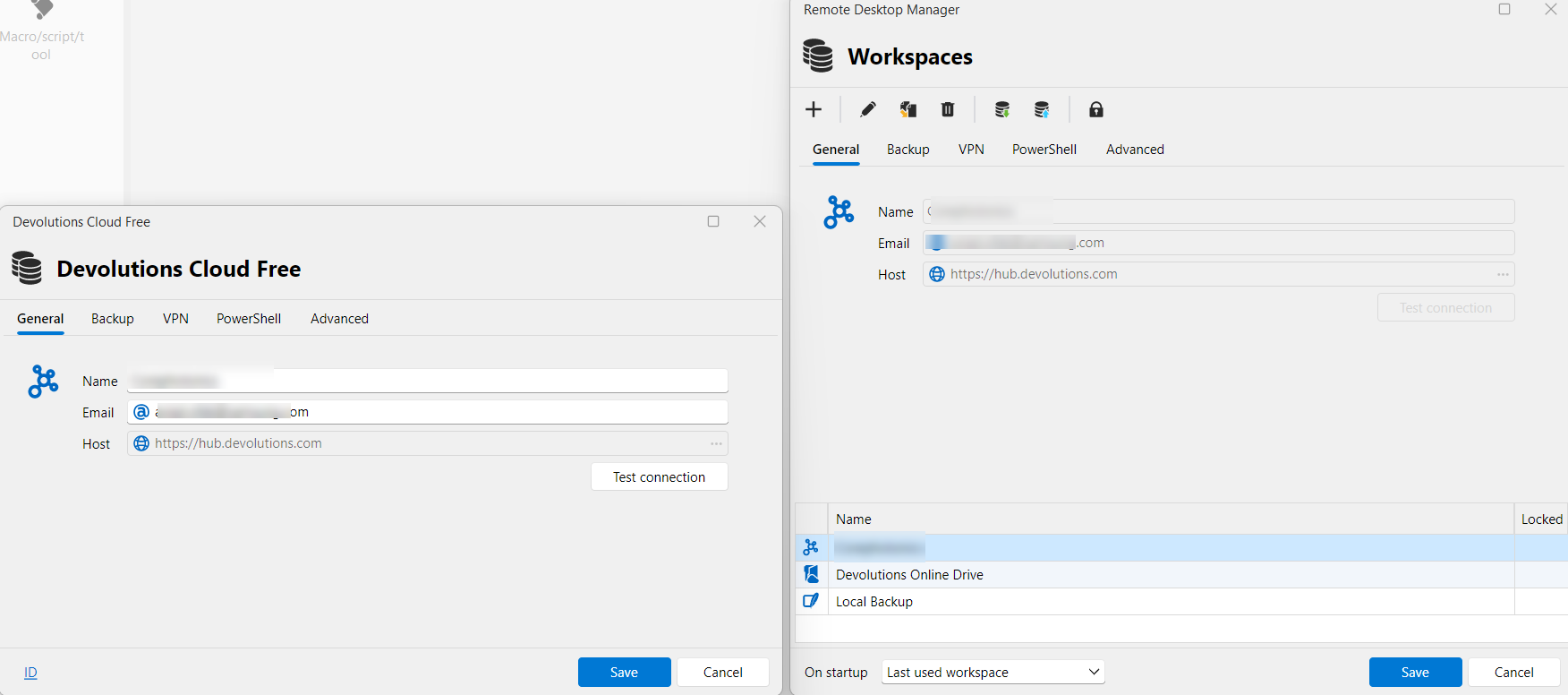
I notice that the interface now shows Workspaces instead of Data Sources. My active workspace is currently listed as "Devolutions Cloud Free" pointing to the hub URL.
Given that I have a paid Single User License, why am I seeing the free cloud edition label?
Am I using the incorrect type of workspace, or did I miss an activation step?
2. Missing Credentials and Error Popup
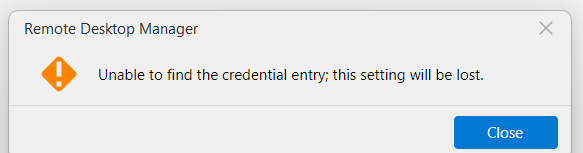
More importantly, I have started encountering the following error popup:
"Unable to find the credential entry; this setting will be lost."
Following this error, it seems that my saved credentials and passwords are starting to disappear or get deleted from my application, which is very concerning.
I apologize if I am missing something basic here, but I want to make sure my data is safe and that my paid license is correctly applied.
Thank you for your assistance, and I look forward to your guidance.
Context menu items intermittently greyed out (disabled) after period of inactivity - RDM 2026.1.10.0
@Alexis Geller Peiro
Thank you for getting back to me. Here are the answers to your questions:
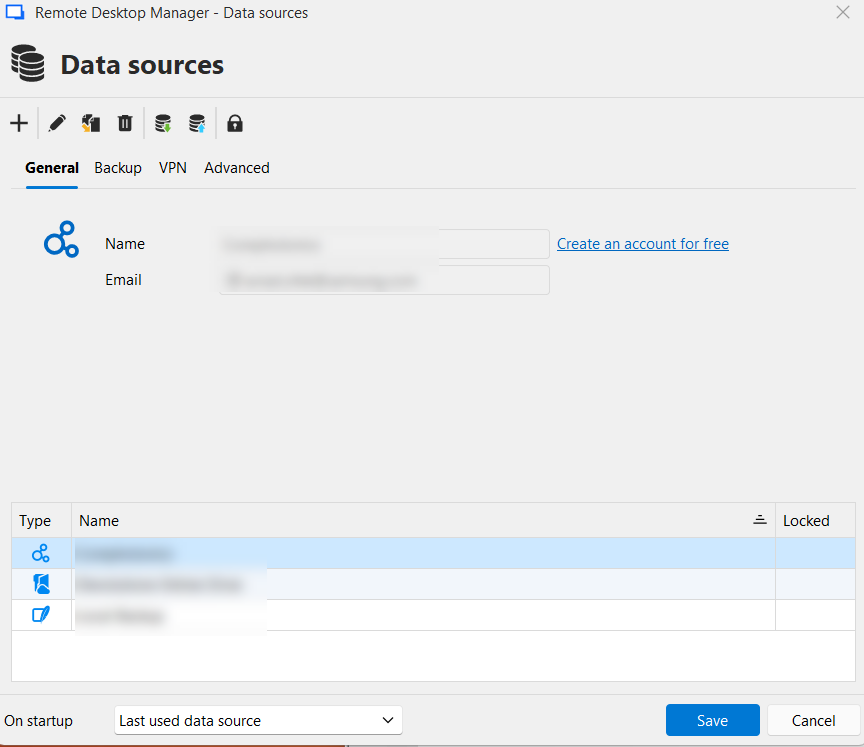
Data Source Type: I am not 100% sure of the exact name/type of the data source I am using, but I have attached a screenshot of my "Data sources" window so you can see the configuration and the icon type.
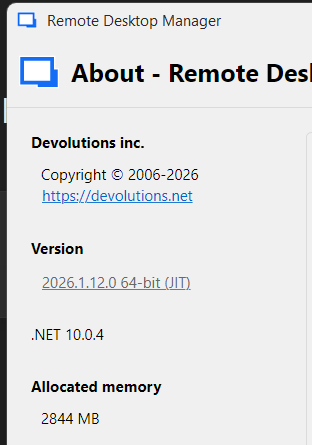
Version Update: I have updated RDM to the latest version you mentioned (2026.1.12.0 - screenshot attached), but unfortunately, the issue still persists in this version.
Automatic Lock: Yes, I do have the automatic lock feature enabled. The issue with the greyed-out menu items appears after the application has been locked in the background and I unlock it to resume my work.
Please let me know if you need any further logs or testing on my end.
Best regards,
Context menu items intermittently greyed out (disabled) after period of inactivity - RDM 2026.1.10.0
I am experiencing an issue where several options in the right-click context menu for sessions become disabled (greyed out) after the application has been open for some time. This behavior forces a restart of the application to regain full functionality.
I've attached screenshots showing the difference between the active and disabled states. For example, options like 'Add entry', 'Duplicate', 'Move', and 'Delete' become inaccessible.
I am trying to determine if this is a known bug in the current release or a new security/timeout feature that I need to configure.
Environment Details:
Product: Remote Desktop Manager (Single User License)
Version: 2026.1.10.0 64-bit (JIT)
Framework: .NET 10.0.3
Key Add-ons: .NET Extensions (v10.0.225.61305)
OS: Windows 11 Pרם
Steps to reproduce:
Open RDM and use it normally (all menu items are active).
Leave the application running in the background for a period of time.
Right-click on any entry/connection.
Observe that several management functions (Add, Edit, Delete, etc.) are greyed out, while session commands (Open, View Password) might remain active.
Is there a specific setting related to session locking or UI refresh that could be causing this?
Looking forward to your guidance.

Remote Desktop Manager 2025.2.20.0 - Crash on Thumbnail / SkiaSharp with .NET 9 - SDK Issues?
Hi,
You're not using recording, but are you using the Thumbnails view?

If not, this is a bit of a mystery for me how we reach that code path 🤔
Enable direct composition mode
Enable redirection surface composition mode
Enable WinUI composition mode
I don't believe any of those should have an impact on this.
Since it seems to be a crash outright, and no managed exception is throw, I doubt we will see much. But you could share with us your application logs (Help -> Application logs -> Report -> Save).
Best regards,
@Xavier Fortin
I just sent you the application logs in a private message as you requested.
Let me know if there’s anything else you need from me.
Thanks,
Aviado
Remote Desktop Manager 2025.2.20.0 - Crash on Thumbnail / SkiaSharp with .NET 9 - SDK Issues?
RDM is trying to refresh thumbnails or previews in general.
I'm trying to figure out what you mean by this. I'm aware of 2 things that generate thumbnail:
The recording system (so if you have the recording configured on an entry and you launch this entry)
The aforementioned Thumbnail View
Hence why I was asking if you were using this feature.
What we see in your first stack trace is a thumbnail being generated from an Avalonia view. Currently, only a few of our views, and by extension only a few of our sessions, use Avalonia for their rendering. Those are:
SFTP
Active Directory dashboard
Microsoft Hyper-V dashboard
AWS Identity and Access Management (IAM)
Google Workspace
Microsoft SQL Server
Proxmox dashboard
We also have a few tools:
Reports -> Entry security analyzer
Reports -> Password analyzer
Administration -> Privileged session monitoring
Entry -> View -> Remote tools -> Remote event viewer
Entry -> View -> Remote tools -> Remote printer
Entry -> View -> Remote tools -> Remote Task Manager
Entry -> View -> Remote tools -> Remote service
Are you using any of those?
@Xavier Fortin
Hi,
Thanks for clarifying.
The only thing I’m actively using from that list is the Active Directory Dashboard. I’m not using any of the others, and I’m also not using RDM’s built-in recording features. For screenshots I’m using Snagit (latest version, fully up to date).
My graphics card is a 2080 Ti with the latest drivers installed.
Since this started happening, I’ve disabled the following options in RDM under Advanced > Rendering:
Enable direct composition mode
Enable redirection surface composition mode
Enable WinUI composition mode
Since disabling those, I haven’t experienced another crash so far.
Let me know if you'd like me to send you the application logs to help investigate further. If so, please let me know the exact path where I can find them.
Thanks again,
Aviado
Remote Desktop Manager 2025.2.20.0 - Crash on Thumbnail / SkiaSharp with .NET 9 - SDK Issues?
Just to clarify, when you are referring to thumbnail being generated? Do you mean from the Window -> Thumbnail view? If so, what type of sessions are running when this happens?
Best regards,
@Xavier Fortin
Good question — I’m not 100% sure if it’s specifically related to the Window → Thumbnail View, but it feels like the crash happens when RDM is trying to refresh thumbnails or previews in general.
At the time of the crash, I had several sessions open — mostly RDP, but also a few embedded SSH and web sessions (using the internal browser). I wasn’t actively switching views or doing anything specific when it happened, so it seems like an automatic refresh or background capture might be involved.
Let me know if you’d like me to try disabling something specific to narrow it down.
Thanks,
Remote Desktop Manager 2025.2.20.0 - Crash on Thumbnail / SkiaSharp with .NET 9 - SDK Issues?
Hi,
Thanks for getting back to me.
The issue happens randomly, and I don’t have any specific action that makes it happen on purpose. It just occurs suddenly, usually when RDM is doing something in the background like refreshing or generating thumbnails. I’ve tried to reproduce it manually, but no luck so far.
One thing I did notice : a few seconds before the crash, the entire system becomes extremely slow. I can barely type or click anything, and then RDM crashes.
If there’s anything you’d recommend I do, like enable extra logs or diagnostics to catch it next time, just let me know.
Thanks again,
Aviado
Remote Desktop Manager 2025.2.20.0 - Crash on Thumbnail / SkiaSharp with .NET 9 - SDK Issues?
Hi,
I'm running the latest version of Remote Desktop Manager (2025.2.20.0) with a valid license on Windows 11.
I'm encountering repeated crashes related to thumbnail capture and SkiaSharp.
Event Viewer shows the following:
First Error (Unhandled Exception):
Application: RemoteDesktopManager.exe
CoreCLR Version: 9.0.725.31616
.NET Version: 9.0.7
Description: The process was terminated due to an unhandled exception.

Stack:
at SkiaSharp.SkiaApi.<sk_pngencoder_encode>g____PInvoke|593_0(IntPtr, IntPtr, SkiaSharp.SKPngEncoderOptions*)
at SkiaSharp.SKPixmap.Encode(SkiaSharp.SKWStream, SkiaSharp.SKEncodedImageFormat, Int32)
at SkiaSharp.SKImage.Encode(SkiaSharp.SKEncodedImageFormat, Int32)
at Avalonia.Skia.Helpers.ImageSavingHelper.SaveImage(SkiaSharp.SKImage, System.IO.Stream, System.Nullable`1<Int32>)
at Devolutions.RemoteDesktopManager.Frames.Embedded.FreEmbeddedAvaloniaView.GetScreenCapture()
at Devolutions.RemoteDesktopManager.Managers.ThumbnailManager.GetThumbnails()
Second Error:
Faulting application name: RemoteDesktopManager.exe, version: 2025.2.20.0
Faulting module name: coreclr.dll, version: 9.0.725.31616
Exception code: 0xc0000005
Faulting module path: C:\Program Files\dotnet\shared\Microsoft.NETCore.App\9.0.7\coreclr.dll
I tried disabling hardware acceleration and all composition options. Issue persists.
Additional observation:
When troubleshooting .NET, I noticed something odd with the SDK installation.
Running:
dotnet --list-sdksReturns nothing (blank).
When I tried typing manually:
8.0.300 [C:\Program Files\dotnet\sdk]
9.0.100-preview.3 [C:\Program Files\dotnet\sdk]
PowerShell obviously throws syntax errors, which is expected.
Running:
dotnet --list-runtimesShows:
Microsoft.NETCore.App 9.0.7So Runtime exists.
But:
dotnet --versionReturns:
No .NET SDKs were foundQuestions:
Could this .NET SDK issue be somehow related to the SkiaSharp thumbnail crash?
Does RDM require a valid SDK for internal thumbnail handling, or is the Runtime enough?
Is this SkiaSharp thumbnail crash a known issue in 2025.2.20.0?
Thanks in advance.
Remote Desktop sessions disconnect after PC lock & License shows "Free"
Hello,
Thank you for reaching out to Devolutions Support.
Could you provide more details about the entry you are using? Is it set up as an external entry, and are you using a VPN, etc.?
Regarding your second issue with the license, could you let us know which data source you are using?
Looking forward to your response.
Best regards,
i think im useing Hub Personal

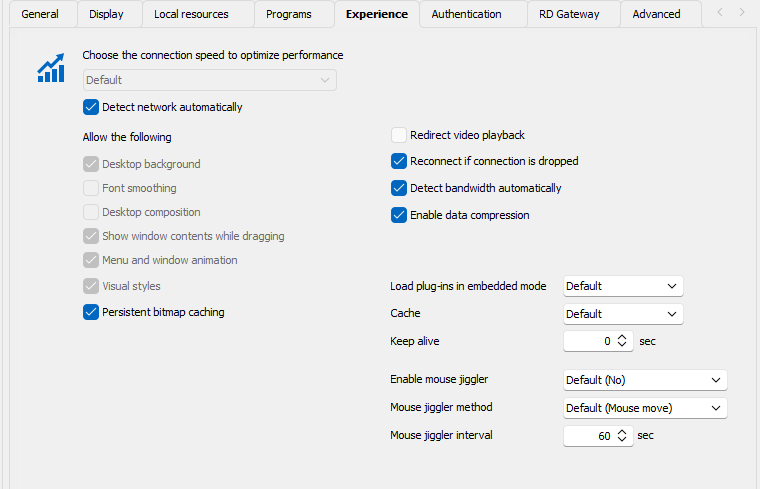
this is an RDP Sessions
NO VPN - its a computers on LAN
Sample of one of the machines :
Remote Desktop sessions disconnect after PC lock & License shows "Free"
Hello !
I'm experiencing two issues with Remote Desktop Manager:
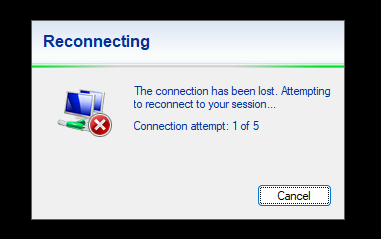
Session Disconnection After Locking PC: Recently, I've noticed that whenever I lock my PC and return after a few minutes, all remote desktop sessions are disconnected. To troubleshoot, I conducted continuous ping tests to 8.8.8.8 and other LAN machines, and there were no disruptions. Therefore, network connectivity doesn't seem to be the cause.
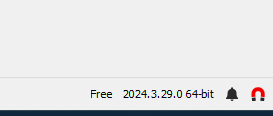
License Incorrectly Displayed as "Free": I purchased a 3-year Remote Desktop Manager Single User License (version 5.0). However, in the application interface (version 2024.3.29.0 64-bit), it incorrectly displays "Free" at the bottom-right corner.
Please advise on how to resolve these issues.
Thank you.
Direct Connection to Dell iDRAC Virtual Console
Finally ! - its works perfect with VNC
Thanks!
one more question:
can i remote Gigabyte (GPU Servers) ?
Server Model: GIGABYTE - G291-281-00
Direct Connection to Dell iDRAC Virtual Console
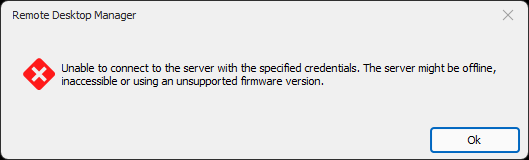
Thanks for your reply!
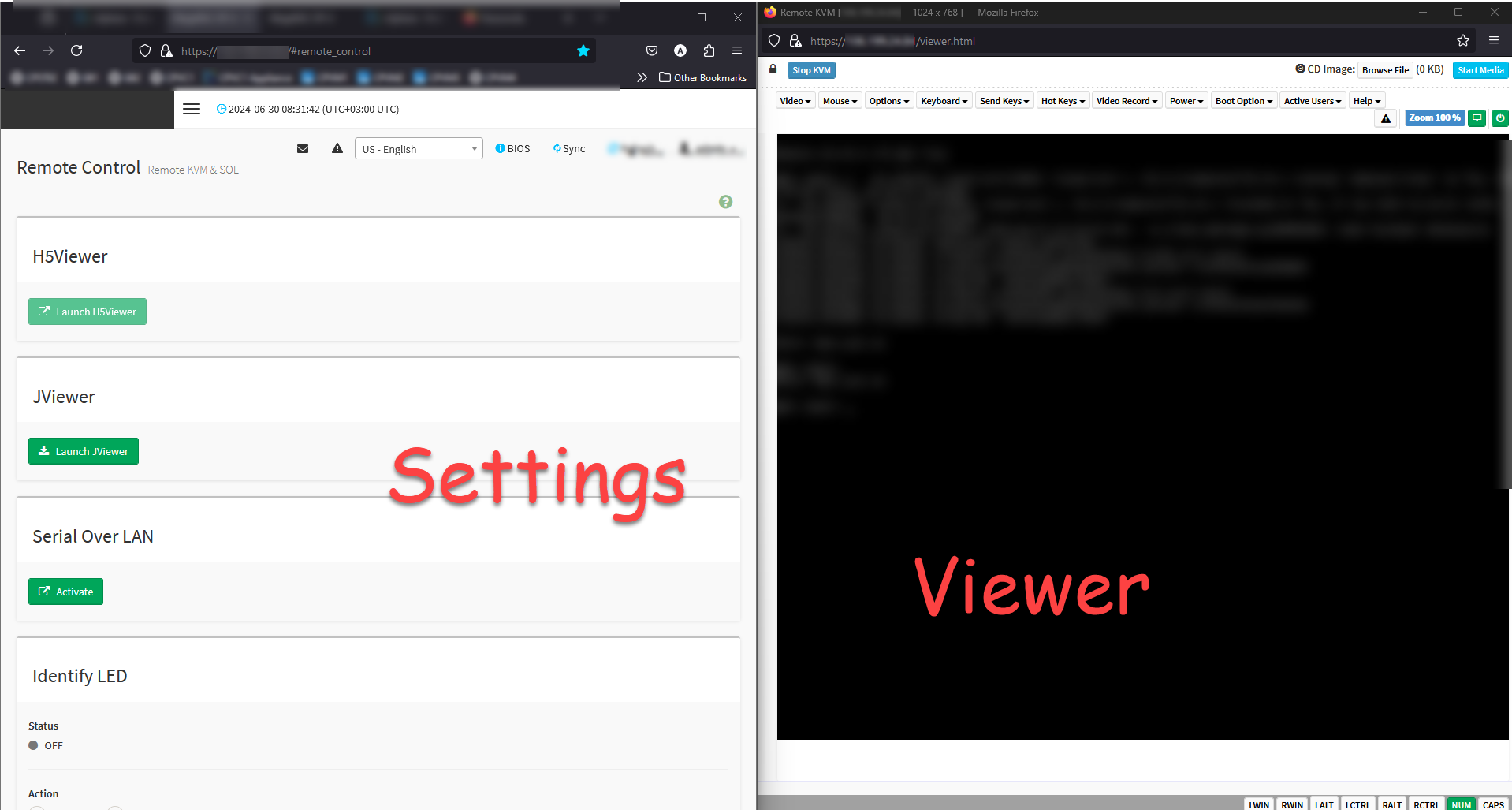
what could be wrong in my settings or on my iDRAC settings?
iDRAC System Information
iDRAC Firmware Version - 6.10.80.00
Model - PowerEdge R540 / PowerEdge R740xd / PowerEdge R440
Direct Connection to Dell iDRAC Virtual Console
Hi All,
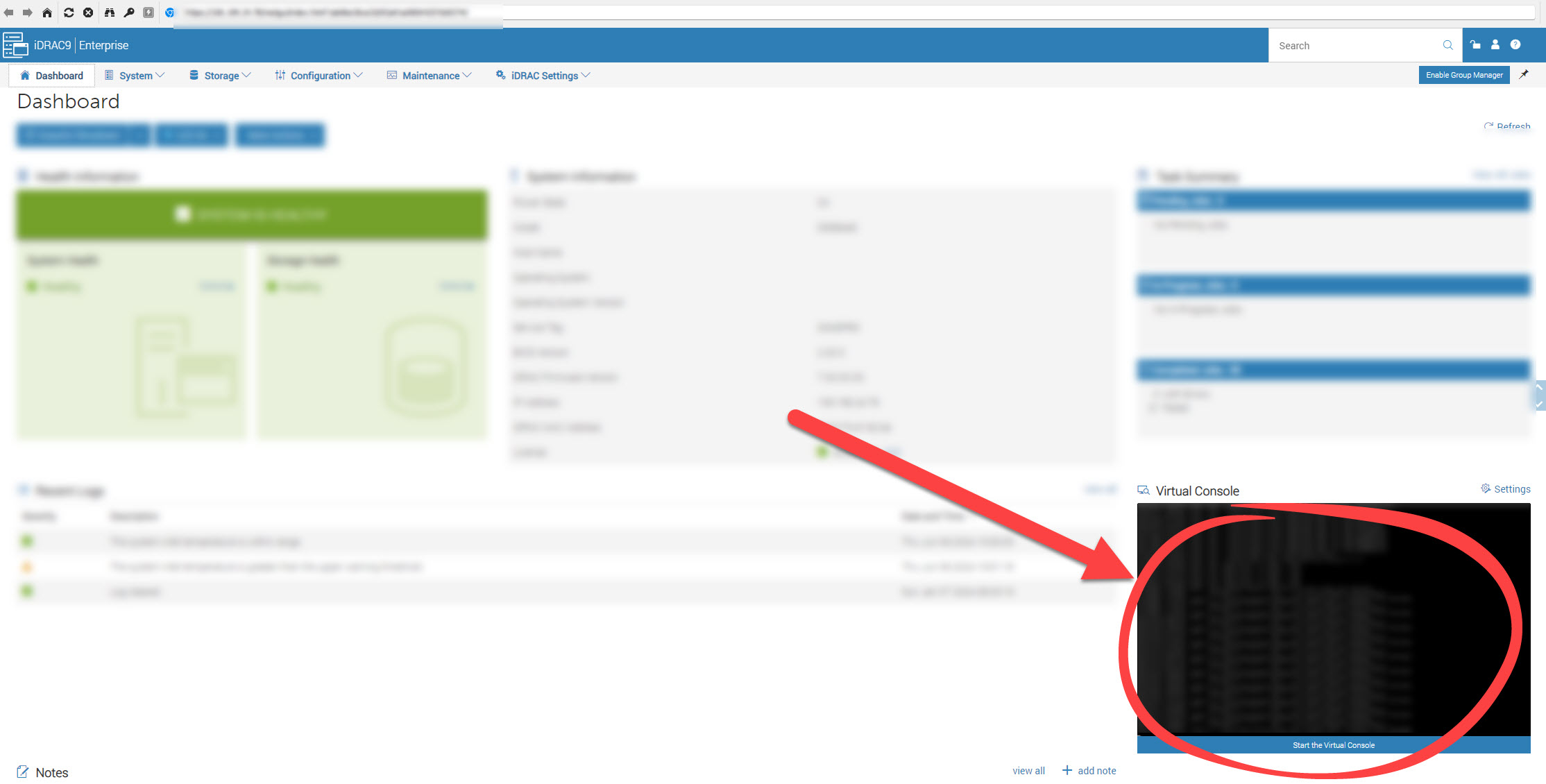
I am currently using Remote Desktop Manager and have a question regarding connecting to Dell iDRAC.
Specifically, I would like to know if it is possible to directly connect to the Dell iDRAC Virtual Console using Remote Desktop Manager.
At present, I have to connect to the iDRAC web interface and then open the Virtual Console from there.
Is there a way to streamline this process and establish a direct connection to the Virtual Console through Remote Desktop Manager?
Thank you for your assistance!
Error on Application Close - HttpListenerException (87)
Version: 2024.2.12.0 64-bit - looks like it solved
Thanks!
Error on Application Close - HttpListenerException (87)
Hello,
Could you please update your installation of Windows and check if the issue persists?
Best regards,
still happening after OS update
Error on Application Close - HttpListenerException (87)
Hello,
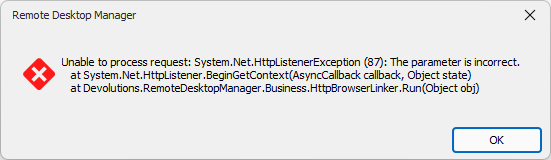
I am encountering an issue with Remote Desktop Manager. Every time I close the application,
I receive an error message. I have attached a screenshot of the error for reference.
Error Message:
Remote Desktop Manager
Unable to process request: System.Net.HttpListenerException (87): The parameter is incorrect.
at System.Net.HttpListener.BeginGetContext(AsyncCallback callback, Object state)
at Devolutions.RemoteDesktopManager.Business.HttpBrowserLinker.Run(Object obj)
System Information:
Remote Desktop Manager version: 2024.1.30.0 64-bit
.NET 8.0.5
Operating System: Windows 11
Could anyone help me understand why this error is occurring and how to resolve it?
Thank you!
Can I Create a Single-Click Entry for FortiVPN Connection Followed by RDP?
Thanks for your reply,
Since I can't use my enterprise license at home, I use the free edition.
At the office: Enterprise license
At home: Free edition
I want to use the free edition remotely to connect to the office. The free edition I'm using is the latest version and connects to a local data source.
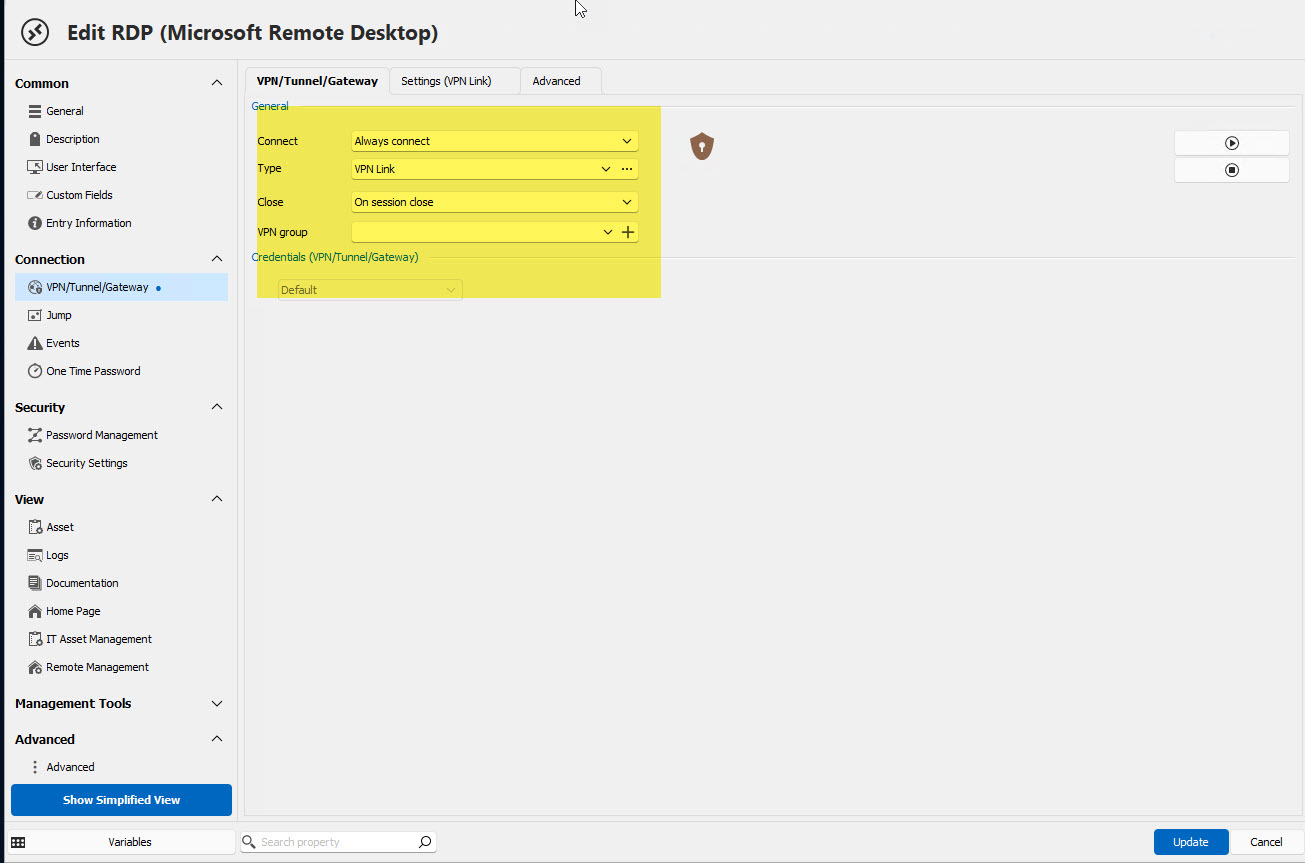
what else should i configure here ?
Can I Create a Single-Click Entry for FortiVPN Connection Followed by RDP?
Hello,
I am exploring ways to streamline my workflow and I was wondering if it's possible to configure a single entry in Devolutions that accomplishes the following in one click:
Connects to FortiVPN (without two-factor authentication).
Immediately afterwards, initiates an RDP session to a remote machine.
Is there a way to set this up directly in Devolutions, so that both actions are triggered sequentially with just one click?
Any guidance or tips on how to achieve this would be greatly appreciated.
Thank you!
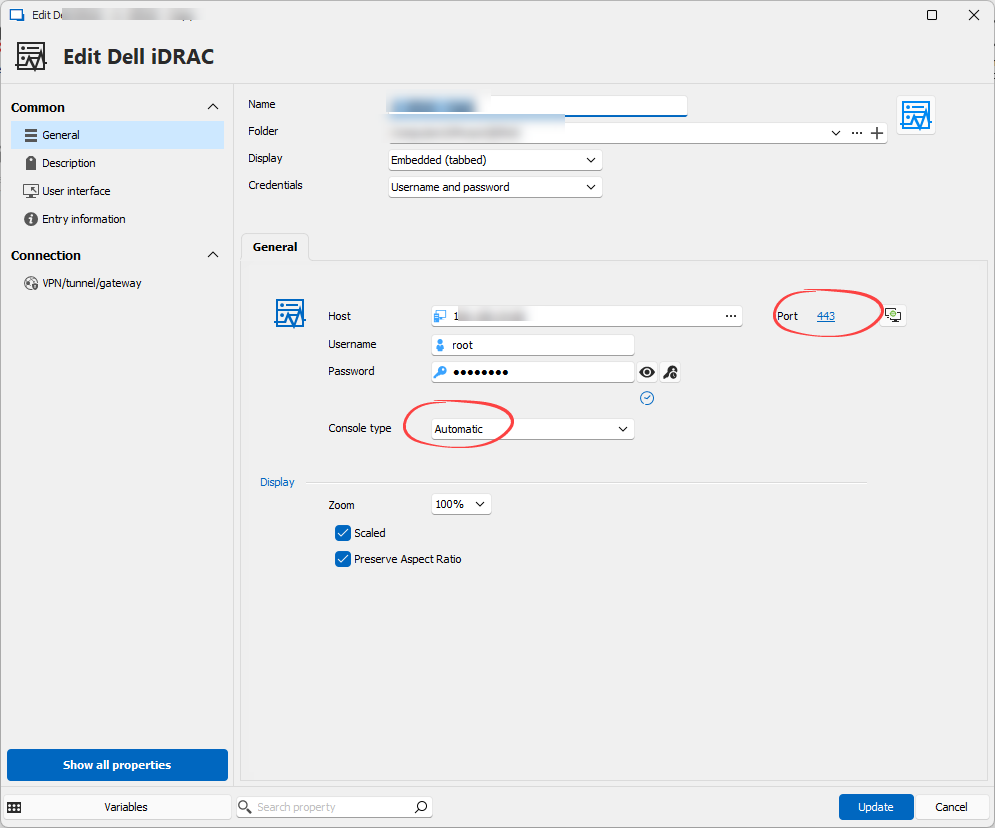
Trouble Connecting to Dell iDRAC 9 Entry in Remote Desktop Manager
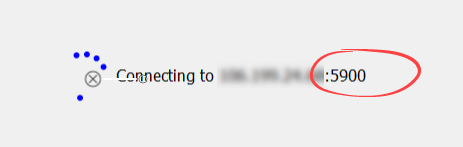
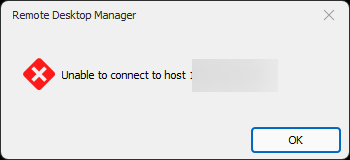
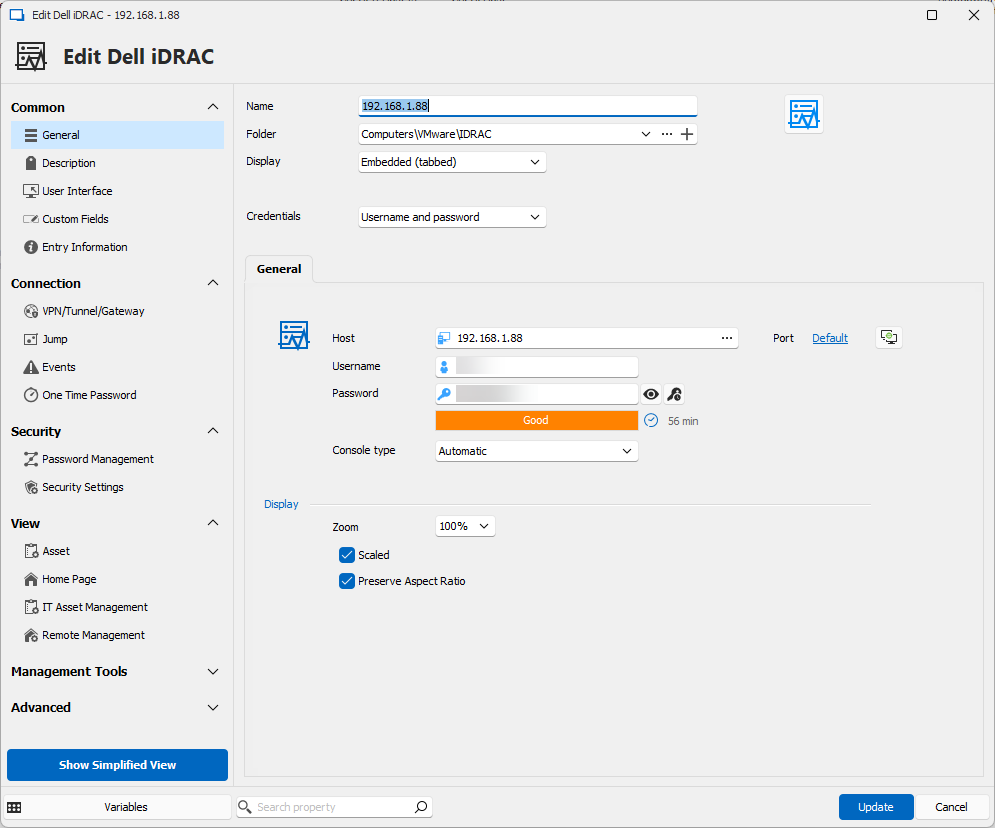
changed to 443
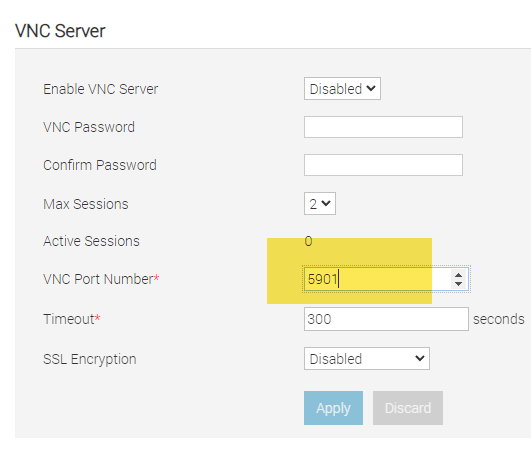
i also try 5901 like in my iDRAC
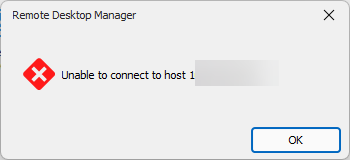
but it not works //
Trouble Connecting to Dell iDRAC 9 Entry in Remote Desktop Manager
Hi everyone,
I'm encountering an issue while trying to create a new Dell iDRAC entry in Remote Desktop Manager.
Despite entering the host IP address, username, and password correctly, I'm unable to establish a connection.
The Dell iDRAC version I'm attempting to connect to is 9.
Could someone please guide me on what I might be missing or any additional steps I need to take to ensure a successful connection?
Your assistance would be greatly appreciated.
Thank you!
Disabling the >10 Entries Opening Prompt?
Great!
that worked :-)
Thanks a lot!
Hello,
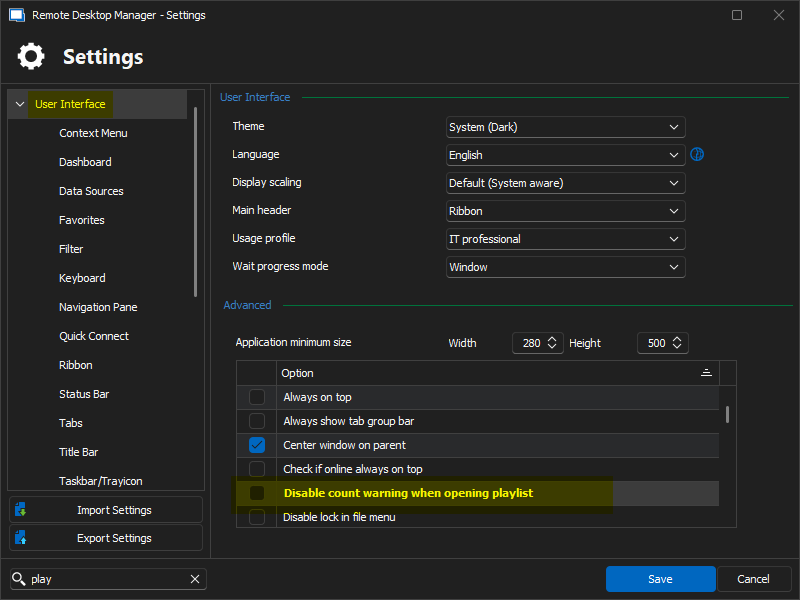
Did you restarted your RDM after the change? You can also try the following setting (related to play lists)
File => Settings => User Interface => Disable count warning when opening playlist
If its still not working, please let me know the type of data source that you're currently using.
Regards,
Min
Disabling the >10 Entries Opening Prompt?
thanks for your answer.
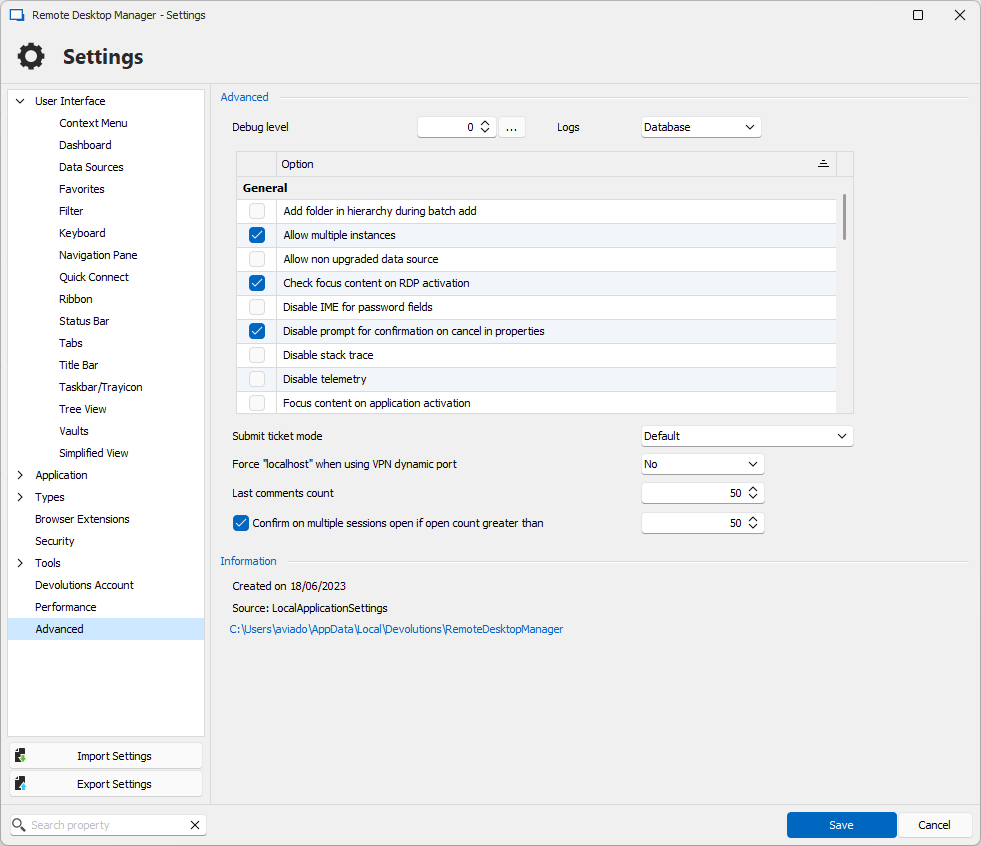
i adjust the settings and it still asks for confirmation.
i hope that I'm using the right RDM version. i just bought a new license for 3 years.
Disabling the >10 Entries Opening Prompt?
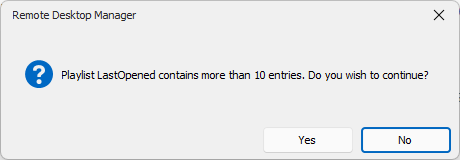
The latest RDM update introduced a prompt when opening more than 10 entries. How can I turn this off?
Thanks!