Remote Desktop sessions disconnect after PC lock & License shows "Free"
Remote Desktop sessions disconnect after PC lock & License shows "Free"

Hello !
I'm experiencing two issues with Remote Desktop Manager:
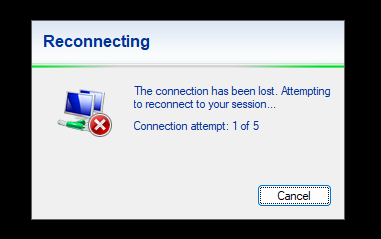
- Session Disconnection After Locking PC: Recently, I've noticed that whenever I lock my PC and return after a few minutes, all remote desktop sessions are disconnected. To troubleshoot, I conducted continuous ping tests to 8.8.8.8 and other LAN machines, and there were no disruptions. Therefore, network connectivity doesn't seem to be the cause.
- License Incorrectly Displayed as "Free": I purchased a 3-year Remote Desktop Manager Single User License (version 5.0). However, in the application interface (version 2024.3.29.0 64-bit), it incorrectly displays "Free" at the bottom-right corner.
Please advise on how to resolve these issues.
Thank you.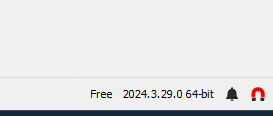
f8e673d6-9d95-45d6-9140-ab3a096c35bb.png
c7a0cea3-4bc4-4ae3-9767-9e1d813fb8fe.png
All Comments (3)
Hello,
Thank you for reaching out to Devolutions Support.
Could you provide more details about the entry you are using? Is it set up as an external entry, and are you using a VPN, etc.?
Regarding your second issue with the license, could you let us know which data source you are using?
Looking forward to your response.
Best regards,
Carl Marien
Hello,
Thank you for reaching out to Devolutions Support.
Could you provide more details about the entry you are using? Is it set up as an external entry, and are you using a VPN, etc.?
Regarding your second issue with the license, could you let us know which data source you are using?
Looking forward to your response.
Best regards,
i think im useing Hub Personal
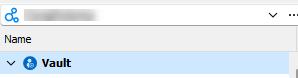
- this is an RDP Sessions
- NO VPN - its a computers on LAN
Sample of one of the machines : 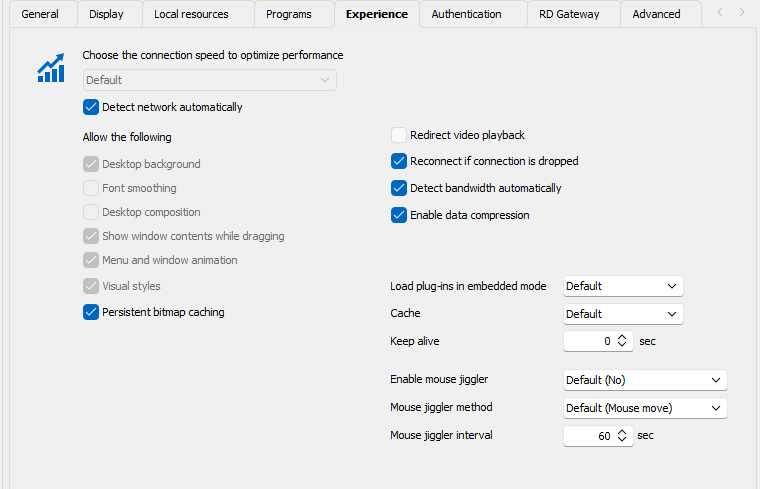
b84307d3-681f-4824-a4f7-3e83c6a0c993.png
6162daf1-5409-4e47-8296-cefa267fc572.png
1329ab94-6ffa-4e55-868f-8bd6be634393.png
Hello,
Thank you for the screenshot.
Unfortunately, I am unable to reproduce your issue, and your entry appears to be set to the default configuration.
Could you please follow the steps in this documentation to reset RDM to its default settings? If the issue is related to your installation, this should resolve it:
https://docs.devolutions.net/rdm/kb/how-to-articles/reset-rdm-to-default-settings/
Regarding your license, you can follow this guide to activate it:
https://docs.devolutions.net/hub/web-interface/administration/management/licenses/
Best regards,
Carl Marien