Can I Create a Single-Click Entry for FortiVPN Connection Followed by RDP?
Can I Create a Single-Click Entry for FortiVPN Connection Followed by RDP?

Hello,
I am exploring ways to streamline my workflow and I was wondering if it's possible to configure a single entry in Devolutions that accomplishes the following in one click:
- Connects to FortiVPN (without two-factor authentication).
- Immediately afterwards, initiates an RDP session to a remote machine.
Is there a way to set this up directly in Devolutions, so that both actions are triggered sequentially with just one click?
Any guidance or tips on how to achieve this would be greatly appreciated.
Thank you!
All Comments (3)
Hello,
Thank you for reaching out to us regarding this,
Could you please specify the version of RDM you are currently using?
What type of data source are you using?
That being said, this could indeed be achieved if you have both the FortiVPN and the RDP Session connection currently configured in RDM, you can go into the RDP Session Properties and go under the "VPN/Tunnel/Gateway" section, from there you can select the "Always Connection" option and the "Type" to Existing "VPN Link".
With this done under the "Settings (VPN Link)" section you can link to your FortiVPN entry.
With this configuration, the VPN should be started when trying to launch the RDP connection.
Let me know if this helps,
Best regards,
Samuel Dery
Thanks for your reply,
Since I can't use my enterprise license at home, I use the free edition.
- At the office: Enterprise license
- At home: Free edition
I want to use the free edition remotely to connect to the office. The free edition I'm using is the latest version and connects to a local data source.
what else should i configure here ? 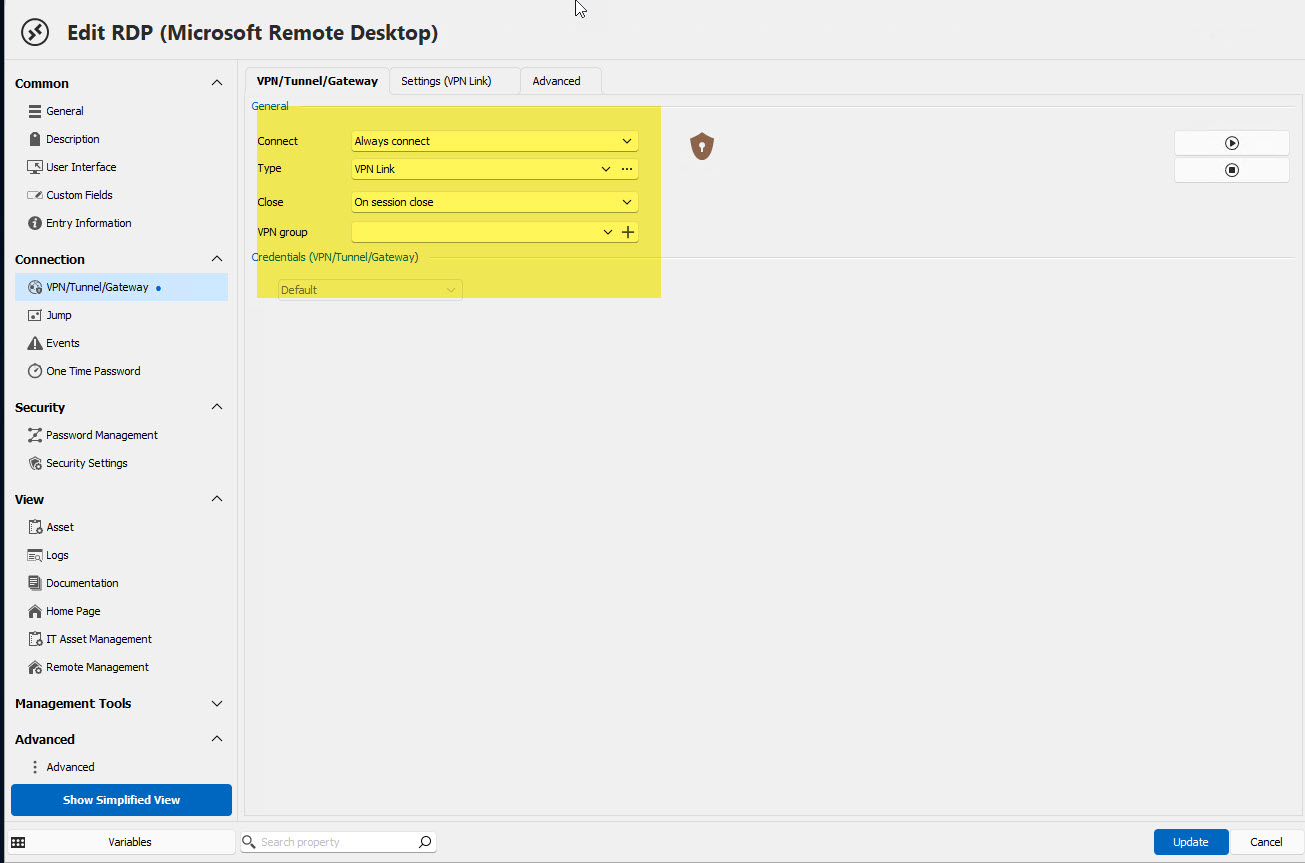
2024-05-14_10-20-51.jpg
Hello aviado,
Thank you for this feedback.
The Type should be set for Forticlient.
The configuration of your VPN will be under the Settings (VPN Links) (Second tab at the top)
Select the proper connection mode for the version of Forti you want to use.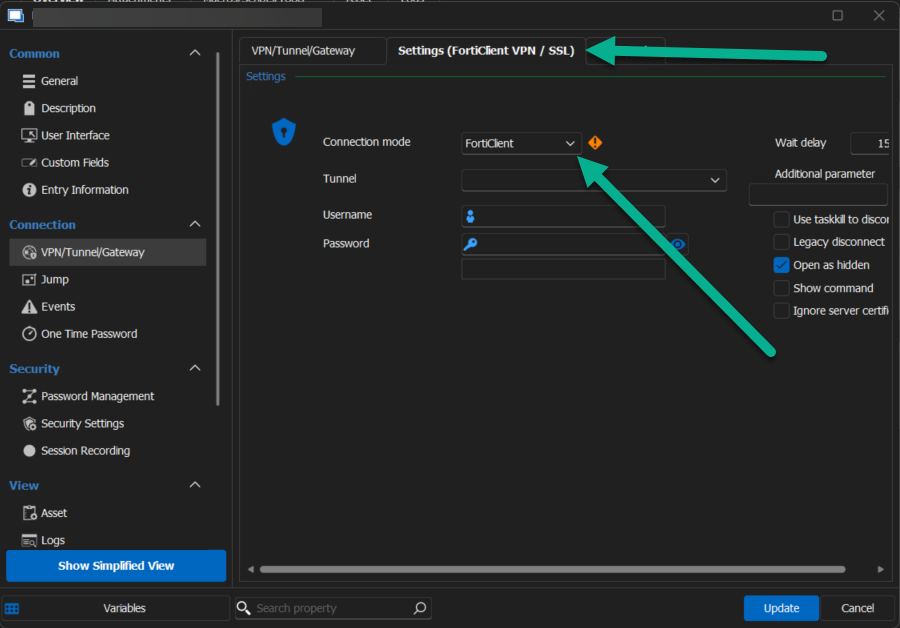
Best regards,
Patrick Ouimet
vpn.png