Christian Pohle
Multiple Entries for Pleasant Password Servers
Hi Jesse,
this solution would work only if we have the same username and password for all Pleasant password servers at our customers. Despite it is a very bad security practice to have the same Username/Password at different Customers it will not work as different customers have different policies for naming the accounts.
Or did I miss a bit?
Cordialement
Christian
Multiple Entries for Pleasant Password Servers
Hi Jesse,
I'm sorry, I didn't explain exactly what I meant. I meant this entry:
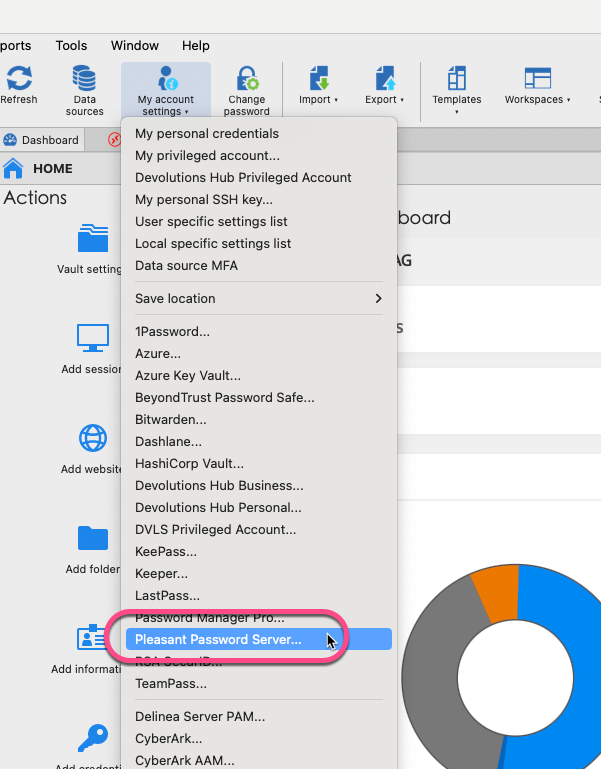
Each of us enters his own credentials for our password server. The Entries for the Passwords reference these "my account settings" so every one is accessing the password server with his credentials:
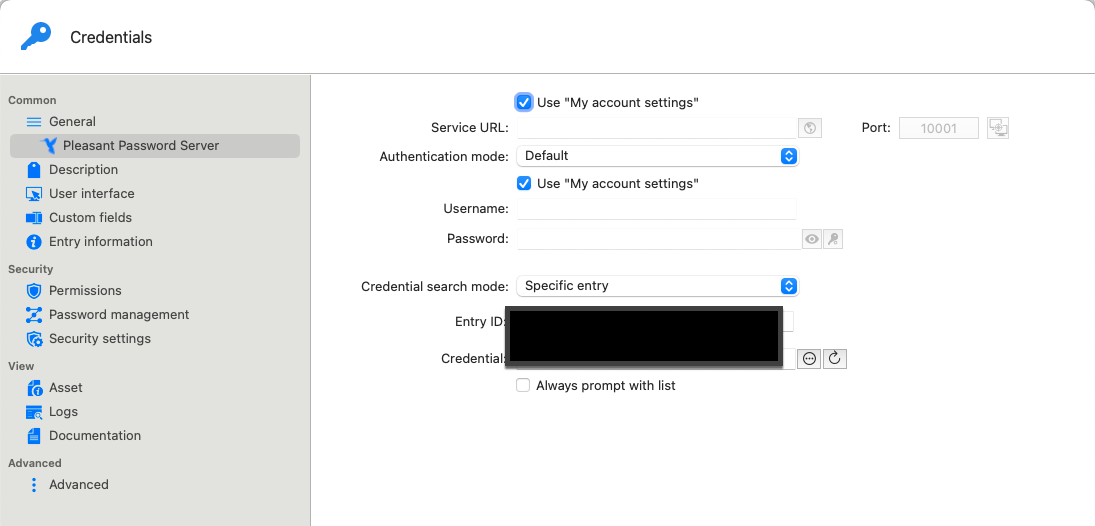
With this technique we are able that every employee accesses the Passwort Server with his user credentials.
In the stored passwords for the customers Pleasant Server we have to enter one account and all employees working with RDM access these password server with the same account.
So to be clearer: We want to store "personal Pleasant Password Server Credentials" for every user of RDM and for multiple Pleasant Server.
Cordialement
Christian
Multiple Entries for Pleasant Password Servers
Hello,
we recommend and sell the Pleasant Password Server to all our larger customers. We also store all password entries of the customer in their respective password server and not in ours.
That leads to my wish list item: It should be possible to enter more than one Pleasant Password Server in RDM.
Cordialement
Christian
TOTP for Password Entries from a Pleasant Password Server
Hello,
we have stored all passwords in our Pleasant Password server and linked these entries to RDM and the respective Server.
So we use the feature "Copy Username" or "Copy Password" from the right click menu when calling an entry that does not allow an automatic login.

Especially for Websites stored in RDM it would be handy to be able to "Copy TOTP" when a TOTP is also stored in Pleasant.
My I add this to the "Feature Request List" please?
Cordialement
Christian
Add the Name of the Entry for the Passwordserver to the Dialog "authenticator-app"
Hi,
just called such a server on a windows System with RDM for Windows.
While the solution on the Mac RDM is clear and stylish:
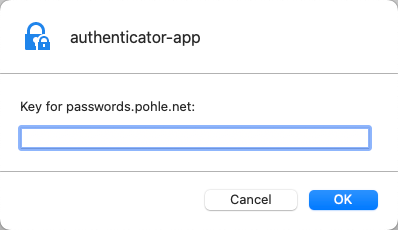
it is unclear and not very stilish what is displayed on my Windows machine:
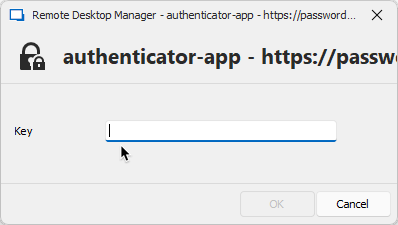
and: all my Pleasant Server listen to "passwords.xxxx.xxx", so with this Windows dialog I do not see, which one is meant...
May I ask you to improve that on windows, please?
Add the Name of the Entry for the Passwordserver to the Dialog "authenticator-app"
Nice Surprise in the Morning: Starting up RDM and it asks me for the TOTP with the Name of my password Server.
Thank you so much guys!
AWS Dashboard - Regions Zurich and Spain missing
Confirm: Zurich is now available and works perfectly.
Thank you!
SCP Session not working on MacOS (but on Windows)
YEAH!
The SCP Sessions work again!
Merci Michel!
SCP Session not working on MacOS (but on Windows)
Hi Xavier,
I can confirm : my private Keys for SSH/SCP do not have a Password.
Would be great If that ist the cause.
SCP Session not working on MacOS (but on Windows)
Sure,
this setting with absolutely no private key
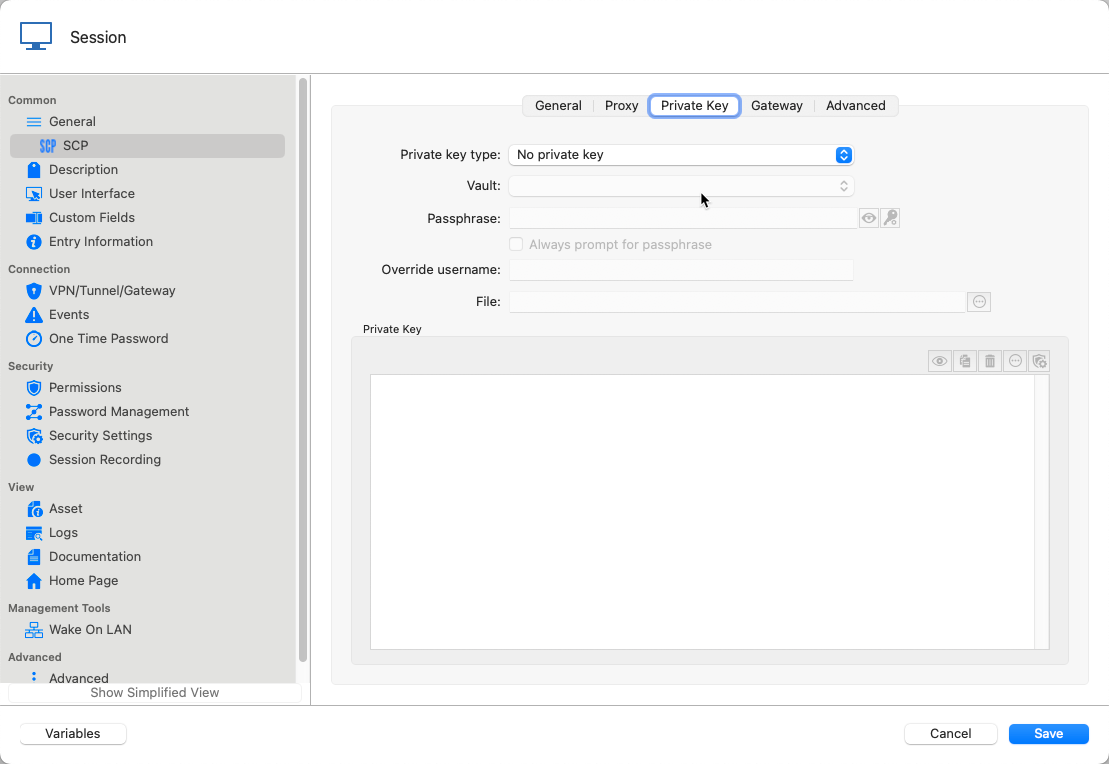
leads to the Session starting (but not working)
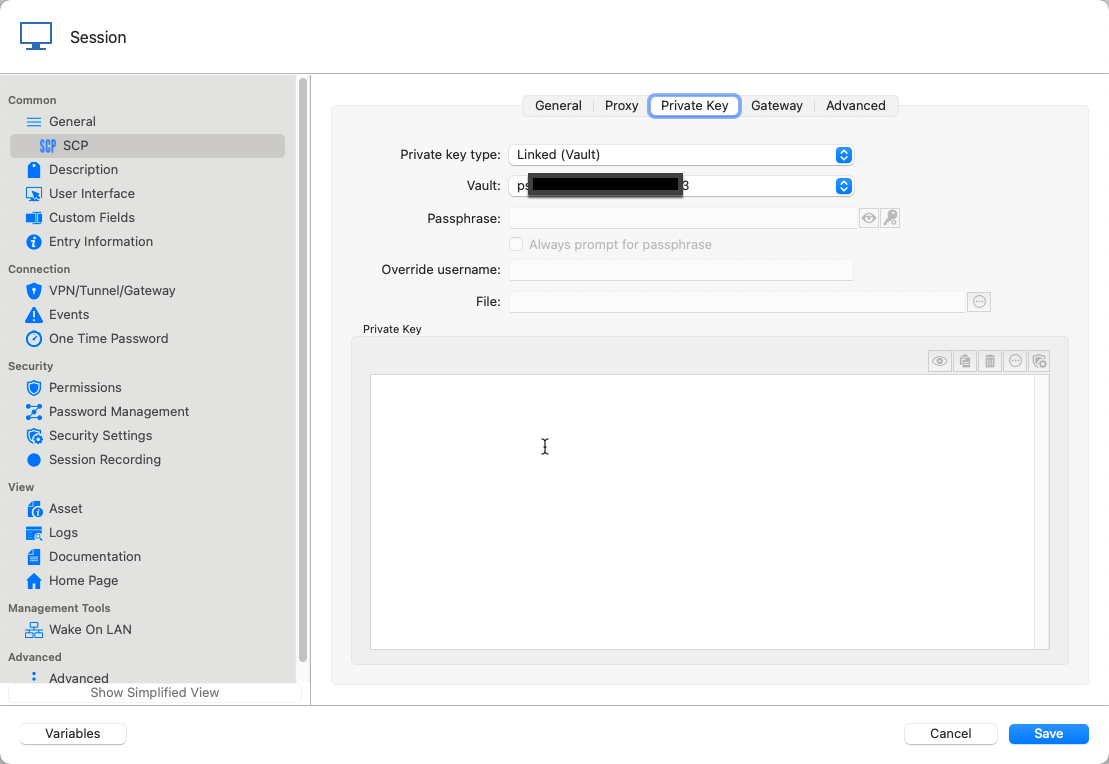
My "Normal" Setting is "Linked" to have the Key only stored once in the vault.
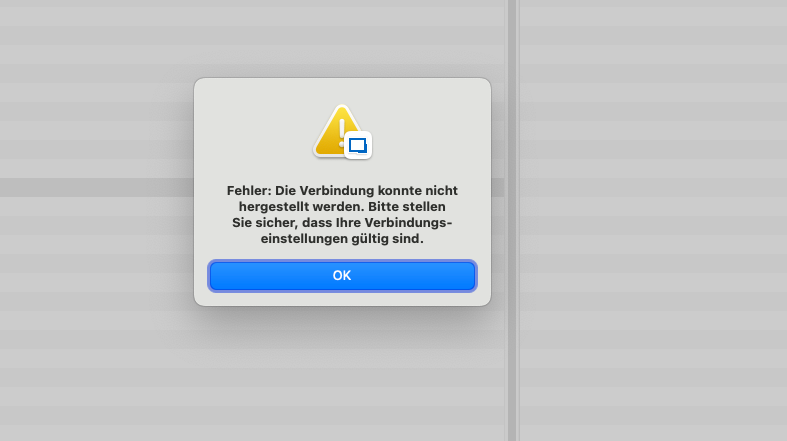
This does not start as do all the following.
I also tried to link to the file on Disk (which breaks the compatibility with my Windows RDMs) and would be therefore impractical
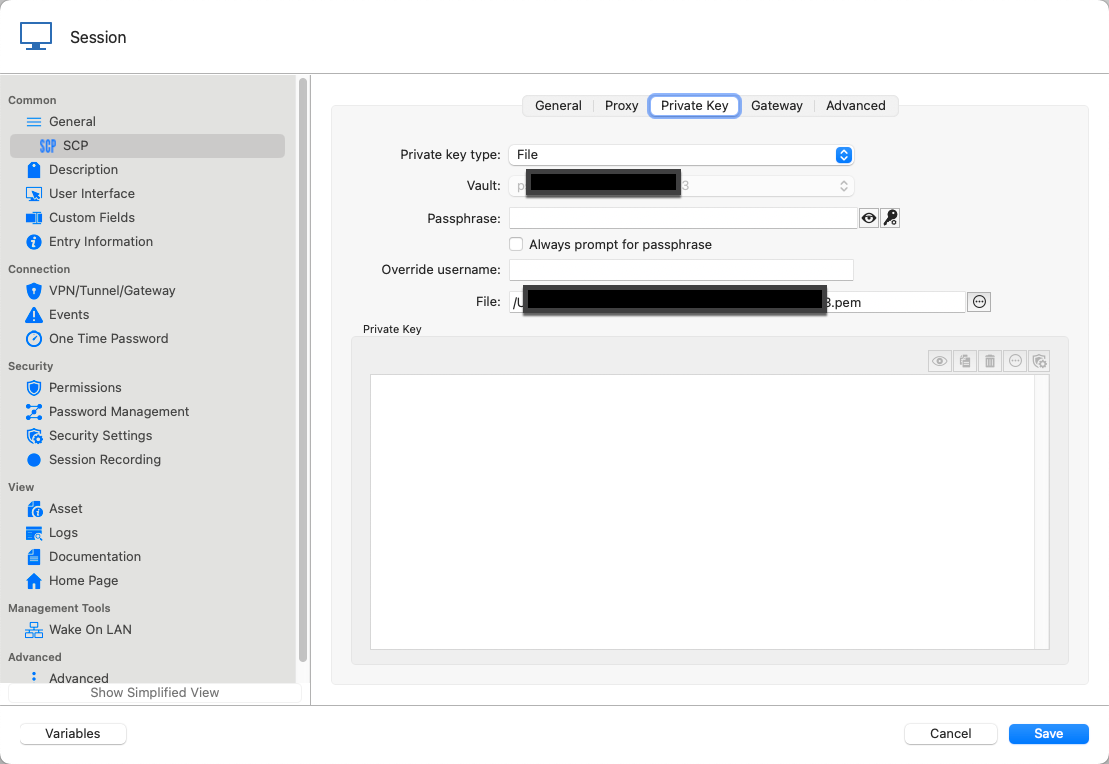
I also tried to Import the Key to the Vault which is also impractical as we have a number of servers. but it does not work either
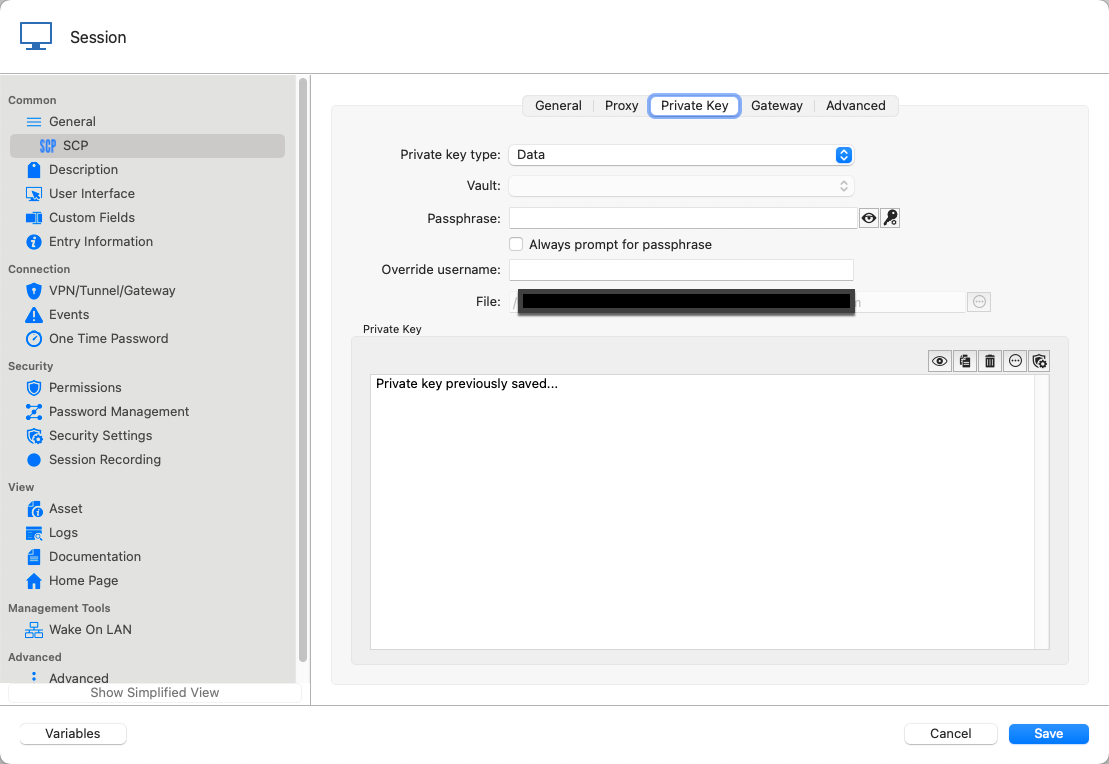
My Normal Setting "Linked" works fine on my RDMs on Windows and on my Backup Mac where I have the old Version 2022.3.19.0 installed.
SCP Session not working on MacOS (but on Windows)
Hi Xavier,
I just had time for some tests: It seems to be the Private Key of the SCP Connection. As soon as I set it to "no private Key", the Session opens (and can't connect because of the missing private key). When I set the Private key to "Linked", "file" or even "Data (and import it)" the Session does not open.
SCP Session not working on MacOS (but on Windows)
Hi Xavier,
the Application log tells me:
[08.02.2024 07:20:15 - 2023.3.12.3 64-bit]ERROR Devolutions Telemetry - Batch ingestion failed with status code 200.
0 documents ingested.
[08.02.2024 07:20:21 - 2023.3.12.3 64-bit]ERROR Devolutions Telemetry - Batch ingestion failed with status code 200.
0 documents ingested.
SCP Session not working on MacOS (but on Windows)
Hi Michel,
did enter the Log Level as you showed, then double clicked the entry - nothing happens, even no log will be produced.
Then I changed another SCP Entry to Log Verbose 2 and a File Path. Also nothing happens.
I have Performance Profiling / Debug Only switche to on with debug Level 120703 - also nothing in the window.
Then I tested these 2 Entries on my Backup Mac with RDM 2022.3.19.0 (see above why I installed this Version) and both work and also create Logs.
Which Data could help you to analyze the problem?
SCP Session not working on MacOS (but on Windows)
Hi Patrick,
just tested with RDM 2023.3.12.3 for Mac. Unfortunately the SCP Sessions do not open. I cross checked, the same sessions open on a Windows RDM.
AWS Dashboard - Regions Zurich and Spain missing
Nice, in RDM 2023.3.12.3 now "EU South (Spain)" is included but Zurich is still missing :-)
Sort of "Folder" List when Duplicating Entries
Hi Michel,
thank you, I can confirm, the issue is solved with the latest version, the List of Folders when duplicating is now sorted like the tree left.
Great!
Add the Name of the Entry for the Passwordserver to the Dialog "authenticator-app"
Hi,
I have RDM connected to multiple Pleasant Password Servers (as I sell these to my customers, in most cases the passwords are in a Pleasant Server). All Accounts to the Password Servers are secured with 2FA by an Authenticator app and when a connection to one of the password Servers is opened for the first time, RDM asks me for the Key from the Authenticator App. Everything working fine up to here.
I am Using some Workspaces and Playlists that open Entries from different Password Servers. In this case it would be practical to get a hint, which Passwordserver asks for the Authenticator Key. The Dialog in Mac or Windows dies not have any information about this:
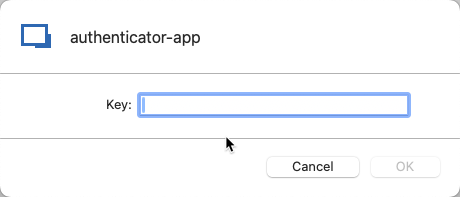
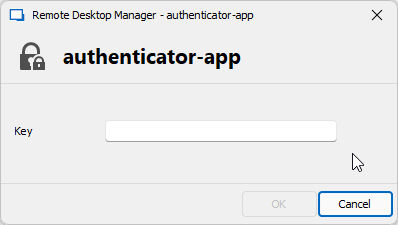
Maybe you could write the Name of the Password Entry that is to open or the URL to the Password Server into the Dialog?
Just a whish, in most cases I am lucky to enter the key for the correct Server :-)
Save Button missing for "My Pleasant Password Server Account" in certain conditions
Hi Carl,
solved the issue, that the license wasn't displayed. I had " <ShowStatusBar>false</ShowStatusBar>" set in the .cfg File. Now RDM displays "Licensed" in the Status Bar.
But, the Issue still persists, but I am a little bit farther:
I have emptied the %appdata%/Devolutions/RemoteDesktopManager Directory, called RDM and entered the Credentials for the MS SQL Datasource.
Then I double clicked one of the entries that references to the Pleasant Password Server and got the Window to enter my Pleasant Data with no save button:
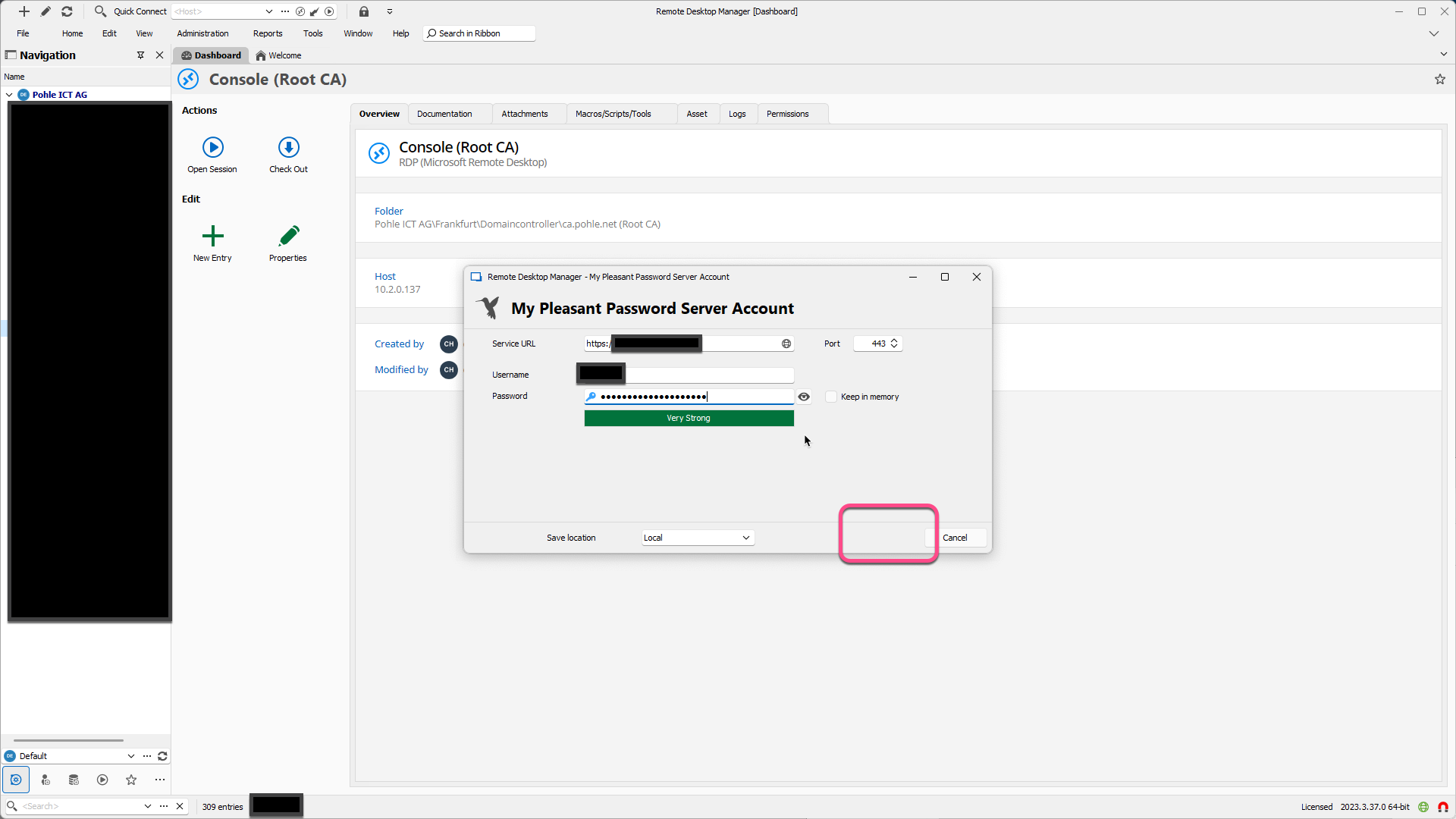
I played around a bit with the different controls and after clicking "Keep in Memory" the Save button was there as expected:
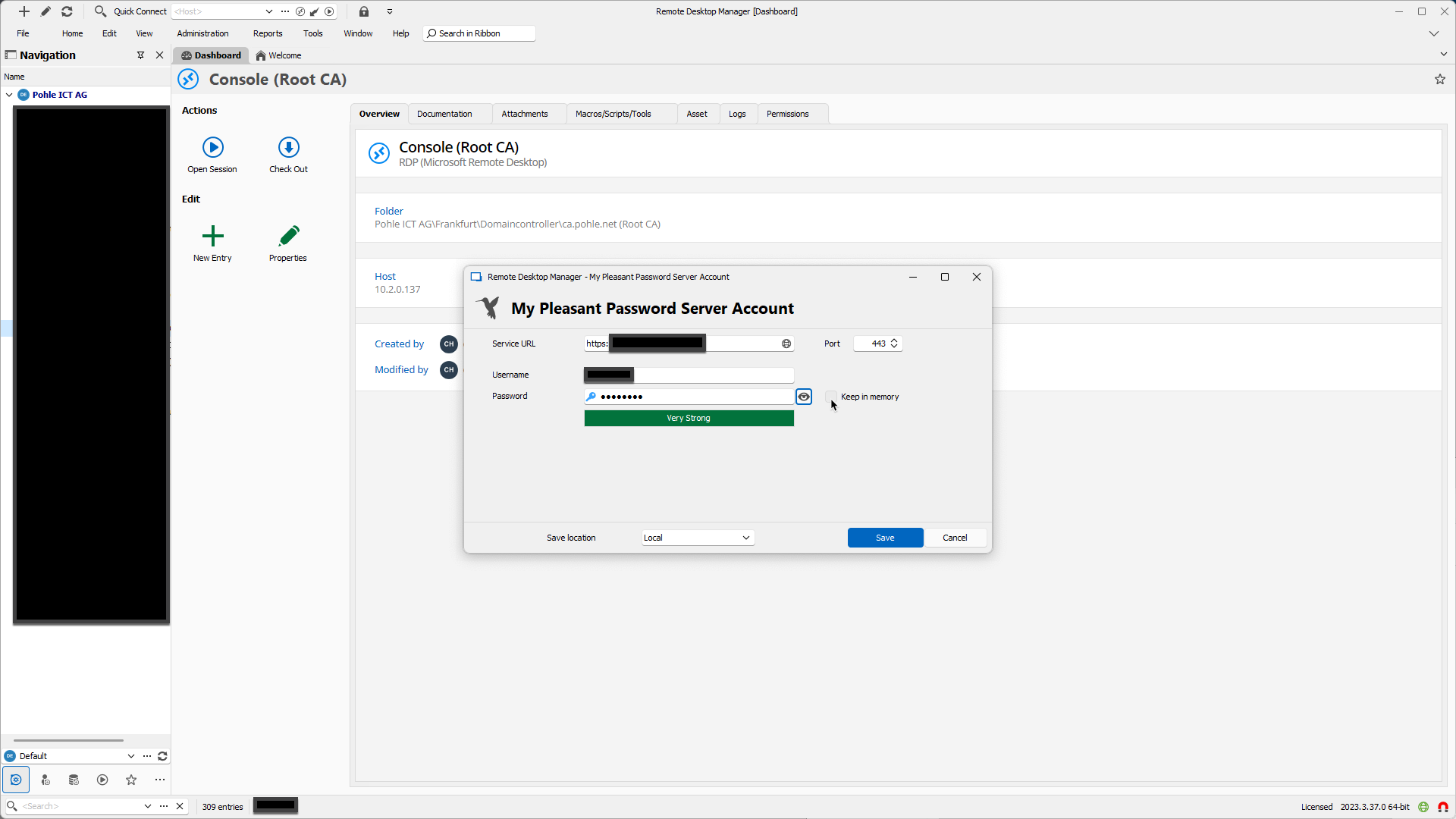
As I wrote, this is not a big issue as there is a second Workaround now, so if you do not encounter this (which wonders me, as I had it with an empty config Directory) it maybe does not need to be fixed.
And if someone else encounters this error he:she finds this Topic and can apply one of the Workarounds mentioned.
Bring back ConnectWise Control
So I found a work around for using ScreenConnect in RDM.
You can created a weblink to device.
https://yourscreenconnectsite.com/Host#Access///a3b34243-8b45-427f-928f-9ab786e82da6/Join
If device is already listed in your Access list click on it and the URL is going to be at the top of the page.
Thanks
Thank you for this Tip. It is important to note that the "Join" in the URL must be written with a capital Letter, "join" does not work. There are more possibilities in the end of the following reddit discussion:
Keyboard Layout with VMRC Session to vSphere
Hi Richard,
as promised, I tested the Keyboard thing today after switching on my Mac. I'm astounded....
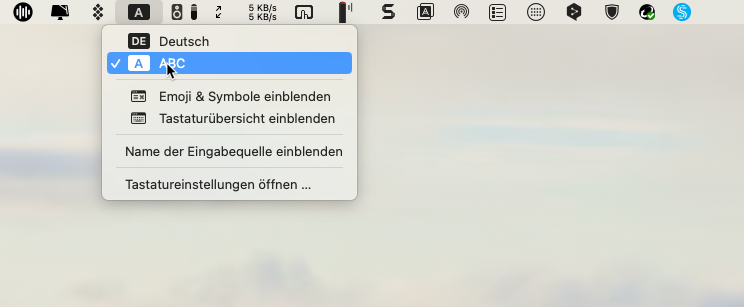
I added the English Keyboard and set the Keyboard Selection to display in the Menu:
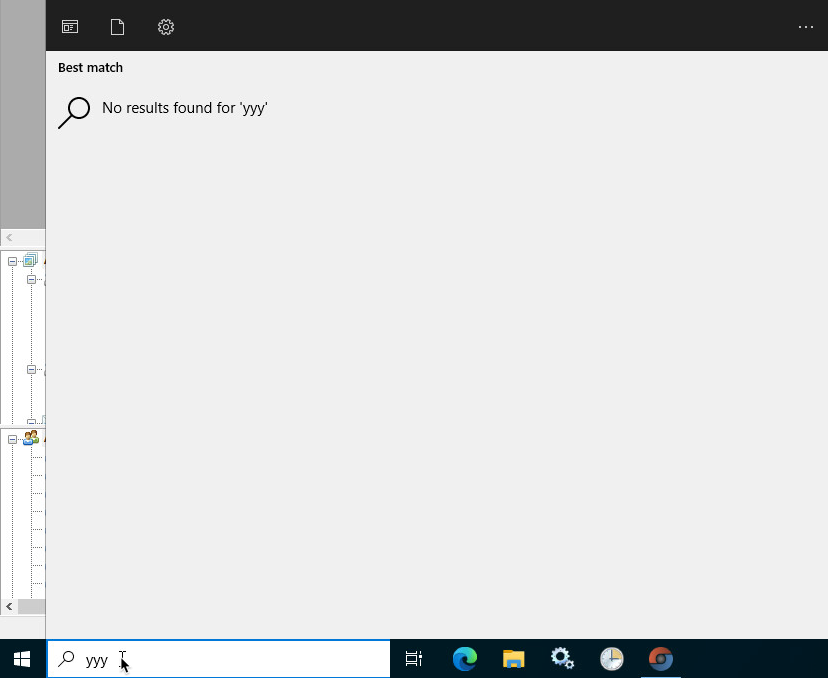
Now I connected to the Server in Question and when I press the Y Key there comes: "Y", Voila!
I cannot speak for other customers, but for me this solves the Problem:
I do not have any characters in my passwords that would not be the same between german and english computers so I'll be able to Logon to the Computers via VMRC
I really do not need an automatic Switching, for me it is absolutely sufficient to be able to switch when I have to enter an UNC Path or something else with special characters on the Server.
So thank you for this solutions, consider MY Problem as solved.
An I try not to understand what's happening there, your description reads as VMware does a lot of weird stuff in the VMRC......
Keyboard Layout with VMRC Session to vSphere
Hi Richard,
I have two Windows 11 Systems on my Mac (running with parallels) and Installed RDM on one of the 2 which is set to Mac Internal Networking so this System has Customers via VPN also available.
I just tested there to call this VMRC Session but either if I set the Option "Force remote Keyboard" which is only available in Windows to On or not I always get english Keyboard layout in the session.
The W11 has also german Keyboard layout.
I'll test the thing with the changing my Mac Keyboard, in the moment I have around 60 Apps opened and I want to wait until the next restart.
Menu Options and Context Menu faded out
For the Records: I was able to get the problem and sent Instruction how to reproduce it along with the Log Data to the Devolutions Service.
AWS Dashboard - Regions Zurich and Spain missing
Thank you!
BTW: I have now created the screenshots again and embedded into the original Post with the "Image" Button, one by one. Seems to work, they are now displayed.
Save Button missing for "My Pleasant Password Server Account" in certain conditions
I have now created the screenshots again and embedded into the original Post with the "Image" Button, one by one. Seems to work, they are now displayed.
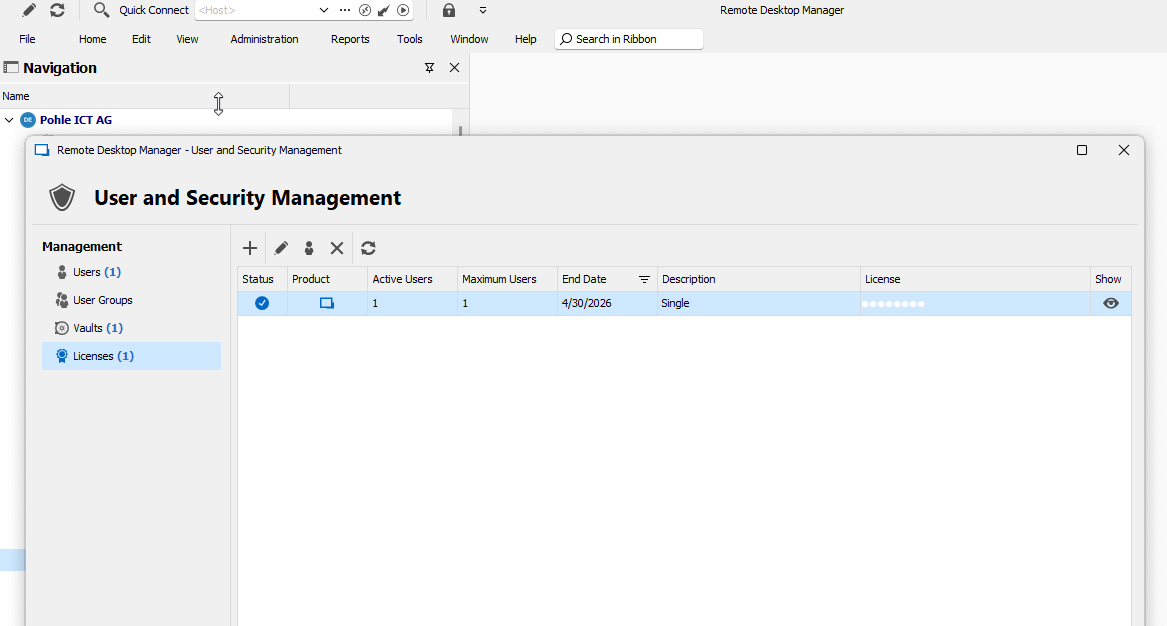
As far as I can see, the Workstation has a License, isn't it?
Keyboard Layout with VMRC Session to vSphere
Hi Xavier,
Hi Richard,
I have now created the screenshots again and embedded into the original Post with the "Image" Button, one by one. Seems to work, they are now displayed.
The Input Source of my Mac is set to German (which corresponds to the physical Keyboards I use):