Keyboard Layout with VMRC Session to vSphere

Hello,
I have VMRC 12-0-5 from the App Store installed on my Mac. When I open a Server Console on a customers vSphere from the vCenter Webpage the VMRC Console opens and has a german keyboard layout.
No I try to create the Session directly in RDM as "VMware Remote Console (VMRC)" to embed it into RDM: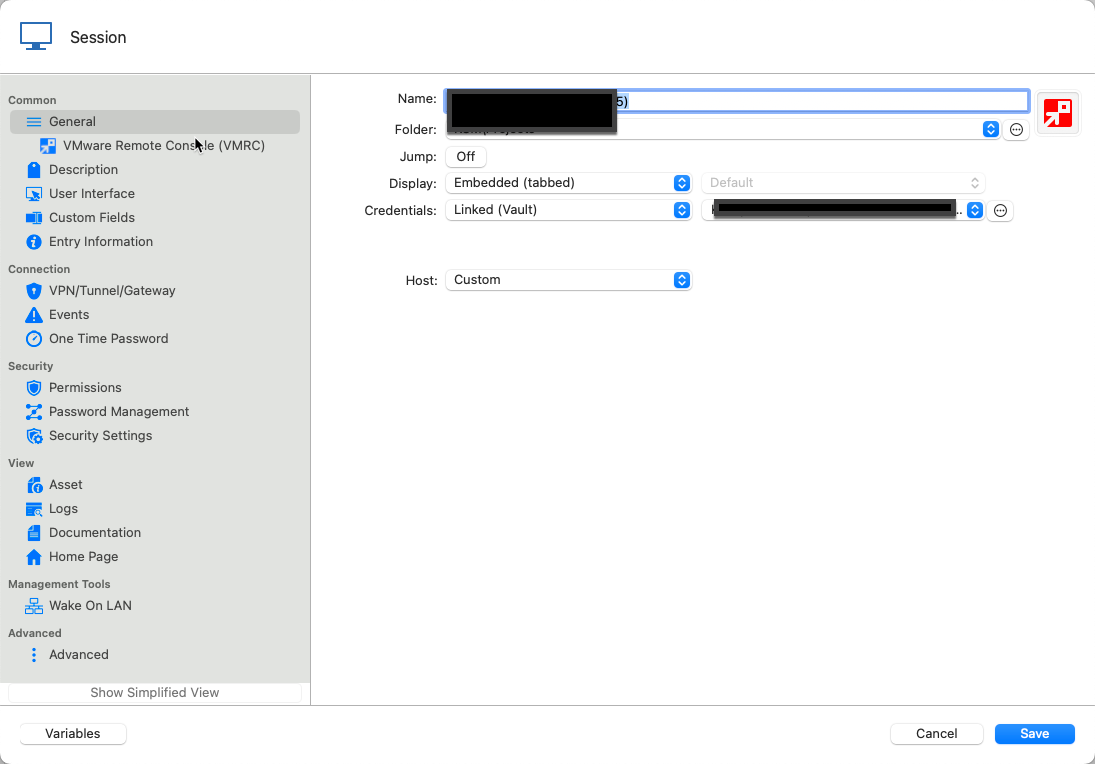
Add the vCenter Web Address and the VM ID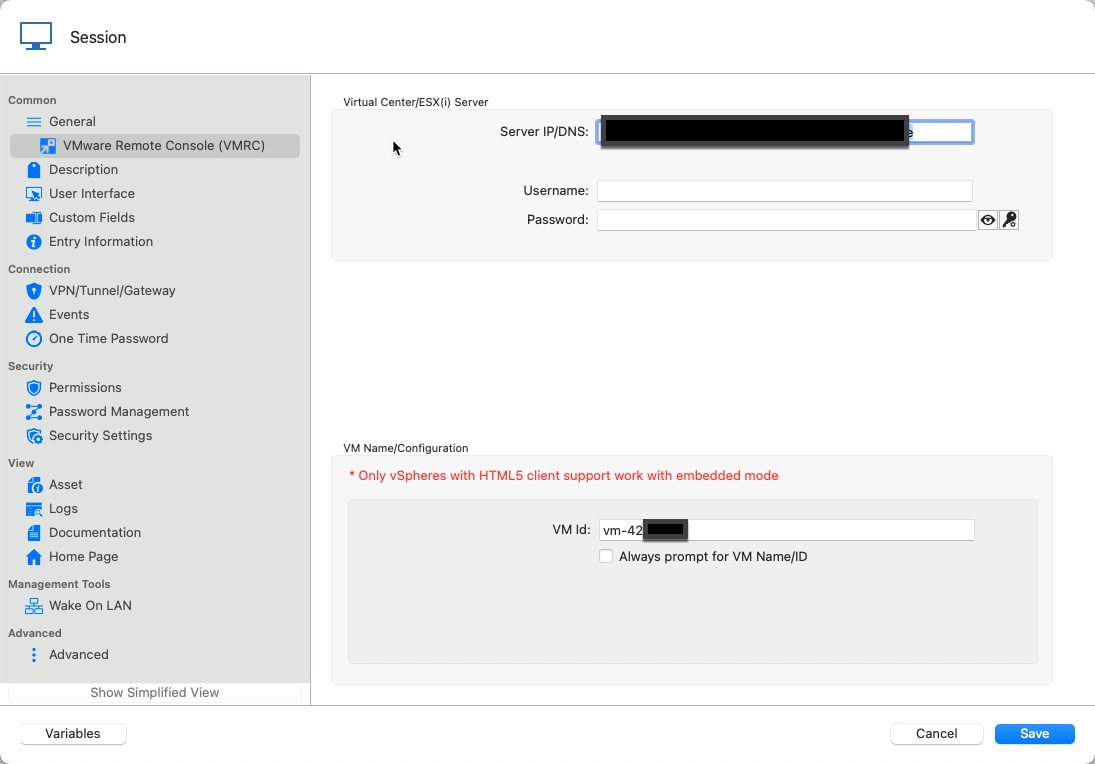
That works great and embeds the session in RDM as I want this.
The only thing and sorry, this is a blocking point: It has english Keyboard layout.
Keyboard in the Server is set to "German": 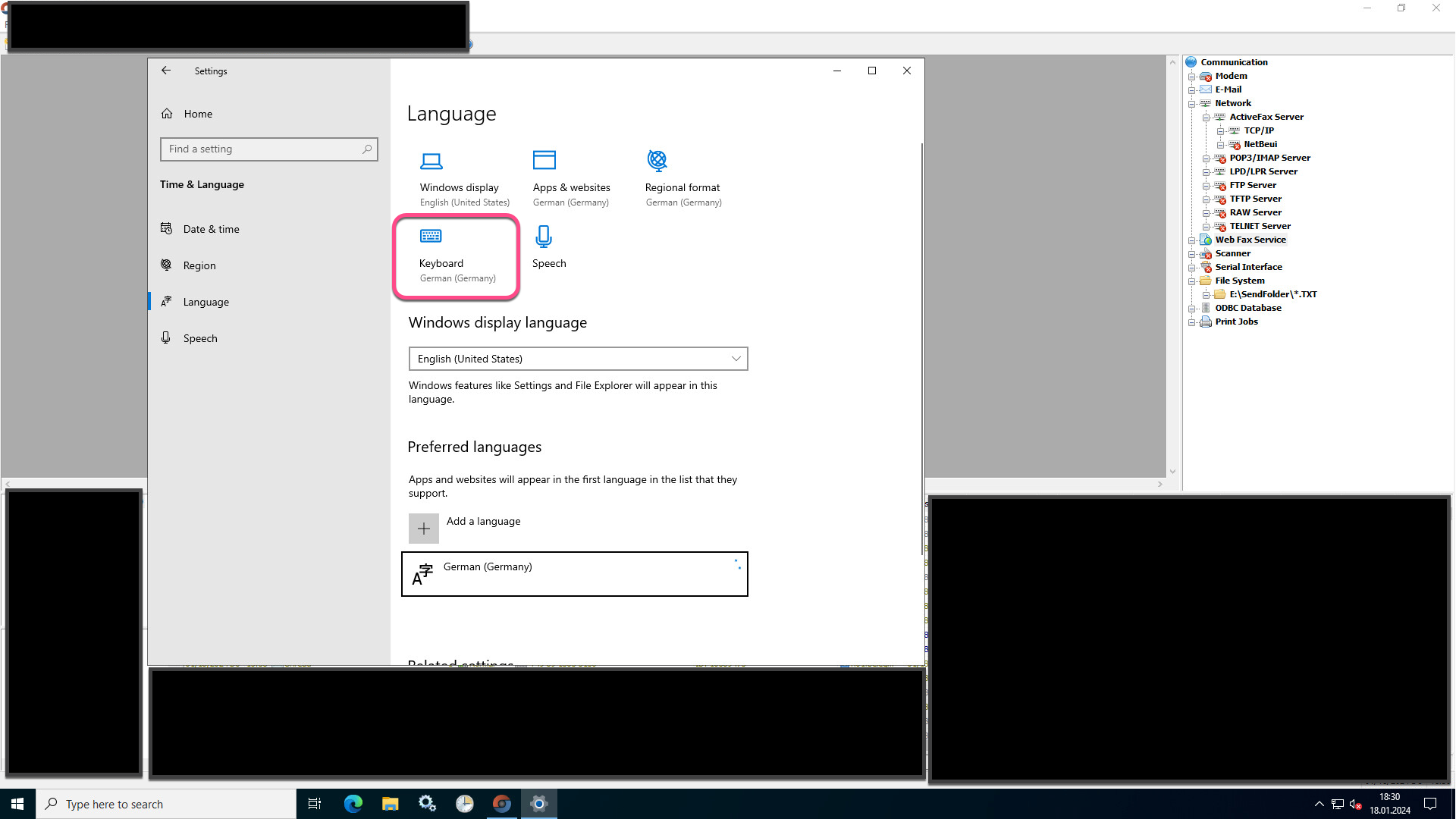
How can I tell the RDM VMRC Session to use German Keyboard instead of english?
Kind Regards
Christian
2024-01-18_18-28-39.png
2024-01-18_18-29-32.png
2024-01-18_18-30-29.png
All Comments (22)
Hello,
I'm unable to view the image you sent. Could you please try resending it?
Best regards,
Maxim Robert
Hi Maxim,
what is the correct prodedure to add Screenshots to this forum? I simply pasted them from Snagit via Clipboard directly into the editor of the forum running in Safari. Seems not to be the right way?
Kind Regards
Christian
I think drag and drop should work. But other wise, there is a button to attach images: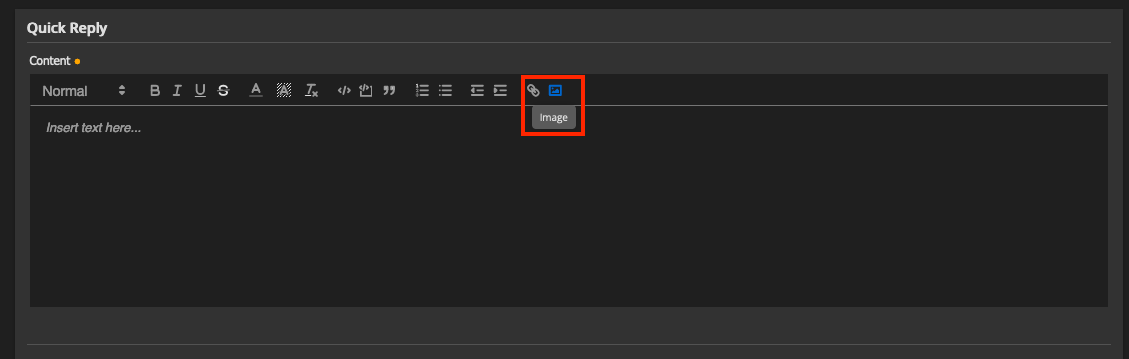
Best regards,
Xavier Fortin
Images.png
Hi Christian
I'm not sure if your screenshot(s) showed this, but what keyboard layout do you have configured on your Mac? ("Input Sources" in the Keyboard pane of the system Settings.app).
Please let me know if something isn't clear
Thanks and kind regards,
Richard Markievicz
Hi Xavier,
Hi Richard,
I have now created the screenshots again and embedded into the original Post with the "Image" Button, one by one. Seems to work, they are now displayed.
The Input Source of my Mac is set to German (which corresponds to the physical Keyboards I use): 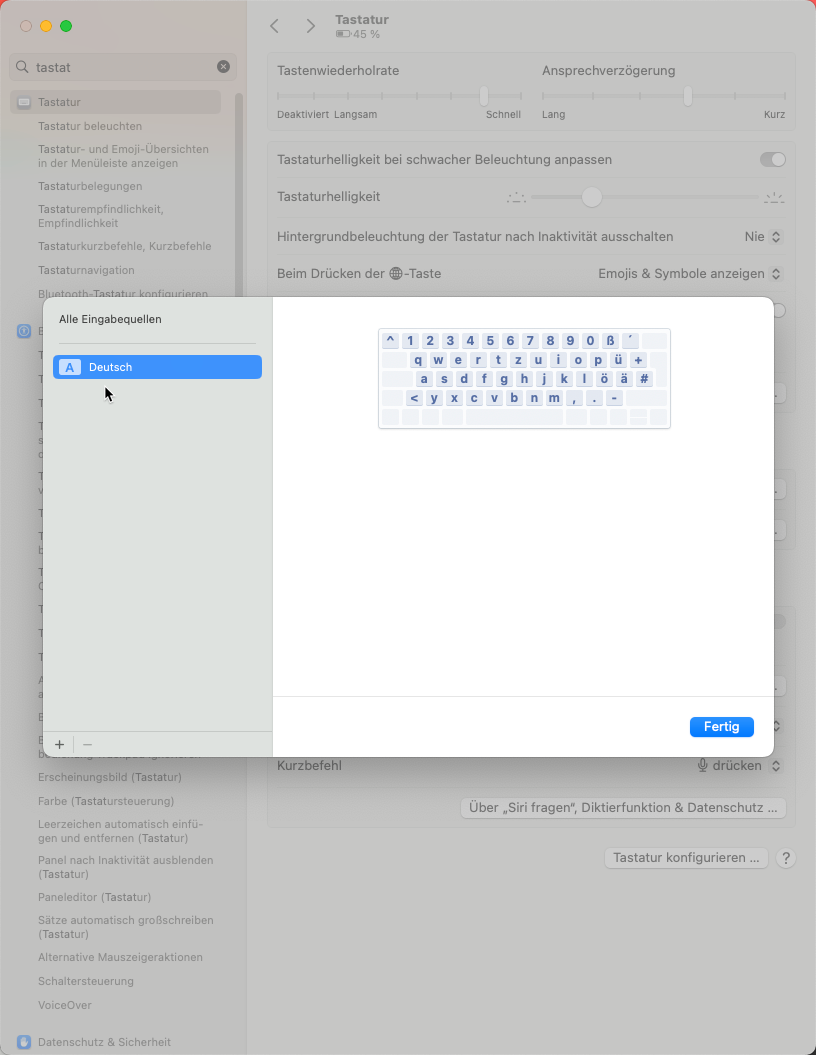
Kind Regards
Christian
2024-01-18_18-34-06.png
Hi Christian
Thanks for the update.
It's important to understand fully what's going on. VMRC is different to regular VNC, and we have some specific fixes on RDM Windows that aren't available in RDM Mac yet. However I'm still working on refining this on the RDM Windows side.
To be sure I understand:
- On my US-English keyboard, the 6th key on the first row is labelled "Y".
- On a German keyboard layout, that key is labelled "Z".
- Right now, with a German input source on both sides of the connection, I'm guessing that when you press that "Z" key on your keyboard, you actually get a "Y" on the server
Is it correct?
One further question - and this might be counterintuitive - if you temporarily change your Mac to use a US English keyboard layout, do things work better? Following the example above, if you type the key labelled "Z" on your keyboard you would actually get a "Y" on the Mac. But on the server, do you get a "Y" or a "Z"?
Please, let me know if something isn't clear or you have further questions
Kind regards,
Richard Markievicz
Hi Richard,
I have two Windows 11 Systems on my Mac (running with parallels) and Installed RDM on one of the 2 which is set to Mac Internal Networking so this System has Customers via VPN also available.
I just tested there to call this VMRC Session but either if I set the Option "Force remote Keyboard" which is only available in Windows to On or not I always get english Keyboard layout in the session.
The W11 has also german Keyboard layout.
I'll test the thing with the changing my Mac Keyboard, in the moment I have around 60 Apps opened and I want to wait until the next restart.
Kind Regards
Christian
Hi Christian
Yes, there is an issue here on the Windows side that I'm still working on.
We traditionally exposed this setting on Windows because it made things work better in the context of the VMRC session (forcing an en-US keyboard layout on the client). However the user experience was quite terrible: it's quite disruptive to change the user's keyboard layout, and there might be cases where we fail to reset it when the focus leaves the session.
In current RDM Windows versions, we always try to figure out the proper key data to send based on an en-US layout (independently of that setting) however there is a bug in that code currently. It's hard on Windows to map keys to a non-current keyboard layout, without actually changing the users configured keyboard layout. There is also an additional translation layer in RDM Windows that RDM Mac doesn't have yet (VMRC is based on VNC, and doesn't handle the default VNC key input protocol properly which causes these problems in the first place - but they _do_ have their own extensions to provide key input in a non-standard way. We have those extensions implemented on Windows but not on macOS).
On our side, we need to:
- resolve the issues around key mapping in RDM Windows
- port the latest VMRC implementation + those fixes to RDM Mac
The first point is something I'm working on currently, the second will be done afterward by the RDM Mac team. So there is an unofficial "roadmap" for resolving these issues.
In the meantime, I wonder if simply setting an en-US keyboard layout on your side works around the issue. If it does, we might be able to implement some intermediate fix that resolves things for you in the short term. It's quite possible that we can perform the proper keyboard lookups on macOS more easily than on Windows.
Please let me know once you have a chance to test that. I do understand not wanting to reboot your machine - that shouldn't be necessary for changing the input source, but it might be for adding a new one. And don't hesitate if something isn't clear or you have further questions
Kind regards,
Richard Markievicz
Hi Richard,
as promised, I tested the Keyboard thing today after switching on my Mac. I'm astounded....
I added the English Keyboard and set the Keyboard Selection to display in the Menu: 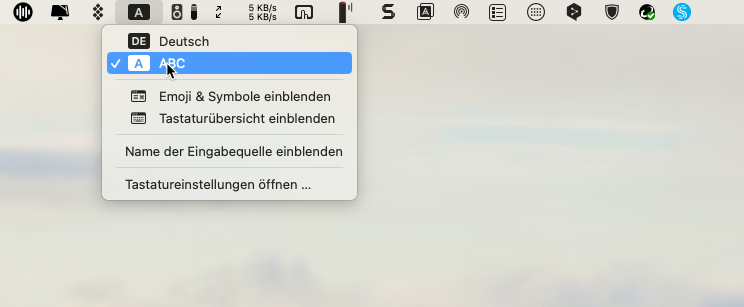
Now I connected to the Server in Question and when I press the Y Key there comes: "Y", Voila! 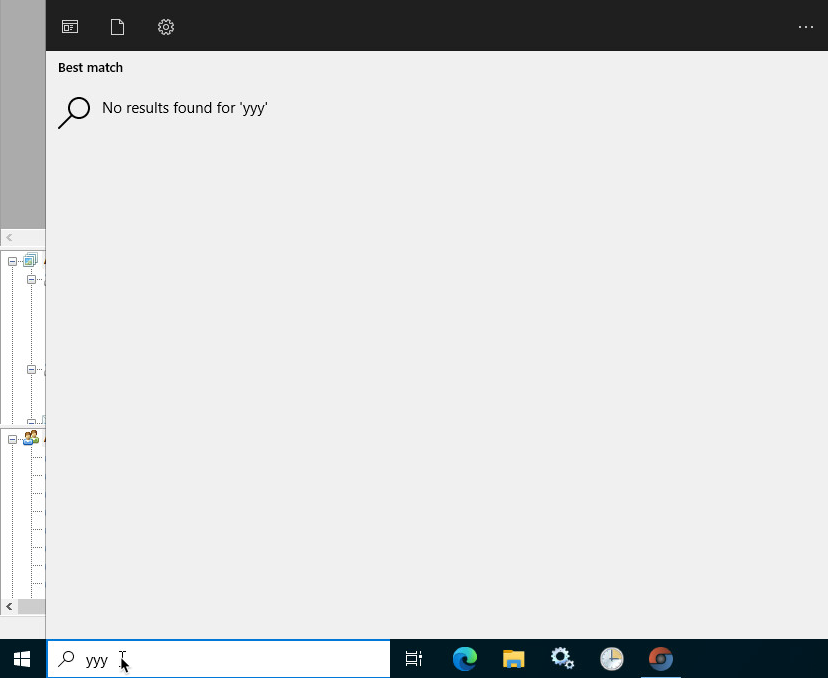
I cannot speak for other customers, but for me this solves the Problem:
- I do not have any characters in my passwords that would not be the same between german and english computers so I'll be able to Logon to the Computers via VMRC
- I really do not need an automatic Switching, for me it is absolutely sufficient to be able to switch when I have to enter an UNC Path or something else with special characters on the Server.
So thank you for this solutions, consider MY Problem as solved.
An I try not to understand what's happening there, your description reads as VMware does a lot of weird stuff in the VMRC......
Kind Regards
Christian
2024-01-19_06-41-27.png
2024-01-19_06-44-57.png
Hello Christian
So thank you for this solutions, consider MY Problem as solved.
Well, great! That's good news and I'm happy this is an acceptable workaround for you.
We are working on fixing this properly, but it may be a while before it filters down to RDM Mac (I need to resolve the outstanding issues on the Windows side first).
your description reads as VMware does a lot of weird stuff in the VMRC
Not really - VMWare have their own needs, but sadly it makes third-party integration harder. Their implementation of the open RFB (VNC) key input events is broken (as demonstrated by this bug) but they likely don't care - their products use a different way to send key input (it's likely consolidated across their products - vSphere, VMRC, Fusion, Workstation). Since those custom extensions are a closed protocol and closed source, it's hard for us to integrate with them. We're nearly there but still have some issues to solve.
Please, let me know if something isn't clear or you have further questions
Richard Markievicz
Where can I change this on Win 10? I mean to German keyboard layout. I couldn't find the setting in the menu.
Hi jbcg
If you have a recent RDM Windows version, it shouldn't be necessary to adjust the keyboard layout on the client to US English. What's important is that the keyboard layouts should match on the client and the remote system.
If you have that setup, and you're experiencing issues with international keyboard layouts, can you describe the problem and let me know which version of RDM Windows you have installed?
Thanks and kind regards,
Richard Markievicz
Hi Richard,
I'm running Win 10 64-Bit 22H2 (Build 19045.4780). My OS and keyboard are German.
The RDM Ver. is 2024.2.10.0 64-bit with .NET 8.0.7
The Servers are different OS but I picked one for example that is a Win Server 2022 21H2 (Build 20348.2655)
But I figured if I change the "Remote connection mode" Properties from "WebMKS" to "VNC" the problem is solved somehow. So it seems that there might be something wrong with this implementation.
"Force remote server keyboard layout" didn't change anything. It was no difference if I ticked the option or not.
Hello
Thanks for the extra details.
VMWare effectively supports two remote protocols: RFB (VNC) and WebMKS. WebMKS is actually built on top of VNC and they add their own proprietary extensions on top of the protocol. So, you need to use WebMKS to use certain more advanced features like dynamic resolution on the remote system.
Overall I'm surprised that using VNC works around the issue for you, because I was under the impression that VMWares VNC server was broken for international keyboard input and it was necessary to use WebMKS to use their own keyboard implementation.
What precisely is the VMWare backend you're connecting to? ESXi, VSphere, etc? And the version? The more details you can tell me, the better.
Finally, can you give a specific example of a key input that isn't working? Assuming you have German configured on the local and remote system, for example: "I press the first key on the bottom row labelled 'Y' on my keyboard, on the local system it types 'Y' but on the remote system it types 'Z'".
Please, let me know if something isn't clear or you have further questions
Kind regards,
Richard Markievicz
Hello,
same problem in French with French Keyboard.
Not seing the parameter in RDM 2023.3.35.0.
I'm going to update.
After update letters match but '@' does not work.
In fact, AltGr caracters are not working, even with copy/paste
Guest system is Linux
Hello
Sorry for the delay in response here, we've been busy with the 2024.3 release.
First, jbcg - I've tried this on various Windows guest OS and found it to work well. I do note that in your message you're using an older 2024.2 release and there definitely were fixes to VMWare keyboard input later in that version (around 2024.2.17 IIRC, but I could check the exact version). Please update to a more recent RDM, ensure the keyboard layout matches on the client and server, and let me know if you're still having a problem.
Second, gjibrane; I've also tried this using the latest RDM against a Debian 12 virtual machine and found it to work well. I configured a French keyboard layout both on the client and server, and pressing AltGr + E (the key labelled "E" on my keyboard is the third key on the first row, it's a QWERTY physical layout) correctly types a € symbol.
I'd need some more information to troubleshoot that further:
- You wrote that you updated, but what version of RDM are you using now? It should be a later 2024.2 or preferably 2024.3.
- The guest OS is Linux, but what specifically is it?
- What are the details of the VMWare backend?
Please, let me know if something isn't clear or you have further questions
Kind regards,
Richard Markievicz
Hello
Sorry for the delay in response here, we've been busy with the 2024.3 release.
First, jbcg - I've tried this on various Windows guest OS and found it to work well. I do note that in your message you're using an older 2024.2 release and there definitely were fixes to VMWare keyboard input later in that version (around 2024.2.17 IIRC, but I could check the exact version). Please update to a more recent RDM, ensure the keyboard layout matches on the client and server, and let me know if you're still having a problem.
Hello
I'm now using 2024.3.15.0 64-bit.
The yz zy and üöä,.- problem seems to be fixed now.
But I have another problem .. If I use the my notebook instead of doing what's supposed to do when pressing the up-down-left-right arrows numbers are typed ..
The layout is: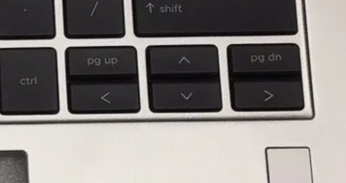
But if I select:
VMware console type - VMWare PowerCLI
and
Remote connection mode - Default
It types out the numbers:┌───┬───┬───┐│ 9 │ 8 │ 3 │├───┼───┼───┤│ 4 ╎ 2 ╎ 6 │└───┴───┴───┘
Only if I chang either the
Remote connection mode to VNC
or
VMware console type to VMware VMRC 8.0
Thank you very much
Best regards
2024-10-24 07_26_41-Top Cover with Keyboard for HP EliteBook 1040 14_ G9_G10 Backlit US N09276-001 _.png
Hello
Thanks for the update.
It might be caused if NumLock is engaged on the remote system. Can you try toggling the NumLock key on your keyboard and see if things work as expected afterwards?
Ultimately, if that is the cause, the problem is still likely a bug on our end - we should be synchronizing the lock key state between the client and the remote system when you connect.
Please, let me know if something isn't clear.
Thanks and kind regards,
Richard Markievicz
Hello,
I tried what you asked me to do and this seems to solve the problem.
Best regards
Hello
Great, thanks for the confirmation.
So like I wrote, this does indicate a bug on our side, because we're not synchronizing the state of the lock keys when you connect. I'll make a ticket and try to address it in the near future, but for now the workaround is to toggle the NumLock if you notice that behaviour.
Please, don't hesitate to post back with other questions or comments
Kind regards,
Richard Markievicz
Hello,
Thank you for being so patient!
I'm pleased to inform you that a new version of RDM (2026.1.15.0) has been released, featuring the fix for your issue.
Latest Version: Download RDM
Please let us know if this works or if you encounter any issues.
Best regards,
Maxim Robert