Sort of "Folder" List when Duplicating Entries

Hi,
when I duplicate a Session (which I often do), I often want to store the session to be created in another Folder. In Windows RDM the List of Folders that is being displayed when duplicating a session is in the correct order as is the List of Folders in my Hierarchy. But in RDM on Mac this list does not have any sort as far as I can tell. It is not the Hierarchy from my Folders list, neither alphabetically . which makes it hard to find the desired folder (I often create the Duplicate in the current folder an move it afterwards to the desired folder).
Is there a switch to have this list of folders sorted?
Kind Regards
Christian
All Comments (6)
Hi,
The list in pop up buttons seems to be out of order. I will open a ticket to sort the list.
In the mean time, the list of folder is sorted like the connection tree when using the button next to the pop up button.
Best regards,
Jesse Galarneau
Screenshot 2024-01-04 at 1.29.40 PM.png
Hi Jesse,
thank you for your fast reply. Yes, such a button would solve my Problem, it is only: I do not see this button in my RDM: 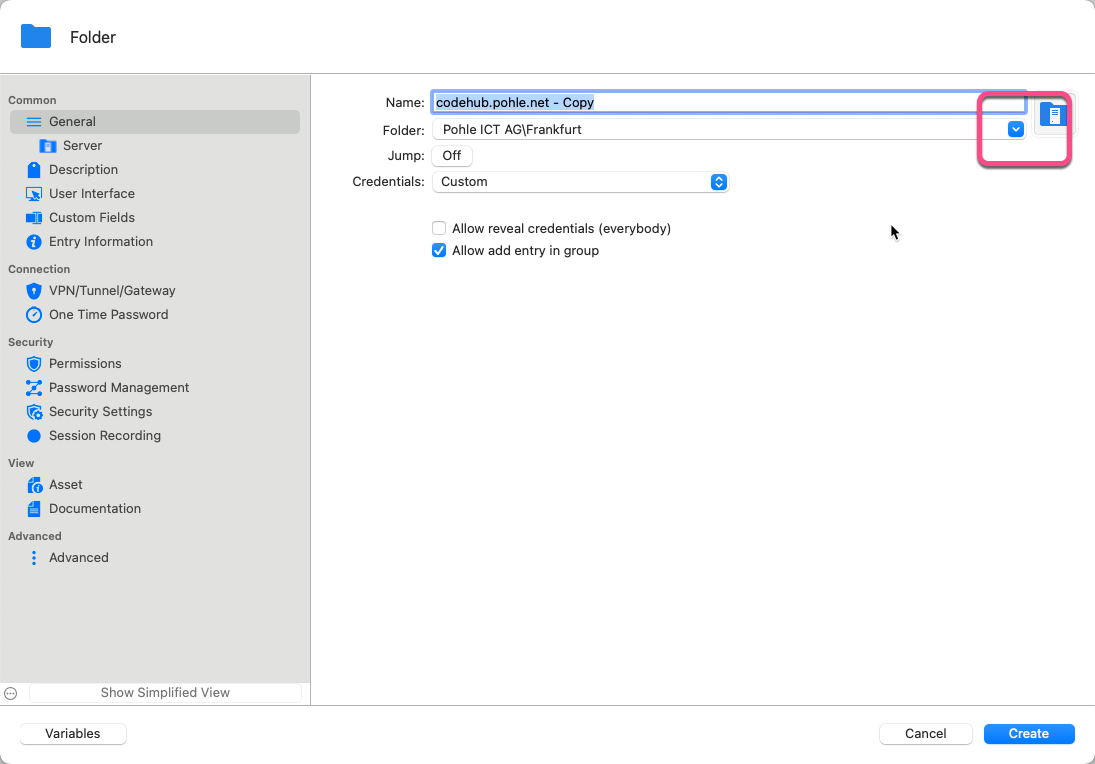
Am I missing something?
Kind Regards
Christian
Sort-Button.png
Hi,
I looked into it and found out that the button is missing for some types of entries like folder in this case.
It should be there for RDP, credentials, terminal and other entries. I opened a ticket and we will add the button in the entry types where it's missing.
Best regards,
Jesse Galarneau
Hi Jesse,
thank you. So I'll be have look when the next version comes out 😎
Kind Regards
Christian
Hi Christian,
The sorting issue should be solved in our latest version of RDM Mac (2023.3.12.2).
Don't hesitate to ask if there's anything else.
Best regards,
Michel Lambert
Hi Michel,
thank you, I can confirm, the issue is solved with the latest version, the List of Folders when duplicating is now sorted like the tree left.
Great!
Kind Regards
Christian