
skoupidaki
Problem with Web Logins - Firefox
Another one, QNAP interface
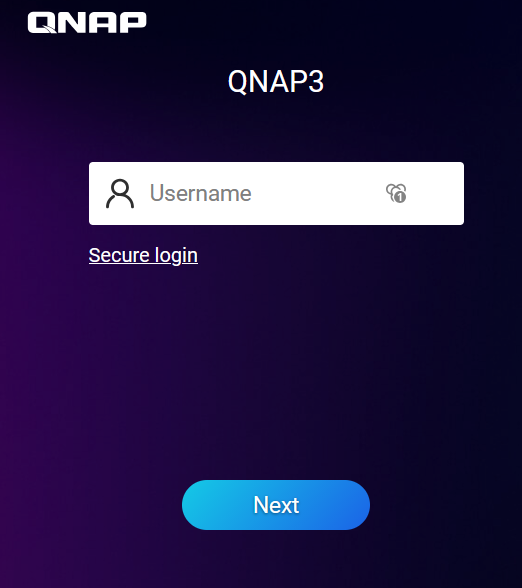
here there is no autocomplete.
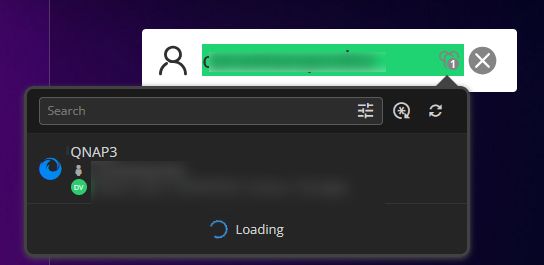
If i click on the icon i get the username, but then you need to press enter, then the password appears on the next tab and again enter to login
I used to overcome this by making an event and entering the username, press enter and then the macro password.
but is there an event trigger an attribute like {Enter} or something that will make select the first entry of the vault, that will make thinks veyr very easy
Stuck in a ghost window!
Hello,
Thank you for the feedback.
Yes, you're good now. The 30 day prompt only applies to the temporary key from the welcome email. The key you generated replaces it and does not expire, so you won't need a new one every 30 days.
The reminder Michel mentioned for six months from now is a check, not a new key. When it opens, you can:
enter the key from your PDF and click Validate key
click I already have a valid recovery key, which dismisses it for another six months
Thanks for pointing out that the prompt opened out of reach. To help us look into it, could you tell us the exact Remote Desktop Manager version you are running?
Thank you in advance!
Best regards,
@Sam Moynihan
My version is 2026.3.16.0 64bit Enterprise
Many thanks again for the workaround.
Stuck in a ghost window!
Thank you! that did it.
Weird though you should check why it is stuck in that way and never shown the window.
Also a bit confused you are saying that every 30 days i need a new recovery key or is the first one which is temp and now with the generated im good?
Thanks again!
Stuck in a ghost window!
Hi, i login today and i had the RDM window on my taskbar stuck, i click on it nothing happened, i tried to alt-tab and i saw this window which was nowhere to be found
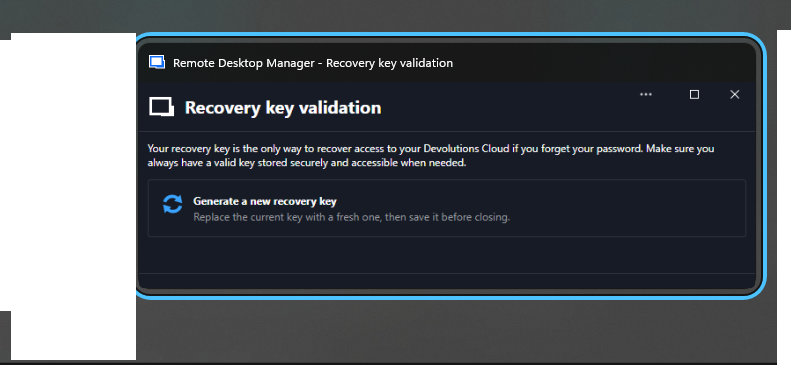
i click , right click, nothing i could get this window in foreground. And of course RDM is never load. Auto update so latest version.
Please help, i do not have my main working tool!
Problem with Web Logins - Firefox
works ok, i assume it is then part of a website and how the addon reacts but lets say in webex
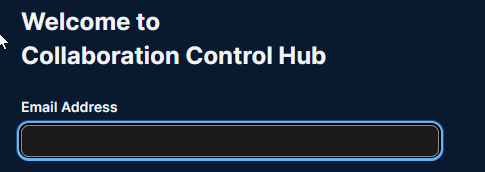

the emailaddress is empty always empty, i have an entry as you see, if i click and select it it fills the field but without autologin. just you know you can check it out. I do not know if we can leave this thread for posting sites that it does not work.
But again thank you for the support and fixing this
Problem with Web Logins - Firefox
Definitely some progress here.
It takes a while, like maybe a refresh or the first time you open the Firefox you need to refresh
but we have progress, autofill and login.
I will try different sites and report back.
Template is not honored
yes, thank you, i have now 3.15 and i will test it soon!
Problem with Web Logins - Firefox
I installed the 3.15
One issue is fixed the macros and triggered events after page opened.
but the problem with login is still there. I do not undersstand why this is a problem and why there is no solution so far. If we are doing it wrong please give step by step instructions (i have read the article more confusing than helping) or make a video cast. My tepes were pretty straight forward in the v2025 as in my original post.
Now i can see the login credentials but only the username not the password, i selected it and no auto login. And now i tries on an ECP page of Exchange 2019

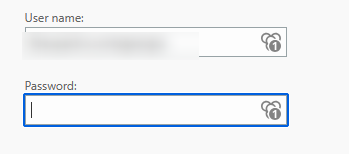
you can see it has the 1 on the icon but no password. i have ot click on it select the item the password is entered but no autologin
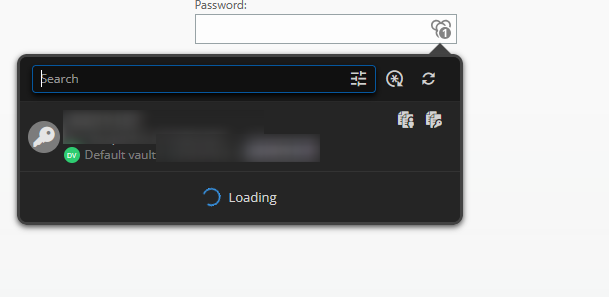
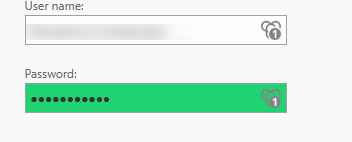
Please can someone take a serious look at this. The enterprise version is very expensive for stuff like this not working.
Problem with Web Logins - Firefox
Hi,
Does the new 2026.3.15.0
solves the issues?
Template is not honored
Hi,
I have my laptop which is connected in work to a docking station with two 1080p monitors show i'm using the default wide screen i have made
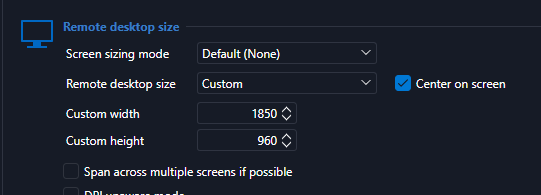
It works ok, but on home i have a smaller resolution monitor two monitors connected on adocking station of resolution

so i need to have my RDP in another size, i made a template and i'm using the open with template
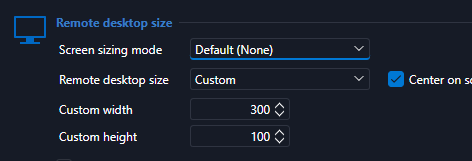
now you can see above i have make it even smaller but it is not honored, it is open like the default template
you can see below that the screen is very big

normally this works in mstsc
C:\Windows\System32\mstsc.exe /w:1560 /h:810
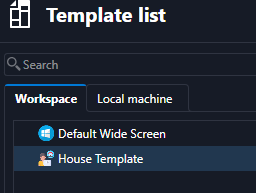
I click on the session open with template select the above but nothing.
What is wrong?
2026.3.12.0
Thank you
After Connect in RDP the RDM must close/minimized to tray
Thanks for the reply!
this is weird, now it is working, and i checked the setting was there. let's call it random event.
After Connect in RDP the RDM must close/minimized to tray
Hi,
I had this in 2025 but i cannot find it working in 2026 latest, even i do not know how to search the option.
I was opening a session and then by default the RDM windows was minimized to tray per instruction (i have on close to minimize to tray). I think there was an option saying "When opening a session close RDM window" or something like that.
Please help!
Thank you!
Problem with Web Logins - Firefox
Seems I am not the only has this issue.
https://forum.devolutions.net/topics/56265/auto-fill-in-username-and-password-not-working
@NeilSmith2025
my main concern on this is the proper way to do it, in 2025 version the things were a lot more easier and straight forward, here in the 2026 it is a mess in options. So that is why i'm asking for a video on the proper way. as i said it used to be very straight forward and working every time from 2022 that i'm using RDM. I just did the three steps on my first post
Problem with Web Logins - Firefox
Seems I am not the only has this issue.
https://forum.devolutions.net/topics/56265/auto-fill-in-username-and-password-not-working
@NeilSmith2025
my main concern on this is the proper way to do it, in 2025 version the things were a lot more easier and straight forward, here in the 2026 it is a mess in options. So that is why i'm asking for a video on the proper way. as i said it used to be very straight forward and working every time from 2022 that i'm using RDM. I just did the three steps on my first post
Problem with Web Logins - Firefox
The problem exists on every site, even if i click on credentials it does not auto fill both fields. i have to click on username and on password from the vault, of course no autosubmit.
Can someone from support send a screencast on how to properly create a website, credentials in vault and demo on how to open from RDP and autofill-autosubmit.
I feel that is a puzzle on how to do it and it just does not work.
Problem with Web Logins - Firefox
Hi,
Is the browser extension connected directly to Remote Desktop Manager (RDM) or to Devolutions Cloud?
Based on your screenshot, the extension appears to be connected to Devolutions Cloud, while the pages you are editing are in RDM.
When opening a website from RDM, the browser extension needs to be linked to that RDM instance in order to retrieve the associated credentials.
You can find step-by-step instructions for retrieving credentials here:
When connected to Devolutions Cloud: https://docs.devolutions.net/password-manager/browser-extension/devolutions-password-manager-browser-extension-with-devolutions-cloud/using-the-devolutions-password-manager-browser-extension-with-devolutions-cloud/retrieve-credentials
You can also refer to this video for the Devolutions Cloud workflow: https://youtu.be/PiYDKIU-q-A?si=7vzQ67CYOonB73JY
Best regards,
@Olivier Desalliers
I've read the article and i have exactly the same, the settings are in the global vault (besides devolution encourage me to do that in the vault and stop with the local source) but nothing is filled. notice how you have the 2 number on the field box, they do not even highlight as green in the box.
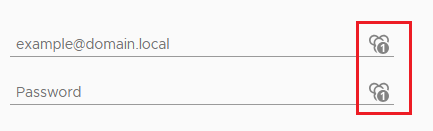
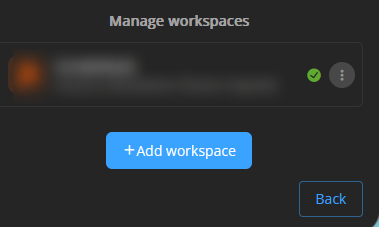
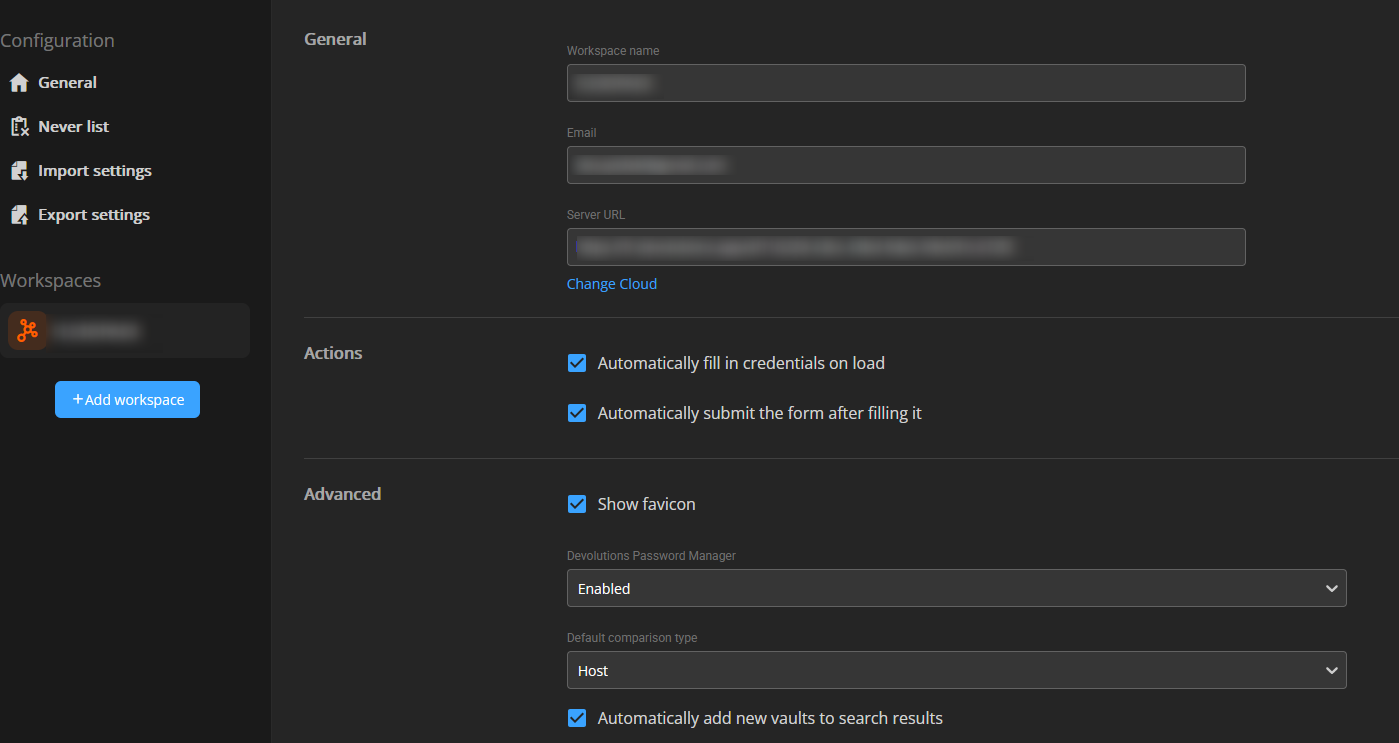
it should be that hard!
I'm sorry but i need some serious help on this, can we make a ticket or a session sometime to resolve this. It is very crucial for this to work and i have enterprise that costs more that it was before.
Problem with Web Logins - Firefox
I'm sorry but i'm very confused on how this is suppose to work.

Yes i have all these settings enabled but nothing works or i do not make it work like it used to be. let me clarify again i was used to :
Normal scenario, i use firefox to enter a VCENTER. devolution plug in asked for me to save the credential, i select and it saves the credential and the URL that uses that credential (you can have multiple urls)
Then i went and add an entry, web site with the link of vcenter and open with firefox. when i double click the entry the vcenter opens the fields are green and username/password is filled and auto submit the form.
So know i have done also with edge cause it is not on the list the firefox. I have tried to add a website on the RDP
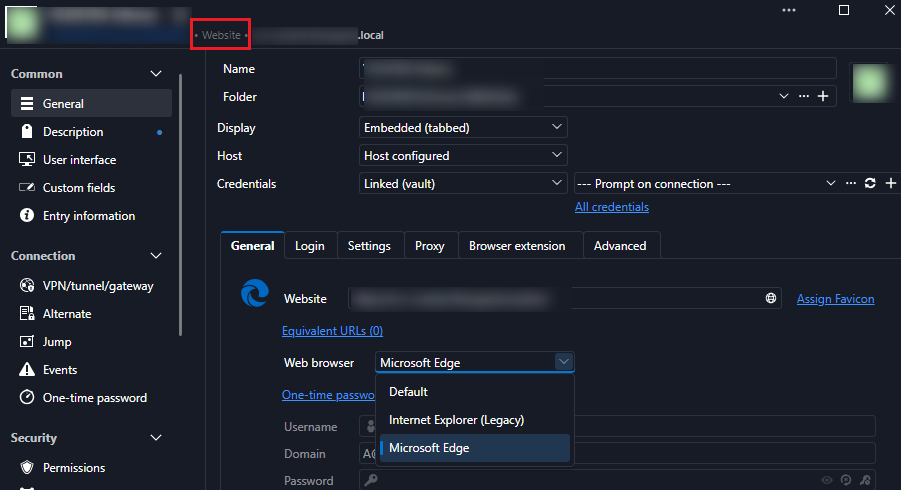
Another way i tried it is how i used to do it, open firefox and enter the site, i get the devolution icons and login it askes to save the login details i click ok.
then on the RDM the entry was like that
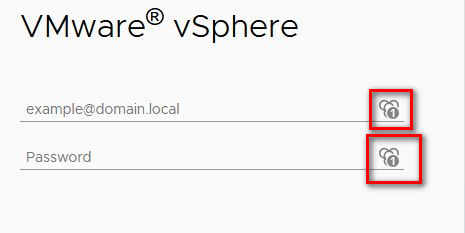
Now i try every possible combination of website and credentials but the fields are not filled or auto-subimt, in fact on the website when i open it it does not show 1 and no credentials on the extension
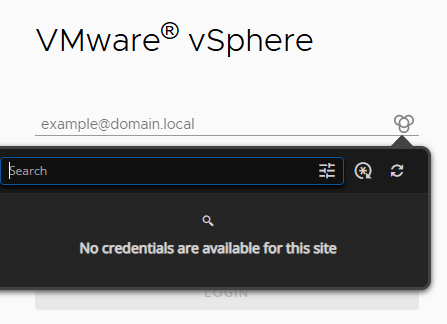
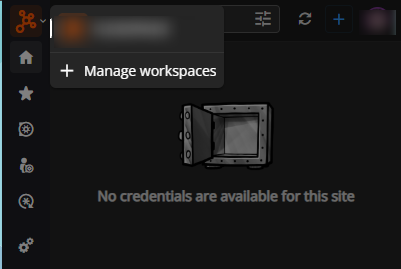
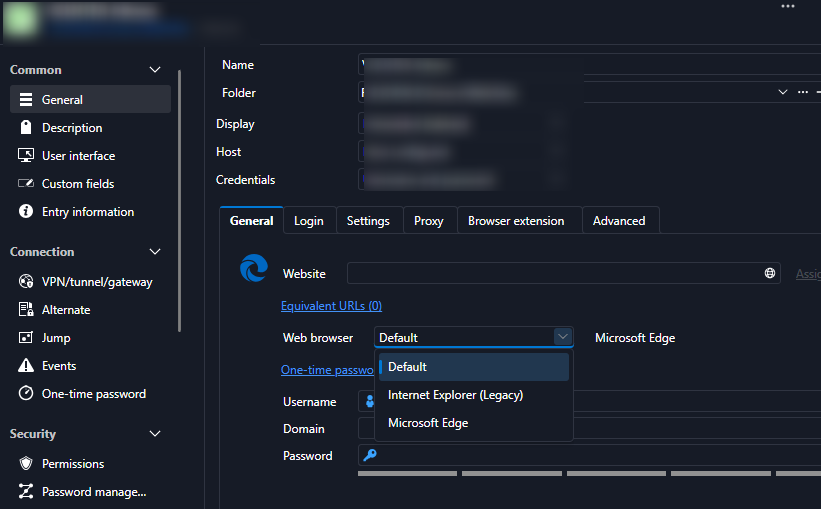
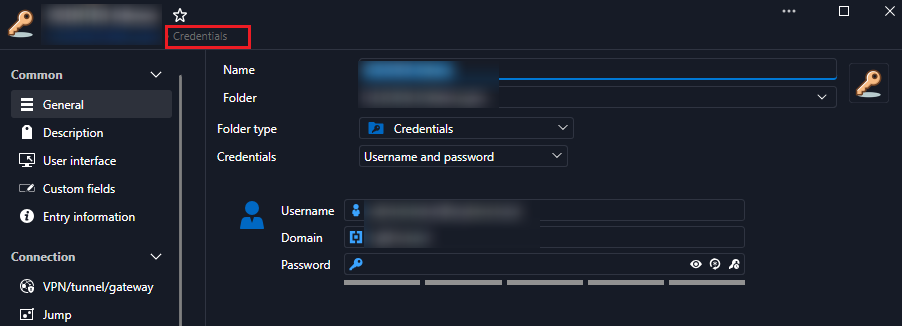
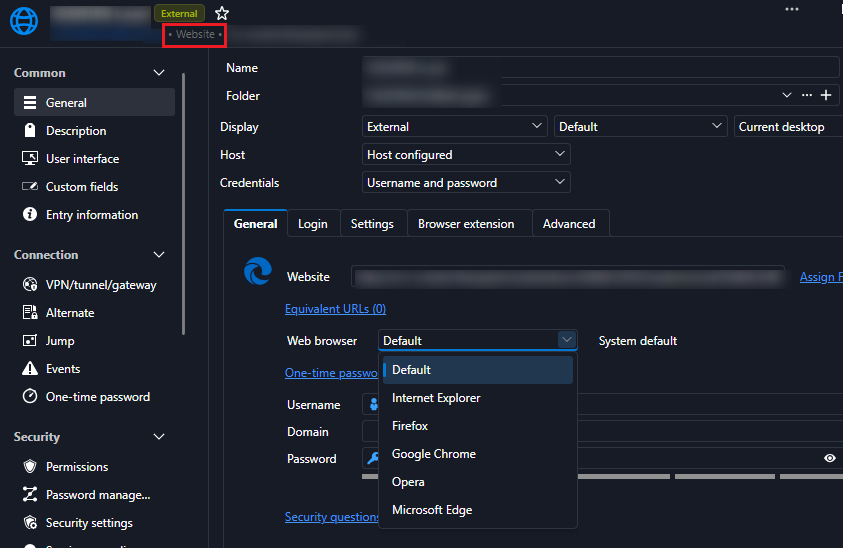
Can i have a step-by step? i'm really stunned on how this is suppose to work normally.
Thank you
Problem with Web Logins - Firefox
Hi, after a long one year absence from my favorite utility at last my new job is needing it back.
I must say that the new whole interface took me by shock to get used to it but i still trying to make things the old way. One of them is the web login.
Normal scenario, i use firefox to enter a VCENTER. devolution plug in asked for me to save the credential, i select and it saves the credential and the URL that uses that credential (you can have multiple urls)
Then i went and add an entry, web site with the link of vcenter and open with firefox. when i double click the entry the vcenter opens the fields are green and username/password is filled and auto submit the form.
Now that is not happening.. First of all if i add a credential for the site and the site as an entry devolutions shows two password entries on the field
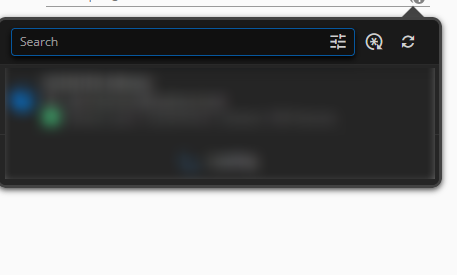
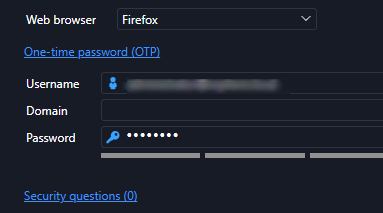
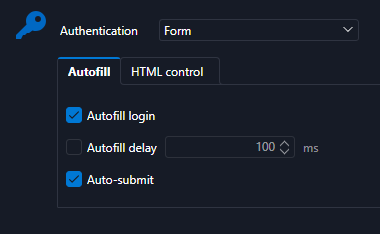

I did the other method, open firefox and open VCENTER i see the credential and added then a UI opened in the VAULT that i add name, folder, username password
a normal entry is added in the RDM, i double click but again the same happens, no auto fill-no submit even though it finds the credentials.
What am i doing wrong?
Also does the scenario with web credentials and a list of URLs is not working like before. I mean many web sites have the same password/username so i used to go to the credentials of web and add the equivalent URLs and that was it.
Pleas assist
Weird behavior after disconnecting from RDP
Got the new version
YES it is fixed !!!!!!!!!!!!!!!!!
you people are awesome !!!!!!! best support i've seen in such products !!!
thank you
cloud backup
What is the difference between cloud backup and hub personal backup? They are both in the cloud so it is a bit confusing on the difference.
I honestly thought cloud backup and hub personal backup was the same thing.
yes they are both in the cloud. I think the difference is that you need to create a new data source that will in on the personal hub. So the actually database is in the cloud.
Before you had the database local and the backup in cloud.
not an expert.
Weird behavior after disconnecting from RDP
Hello, here is the annoying guy again 🤷♂️
Is there any progress status, is the fix in "pending", "testing", "commit" , what type of phase are we talking about.
I want to go to the .3 version but only with the one with the fix.
Thank you!
-Vassilis
Weird behavior after disconnecting from RDP
That is perfect Robert.
I will be waiting for the dev team and the fix.
regards,
Vassilis
cloud backup
Hi,
I read the release notes and that was why i didn't upgrade to v.3
At first i thought also why but the explanation and the alternative is so much better and clearer now.
Also kudos to the whole support team, and you do not see often the CEO of the company to answer in a forum and explain something to a concerned user.
-Vassilis
Weird behavior after disconnecting from RDP
Thanks Robert! i got the email and scheduled a meeting.
THank you very much for your excellent support
-Vassilis
Weird behavior after disconnecting from RDP
I just uploaded to your portal.
Thank you very much.