Auto fill in username and password not working

Hi, support
Recently I got a problem with Password manager autofill username and password, it was working perfect some time ago, not sure this problem caused by new version of Firefox or something else, but the autofill suddenly stop working. I assosiate Password manager with my RDM, it can found the credential entry correctly but cannot fill it any more. I need manually select. I checked the autofill function has been enabled in Password manager, any idea what could be wrong? I attached a screenshot. Hope it help. You can see there is red 1 at right corner, but nothing there in username and password field.
I tried upgrade Password Manage extension to lastest version, seem no help. My RDM version 2026.2.18, and firefox version is 156 64bits. Thanks.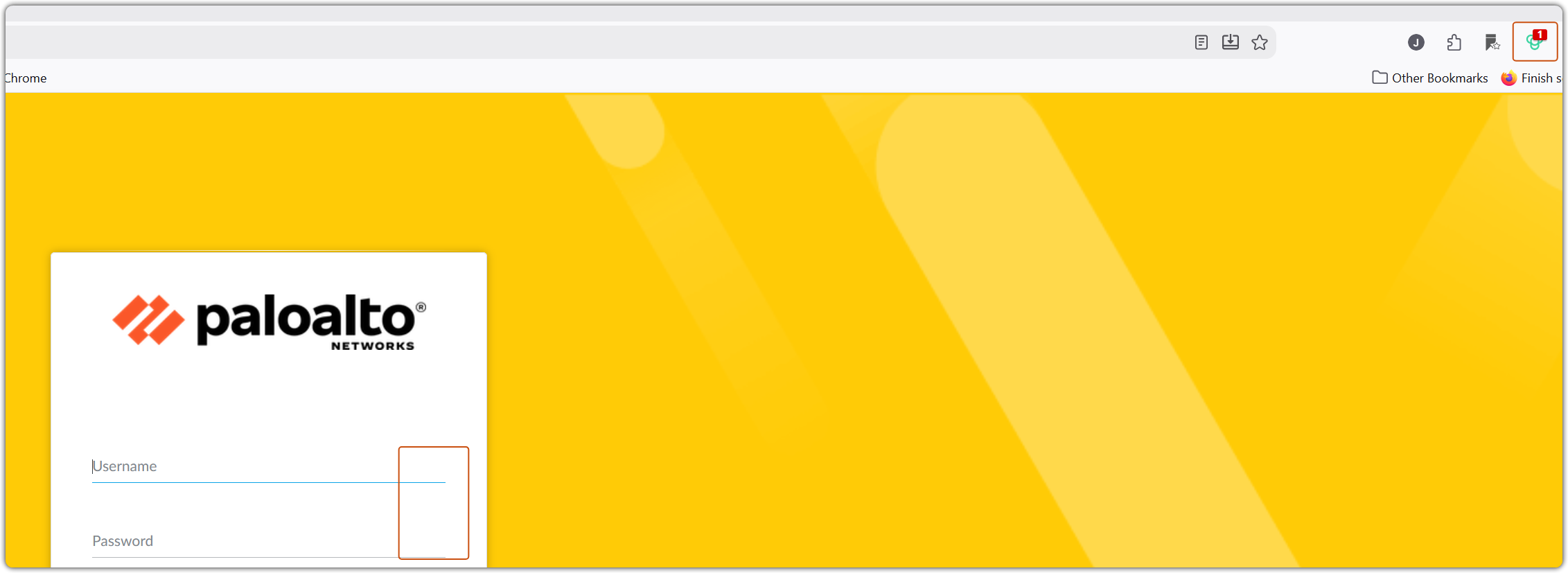
7318cd08-f1cb-45b5-be98-ba49ddede23d.png
All Comments (18)
Hi,
By autofill, do you mean with “Automatically fill in credentials on load” setting is enabled?
Does this issue occur on every website, or only on specific ones?
Regarding the website shown in your screenshot, is it an internal website, or is it publicly accessible so we can try to reproduce the issue on our end?
Also, how are you opening the website? Are you opening it directly in your browser, or are you using Open External from RDM?
Best regards,
Olivier Désalliers
Hi
By autofill, do you mean with “Automatically fill in credentials on load” setting is enabled? yes
Does this issue occur on every website, or only on specific ones? I have problem with all my Palo Alto https manage web page
Regarding the website shown in your screenshot, is it an internal website, or is it publicly accessible so we can try to reproduce the issue on our end? It is internal Palo Alto management webpage.
Also, how are you opening the website? Are you opening it directly in your browser, or are you using Open External from RDM? The website opened by extrnal firefox.
I have a similar issue affecting only the Firefox extension and only certain sites.
Clicking the fill icon does nothing on the Firefox extension but the same site works fine on both the Edge and Chrome extensions.
This was working fine up until the latest update.
What I can see is that the affected sites are either not running https or have an invalid certificate that may be causing issues with security settings on Firefox that are not affected on Chrome and Edge. This is problematic as Firefox is my primary browser and we have quite a few sties running self-signed certs where this issue is being triggered.
Hi,
@GioGG, we are currently investigating the issue and trying to reproduce it on our end. We haven’t made any changes to how the extension analyzes websites that are not using HTTPS or that have invalid certificates.
Could you please provide the following information?
- What version of Firefox are you using?
- Are you using macOS, Windows, or Linux?
- Is the extension connected directly to RDM, or is it connected through Devolutions Cloud or Devolutions Server?
This information will help us narrow down the issue and reproduce it more reliably.
@NeilSmith2025, we are also investigating the issue you reported and are working on reproducing it on our end.
Best regards,
Olivier Désalliers
Hi Oliver
below are the answers to your questions - let me know if there's anything else you require to assist in resolving this issue.
- What version of Firefox are you using? - 156.0 (64-bit)
- Are you using macOS, Windows, or Linux? - Windows 11 25H2 Enterprise
- Is the extension connected directly to RDM, or is it connected through Devolutions Cloud or Devolutions Server? - Devolutions Cloud
Hi,
We’ve been able to reproduce this issue on some websites.
As a workaround, you can manually specify the HTML id or name attributes for the input fields on the website. You can find the steps here:
https://docs.devolutions.net/rdm/knowledge-base/knowledge-base-articles/website-authentication-with-remote-desktop-manager-windows#missing-fields-troubleshootingthis-troubleshooting-method-requires-using-a-browser-outside-of-remote
https://academy.devolutions.net/student/activity/2404924-automating-website-logins-with-autofill-in-rdm
For Devolutions Cloud, the HTML IDs can be configured in the HTML control ID section by scrolling down in the entry settings: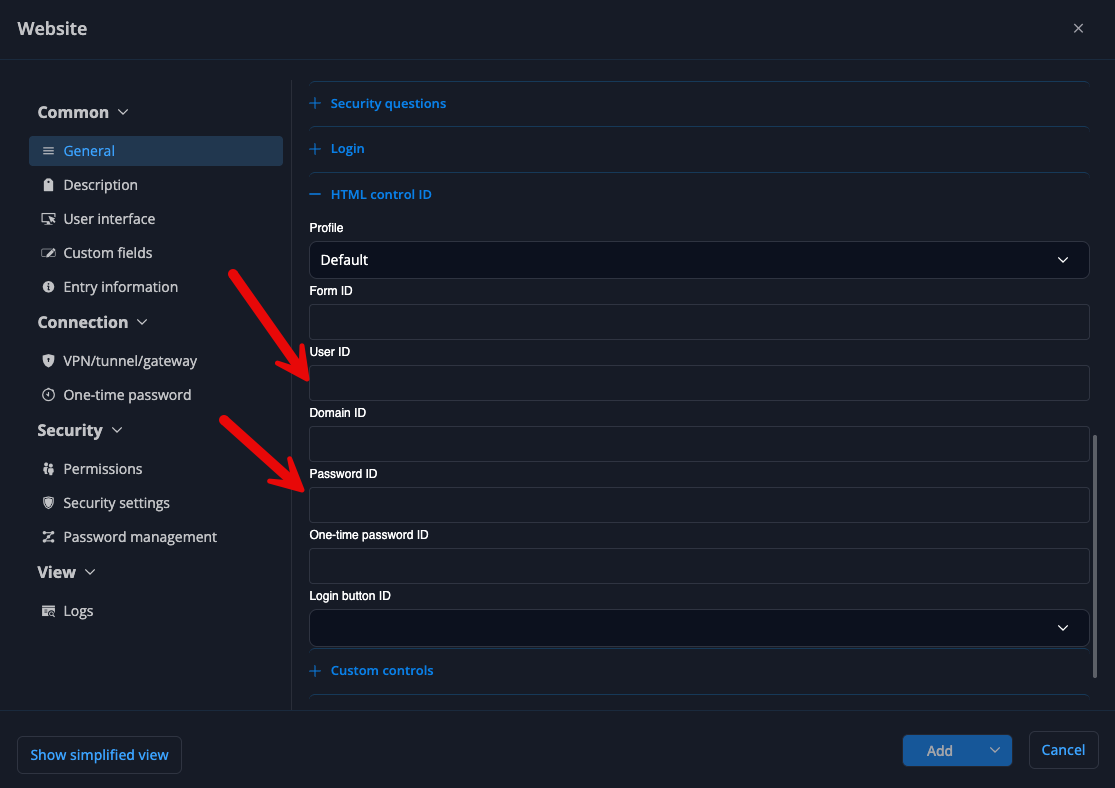
We’ve also made improvements that will be available in the next version, which may help resolve the issue with the websites you’re experiencing problems with.
Best regards,
Olivier Désalliers
DevolutionsCloudHTMLID.png
Hi Oliver,
Thanks for the reply I've just tested the workaround on a couple of affected sites and it appears to restore autofill functionality on Firefox without affecting Chrome or Edge.
I appreciate you providing a workaround whilst you work on a permanent solution to the issue.
Hello,
Thank you for your patience.
We recommend updating your DPM extension to the latest version (2026.3.1.9), which should resolve the issue you are experiencing. Could you please let us know whether the problem persists after the update?
Please note that this version is currently under review by Chrome and Brave. Unfortunately, we have no control over when it will become available on those browsers. Once it is, we would appreciate it if you could try it and keep us posted on the result.
If the issue persists after the update, please let us know so that we can pass the information on to our development team.
Best regards,
Maxim Robert
Hi,
I'm currently running the latest version of the extension and can confirm the problem persists on entries I've not manually amended the HTML ID on (workaround provided)
The issue remains consistent in that the only sites that seem affected are those running invalid SSL certificates or running just http and not https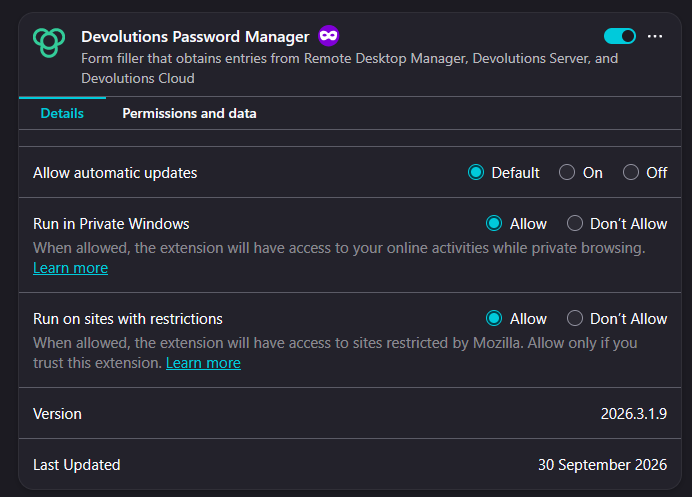
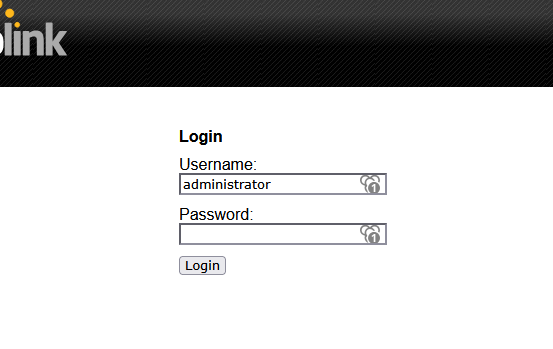
As per the screen shot on the affected sites the username tends to fill but the password never does.
Adding the correct HTML ID for both the username and password field has fixed the issue on other sites and I have no reason to believe it won't also fix the above site.
4811c5cb-7a26-4872-bcbe-b1904b2065b2.png
ad5d1a80-9b1f-41c5-8163-a00c5ad025dc.png
Hi,
When you initiate the fill from the extension popup in the browser toolbar, does the password field get filled correctly?
For the example shown in the screenshot above, could you also try removing the HTML IDs from both the username and password fields and let us know if that changes the behavior?
Best regards,
Olivier Désalliers
Hi Oliver,
Interestingly enough clearing HTML Control ID's from the entry so that both the username and password fields are blank fixes the issue.
These fields were not manually entered they were automatically generated when adding the site to the vault and worked prior to the update that broke the functionality on Firefox as these issues to not appear on either Edge or Chrome browsers.
Hello,
Thank you for the feedback.
Glad to hear it is working again. If you'd like to stay on this approach, leaving the HTML Control ID fields blank on those entries is fine. The extension will keep finding the username and password fields on its own. If any site starts having trouble again, just reply here, and we'll look into it.
Thank you again!
Best regards,
Hi,
I upgraded DPM to latest version, now I can see there is crendential information link with website, but the auto fill and submit seems still not working. If I manually click on this credential information, it will load in and works. 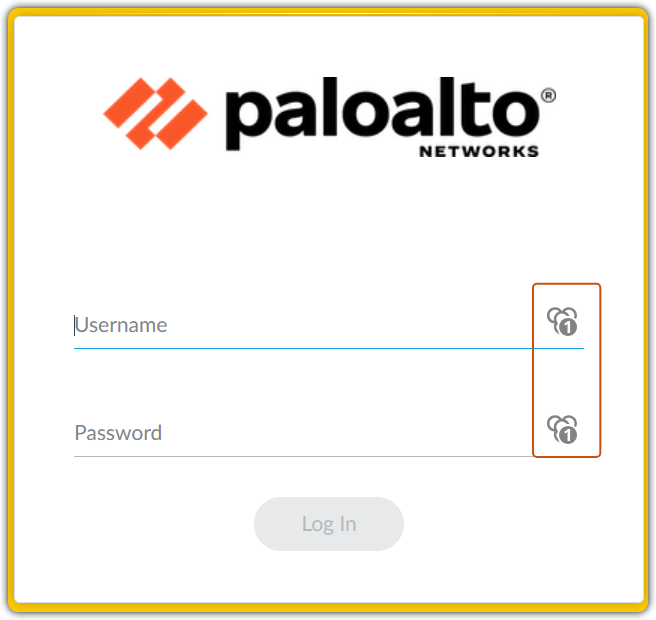

fe1633c8-7294-4ae5-87a0-e7edbfe788c4.png
dd89a8e2-ac73-496e-91f8-c12becc56dda.png
Hi,
Do you have HTML IDs configured in the entry? Did the website change those IDs?
Does it work when the Website entry doesn’t have any HTML IDs configured?
Best regards,
Olivier Désalliers
Hi
Do you have HTML IDs configured in the entry? NO. Did the website change those IDs? NO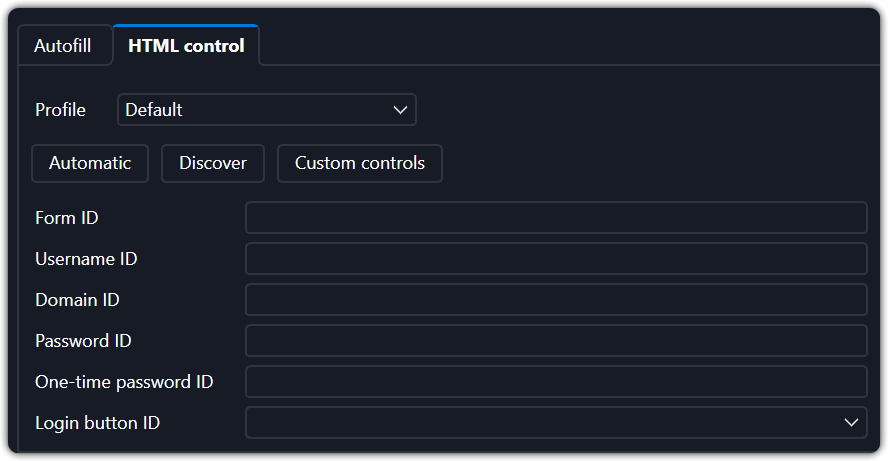
Does it work when the Website entry doesn’t have any HTML IDs configured? NO
bdfab08c-26f5-4e5b-836b-f05da52604cd.png
Hi,
Does autofill on load work if you configure the following HTML control IDs in the entry?
- Username ID: user
- Password ID: passwd
Please note that the IDs/names may differ depending on the version of your internal Palo Alto management webpage.
Best regards,
Olivier Désalliers
Hi
Yes, but the submit still not working.
Hi,
The Login button ID for the Palo Alto management webpage is "submit".
We’ll investigate why the auto-submit functionality doesn’t work as expected on some Palo Alto management webpages.
Best regards,
Olivier Désalliers