Template is not honored

Hi,
I have my laptop which is connected in work to a docking station with two 1080p monitors show i'm using the default wide screen i have made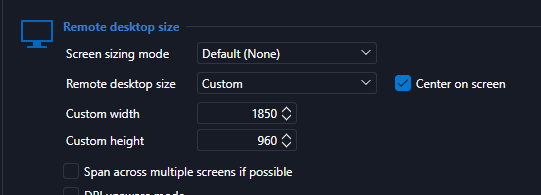
It works ok, but on home i have a smaller resolution monitor two monitors connected on adocking station of resolution
so i need to have my RDP in another size, i made a template and i'm using the open with template 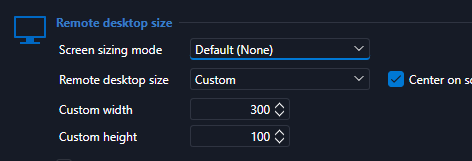
now you can see above i have make it even smaller but it is not honored, it is open like the default template
you can see below that the screen is very big
normally this works in mstsc
C:\Windows\System32\mstsc.exe /w:1560 /h:810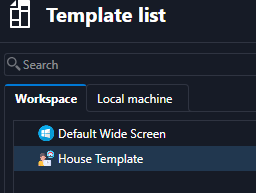
I click on the session open with template select the above but nothing.
What is wrong?
2026.3.12.0
Thank you
RDM for Windows 11
Purchased Enterprise Edition v2026.x
10eaf6cd-c754-476c-b6a0-ac8174453464.png
9c84b737-a9a2-4c0c-b0f2-8da31499a520.png
638cae41-8acd-443d-a5de-d4ff2dad08d2.png
414e7971-edcb-49d1-ba44-fa9975c1388e.png
54f985be-5f03-4ea4-b09c-9a870f64f155.png