
kelemvor
All RDP sessions open with scroll bars.
OK, I take that back. I noticed that after unlocking a couple screens, the bars were back. SO I disconnected from all my open sessions and then reconnected to them. They all have the scrollbars back.
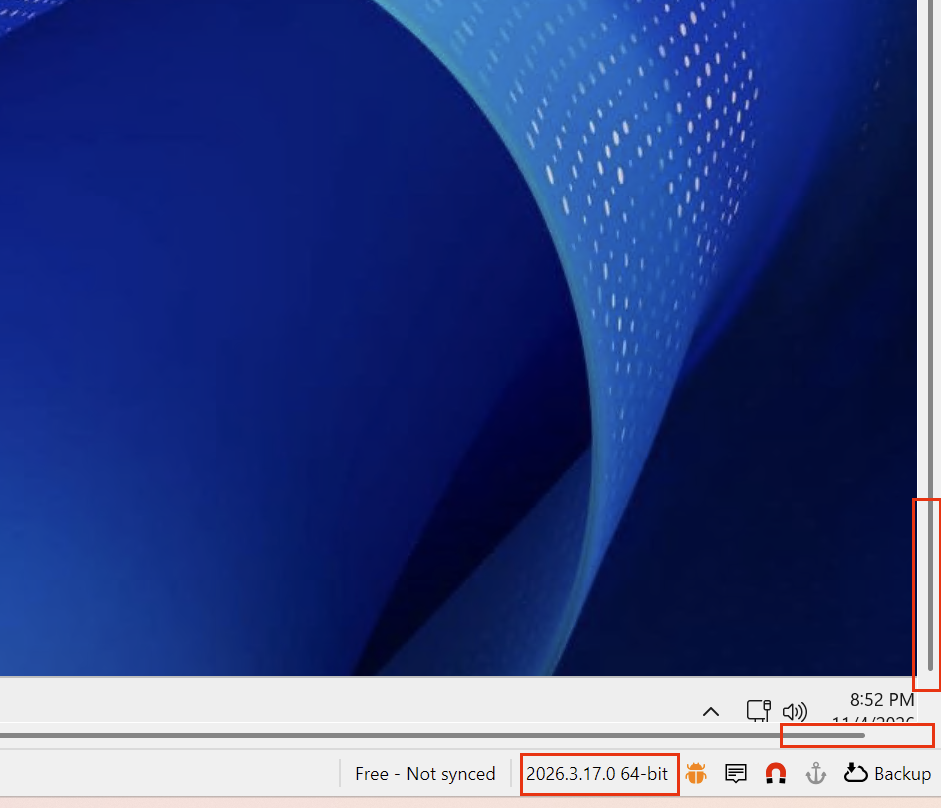
All RDP sessions open with scroll bars.
After updating and letting my open sessions reconnect, some of them came up with no scroll bars and some still had them. Once I did a right-click | Reconnect, they all had no more scroll bars.
Enhance the "Connect when Available" button
Port Scan doesn't seem to help when a machine is installing Windows Updates and is stuck at the "Getting windows ready" screen. Ping and Port Scan both return OK, but can't RDP.
I guess I'll just have to wait for v2027. Hopefully it doesn't take until year 2027...? ;)
Auto-type typing the wrong credentials when using the "Home" tab button
I didn't even know this was a thing. But I can confirm the same behavior. RIbbon doesn't use the right password but right-click does.
Window is slightly too small to fit the RDP session
I guess this is the same thing. DIdn't see this until now.
https://forum.devolutions.net/topics/56781/all-rdp-sessions-open-with-scroll-bars
All RDP sessions open with scroll bars.
I made a post about this yesterday but didn't see this one first. If I change the Sizing mode to 'Smart Sizing" the problem does go away. I've just never had to do that before so I don't know what's different now.
Window is slightly too small to fit the RDP session
Hi,
I just upgraded from 2.x to 3.a6 and now every windows server I remote into has scrollbars on the bottom and right side. I never had this problem with the 2.x version. I found that if I check the Smart Sizing option it resizes and looks OK, but do I need to do that for all 2000+ of my sessions?
What changed that I didn't have to do this with 2.x but have to do it with 3.x?
Thanks
How do I increase the size of the results window when using the Filter box?
Ah. Nevermind. Finally found it in the Settings area.
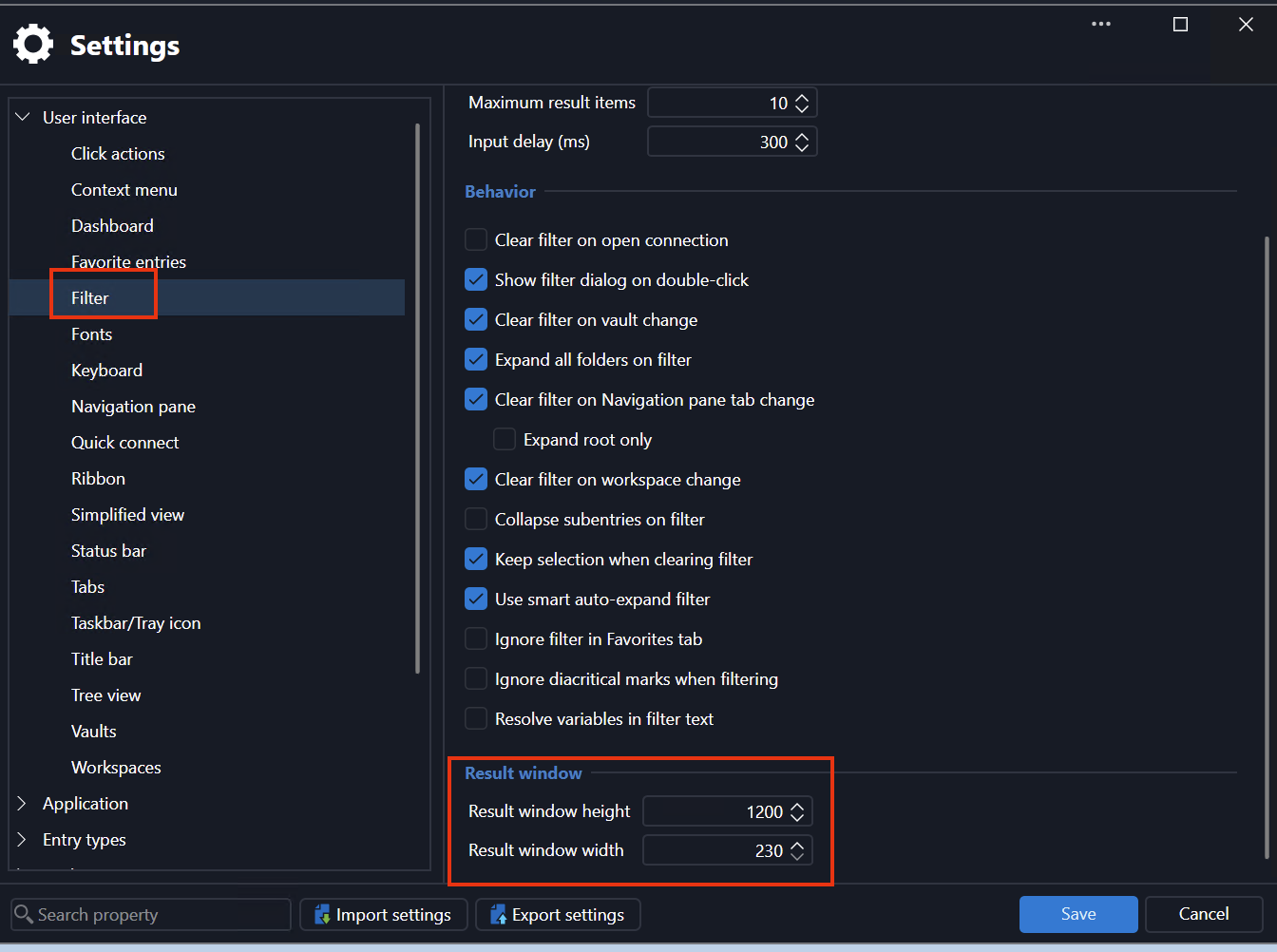
How do I increase the size of the results window when using the Filter box?
Hi,
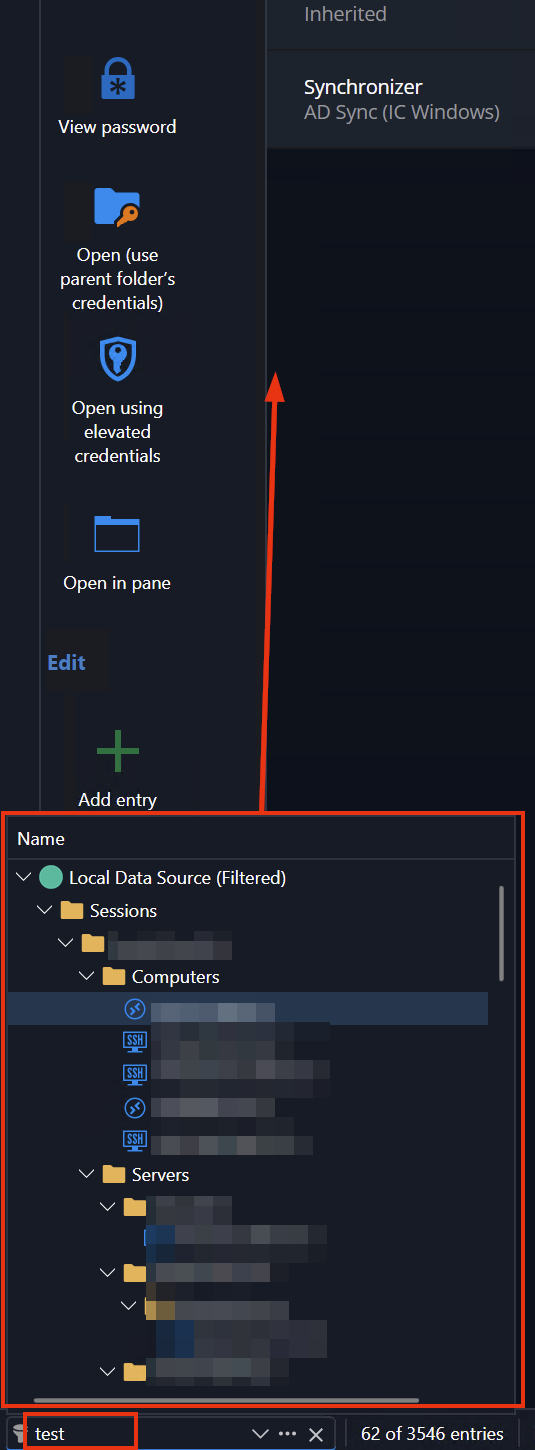
On one of my computers the filter results window is much taller than on the other computer. How can I change the size of that window? I can't seem to click and drag the corners or anything like that that.
Enhance the "Connect when Available" button
Ah. I just tried the Port Scan thing on my v2.18 and it worked great. Thanks for the tip.
Enhance the "Connect when Available" button
Hi,
When I reboot a computer, I will get a screen that has options for Connect, Connect when Available, and something else. I love the When Available button, but it could be enhanced to make it work better.
My normal usage is 1) Reboot the server. 2) Wait a couple seconds. 3) Click Connect when available.
When I do this, RDM will attempt to ping the server. Once it is successful, it tries to connect. The problem is that just because the server is pingable, doesn't mean it's RDP'able. Most of the time, the server is up far enough to respond to a ping, but not up far enough to actually be remoted into. This means the RDP connection fails and I'm back at the screen with the same buttons as above.
What I'd love to see is after RDM is able to ping the server and tries to connect, it the connection fails, it should wait a few seconds and repeat the process. It should then keep doing that until it either Connects or I click Cancel. That way it would be a lot easier for me to not have to keep clicking Connect when available over and over until it actually is available.
Thanks.
Can no longer expand the Navigation pane by clicking anywhere on the bar
Hi. It does function properly now. However, there is no longer a dividing line between the Nav bar and what's next to, and they are the exact same color,so it's harder to know how far over I need to be with my mouse before I click.
New:
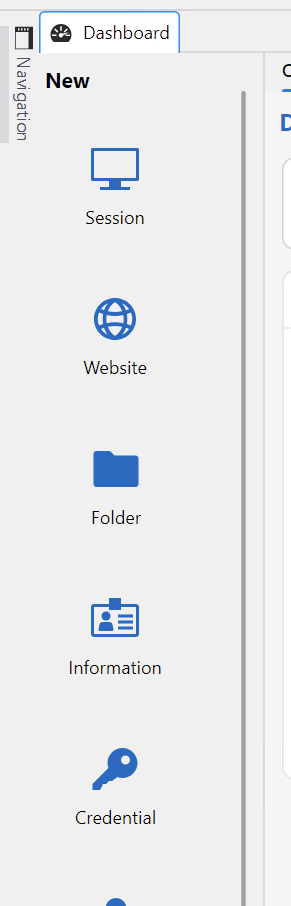
Old:
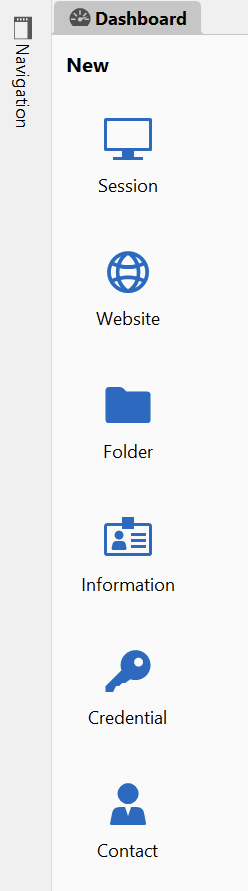
Can no longer expand the Navigation pane by clicking anywhere on the bar
Hi,
I just updated to the 3.x version on one of my machines and noticed this issue. With the 2.x version, and the navigation pane shrunk/hidden/closed to the left side of the screen, I was able to click anywhere on the vertical bar to pop it out. This seems to have been reverted in the 3.x version so that I now have to click directly on the word "Navigation" to expand it. Could this be put back to how it was on the 2.x version?
When moving quickly, it's a lot easier to click anywhere on the bar then to click directly on the word up in the corner.
Thanks

Updating Credentials with an open session doesn't work properly when reconnecting
Hi,
I still don't understand why reconnecting to a session can't just re-read the current stored credentials instead of using an old cached version. Any time I change my password I don't want anything to ever use the old one because it won't work. Why would anyone want that? It doesn't have to redo other things, it just has to check to see if the password has changed...
Anyway, in response to the OP you mentioned changing Reconnect Mode to Full. I did that but it didn't help with the issue. Should it have?
Updating Credentials with an open session doesn't work properly when reconnecting
Just uploaded the file.
Updating Credentials with an open session doesn't work properly when reconnecting
We use different credentials to remote into servers than we use to log into our laptops. I can't change my password unless I'm remoted into a server first.
I remote into a server like usual. I do a Ctrl+Alt+End and change my password just like anything else. I then go into my Credential entry in RDM and update it to my new password. If I then get disconnected from my session, and go to reconnect, instead of using the password that I updated in my Credential entry, it uses the password it used when I first opened the session. This password is now old and doesn't work. It then prompts me to manually enter my password and I enter my new password by hand.
If I completely close the session, and then start a new one, it will use the new password as expected. It's only if I need to reconnect.
Updating Credentials with an open session doesn't work properly when reconnecting
I just updated my RDM version the other day so I'm on whatever the latest version is. The behavior was the same before, but it was mentioned that I could fix the behavior by changing that option to Full Reconnect.
What I would expect to happen is that any time I connect, or reconnect, to a session, it should grab the password from my stored credentials and use it to log on. I don't see why anyone would want to to use a stored version of that credential when it can use the actual credential itself. If I have a session to a server open, and I change my password, and then I update the changed password in my RDM credentials, if I reconnect to that same server it should use the new password since I updated it. The fact that it doesn't do that, and uses whatever old password it used when I connected originally, seems like a bug. Why would I want it to use a password that I had already changed to something else?
Where do I post a Bug with the forums themselves? Subscriptions page needs some updates.
When I go to my profile, and click on Subscriptions, that list of topics shuld be sorted in chronological order with the thread with the most recent update being at the top. It's currently sorted in some random way that is completely useless. In my list, the item at the top is a post from 10 years ago. 3 or 4 down the list is one I replied to within the last 2 days.
There doesn't seem to be a sort option on the page itself anywhere so if you could change the default, that'd be great.
Also, the Coloring and Bolding of the items seems backwards. The part that is Blue and Bold is simply the forum that the post is in. The topic of the post is in black and non-bold. This is wrong. Seeing a bunch of bolded items that just say "Support" is relatively useless. The topic titles should be bolded, blue, and obvious links since that's what I'm most likely to click on. The title of the forums isn't needed at all, but if it's there, it definitely shouldn't be the main focus.

Updating Credentials with an open session doesn't work properly when reconnecting
Hi,
This didn't work. I made the change when I posted previous but didn't need to change my password until today. I changed it earlier and had open sessions. When one locked and I just tried to have it reconnect, it's prompting me for a password.
This is what I changed previously:

If I manually enter my new password it connects fine which shows that RDM was still trying to use an old one. Is there a different setting I need to change?
Updating Credentials with an open session doesn't work properly when reconnecting
I might be missing something here as I did this yesterday and it just came up today, but it has happened in the past.
Yesterday I changed my password. I then went into my stored Credentials items and changed my password. I went about my day and everything was fine.
I had some sessions open that timed out overnight. When I tried to reconnect to them this morning, they all failed. I was able to connect to new machines, but not the ones that were open from yesterday. The error was that the password is wrong. If I closed the tab and then relaunched the sessions, they would connect just fine.
It seems like the open sessions are stuck using the old password and not seeing that I changed it in their associated Credentials items. Does it maybe grab that at the initial launch and then not recheck it ever to see if it has changed? If so, that should be changed so that any time I open a new, or reconnect to an existing, but timed out, session, it should go get the password from the Credentials object and not use whatever it might have stored from when it was originally launched.
Does that make sense?
Thanks.
Fetching Computers... Stuck after 2025.1.29.0 upgrade
Looks like SQLite
Fetching Computers... Stuck after 2025.1.29.0 upgrade
If I have this checkbox unchecked, I can't run any synchronizers at all.
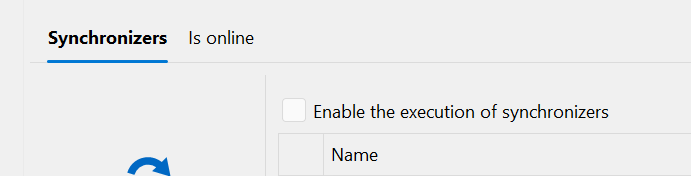
If I recheck the box, then I can run some synchronizers, but after they run, it does another scan and that's where it gets stuck.
E.g. I run a sync. I see the blue bar on the bottom moving across like always. I get a pop up that says No New Computers Found. After I click OK, it then starts another blue bar with a counter on it. This bar stops partway across and never goes away. I have to close RDM and open it back up to fix it.

This happens on both my normal install and the Portable one.
If I keep closing and reopening the program, it seems like I can get all my syncs to run, but something is obviously broken.
Fetching Computers... Stuck after 2025.1.29.0 upgrade
I unchecked the auto-sync boxes since I didn't know they were on anyway. I then closed and reopened the program and the stuck bar went away. However, when I double-click on any of my Synchronizers now, they just flicker but don't appear to do anything.
I'll try to look at the portable thing.
Fetching Computers... Stuck after 2025.1.29.0 upgrade
That checkbox was on, and apparently I have a couple synchronizers that had AutoSync, but I didn't have it set that way on purpose. I generally run my synchronizers by hand because I didn't know how the autosync worked.
That being said, I'd love them to autosync now and then if I could. I think that was from before sync'ing was fixed back when it used to take 20 minutes per sync.
Fetching Computers... Stuck after 2025.1.29.0 upgrade
Still stuck with the same image at the bottom right of my screen... Just so you know it didn't eventually resolve on its own.