All RDP sessions open with scroll bars.

26.3.12.0
Screen sizing mode: Default (None)
Remote desktop size: Default (Automatic)
Zoom: 100%
Instead of opening to fit the workspace, the desktop opens with scrollbars.
I can increase the window size vertically by 2 pixels, the bars go away, then I can resize it BACK to the original size and the desktop fits without scroll bars.
I tried it also with
Screen sizing mode: Dynamic Resolution
Remote desktop size: Default (Automatic)
Resizing the window but Scroll bars always stay.
and
Screen sizing mode: Smart Reconnect
Remote desktop size: Default (Automatic)
Zoom: 100%
Session starts with scroll bars, but resizing the window the session reconnects at about 80% of the workspace size.
I use Power Toys Fancy Zones to keep my windows organized and at the same size. When I use my standard setting of Default (None) and Default (Automatic) I can stretch the window so the bars go away, then snap it back into its zone and the bars do not return. But I have to do that for every session.
All Comments (17)
I came here to essentially report the same issue in the new .12 build, though how I'm seeing it manifest and how I work around it are different:
I have my RDP sessions open docked, but fullscreen as tabs within the RDM window itself. Every time I open a new session, the window has scroll bars like my screenshot below shows. To get rid of them, I simply "Restore Down" the RDM window, and then "Maximize" it again. As soon as the window maximizes again, the scrollbar disappears. But I have to do this every time I connect to a new RDP session, which is all we use RDM for is for RDP.
Red arrows added for emphasis on what's mentioned above: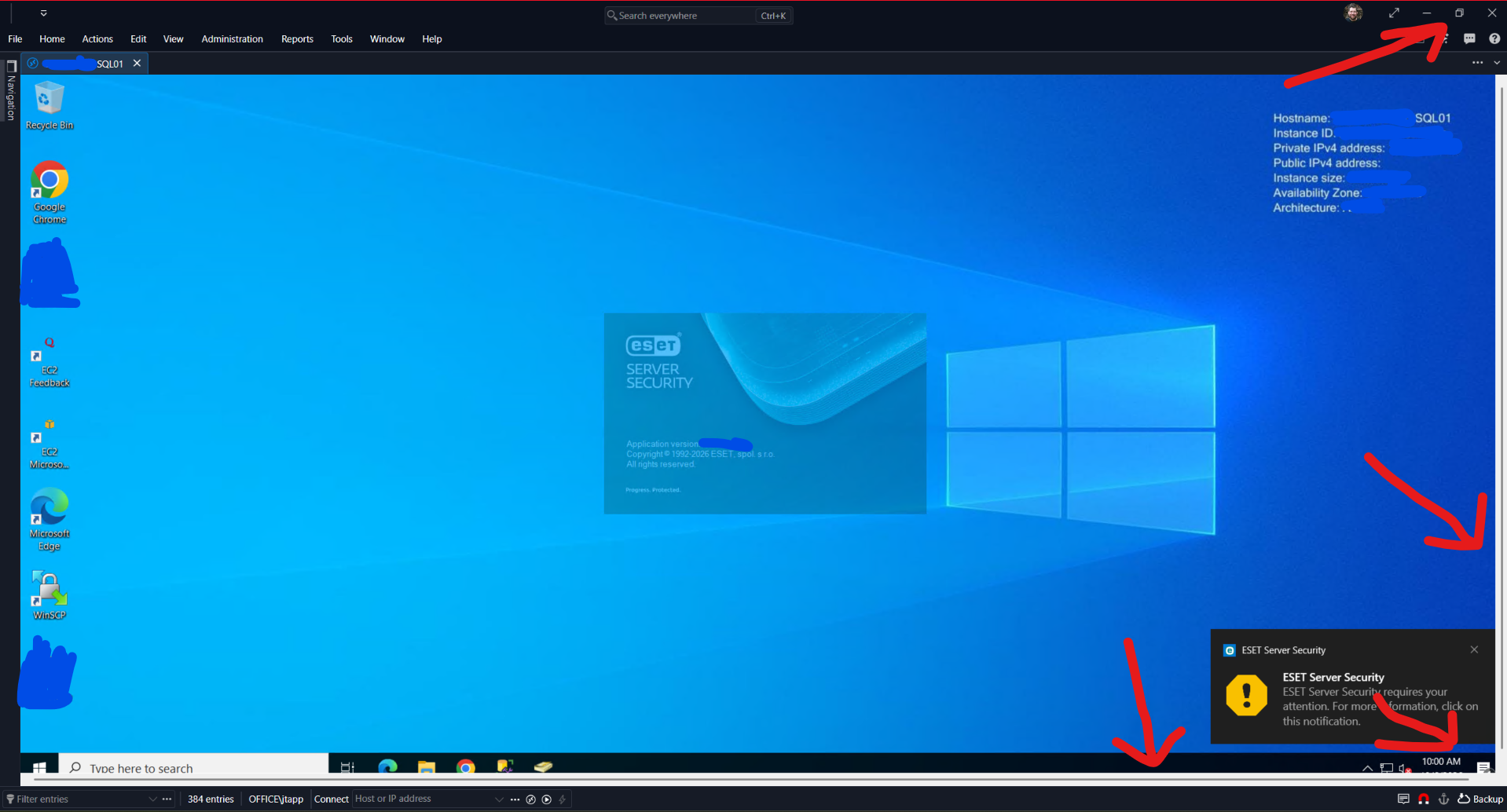
1fe6bba2-08d4-4ad9-8c20-bdcf54135217.png
I came here to essentially report the same issue in the new .12 build, though how I'm seeing it manifest and how I work around it are different:
I have my RDP sessions open docked, but fullscreen as tabs within the RDM window itself. Every time I open a new session, the window has scroll bars like my screenshot below shows. To get rid of them, I simply "Restore Down" the RDM window, and then "Maximize" it again. As soon as the window maximizes again, the scrollbar disappears. But I have to do this every time I connect to a new RDP session, which is all we use RDM for is for RDP.
Red arrows added for emphasis on what's mentioned above:
Just retested this in the new .13 build released today - 2026.3.13.0 64-bit and unfortunately, it is not fixed in this build.
Hello,
Thank you both for the detailed description.
I am reporting it to our development team with your details.
Version 2026.3.13.0 should fix the Smart reconnect issue, where the session reconnected at about 80% of the window.
A related Dynamic resolution fix is planned for version 2026.3.14.0, and we will confirm whether it covers your case.
To help the developers, could you answer these questions?
- Does the entry use the Microsoft RDP client or FreeRDP?
- Do the scroll bars appear only when no other session tab is open, or also when tabs are already open?
- What display scaling does Windows use on that monitor (100%, 125%, 150%)?
In the meantime, your resize trick is the best way to clear the scroll bars.
Another option might be to set Screen sizing mode to Smart sizing. I can't confirm this since I couldn't reproduce the issue on my end.
This mode scales the remote desktop to fit the window instead of showing scroll bars. Text can look slightly soft with this mode, since the image is scaled.
You can find details on each Screen sizing mode here: https://docs.devolutions.net/rdm/knowledge-base/how-to-articles/rdp-session-entry/#display-tab
We will update you as soon as a fix is available.
Best regards,
Alexis Beauparlant
Version 2026.3.13.0 should fix the Smart reconnect issue, where the session reconnected at about 80% of the window.
A related Dynamic resolution fix is planned for version 2026.3.14.0, and we will confirm whether it covers your case.
In the meantime, your resize trick is the best way to clear the scroll bars.
Unfortunately, 2026.3.13.0 made the problem worse. Doing a restore down + maximize, no longer fixes the window for me, the scroll bars now remain. :-(
To help the developers, could you answer these questions?
Does the entry use the Microsoft RDP client or FreeRDP?
Do the scroll bars appear only when no other session tab is open, or also when tabs are already open?
What display scaling does Windows use on that monitor (100%, 125%, 150%)?
- I only use Microsoft RDP with RDM.
- The scroll bars appear whether it is the only open session or not. All new sessions open with scrollbars now; and they persist in the new .13 build as the workaround no longer fixes this like it did in .12 as described.
- This monitor is at 100%, default scaling, that is to say, it is not scaled. It's a pretty simple 1920x1080 external monitor connected to my laptop that I use RDM on. No scaling. No HDR.
- Toggling Smart Scaling on temporarily fixes it for each session, and it stays fixed after turning Smart Scaling back off too so at least I have a new workaround now!
- Smart scaling isn't changing anything here other than acting as a workaround, since, the resolution the connection opens at is already 1:1 for the requested display area while docked. So there is nothing to scale or resize, it simply gets rid of the scroll bars from this bug when I turn it on. Looks the same when I turn it off.
I only use MS RDP.
Scaling is always 100%.
I tested scaling. Instead of remaining within the workspace window and scaling the graphics within the workspace, the whole desktop scaled and required the scrollbars.
Hello,
Thank you both for those informations.
@jtapp Could you clarify about smart scaling? Are you talking about the smart sizing parameter under "screen sizing mode" in RDM or something else?
Best regards,
Alexis Beauparlant
@jtapp Could you clarify about smart scaling? Are you talking about the smart sizing parameter under "screen sizing mode" in RDM or something else?
@Alexis Beauparlant
Sorry, I should have said "Smart sizing". I'm talking specifically about right clicking the tab for the session, and toggling on the option for "Smart Sizing" that I'm showing in the below screenshot: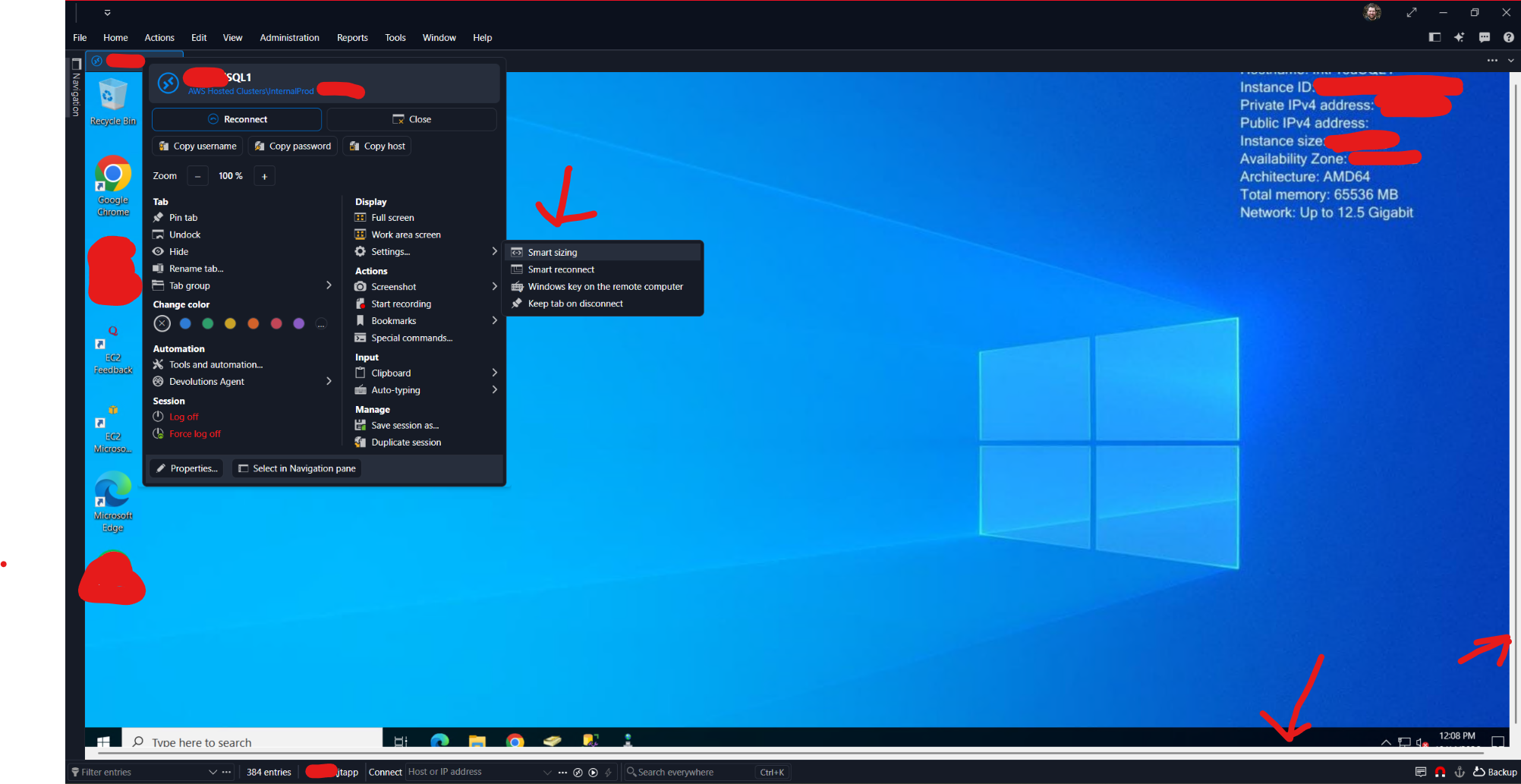
The moment I toggle that on, the scrollbars disappear.
And even if I turn Smart sizing back OFF - the scroll bars STAY gone for that specific session, just like doing a Restore Down and Maximize would previously in build .12 to workaround this as well. So this is what I'm doing now on every session I connect too...
Once you check Smart sizing (or uncheck it) the scrollbars go away. This is that same exact session as above, after doing so: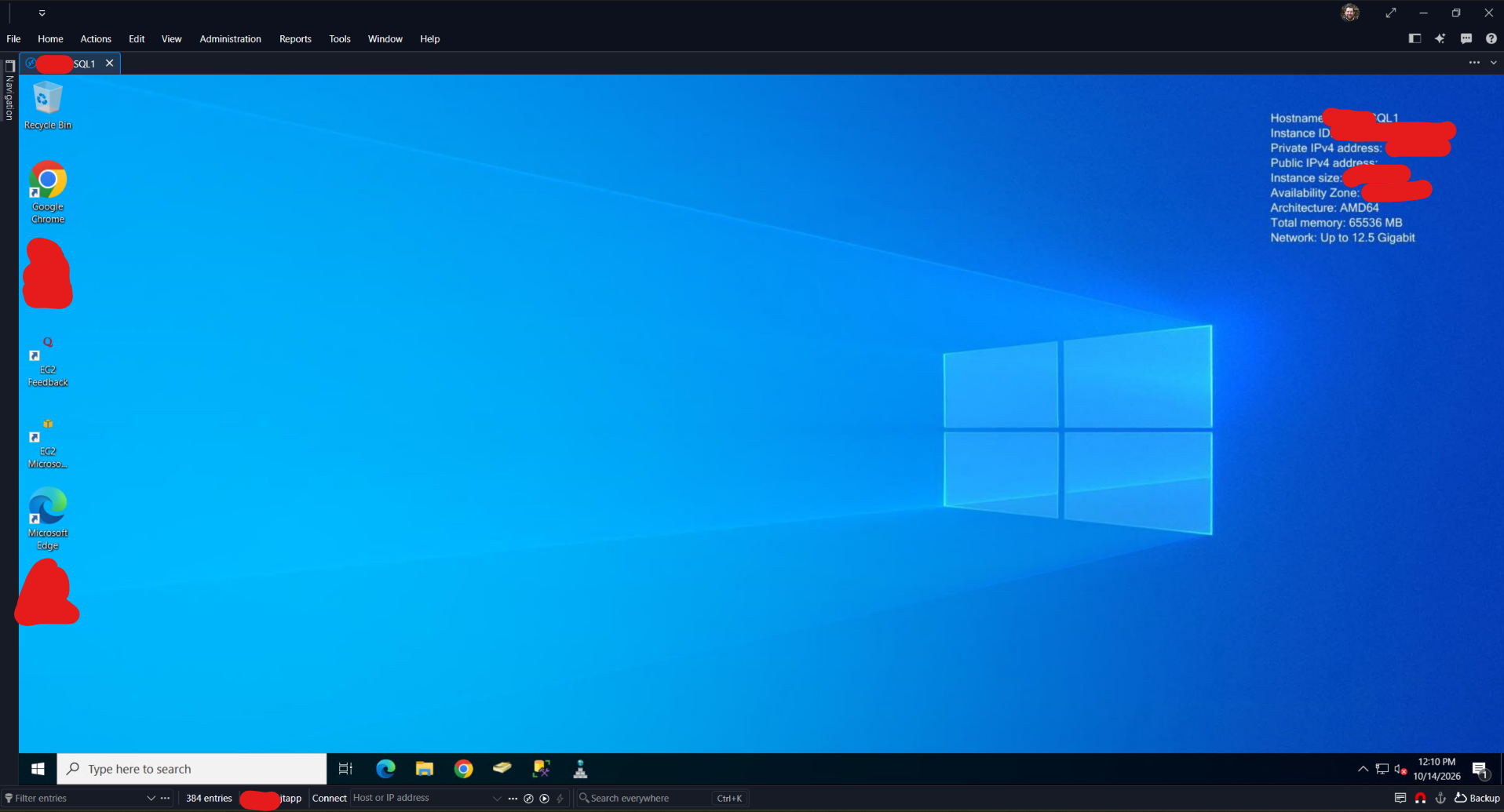
2af395e4-241a-449a-af0e-d10077c4dfc6.png
0d8fdbb3-a499-4a77-8755-ec22736fa2cb.png
@jtapp Could you clarify about smart scaling? Are you talking about the smart sizing parameter under "screen sizing mode" in RDM or something else?
@Alexis Beauparlant
Sorry, I should have said "Smart sizing". I'm talking specifically about right clicking the tab for the session, and toggling on the option for "Smart Sizing" that I'm showing in the below screenshot:
The moment I toggle that on, the scrollbars disappear.
And even if I turn Smart sizing back OFF - the scroll bars STAY gone for that specific session, just like doing a Restore Down and Maximize would previously in build .12 to workaround this as well. So this is what I'm doing now on every session I connect too...
Once you check Smart sizing (or uncheck it) the scrollbars go away. This is that same exact session as above, after doing so:
@jtapp
Hello,
Thank you for clarifying and for the screenshots.
I have forwarded this to our development team.
They were able to reproduce the issue and are working on a fix.
We will update this thread as soon as a fix is available.
Best regards,
Alexis Beauparlant
Hello,
Thank you for your patience while our team looked into the issue you reported.
I'm happy to let you know that the latest version of Remote Desktop Manager (2026.3.16.0) includes a fix for this problem. You can download it from our website here:
https://devolutions.net/remote-desktop-manager/download/
Once you have installed the update, could you please test it in your environment and confirm that everything now works as expected? If the issue persists or if you notice anything unusual related to the same original problem, just reply to this message with a few details, and we will be glad to look into it further.
Thank you for your collaboration.
Best regards,
Maxim Robert
I'm happy to let you know that the latest version of Remote Desktop Manager (2026.3.16.0) includes a fix for this problem. You can download it from our website here:
https://devolutions.net/remote-desktop-manager/download/
Once you have installed the update, could you please test it in your environment and confirm that everything now works as expected? If the issue persists or if you notice anything unusual related to the same original problem, just reply to this message with a few details, and we will be glad to look into it further.
Hello @Maxim Robert - I updated to v2026.3.16.0: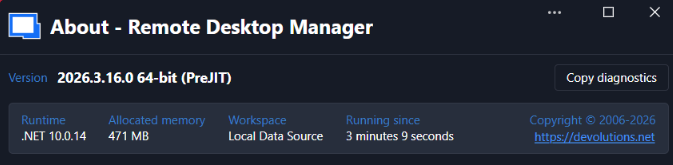
Unfortunately, this bug is still occurring! From my perspective, nothing has changed. As soon as I opened up my first RDP session, the scroll bars were there, just as they have been since this bug was introduced in 2026.3.12.0 as you can see here: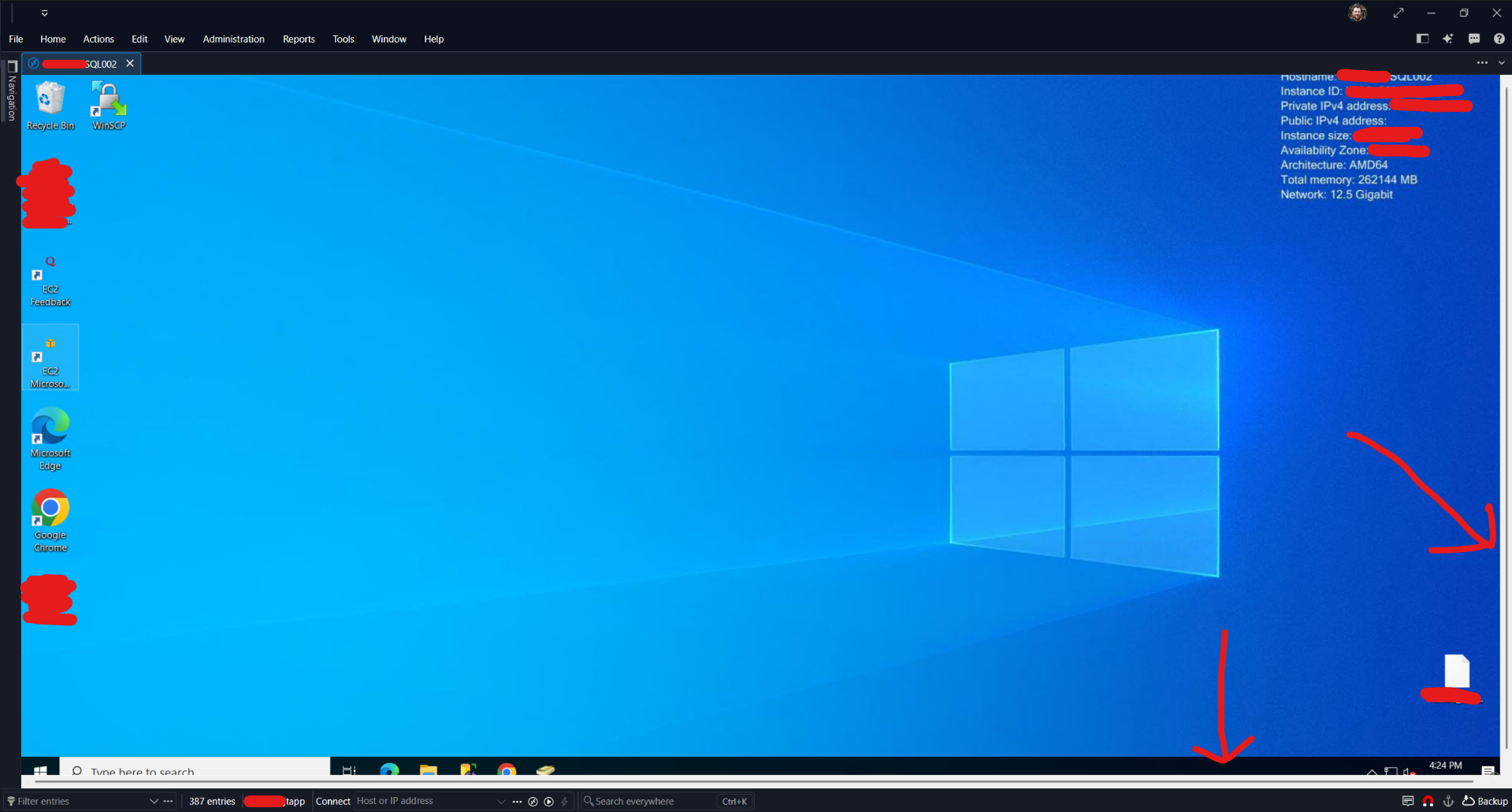
Closed / reopened RDM, tried a different RDP, and it's happening on every session still... Doesn't look like this was fixed.
Like the last build, I can confirm that if I enable Smart Sizing here: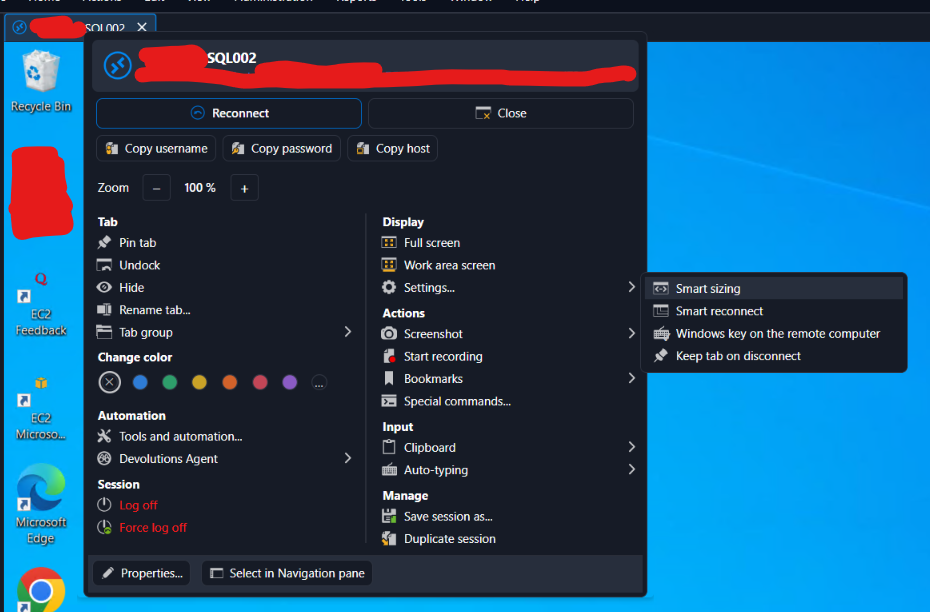
Then the scroll bars will disappear. Turning Smart Sizing back OFF - the scroll bars are still gone. So like before, it seems that this is only an issue when the session first opens.
Each new RDP session I connect to has this issue until I enable Smart Sizing as a workaround. So from my perspective, this issue remains the same as it was in 2026.3.15.0 prior.
Looking forward to a fix! This bug is an annoyance on every RDP session we open with RDM, which is the only thing we use RDM for... LMK if you need more info from me?
3f224064-c5a6-4eae-af00-a3bbfcbd053d.png
5092d6ae-3042-49f3-81fe-207da82d5117.png
50a1b8b1-dba9-4c69-86d7-c7c8cddefa1b.png
I'm happy to let you know that the latest version of Remote Desktop Manager (2026.3.16.0) includes a fix for this problem. You can download it from our website here:
https://devolutions.net/remote-desktop-manager/download/
Once you have installed the update, could you please test it in your environment and confirm that everything now works as expected? If the issue persists or if you notice anything unusual related to the same original problem, just reply to this message with a few details, and we will be glad to look into it further.
Hello @Maxim Robert - I updated to v2026.3.16.0:
Unfortunately, this bug is still occurring! From my perspective, nothing has changed. As soon as I opened up my first RDP session, the scroll bars were there, just as they have been since this bug was introduced in 2026.3.12.0 as you can see here:
Closed / reopened RDM, tried a different RDP, and it's happening on every session still... Doesn't look like this was fixed.
Like the last build, I can confirm that if I enable Smart Sizing here:
Then the scroll bars will disappear. Turning Smart Sizing back OFF - the scroll bars are still gone. So like before, it seems that this is only an issue when the session first opens.
Each new RDP session I connect to has this issue until I enable Smart Sizing as a workaround. So from my perspective, this issue remains the same as it was in 2026.3.15.0 prior.
Looking forward to a fix! This bug is an annoyance on every RDP session we open with RDM, which is the only thing we use RDM for... LMK if you need more info from me?
@jtapp
Hello,
Thank you for your feedback! I'm forwarding this to the development team to let them know that the issue still occurs on your end.
I'll let you know as soon as we have news.
Best regards,
Alexis Beauparlant
I can also confirm this is not fixed with 2026.3.16.0
Not fixed with 2026.3.16.0
22 days ago it has started ?
Yesterday have updated only and also now waiting for really fix.
Hi!
Our development team is still working on a fix regarding this issue.
We will keep you updated as soon as we have news.
Best regards,
Alexis Beauparlant
I made a post about this yesterday but didn't see this one first. If I change the Sizing mode to 'Smart Sizing" the problem does go away. I've just never had to do that before so I don't know what's different now.
I made a post about this yesterday but didn't see this one first. If I change the Sizing mode to 'Smart Sizing" the problem does go away. I've just never had to do that before so I don't know what's different now.
@kelemvor
When I do this, the fonts are a bit blurry so wainting for the fix as well. I use DPI 125% on all of my displays.