Daniel Goeddert
Installer does not close RDM
Hey everyone,
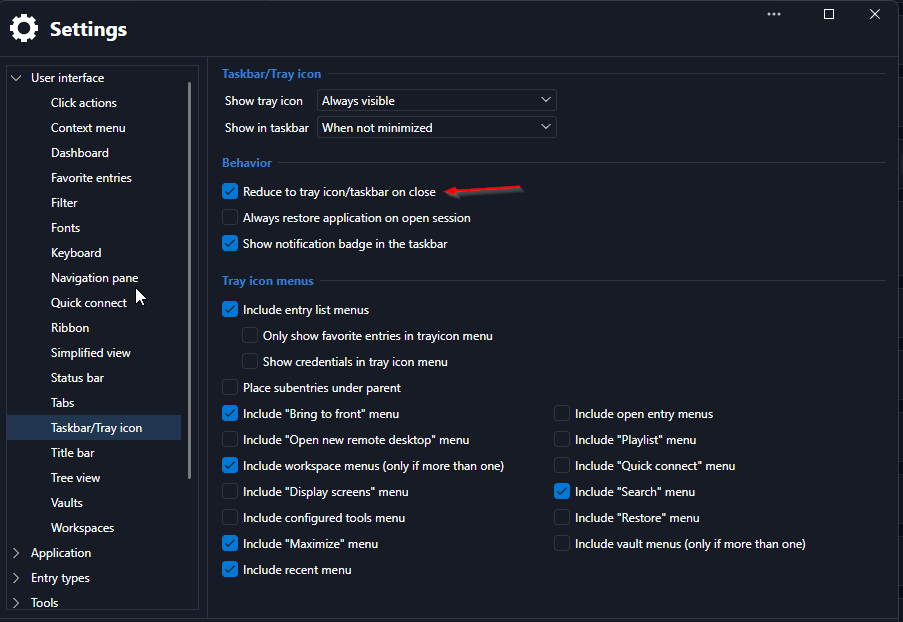
since ~2026.3.5.0 the installer does not close the rdm window upon installation.
I suspect this behaviour comes up if the setting "Reduce to tray icon/taskbar on close"
Regards,
Daniel.
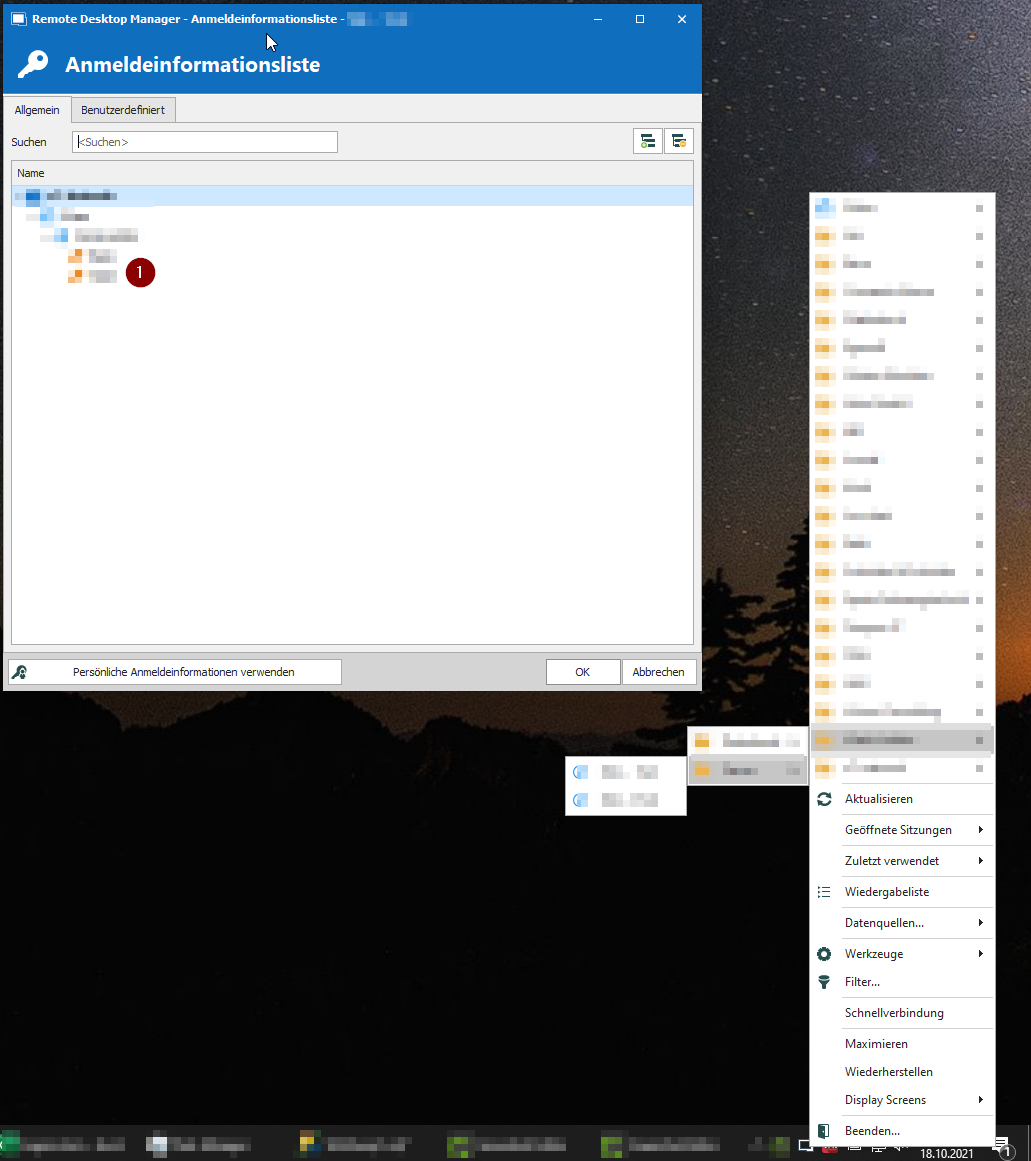
Taskbar conext menu overlaps
Hey everyone,
since around 2026.3.5.0 the taskbar context menu does not work as intended.
Every subfolder window should be presented next to the existing window, not above it.
Because of this behaviour, every subfolder is opening in an instand when you hover the main folder with the mouse cursor. You cannot select the entry that you want to access.
Regards,
Daniel.
RDM 2026.1.15.0 - breaks openvpn IPv4/V6 protocol selection
Hi everyone,
starting with the current update 2026.1.15.0 and 2026.1.16.0 the openvpn protocol selection is not correctly applied to the openvpn configuration file.
Prior to this update the functionality was applied correctly. After downgrading to 2026.1.14.0 the function works as expected.
As workaround the configuration type can be switched to existing, but this breaks the ability to handle vpn configurations within rdm.


OpenVPN connection + OTP: connection file is created incorrectly
This bug exists since version 2025.2.13.1 and still persists in 2025.2.16.0.
Version 2025.1.41.0 and before do not suffer from this one.
If using a "VPN/Tunnel/Gateway" connection type with this settings:
General
VPN Type: OpenVPN GUI
Configuration type: Custom
Enable automatic authentication: true
One-time password
Source: Current session credentials
Usage: Specific to session
The ovpn configuration file is created with a static-challenge line.
Starting with 2025.2.13.1 the string Enter Authenticator Token is no longer enclosed in quotation marks.
Correct configuration line
static-challenge "Enter Authenticator Token" 1
Incorrect configuration line
static-challenge Enter Authenticator Token 1
The string is therefore evaluated as a single parameter and the following error message is displayed:
Options error: Unrecognized option or missing or extra parameter(s) in yourovpnhost.tld.ovpn:8: static-challenge (openvpn version)
As workaround the otp settings can be adjusted according to your environment.
One-time password
Usage: Prepend to the password
Session VPN/Tunnel/Gateway: Type OpenVPN -> TCP/UDP Restriction for IPv4/IPv6 missing
Hello Everyone,
If I add a new entry of the type Session VPN and import an existing configuration file, the type e.g.: UDP4 is not taken into account.
Only the basic protocol UDP is imported.
An entry in the configuration file looks like this, for example:
remote remote.customer.abc 1194 udp4
RDM removes the additional information 4 from the connection.
In the settings, you can only choose between the UDP or TCP protocol.
A restriction as to whether UDP via IPv4 (udp4) or IPv6 (udp6) cannot be made.
Information on this can be found, for example, at
https://openvpn.net/community-resources/reference-manual-for-openvpn-2-6/
In the “--proto” area

Regards,
Daniel.
WireGuard VPN Add-on
Hello Daniel,
Thank you for getting in touch with us. To better assist you, could you kindly provide us with the following information:
Your current RDM version.
The operating system you are using and its version.
The data source you are utilizing.
Are you using a Terminal Server or Citrix?
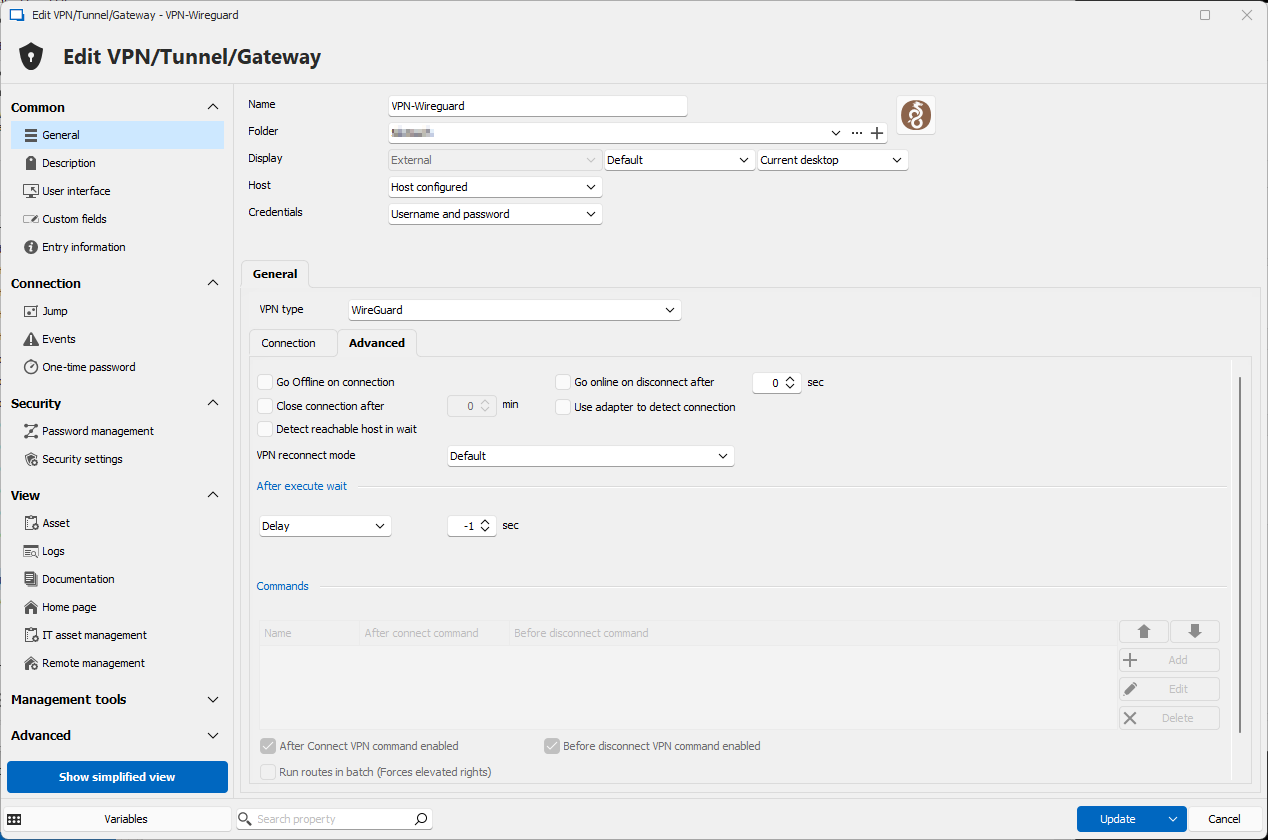
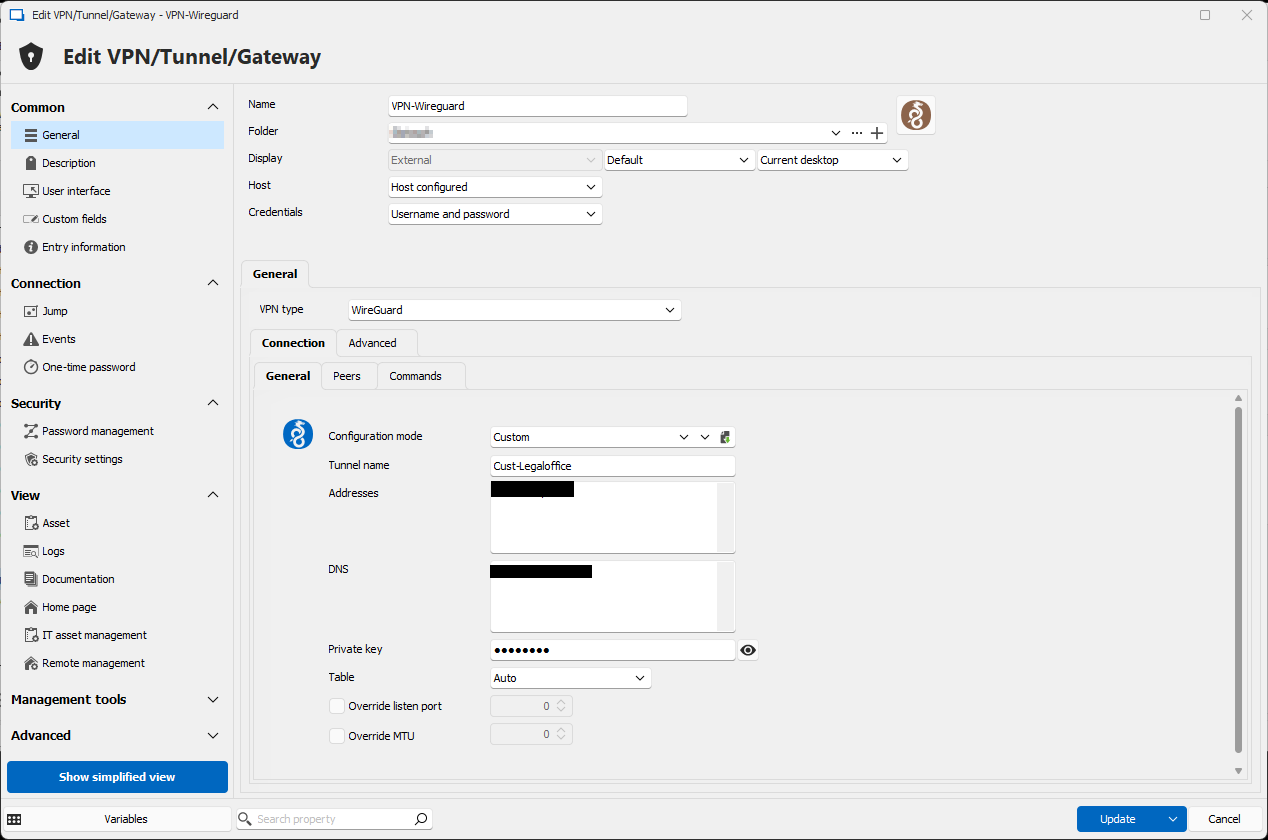
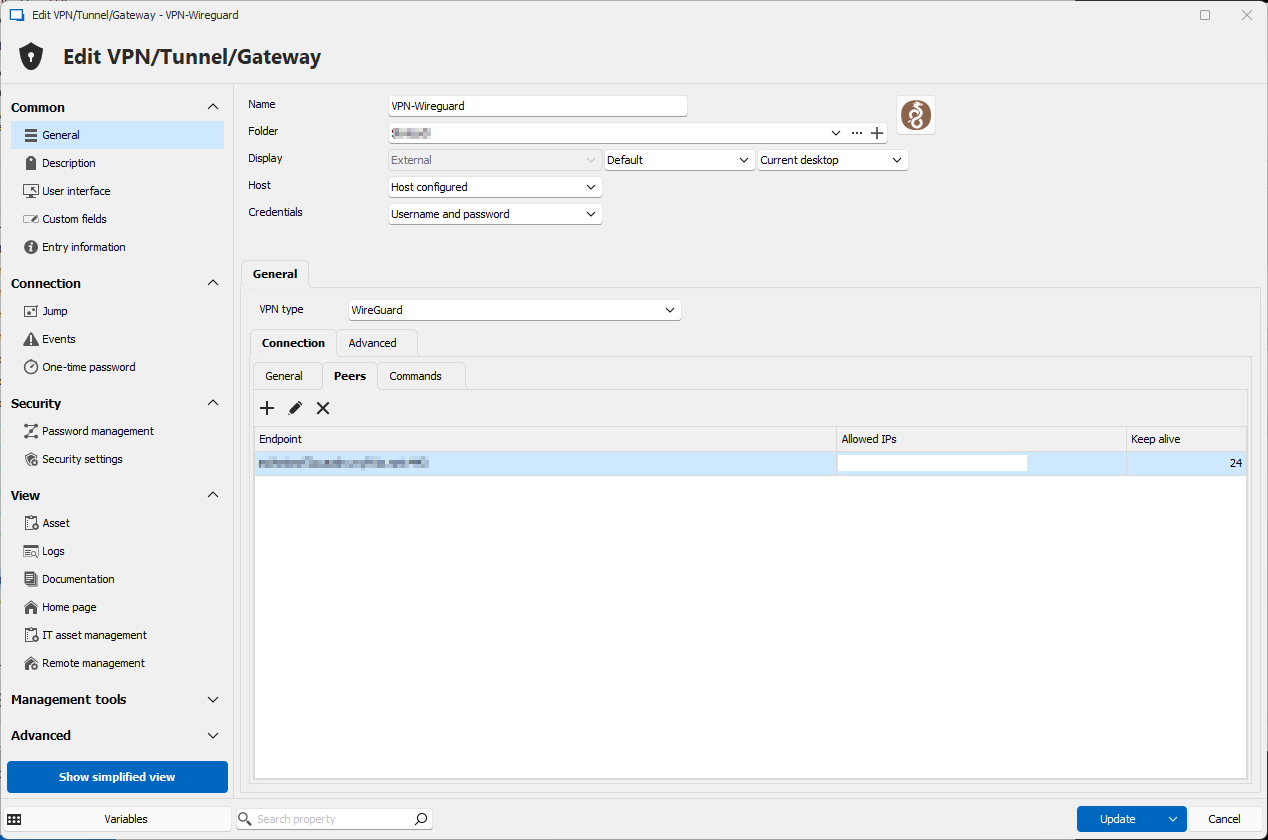
Screenshots of your Wireguard entry configuration without showing any sensitive information.
Once we have this information, we will be better equipped to diagnose and resolve the issue.
Best regards,
Hi Maxim,
here are the additional informations
Your current RDM version.
2024.3.14.0
The operating system you are using and its version.
Windows 11 Professional (Ger, x64) 22H2 Build 22621.4317
The data source you are utilizing.
Local Datasource v1.149
Are you using a Terminal Server or Citrix?
No, this is a standalone local Workstation
Screenshots of your Wireguard entry configuration without showing any sensitive information.
Screenshots are supplied as attachments
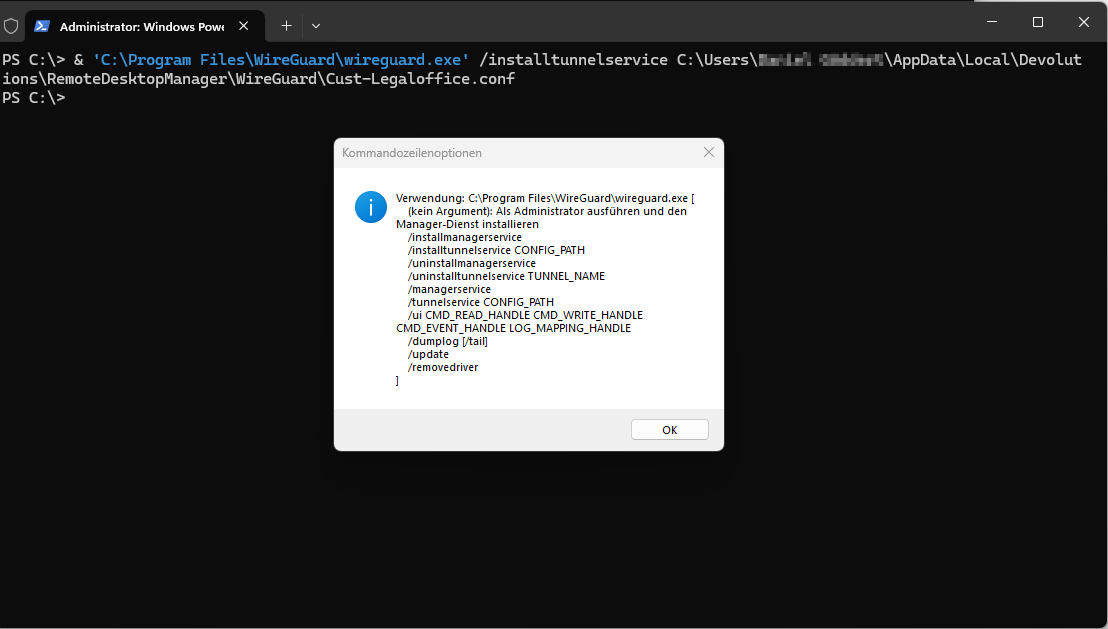
If i try using the wireguard command as RDM will execute it, the startup fails and the help information from wireguard comes up.
Wireguard is using the following startup command to load the tunnel configuration:
"C:\Program Files\WireGuard\wireguard.exe" /installtunnelservice C:\Users\My User\AppData\Local\Devolutions\RemoteDesktopManager\WireGuard\Cust-Legaloffice.conf
This command fails on load, as my profile directory inherits a space.
When execution this command while setting the configuration file in quotes the command can successfully be executed and the tunnel is setup.
"C:\Program Files\WireGuard\wireguard.exe" /installtunnelservice "C:\Users\My User\AppData\Local\Devolutions\RemoteDesktopManager\WireGuard\Cust-Legaloffice.conf"

WireGuard VPN Add-on
Hello everyone,
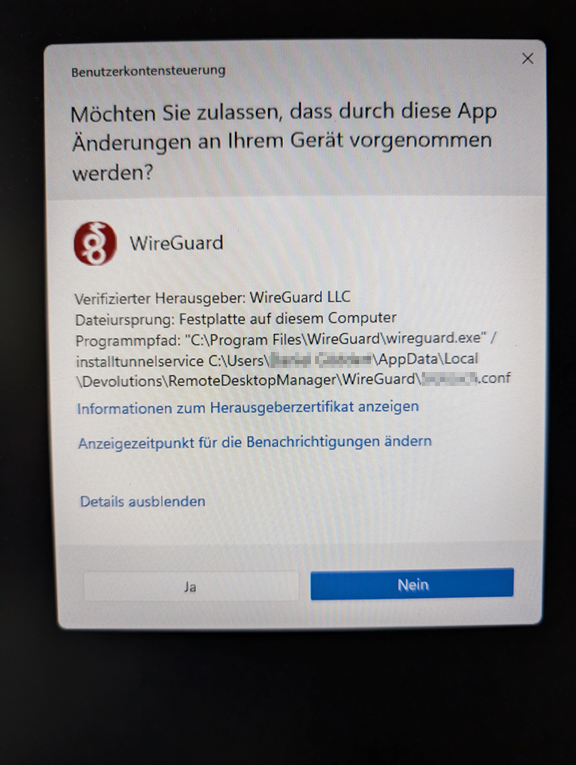
I ran into the same problem, wireguard shows me the commandline options when using the RDM Addon.
The solution might be, to set the configuration path in quotes as my username includes a space.
Meanwhile the only solution is to link to a wireguard configuration file previously saved on disk without spaces in the whole path.
Sorry for the non english screenshot.
V2023.3.33.0 - External RDP Session cannot be opened if Username contains an umlaut
Hi Zachary,
yes just like you stated.
Disabling the API Hooking option sets the external RDP Session in working condition.
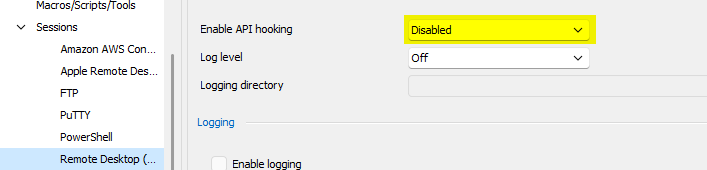
Are there any downsites, enabling this option?
Thanks,
Daniel.
V2023.3.33.0 - External RDP Session cannot be opened if Username contains an umlaut
According to the release notes, this issue should have been fixed
2023.3.35.0
Fixed issue when handling Unicode .RDP file paths in external mode
Unfortunately the issue still persists.
V2023.3.33.0 - External RDP Session cannot be opened if Username contains an umlaut
Hi Min,
i updated from 2023.3.31.0 to 2023.3.33.0 and skipped 2023.3.32.0.
I reverted back to 2023.3.31.0 as se setup was on my filesystem.
The error vanished as soon as the old version was installed.
V2023.3.33.0 - External RDP Session cannot be opened if Username contains an umlaut
This issue just arrised with the new version.
It is a german system, the german translation is active.
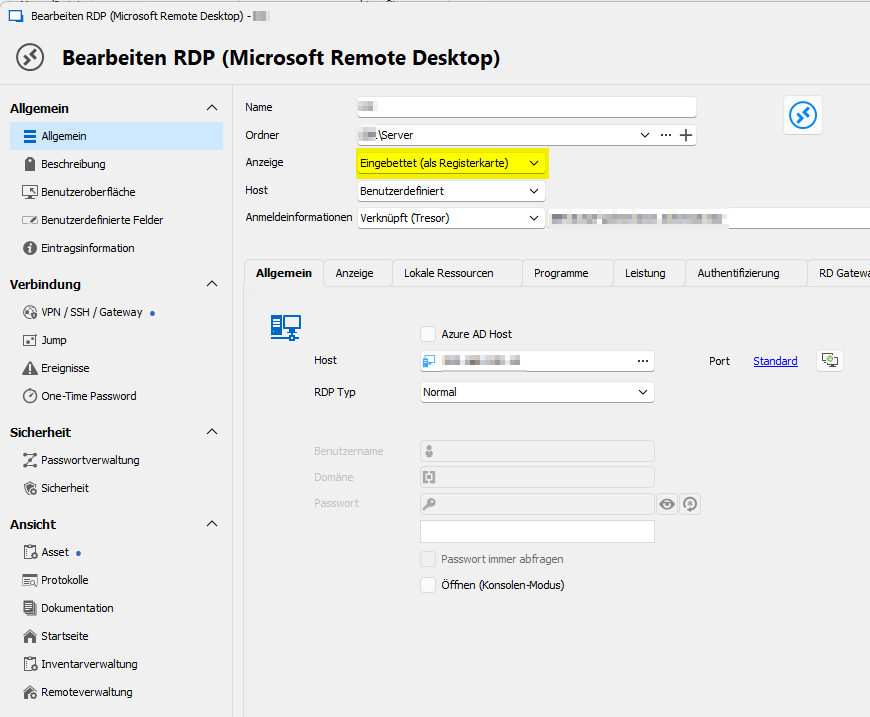
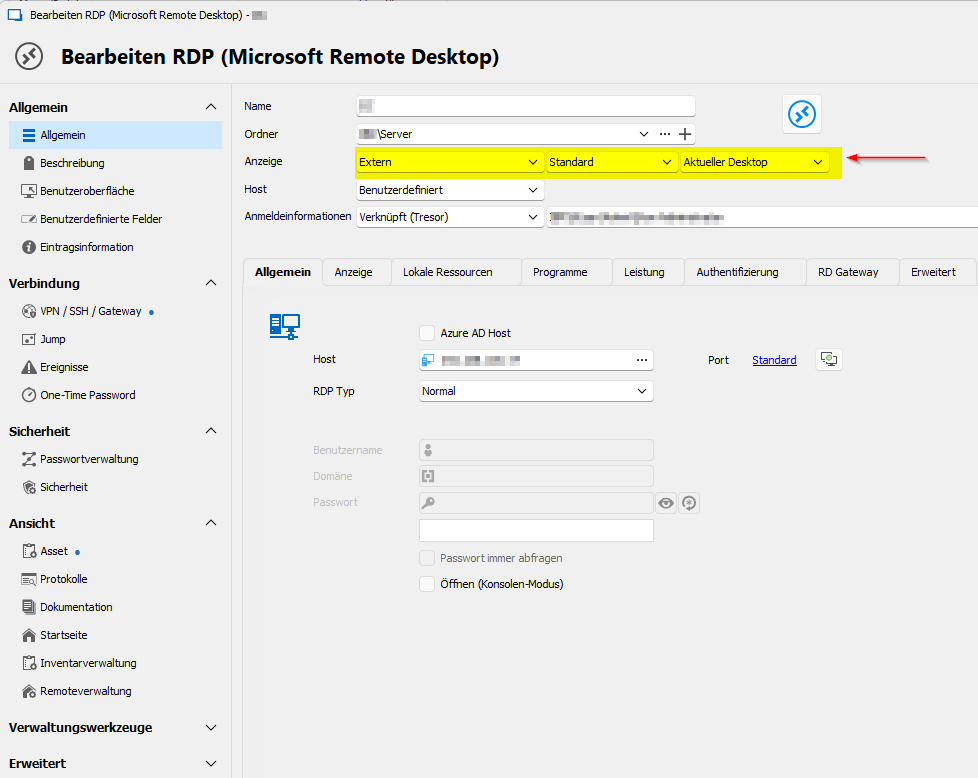
If there is an umlaut in the profile folder name, the rdp session file unter %localappdata%\temp\RDP could not be found
Working configuration
not working configuration
Error Message
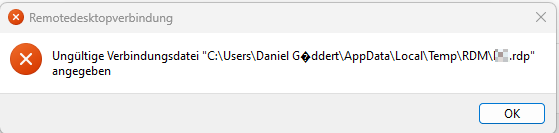
The '?' sign should resolve to 'ö'
After Update: Report Views are broken (Dashboard Overview, Cred. References etc.)
Great David, installing the Webview 2 Runtime Component (and restart RDM) solved my Problem.
I dont know when it got lost (or if I had installed it yet).
Thank you :-)
Regards,
Daniel.
After Update: Report Views are broken (Dashboard Overview, Cred. References etc.)
Hi David,
I am using Version 2022.1.13.0 64-bit.
The Folder %Temp%\RDM is existant.
It only inherits the folder HtmlAssets.
I have removed the whole folder and started RDM again. After browsing the Overview Dashboard there are three files underlying:
Devolutions.RemoteDesktopManager.Resources.CSS.dashboard.min.css
Devolutions.RemoteDesktopManager.Resources.OpenSans-Regular.ttf
{66079BB7-D174-4E0A-895B-CC9025F52975}.css
I am using Kaspersky Internet Security (with websecurity etc.).
Closing it doesnt change the beaviour.
Regards,
Daniel.
After Update: Report Views are broken (Dashboard Overview, Cred. References etc.)
Hey there,
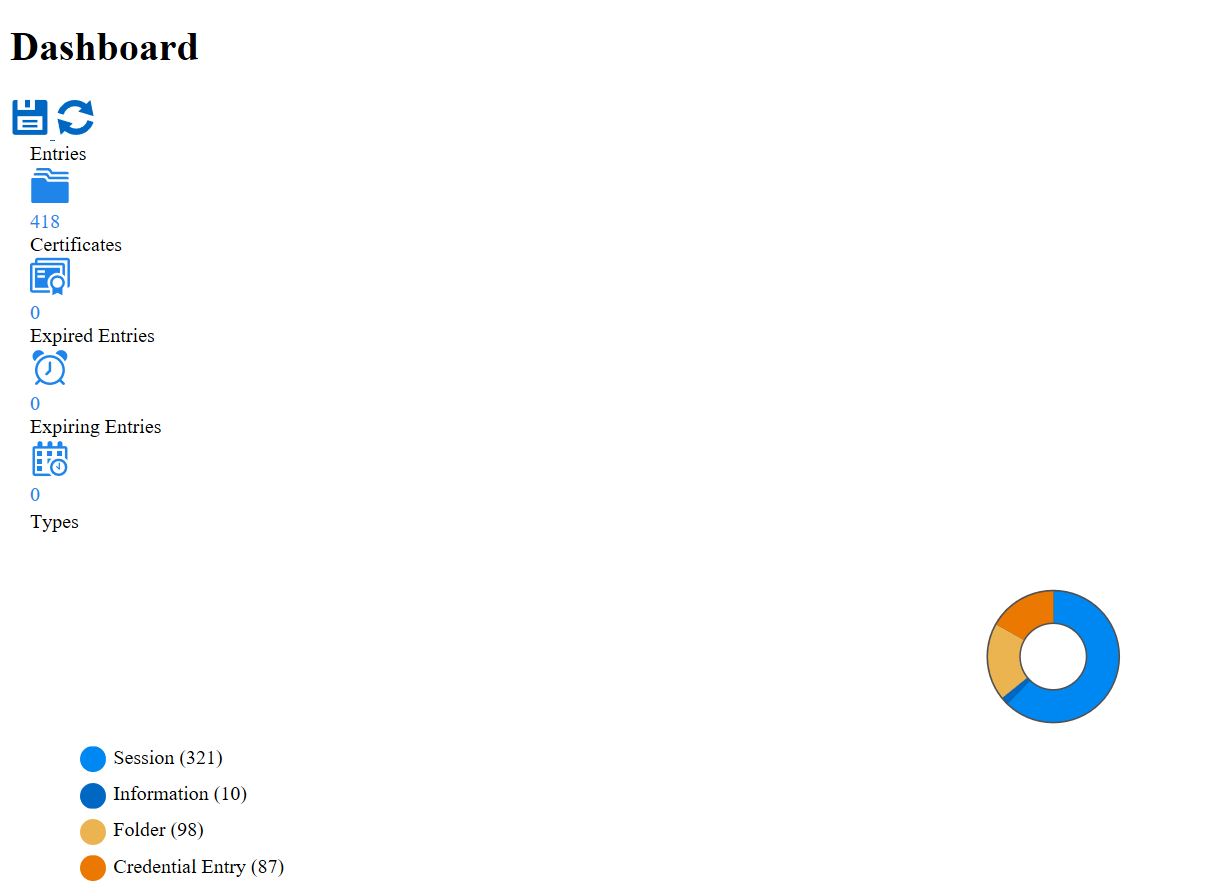
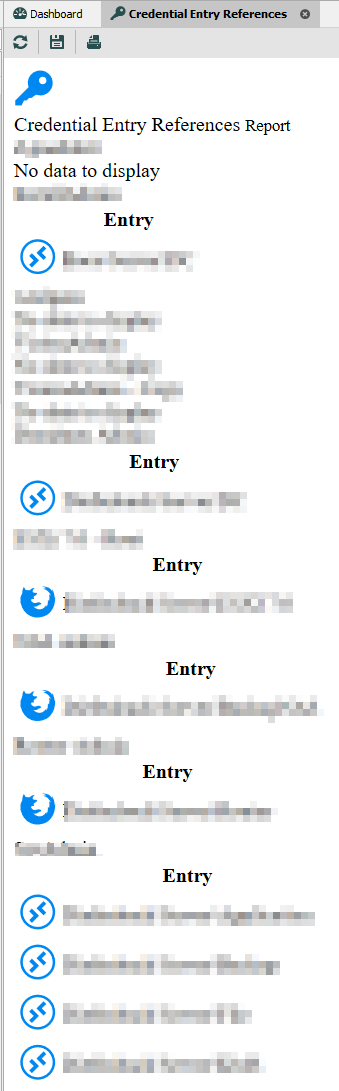
between the last 2 or 3 updates, the report view hast lost its template or however they are rendered.
Is there a possibility to reset them?
I have attached two examples.
Regards,
Daniel.
Open Connection via Context Menu fails if Credentials needs to be chosen
Hi Michael,
I have tried the new release 2022.1.11.0.
You have fixed the Problem. The Main Window ist now de-minimized and given focus so the problem does not occur anymore.
The Incident can now be closed.
Thank you for your great help :-)
Regards,
Daniel.
Open Connection via Context Menu fails if Credentials needs to be chosen
Hi Michael,
I have checked this behaviour on my site and cannot confirm the second point.
When the RDP Entry from the trayicon is selected RDM does not leave the minimized state.
Only the credential windows is coming up.
That might be the Problem because the credential selection list might need the focus of the main RDM Window.
Regards,
Daniel.
Open Connection via Context Menu fails if Credentials needs to be chosen
Hi Michael,
I have checked out the current Version 2021.2.22.0 (64-Bit).
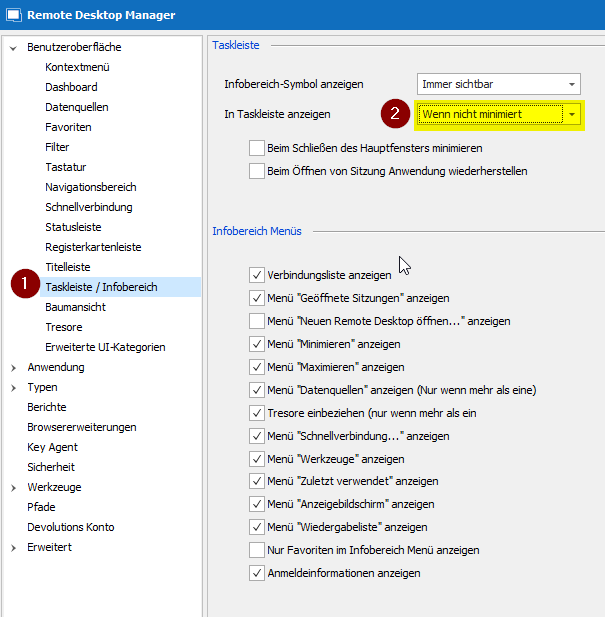
The Situation seems unchanged. As soon as the "Show in Taskbar" option is set to "if not minimized" and the window is minimized the behaviour is the same.
Regards,
Daniel.
Open Connection via Context Menu fails if Credentials needs to be chosen
Dear Jean-Francois,
The behavior remains even when a new RDP session is started.
I did some more tests and was able to reproduce the problem in the following way.
As you can see in the attachment, I have the option "Show in taskbar when not minimized" active.
The problem only occurs when the main window is minimized and therefore the window is no longer displayed (including the taskbar icon).
As soon as I change the function e.g. to "Always visible" and put the program in the taskbar, the credential call still works.
Funnily enough, the problem only applies to mouse interaction. I can operate the Credential window with the arrow keys on my keyboard.
About my operating system:
Windows 10 Pro 20H2
Build 19042.1288
Feature Experience Pack 120.2212.3920.0
Antivirus: Kaspersky Internet Security 2021
Monitor: 1x 27" BenQ GW2765 - resolution (2560x1440 pixels)
At the time of testing (after system startup), the following applications are running:
- Anydesk
- Teamviewer
- NCP client
- Intel graphics settings
- Nextcloud client
- Acronis TrueImage Monitor
- Adobe Updater Startup Utility
I hope with this information you could reproduce the problem and it does not occur only with me ;-)
Regards,
Daniel.
Open Connection via Context Menu fails if Credentials needs to be chosen
Hey David,
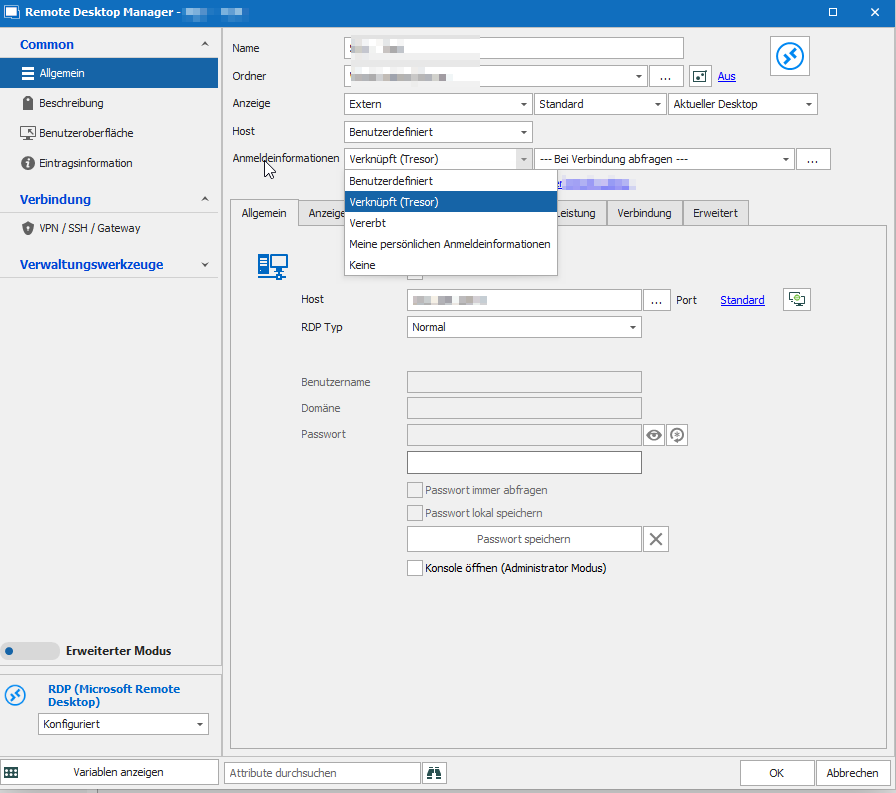
I have attached a screenshot with a sample connection.
All credentials are plain Username, Domain, Password Types.
The Connection credentials are set to Linked (Ask on Connection)
Regards,
Daniel.
Open Connection via Context Menu fails if Credentials needs to be chosen
Good Morning everyone,
unfortunately after the last Update (now on Version 2021.2.16.0 64-BIT) I cannot open a connection if I open it via the RDM Context Menu.
This only happens if the credentials for this connections are configured as "Ask on connection" so that I can choose which credentials should be used this time.
So, the Credentials choosing screen comes up. If i click somewhere in this window it disappears including the RDM context menu.
When i start the connection from the RDM Main Window everything is ok.
Someone got a clue?
With best regards.