Installer does not close RDM

Hey everyone,
since ~2026.3.5.0 the installer does not close the rdm window upon installation.
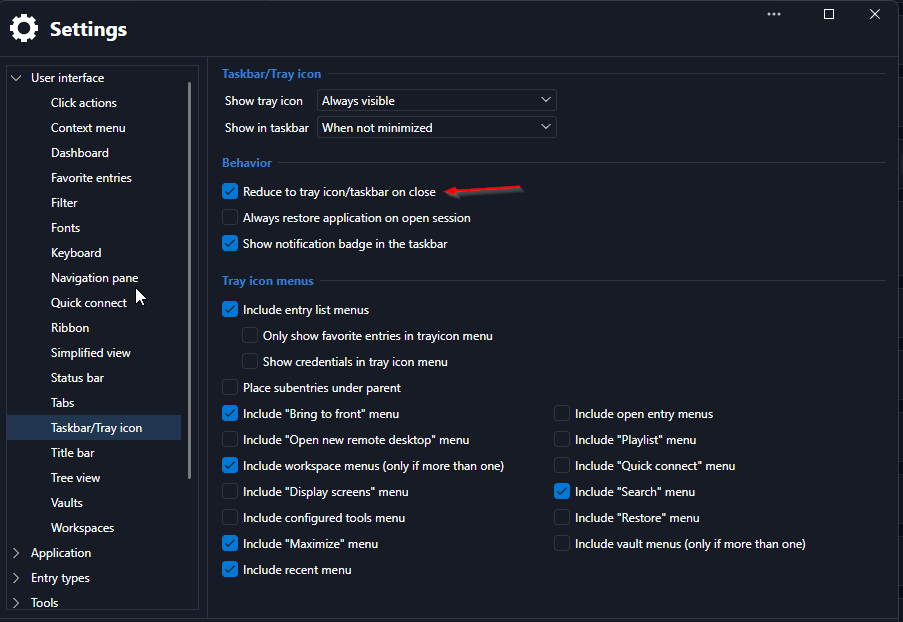
I suspect this behaviour comes up if the setting "Reduce to tray icon/taskbar on close"
Regards,
Daniel.
All Comments (2)
Hi Daniel,
Thanks for the report, and you’re right about the setting. Since 2026.3.5.0, when “Reduce to tray icon/taskbar on close” is on, RDM treats the installer’s close request like a click on the X button, so it goes to the tray instead of closing. We’ve found the cause and will fix it in an upcoming version.
Until then, you can exit RDM from the tray icon (right-click > Exit) before you start the installer, or turn the option off while you update.
Sorry for the inconvenience, and thanks again for pointing us to the setting.
Best regards,
David Hervieux
Hello,
Thank you for your patience while our team looked into the issue you reported.
I'm happy to let you know that the latest version of Remote Desktop Manager (2026.3.16.0) includes a fix for this problem. You can download it from our website here:
https://devolutions.net/remote-desktop-manager/download/
Once you have installed the update, could you please test it in your environment and confirm that everything now works as expected? If the issue persists or if you notice anything unusual related to the same original problem, just reply to this message with a few details, and we will be glad to look into it further.
Thank you for your collaboration.
Best regards,
Maxim Robert