
baxenko
Connection to RDP slow locally but not remote
@Richard Markiewicz
Thank you for your comprehensive response.
Yes, I also found preliminary information about the issue with the RDG mouse, but the nuance is that the mouse is not connected to my MacBook, and I am working with a trackpad.
Connection to RDP slow locally but not remote
Hello
Thanks for the feedback.
Can you please go to Settings > Types > Remote Desktop (RDP) > Mouse, and enable the option "Limit mouse event polling rate" and tell me if it helps?

Kind regards,
@Richard Markiewicz
It has become much better. What is the technical reason for this?
Connection to RDP slow locally but not remote
Hello
Thanks for sending that over, I took a quick initial look and nothing stands out as being obviously wrong.
However I have a couple of thoughts
Is the lag only on input? For example; if you start an animation or a video playing, and leave the mouse idle; does it play back normally?
Can you try to choose the "RPC" option in your RDP session > Gateway > Transport? This might not work at all, depending on the RD Gateway version, but it would rule out an issue with websockets.

Thanks and kind regards,
@Richard Markiewicz
RDM freezes when selecting RPC and no connection
I launched https://www.testufo.com/

Connection to RDP slow locally but not remote
Hello
That's interesting. Can you enable session logs like in this KB article, and once you get the problem send me the corresponding log? You can disable the logging again afterwards (it degrades performance).
Thanks and kind regards,
@Richard Markiewicz sent logs to service@devolutions.net
Connection to RDP slow locally but not remote
Hi @baxenko
Thanks for your post; the comparison with RoyalTSX is really interesting because we both use the same RDP backend (FreeRDP), so this is a true apple-to-apples comparison (comparing with Windows App is always tricky since it's something of a black box to us).
Is it the case that it's always the same sessions that are laggy? Or - within the same session, one day it's laggy and one day it's fine?
Thanks and kind regards,
@Richard Markiewicz
As I said earlier, I did not find any dependencies. I can say that the problem is definitely observed on some servers that use RD Gateway without dependencies on time and sessions, while on servers with direct RDP access, the problem has not been noticed.
When connecting to the server, the response is normal for the first 5 seconds or so, but after 5 seconds, the delay begins to be noticeable.
There are no problems with these same servers in RDM on Windows.
The problem was noticed about a month ago.
Connection to RDP slow locally but not remote
Hello
The Windows Server and the Windows 11 host are both on the same network as I understand it; but does your client exist on a different network? Are you connecting over the LAN or WAN?
Thanks and kind regards,
@Richard Markiewicz

I have the same issue. I’ve been a long-time RDM user, but recently I noticed that RDP performance is extremely sluggish on my MacBook running macOS Sequoia 15.6 with RDM version 6.2.1. I don’t know exactly when it started, but today I began troubleshooting it.
This is not a network problem, because the issue does not occur in other clients (Microsoft Remote Desktop app for macOS, Royal TSX). I also tested the same servers in Windows using the native RDP client, and everything works fine there as well.
The problem seems to affect some servers, but I couldn’t find a clear pattern of why exactly RDM lags while other clients perform normally.
No winbox extension for macos
Hello,
I have already opened a ticket to look into this. We will have to make sure this version supports everything we need first. We will let you know once we have updates.
Best regards,
Hi. Anynews?
Communications breakdow [MacOS]
Hello,
So far we haven't been able to reproduce.
So just to be sure we got the right test:
-On a Hub personal datasource.
-Open an RDP
-let the computer go to sleep
-wake the computer
Result:
-the mentionned error
-The RDP ask credentials for dynamic host via browser
Does it sum it up well?
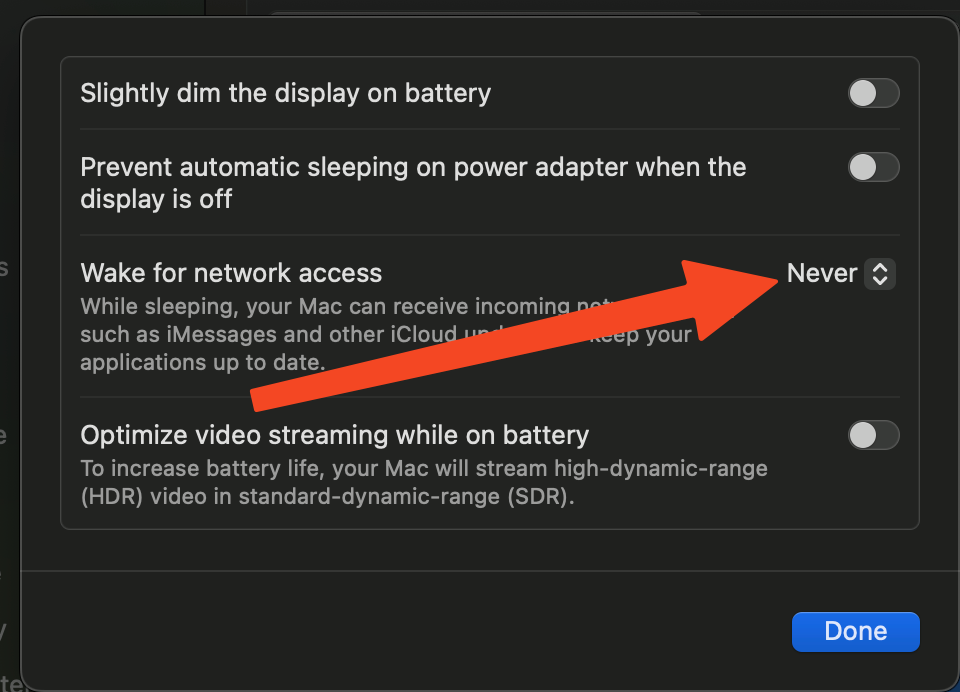
I additionally checked and the problem appears when the battery is set to Never in the settings.
No winbox extension for macos
Hello,
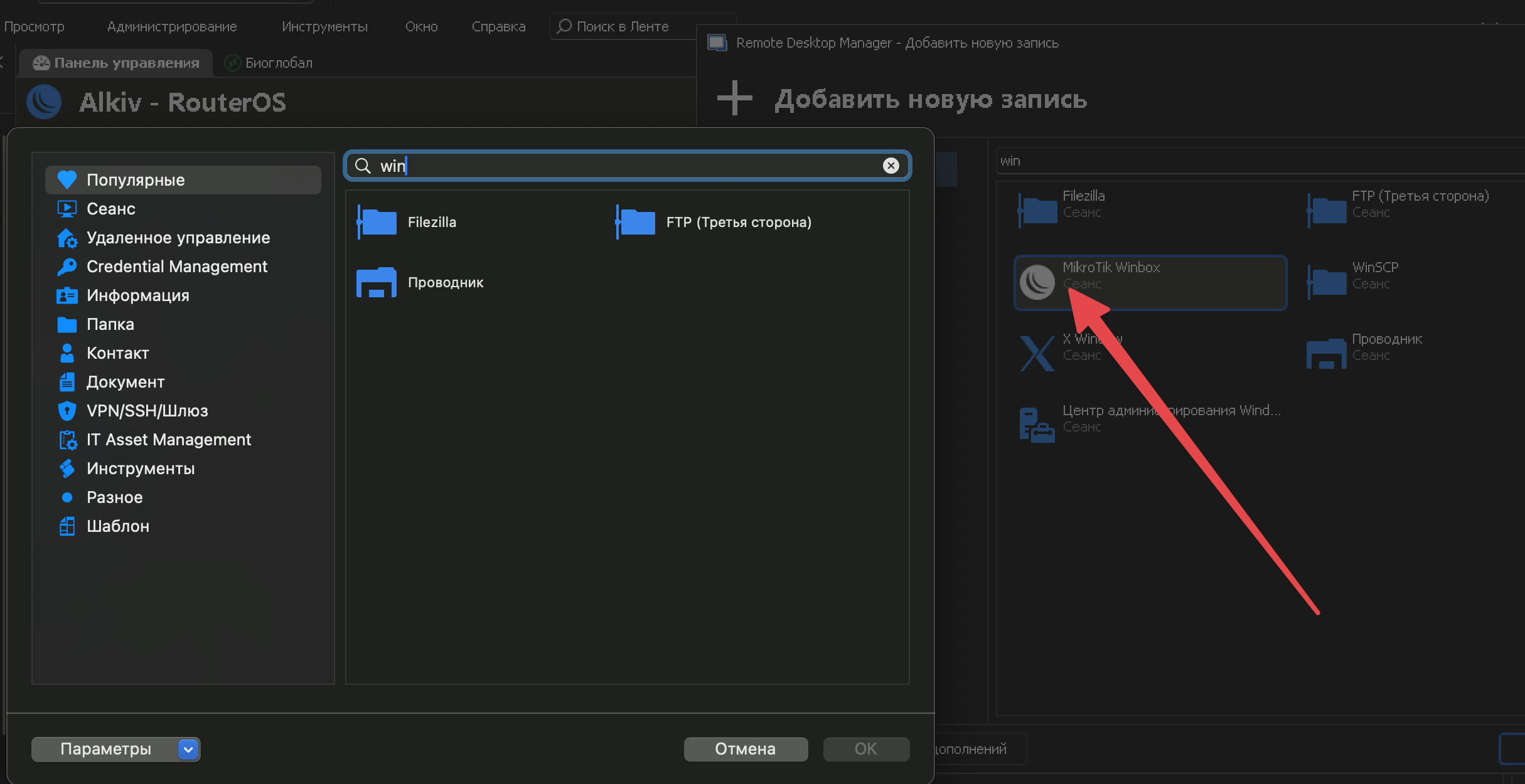
Winbox have been added to RDM Mac in the latest version (2023.3.12.2).
If you need anything else or there's anything missing, don't hesitate to communicate with us.
Best regards,
Please add support winbox 4 for RDM
No winbox extension for macos
I'm looking forward to hearing from you. Please post in this thread, as RDM + WinBox for macOS is a hot topic.
Thank you. Peace be with you.
No winbox extension for macos
Judging by the developer's answers (there are raguments), should we expect a winbox extension for RDM?
No winbox extension for macos
Do you know if the application responds to command line arguments? AppleScript? Any means for a third party app to communicate with it?
Hi. Unfortunately I don't know these details, but this functionality is very much missing on macOS.
Perhaps the developer of the program will clue us in.... Created a topic: https://github.com/nrlquaker/winbox-mac/issues/134
No winbox extension for macos
I'm using the WinBox client for macOS. Could you integrate it into RDM? Thanks.
Minimize to tray at startup Windows [solved]
Hello. Can't find a function. How to make it so that RDM at startup is immediately minimized to the tray. Because working in the background will not have to wait for the initial download of the application.
Online status for Winbox [solved]
Hey! I like the online check status function for RDP. But unfortunately this function does not work for winbox (it is not displayed in red when offline), is it possible to add online status for Winbox? Thank you