
(user deleted)
Password rules
Hi all,
is there a way to ensure, that all users are restricted to a specific password rule which I'm able to configure on a database level?
I've seen the forbidden password list and the password restrictions, but it seems that I'm able to get around of all of that.
I would like to force the whole team to use passwords that have 10 chars, 2 digit, 2 special chars in all new entries or edits they perform on existing entries.
Furhter, on an adminsitrator level, I would appreciate to be able to create a folder for internal test environments, where I can disable this strict password policy.
Get-RDMSession unlucky behavior if no session matches
Hi There,
I've just tried Get-RDMSession, but I'm very unhappy with the behavior of how the command response if no session is matched.
Get-RDMSession : Cannot validate argument on parameter 'Name'. The argument "Butinar_Janos" does not belong to the set "mysession1,mysession2,mysession3[...full list of sessions...]".
Why don't you return sth like get-Item:
Get-Item : Cannot find path 'C:\notexisting' because it does not exist.
At line:1 char:1
+ Get-Item -Path "c:\notexisting"
+ ~~~~~~~~~~~~~~~~~~~~~~~~~~~~~~~
+ CategoryInfo : ObjectNotFound: (C:\notexisting:String) [Get-Item], ItemNotFoundException
+ FullyQualifiedErrorId : PathNotFound,Microsoft.PowerShell.Commands.GetItemCommand
Further I would prefer to simply retrieve an empty list/$null
Best regards,
Christian
Password Analyzer for stored VPN connections
Hi David,
any news on that topic?
Many thanks!
Password Analyzer for stored VPN connections
Hi There,
It has been a while since I needed some help with RDM - which is great :)
However now I'm facing a problem I can't find a solution by myself.
We do some security checks and I wont to find out where we've used weak passwords in the past.
The Password Analyzer Report does a great job except the following:
I want to see, if my session opens a VPN connection before accessing the server via RDP. Because if there is a VPN connection dialed, in some cases we're fine with weak passwords. if - this brings me to the next point - the password for the VPN connection is strong.
So far I can't see in the password analyzer if a VPN is dialed in advance and I found no way to analyse my VPN passwords as well. (VPN Sesstings are stored within the session - we do not use stored credentials or referenced vpn connections.)
Many thanks for your help
All the best,
Christian
Connection to remote systems?
good so see you have it already on your task list. were a bit obsessed this morning realizing that currently only lan connections are available.
any Idea on when to expect that feature?
All the best,
Christian
Unable to connect to server (MSSQL)
Thx! It works!
Have had aabbc@abc.de instead of abc.de\aabbc
Unable to connect to server (MSSQL)
Hi Guys,
I've just tried to use RDM on my iPhone.
If I try to connect to our sql server, I get the following connection error:
Unable to connect to the server!
Logon error. The login is for an untrusted domain and cannot be used with windows authentication. [Translated from German]
I assume this is related to an certification error / a selfsigned certificate. But even adding our root certificate to the iphone does not resolve the error.
Any suggestions?
Best regards,
Christian
User Interface
I found another entry that is two times available in the context menu:
Require "Open Session Comment" through web browser extension
Hi Guys,
i thought it would be very nice to have the ability to require a comment for web sessions where the username/password comes from your browser extensions.
Many thanks
User Interface
#1 context menu: probably you could add some settings to hide entries that are not used. I would hide export,import, expand and collaps and probably many more.
#3 will do so. "VPN Settings", "purchase" "advanced session settings", "session settings- more - user interface" are not well sorted for tab-use
#3.2 what about ALT+ underlined letter/char?
User Interface
Hi Guys!
It has been a long time since my last activity, a lot of things has been changed and I've not been able to follow all these changes.
Many things are just great, the old once and new things as well! In the past I said good job David, now I say good job Devolutions Team!
Congratulations for this amazing product and this amazing fast-growing company!
I've just seen this amazing clear and well looking screenshot of RDM for iOS, but please don't forget RDM for windows:
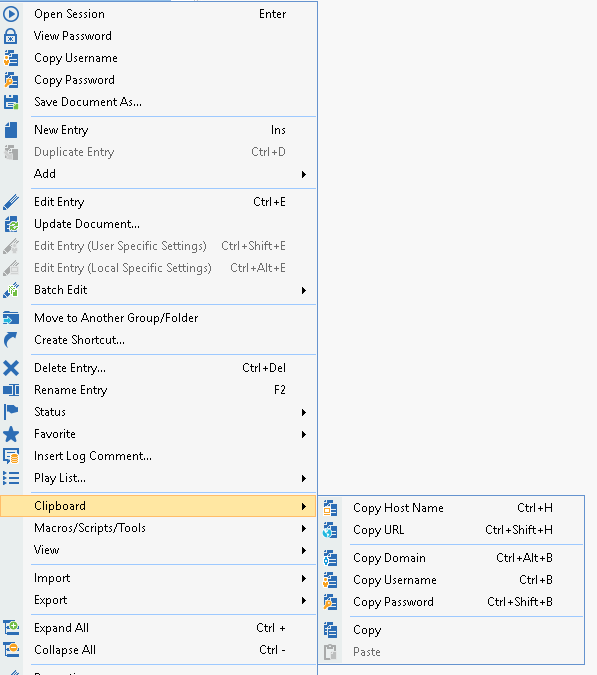
Context menu
Please reorganize the everything and bring it into a clear structure. Why do we need to entries for copy password?
Why do we need "properties" and "Edit entry”?
Session/Entry types
Mixture of credentials, users, groups, folders and connections. Why do we need so much different connection types while 50% of them share 90% or more equal fields? Please consider to restructure your entry types. I have no clue, how to choose the right entry type/structure. Me personally would prefer a structure like "data entry" some few basic fields and more specific fields can be added later on by checking different connection type checkboxes (like Account, bank information, Email Account etc. in data entry).
Keyboard control
Please add underlined chars to each menu entry and each label to enable "ALT + underlined char" keyboard control
Please correct the tab-order for each dialog, usually you jump with tab to the next field to the right or below. within RDM there is often no structure available - mostly due to later added options/input fields. For example:
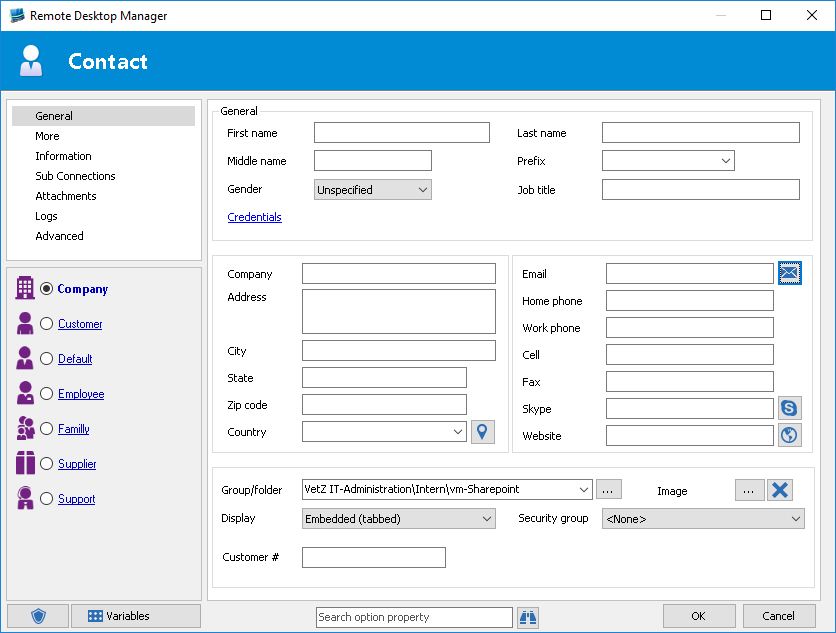
Contact
for the General box - the tabs goes first down and then to the 2nd column - that’s fine. but then it goes from "company address" "city" and so on to the bottom instead of the left "Email", "home phone" etc...
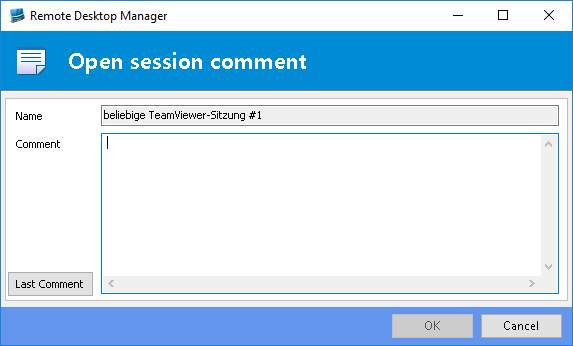
Connection comment
Focus is on connection comment, if I press tab on my keyboard, the focus jumps to "name" which absolutely makes no sense! Instead, "Last comment" or "OK" would make sense.
Dashboard:
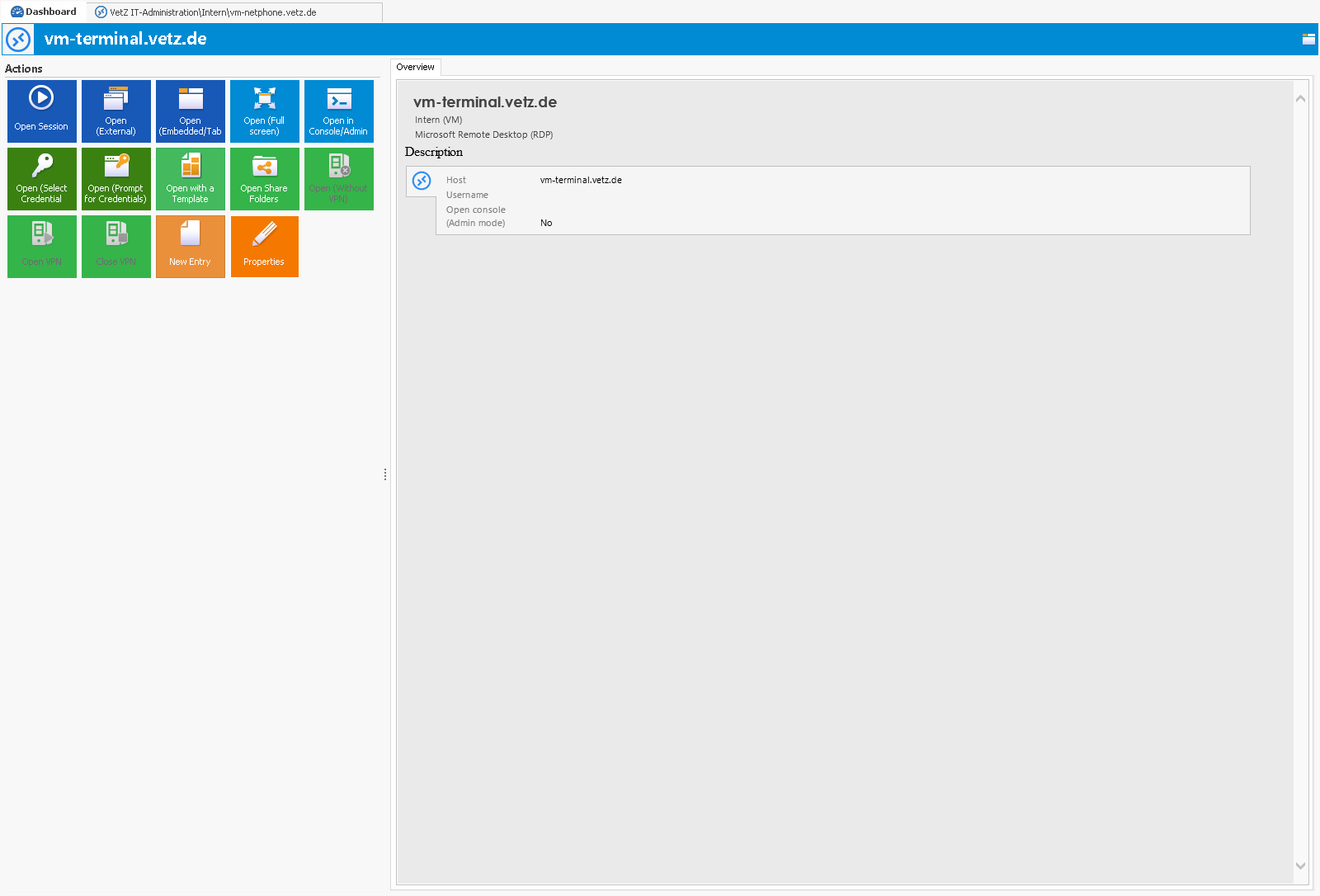
Please add further commands to the dashboards left side: copy Username, Copy host, copy password or the ability to run some scripts/macros/tools and I would love to be able to organize these tiles like in windows 10 start screen. Furthermore, the right side is very empty as well. Why not adding there some further details that are usually just visible within the pinned details at the bottom. The disadvantage of the pinned details at the bottom is that it grabs space for remote session:
Hopefully you don't think what the hell, what going wrong with him - it probably seems to be a log of critic. Yes it is a lot of feedback and a big wish list and I know this would require tremendous work. However, I think it would push your amazing RDM to the next level :)
All the best,
Christian
edited by Xanacas on 8/20/2015
Quick Acces list including QuickConnect empty/gone
After the update to 10 from the last beta, my quick access toolbar was empty:

After

everything is fine again:

But after the update from 10.0.0.0 to 10.0.2.0 I had the same problem again...
Webbrower Session: Allow Javascript as Submit Btn
Hi David,
I use IE Embedded ;)
It's not a problem for me as I've just 4 of these sessions which I won't use very often. Just thought it could be a nice feature to cover the last not working input forms/buttons.
Webbrower Session: Allow Javascript as Submit Btn
Hi All,
I was just adding our Dell Switches to our RDM and I noticed that the submit Button is not discovered.
Heare is wow the Submitbutton looks like:
<a href="javascript:formSubmit();"> Login</a>
Probably you could allow "javascript:formSubmit();" as manual Input for the Submit Button?
Many thanks in advance and please let me know if you need any further information.
Teamviewer 9 SDK / API
Really Great,
have you already ideas of what you'll integrate`?
Teamviewer 9 SDK / API
Hello Everybody!
I'd like to start a discussion about possible Teamviewer improvements here. The reason for this is that TeamViewer has developed an SDK e.g. for managing logs, sessions and service queues:
http://integrate.teamviewer.com/en/index.aspx
First question @Devolutions, are there already any plans?
I'll come back later to this topic to summarize my thoughts here.
VMware Synchronizer - VM Tags
Hi David, you've added a small icon to hide the ribbon-bar

(next to the minimize, maximize icons)
Could you add an option in the settings to auto-hide these ribbon bar on open sessions?
And could you save the display status of the ribbon-bar on close for the run of RDM?
Hi David,
again, great beta!
Do you know if you'll be able to save the state of ribbon bar (hidden or displayed) or to autohide on opening an session?
Could you try to do some performance improvements e.g. for all the drawing, rezising etc.? displaying the ribbon bar takes about one second, displaying the sessionlist and focus the filter by shortcut takes nearly two seconds at a system with win8x64 and 8gb ram.
Could you also add an option collapse the sessionlist directly on "mouse left"?
VMware Synchronizer - VM Tags
Hi David, you've added a small icon to hide the ribbon-bar
(next to the minimize, maximize icons)
Could you add an option in the settings to auto-hide these ribbon bar on open sessions?
And could you save the display status of the ribbon-bar on close for the run of RDM?
Session in use indicator
every 5 secounds should be enough, but create a program settings entry, users with much power and/or small databases could reduce this value to realtime, those with slower datasources could rise these value or turn it completly of.
probably you could also add an option to each session (we'll need the batch edit mode) to choose if the in use state should be monitored or not.
Session in use indicator
Hi David,
I think with SQL-Server Datasource we would not get an performance issue, if you try to indicate open sessions directly in the session list, e.g. with a blue "play" symbol. Its would me more usefull than the warning or allways switching to to the global open session list. What do you think?
Active Directory sync and fix fav list scrolling
Dear David,
referring the component change for the treeview, I would really like if you could find an component which absolutly acts like windows by default. e.g. collapse and uncollaps with the arrow keys, highlight active item.
VMware Synchronizer - VM Tags
Thank you David, you and your Team are doing a very good job!
VMware Synchronizer - VM Tags
When do you expect to release the current beta version?
VMware Synchronizer - VM Tags
How to setup the 64Bit Version of RDM, as I can see in my Taskmanager, RDM still runs in 32Bit mode?
TeamViewer 8 and Putty
sounds more like teamviewer is disconnecting you cause of "buisness detection". if you connect a lot to different teamviewer hosts, they think you use it in professional environment and this is not allowed with the free version.