
izirdum
Last opened sessions no longer opening on startup.
"My Personal Cloud" (the one that comes with the free version of RDM)
Last opened sessions no longer opening on startup.
I'm on 2026.2.13.0 and it's still not working. Is there still an issue with the software an opening last opened sessions?
Thank you.
Favorites dissapeared
2026.2.9.0 fixed it on Windows. Latest available on Mac still doesn't work (2026.2.1.5).
Favorites dissapeared
Tommy,
I'm using the free personal cloud datasource. I've tried removing the datasource and re-adding it. Web interface works fine btw.
I've also tried uninstalling the app completely, and removing the devolutions folder in the application support folder on the mac, downloaded a fresh copy (2026.2.1.5) and it's still doing the same thing so I'm pretty sure it's something on your end.
Last opened sessions no longer opening on startup.
I'm currently on 2026.2.9.0.
It used to be, if I had a bunch of RDP sessions opened, and I needed to close the entire RDP app, once I reopened the app, it would ask which sessions I'd like to open again. It's not doing that any longer (seems like it broke a version or two back perhaps)
I've check the 'playlist management' settings and under the 'user vault' tab there is no option like that. Under the 'local machine' tab, it's set to Launch at Startup: Last opened sessions (and the confirmation at startup box is checked).
My Personal Vault showing red x and Favorites is blank.
The portal (and the IOS and Macbook apps) work fine. Mind you, this was working fine on the Windows system previously, and just started to not work fully recently.
My Personal Vault showing red x and Favorites is blank.
I'm on version 2026.2.7.0 64-bit (PreJIT).
The issue I'm having is My Personal Vault (if I go to the navigation pane, click on Vault on the bottom left) has a red x on it.
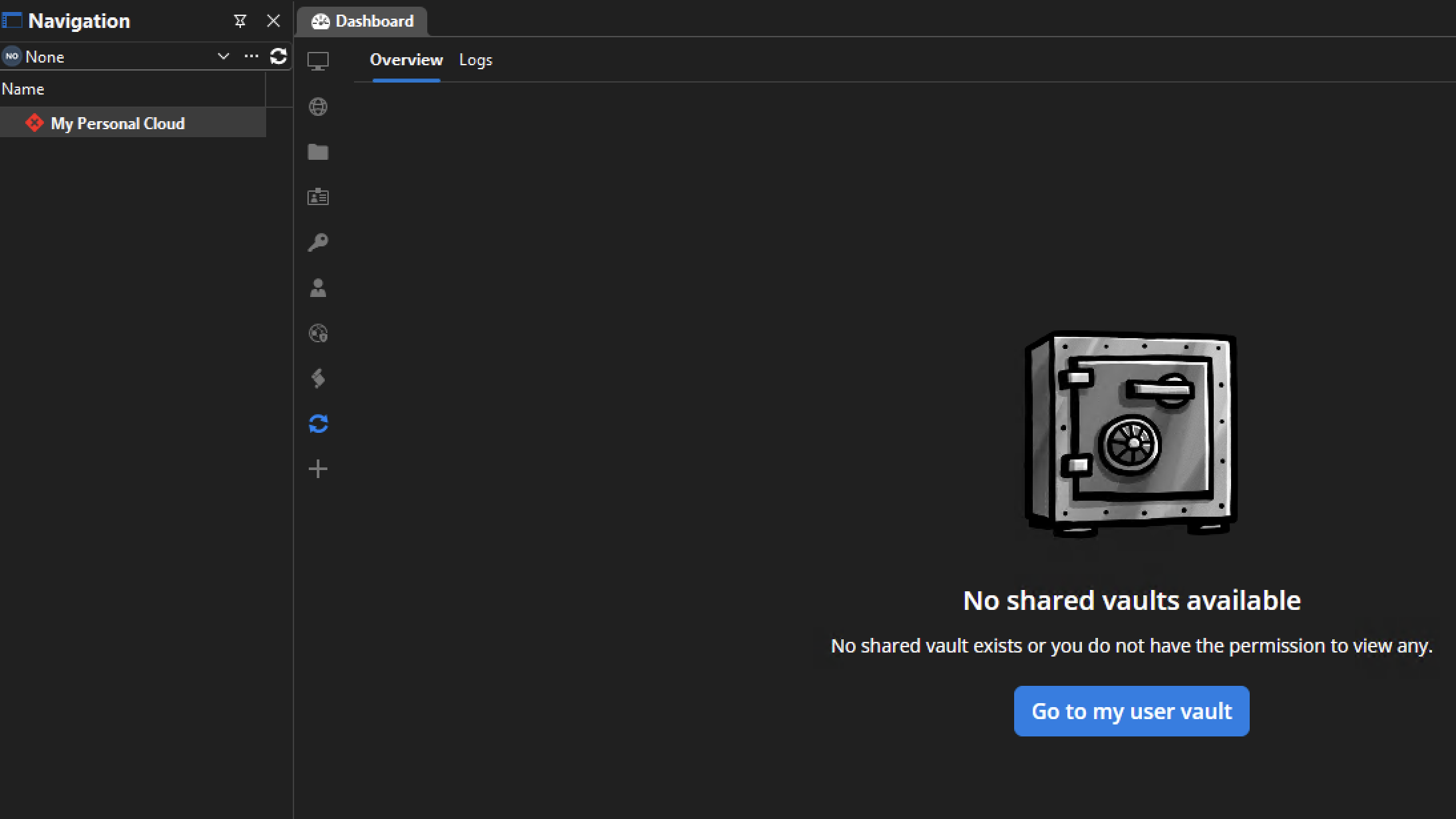
If i click on the next section in navigation on the bottom (user vault) it works fine. I've tried testing the connection, which has no issues, and even deleting it and reconnecting and it ends up the same. The app on my Mac doesn't have this issue. Downgrading to 2026.2.5 doesn't seem to make any difference.
The only reason I noticed any of this was that my Favorites went blank (even though I can see in the user vault I have connections selected as favorites, and the IOS app shows them just fine). On my Mac the favorites were doing the same thing, but I deleted and recreated the favorites files, and that worked on the mac, but didn't make any difference on the PC.
Any ideas on how I can get my 'Vault' (and favorites) to work properly again on my PC?
Favorites dissapeared
The issue on my mac has been fixed by deleting the favorites files and recreating them. The windows issue has some more nuances, so I'll move that topic to the proper forum.
Favorites dissapeared
I'm on the latest version (2026.2.1.2 on Mac and the latest available on my Windows system as well but I don't know what version it is exactly right now). Both systems are having the same issue, if I go into my Favorites folder, it's empty. I can see my the servers I've favorited in my main vault list, so I know they're in there, but I just can't see them in favorites (and removing/adding them to the favorites list doesn't make any difference).
Any ideas on what I can do to fix this?