My Personal Vault showing red x and Favorites is blank.

I'm on version 2026.2.7.0 64-bit (PreJIT).
The issue I'm having is My Personal Vault (if I go to the navigation pane, click on Vault on the bottom left) has a red x on it.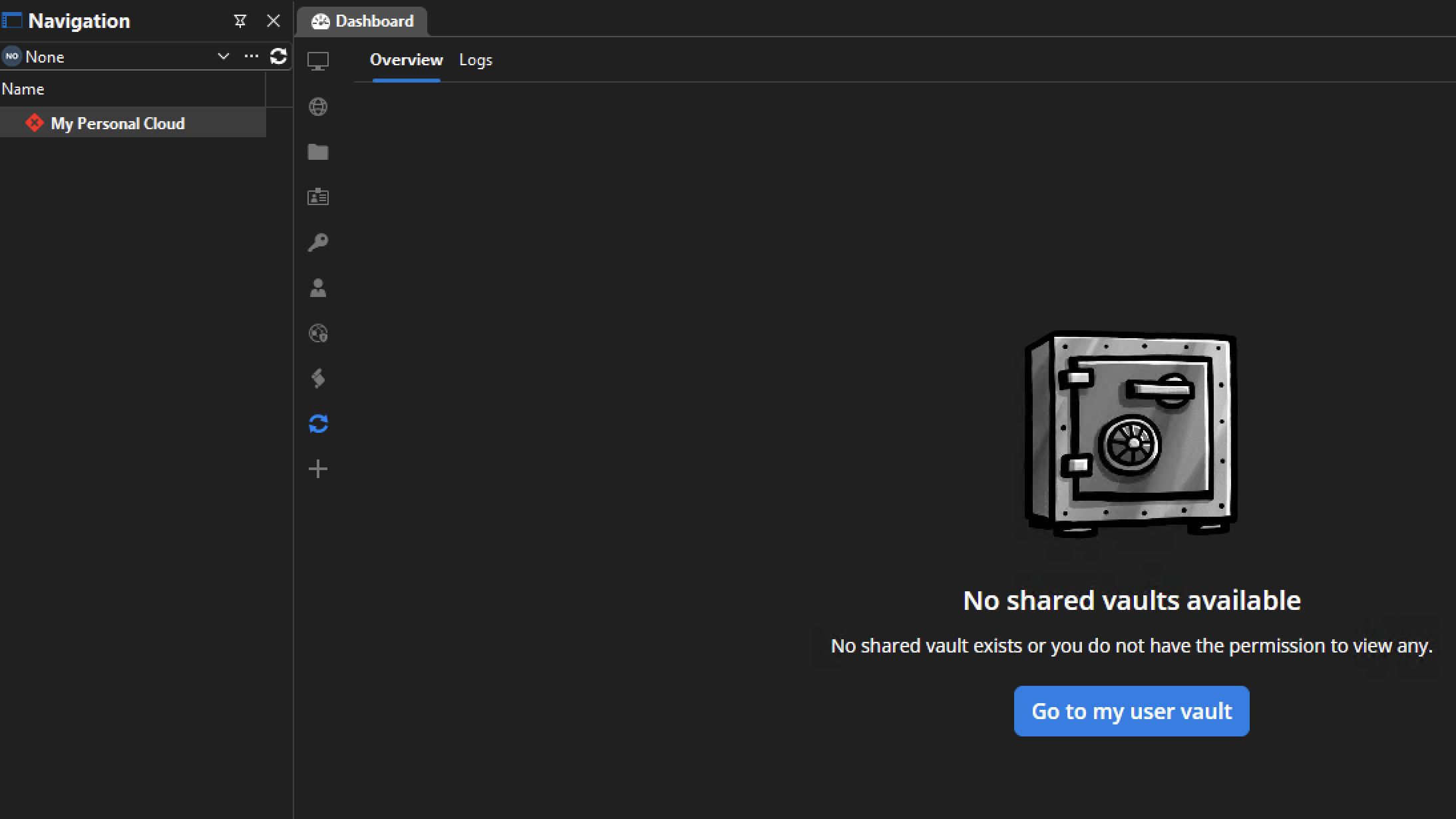
If i click on the next section in navigation on the bottom (user vault) it works fine. I've tried testing the connection, which has no issues, and even deleting it and reconnecting and it ends up the same. The app on my Mac doesn't have this issue. Downgrading to 2026.2.5 doesn't seem to make any difference.
The only reason I noticed any of this was that my Favorites went blank (even though I can see in the user vault I have connections selected as favorites, and the IOS app shows them just fine). On my Mac the favorites were doing the same thing, but I deleted and recreated the favorites files, and that worked on the mac, but didn't make any difference on the PC.
Any ideas on how I can get my 'Vault' (and favorites) to work properly again on my PC?
4bb80c8f-ea9f-494f-a23b-9b2479ccc1c9.png
All Comments (4)
Hello,
Thank you for contacting us on that matter,
Could you please connect to your portal via the web interface first? You will need to sign in through the web before it will work in RDM.
Best regards,
Tommy Sanders
The portal (and the IOS and Macbook apps) work fine. Mind you, this was working fine on the Windows system previously, and just started to not work fully recently.
Hi,
Thanks for reaching out, and sorry for the confusion here.
What you're seeing is the result of Devolutions Hub Personal being migrated to Devolutions Cloud; a free, full-fledged cloud offering (previously known as Devolutions Hub Business). With this change, your workspace can now do more than before: you can create multiple vaults, and start a trial to invite other users and share entries. That's also why you're now seeing a shared vault appear alongside your user vault.
That said, arriving in the shared vaults and the blank favorites are not expected behavior. We're looking into it so RDM opens straight into your user vault, and we're also investigating the favorites issue separately.
In the meantime, manually selecting your user vault at the bottom should restore your entries. We'll follow up once we have an update.
Thank you, have a good day!
Maxime Morin
Hello,
Thank you for being so patient!
I'm pleased to inform you that a new version of RDM (2026.2.9.0) has been released, featuring the fix for your issue.
Latest Version: Download RDM
Please let us know if this works or if you encounter any issues.
Best regards,
Maxim Robert