
TS
PowerShell Script Parameter not working with RDM Variable $VPN_HOST$
This issue has become more critical for us than initially anticipated. do you know when a fix for this bug will be available?
PowerShell Script Parameter not working with RDM Variable $VPN_HOST$
Thank you for the help. I am eagerly awaiting a fix.
PowerShell Script Parameter not working with RDM Variable $VPN_HOST$
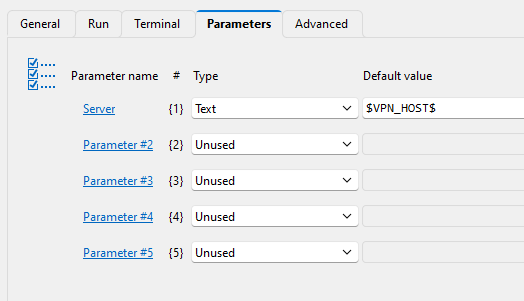
We are attempting to use a parameter to pass the $VPN_HOST$ RDM variable value to an embedded PowerShell script entry. The PowerShell script entry is set for local execution. The script entry was added as a Before Opening event of a NetExtender VPN connection. The $VPN_HOST$ RDM variable value is not passed to the script.
If I put a fixed text into the parameter tab for the server parameter, the text is passed to the script.
we want to pass the value as a parameter so that the PowerShell script can be digitally signed.
We are using RDM 2025.2.23.0. Is there another method we should be using?
param(
    [string]$Server
)
Write-Host "server: " $Server

# Define base path and the exact server value to match
$baseKey = "HKLM:\SOFTWARE\SonicWall\SSL-VPN NetExtender\Standalone\Profiles"

# Loop through each subkey under Profiles
Get-ChildItem -Path $baseKey | ForEach-Object {
    $serverValue = Get-ItemProperty -Path $_.PSPath -Name server -ErrorAction SilentlyContinue

    if ($serverValue.server -eq $server) {
        Write-Host "Deleting key: $($_.Name)" -ForegroundColor Yellow
        Remove-Item -Path $_.PsPath -Recurse -Force
    }
}
Password Expiration and Account deactivation
We are using RDM with the Devolution Server as the data source. Each client we connect to dictates their own password expiration and account deactivation policy. For example, accounts not used in 30 days are deactivated but the account password only needs to be set every 90 days.
We need to find a way to either email or alert a user in RDM when their user vault credential entries have not been used in X days (to prevent account deactivation) or when the password has not been changed in Y days (to prevent account lockout).
We would like to set a global default for these conditions. However, since the deactivation and password expiration time frames are different for each client, we would like to allow the user to override these values.
In a similar vein, we would like to have a select group be notified when credentials in the main shared vault reach either of these conditions.
In the Devolution server, we can see under More that there is an expires after and an inherited notify for expiring entries options. These options don't seem to be visible in RDM.
However, I don't think this will do what we are looking for.
We would appreciate any suggestions.
Thanks.
RSA SecureID Username/PIN List
We have multiple RSA SecureID based credentials for a single VPN. Adding a list option would allow the users to select the account for whose token they have access to. These accounts are shared among a group of employees; therefore, the user vault is not an option.
We would like to see a RSA SecureID username/PIN list similar to the password list or the ability to add RSA SecureIDs to a password list.
FortiClient 7.4+ IPSec Connection Support
We followed the instructions but nothing shows up in the logs. When we use the FortiClient connection outside of RDM it connects in a few seconds and I see the NIC activate in the network sharing center as well as I see the routes added by the VPN and am able to traverse the connection.
When the FortiClient IPSec connection is used from RDM, RDM seems to move on without any indication that the connection has failed or is complete. The FortiClient seems to be attempting a connection but never completes the connection. The NIC does not appear nor do any routes. But we lose network access. We are forced to shutdown the FortiClient to regain network access.
We have tried this with 3 different connections with the same result.
FortiClient 7.4+ IPSec Connection Support
Unfortunately, the "FortiClient IPSec" does not work it appears to attempt to start the connection however it never completes and hangs. I am forced to shutdown the Forti Client and sometimes manually disable the adapter to regain network access.
FortiClient 7.4+ IPSec Connection Support
We would like full support for FortiClient 7.4.2.x IPsec and SSL VPN connections.
Barracuda Network Access Client Status & Disconnect Issues
Prior to release V2025.1.24.0 putting the credentials directly into the Barracuda NAC entry did work when establish the connection. Placing the credentials in the Barracuda NAC entry has no affect on the green indicator or closing the connection from RDM. V2025.1.24.0 does not fix any of these issues and causes new issues.
Barracuda Network Access Client Status & Disconnect Issues
The RDM release notes for version 2025.24.0 indicate that the barracuda NAC linked credentials issue was resolved. However it has not been resolved.
Barracuda Network Access Client Status & Disconnect Issues
Using the PowerShell command "disconnect-vpn" closes the active Barracuda NAC VPN connection. However, the experimental integration will not run the PowerShell directly as an embedded before or after close event. Additionally, the integration will not run the PowerShell command from a linked Macro/script/tool entry. However, the command works correctly if run manually from a macro/script/tool entry.
The integration also will not use the linked (vault) credentials it will only accept credentials entered directly into the VPN entry.
Support for Barracuda NAC VPN Client 5.X.X
We are testing the experimental integration and have 2 issues detailed in post: https://forum.devolutions.net/topics/44027/barracuda-network-access-client-status--disconnect-issues#204168.
Has anyone had any success in closing the connection?
Barracuda Network Access Client Status & Disconnect Issues
Setting the "Use adapter to detect Connection" did not fix the green status indicator.
Based on the form posts shown below it looks like the NACVPN.EXE may have been partially deprecated in favor of PowerShell commands. One of the threads is 5 years old the other is a year old. However, it sees as though movement is incredibly slow on making the integration fully operational.
Any Idea as to when this integration will be fully functional?
https://forum.devolutions.net/topics/41101/barracude-network-access-50266
https://forum.devolutions.net/topics/31080/support-for-barracuda-nac-vpn-client-5xx
Barracuda Network Access Client Status & Disconnect Issues
When we run the command line even when using the run as administrator the nothing happens. The connection remains open.

Barracuda Network Access Client Status & Disconnect Issues
We are already running 2024.3.29.0 which is the latest production version. We already opened a support ticket and they suggested reporting the condition here. They offered a temporary workaround that is not great
Barracuda Network Access Client Status & Disconnect Issues
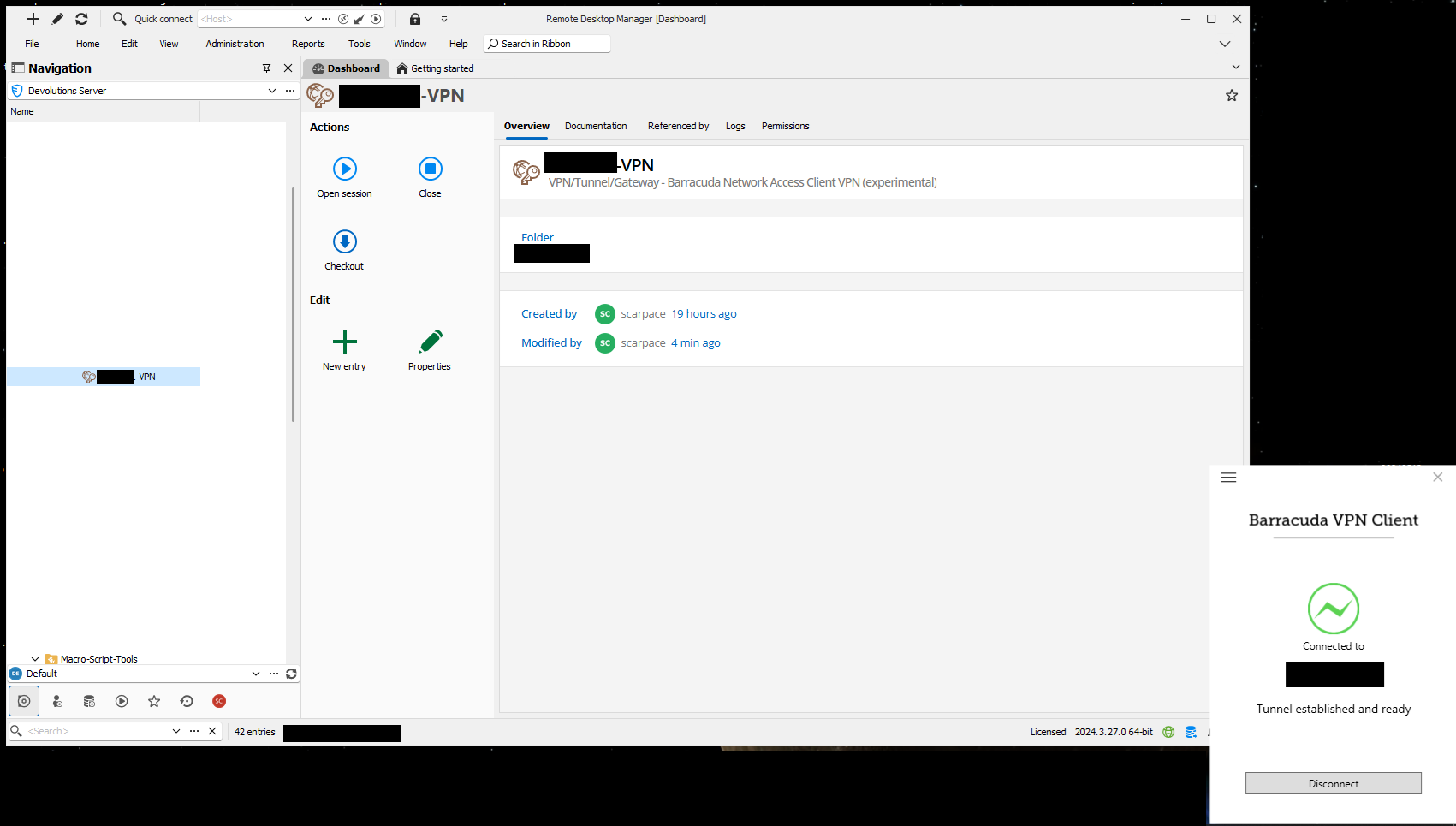
When we click close on the Barracuda Network Access Client VPN connection in RDM, the Barracuda VPN client popup opens, but the disconnect process is not initiated.
Also, the RDM entry does not go green when the VPN is connected.
Barracuda Network Access Client Does Not Use Linked Password
The Barracuda Network Access Client integration does not use linked credentials. It only works with credentials entered into the Barracuda Network Access Client Entry.
The entry can't be saved without entering a password when a linked credentials is used
Barracuda Network Access Client Does Not Use Linked Password
The Barracuda Network Access Client integration does not use linked credentials. It only works with credentials entered into the Barracuda Network Access Client Entry.