Barracude Network Access 5.0.2.66

Hello everyone,
I now use its recently the RDP and have a question about the use of the Barracuda VPN.
I installed the add-in NG Firewall + NG Network VPN, and tried to test it.
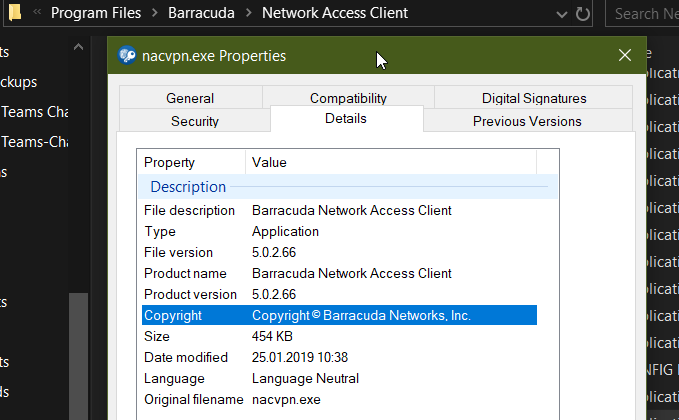
I use nacvpn. exe with version 5. 0. 2. 66, with last edit 2019.
Among the paths is also the rvpn. exe desired, which in my case is called nacvpn.
Since I use many VPN connections with Barracuda License Authentication Method, it would be very helpful if I could integrate this client.
Thank you for your time / help.
Greetings Alexander
All Comments (12)
Hello Alexander,
Thank you for reaching out to us regarding this,
Is the Barracuda NG Network VPN not the option you are looking for in this case?
Perhaps you can provide some additional details on the issue you're encountering?
Let me know,
Best regards,
Samuel Dery
Hello Samuel,
as previously described, I have a problem in the path settings the. Exe files are already named differently.
I tried to change them, but without success.
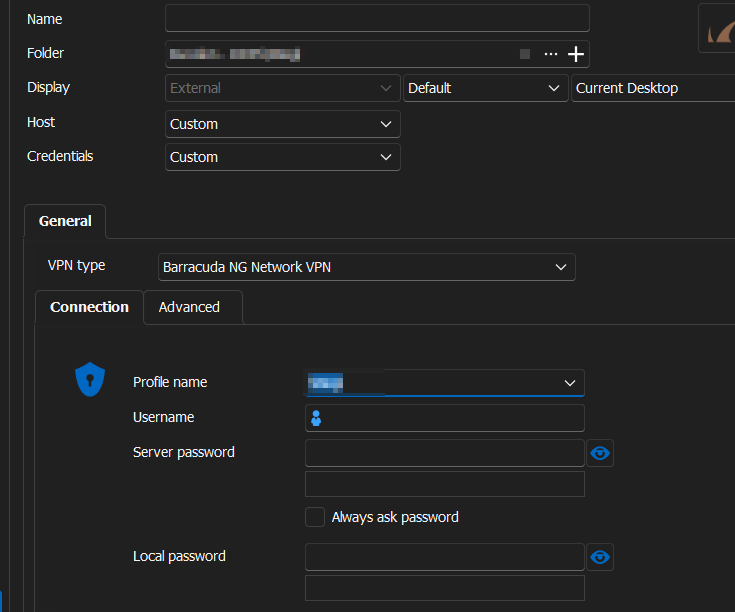
In the attachment, I have added a few screenshots.
The client in the RDM recognizes the "Saved Profiles" but cannot open or execute them.
Since i have many VPNs from Barracuda right now, and my company requires this version, I'm kinda of stuck at this situation
this would make my life so easy if i could get it to work, but i can't find the right trick.
Thank you so much for your time helping me and BR
Alex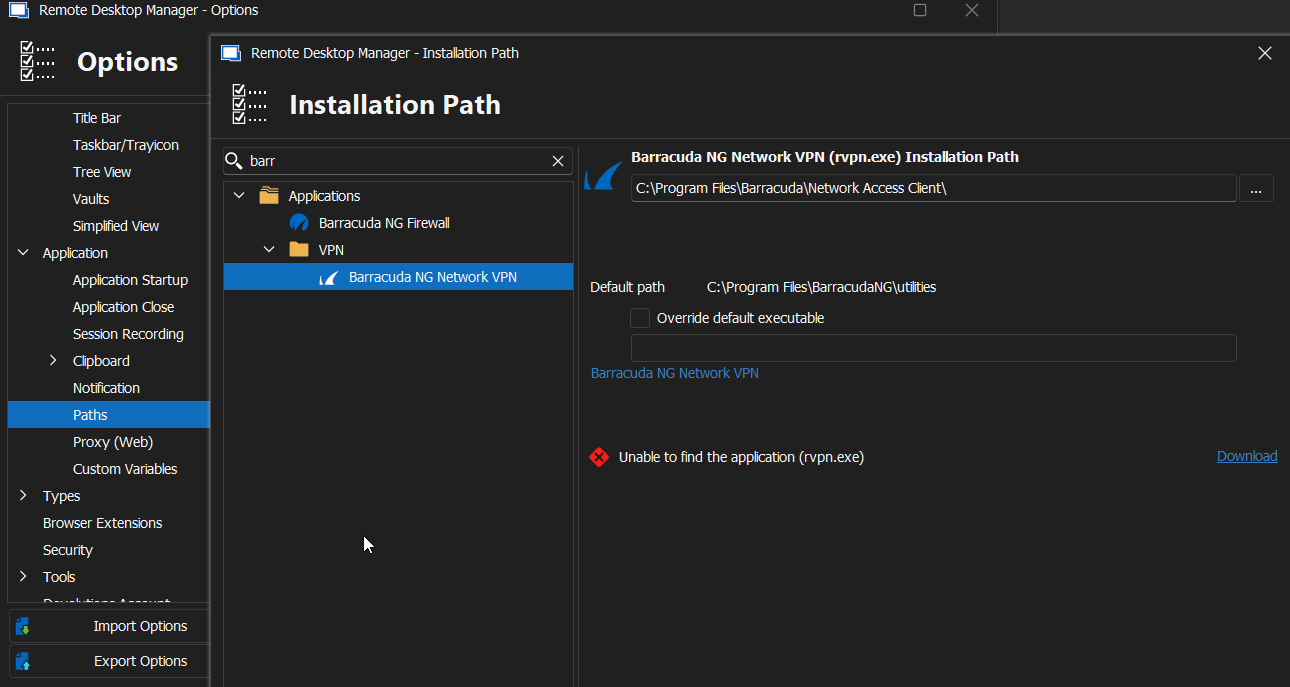
.png)
2024-02-02 00_08_15-Remote Desktop Manager - Installation Path.png
2024-02-02 00_02_33-Add VPN_Tunnel_Gateway.png
2024-02-01 23_55_38-Network Access Client.png
2024-02-01 23_51_40-Barracuda Network Access Client (Administrator).png
Hello,
Could you please try overriding the default executable and changing the installation path to see if the issue reoccurs?
Best regards,
Carl Marien
Hey Carl,
it works to make a copy and rename the copy to rvpn.exe but.
It opens the App doesnt change the Profile and doesnt insert Passwords.
i think now that it rly must be the version of Barracuda or something.
would it be possible to send me a zip with the setup.exe with the version u guys use?
my barracuda setup was provided from my company so, i only have that one.
BR
Alex
Hey Guys,
i did some testing and finally got it to open my Barracuda Client.
Sadly now the issue is that it doesn't open the selected Profile or inputs the credentials.
Even if I use a Profile where I already have the Credentials saved it doesn't start the connection for me.
Is there a way to input and connect automatically with some settings I'm missing?
Thanks Alex
Hello,
To better understand and resolve the issue, I believe a remote session would be more productive.
I have sent a link to your email which you can use to request a remote session.
Best regards,
Carl Marien
Hi all.
Do you have any news? In my opinion, the latest version of Barracuda NAC does not allow command line control. Probably PowerShell modules can be used instead. If I connect using an imported profile, connecting using the
Connect-VPN -ProfileID 77 -ProfileContext Machine -UserName $Username -UserPassword $Secure_String_Password
the connection works.
Disconnecting afterwards is using
Disconnect-VPN
This might be a workable procedure for RDM. I don't know how to do two Powershell commands as a VPN session. I currently use Before-Open and After-Close in Events. But I miss the possibility of saving the login and password somewhere else than directly in the script and mainly the VPN Group.
There is an option to connect without an imported profile. And that's even better in my opinion:
Connect-VPN -ServerAddress VPNaddress -UserName $Username -UserPassword $Secure_String_Password -TunnelMode Hybrid -Description "Barracuda VPN" -EncryptionAlgorithm AES256 -AuthenticationAlgorithm SHA256 -SignatureHash XXXX
The problem is that I have no idea what should be in the SignatureHash parameter. Absolutely no value was taken by the command.
Can anyone advise me for example how to make PowerShell commandlets like VPN session?
Hello jr_bva,
Alexwagnerxx and I have developed a workaround for the issue he encountered. The solution involves utilizing custom PowerShell scripts in the event section, specifically before opening and after closing sections of the application.
Before Start: The workaround initiates a VPN connection using a specific profile ID that the Barracuda client recognizes. This is achieved through the command: connect-vpn -profileid 6 -ProfileContext machine.
After Closing: Upon closing the session, you can automatically terminate the VPN connection with the command disconnect-vpn.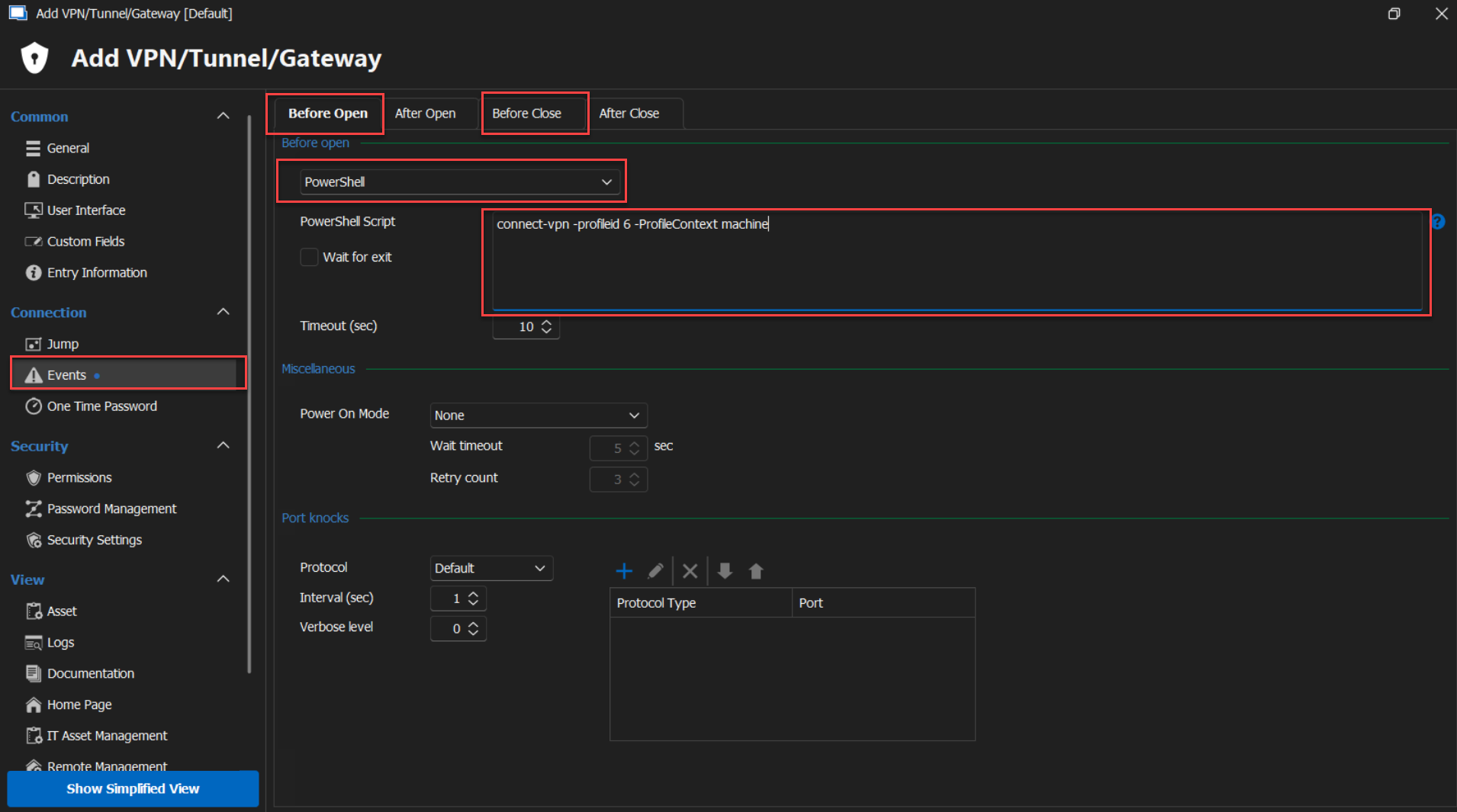
Should you have any further questions, concerns, or need additional support, please don't hesitate to reach out. I'm here to assist.
Best regards,
Carl Marien
2024-03-12_10-27-29.png
Hi
Thank you for your reply. I am also using a workaround using Powershell script on Before_Open and After_Close. The problem is that I need to also pass the VPN username and VPN password from an external credential manager.
And I don't know how to handle that in these scripts.
Hello jv_bva,
Unfortunately, I'm not certain it's possible. If you manage to find a way to fetch credentials via PowerShell, please share your method with me. I would be very interested in learning how you did it.
Best regards,
Carl Marien
Hi,
I have the problem that the IDs of the profiles are different.
Is there a way to do this with the profile name instead of the ID?
Or is there already another solution?
Hello,
Thank you for your message.
I understand that using profile names could streamline the process for you, However, based on my current understanding, Barracuda operates by referencing profile IDs within scripts and commands.
If you have access to a command console that supports referencing profile names, please don’t hesitate to let me know, and we’ll explore potential options.
Best regards,
Carl Marien