
samuel2
Let an entry restrict which credentials appear in the credential prompt
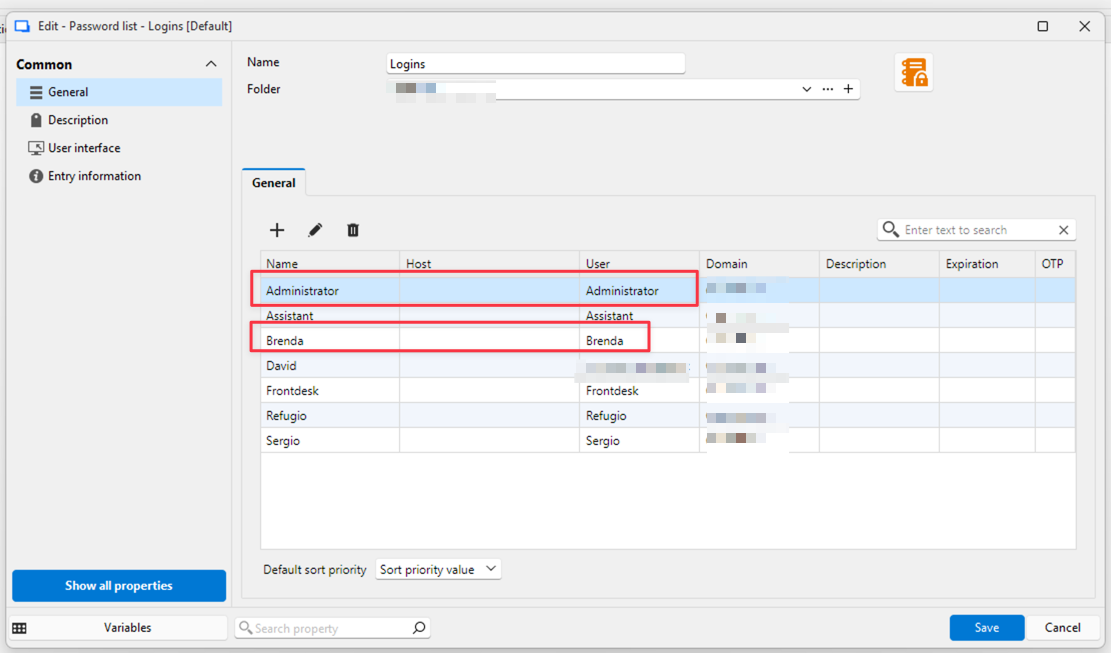
I set up the system exactly as you described. The dynamic link opens the credential list, which displays all the users. So the only way a dynamic link could show only the two users I need is if I had to create a password list for each computer, which would add 25 entries.
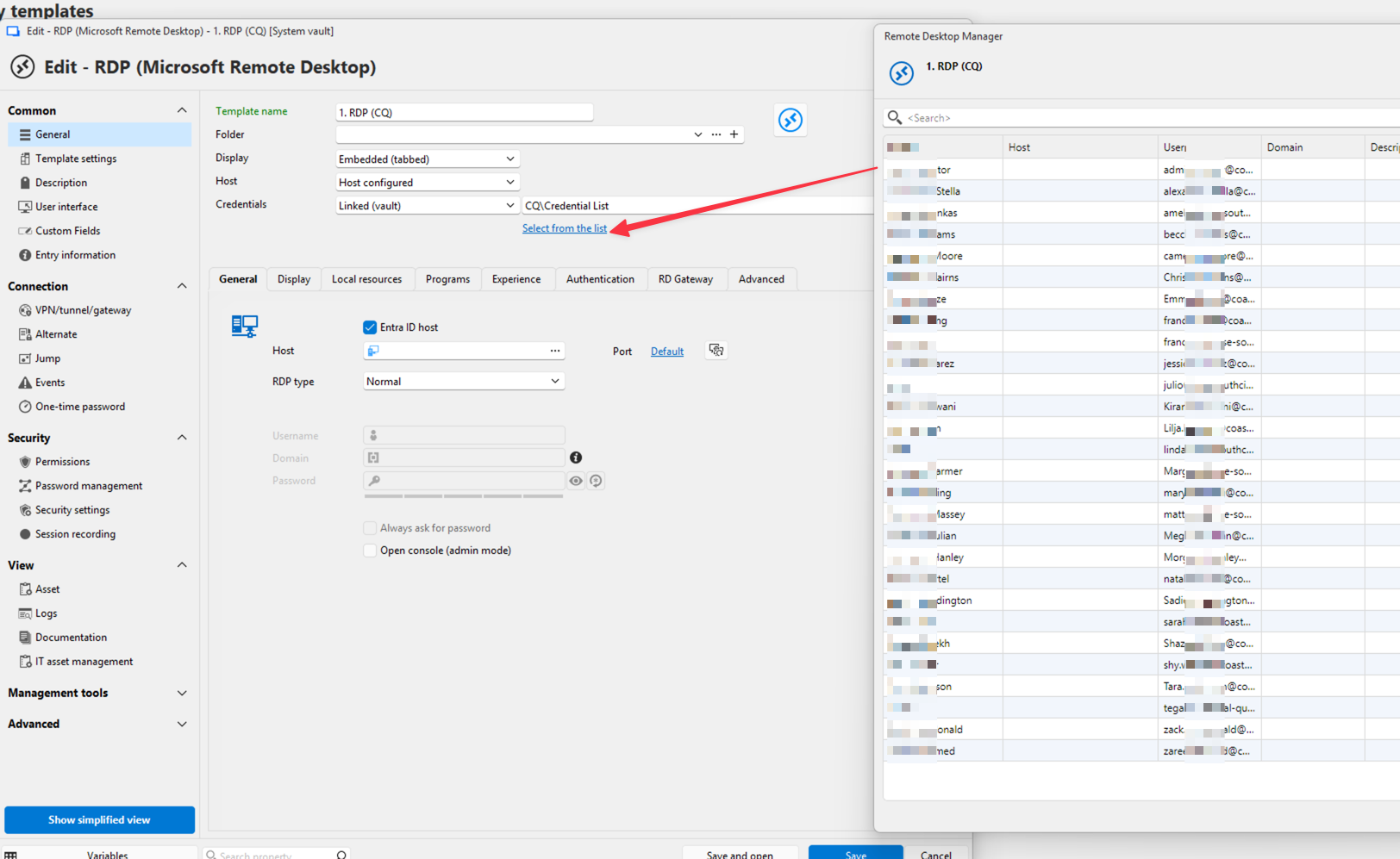
Let an entry restrict which credentials appear in the credential prompt
Here's another example. In this customer, there are about 25 computers, each with one user. When I RDP into one, I see the entire company's credential list, but each computer has only two potential logins: the current user and an admin. However, I have to scroll through the large list to log in. Also, hitting the first letter or name doesn't work. The credential list window doesn't resize, so I have to manually resize it and scroll to find the credential entry. This makes logging in cumbersome. I believe your host template system is the best hidden feature. It keeps RDM small, which makes it easier to manage.
I know I can break down credentials and do different things with them, but that creates more entries. In my opinion, the goal should be to have the fewest entries and keep RDM as small as possible. This makes it easier to manage.
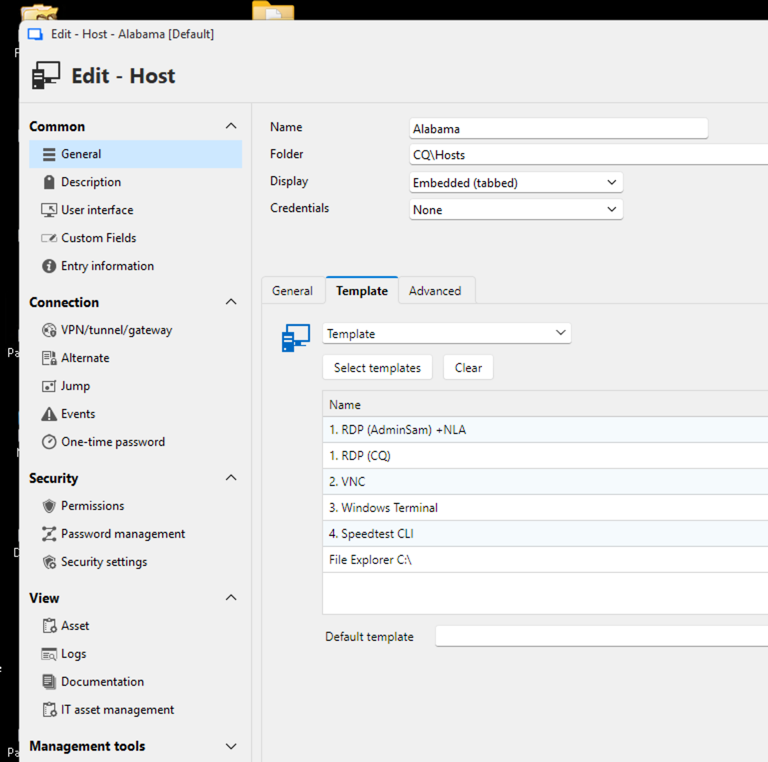
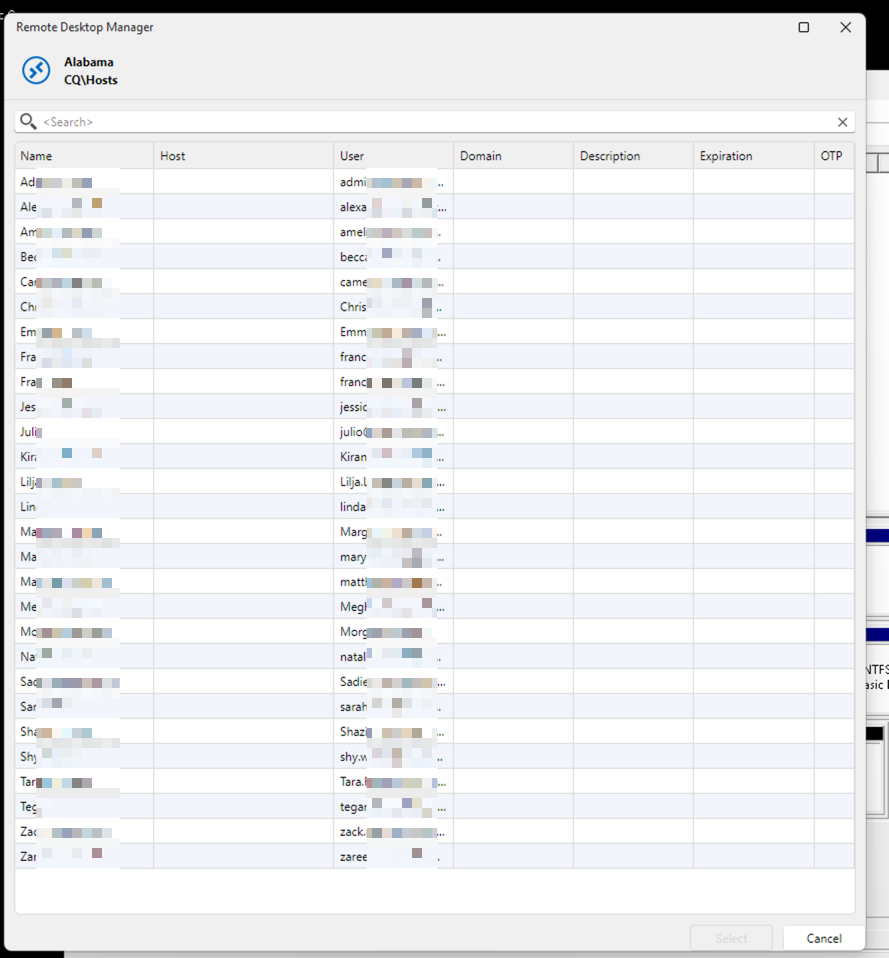
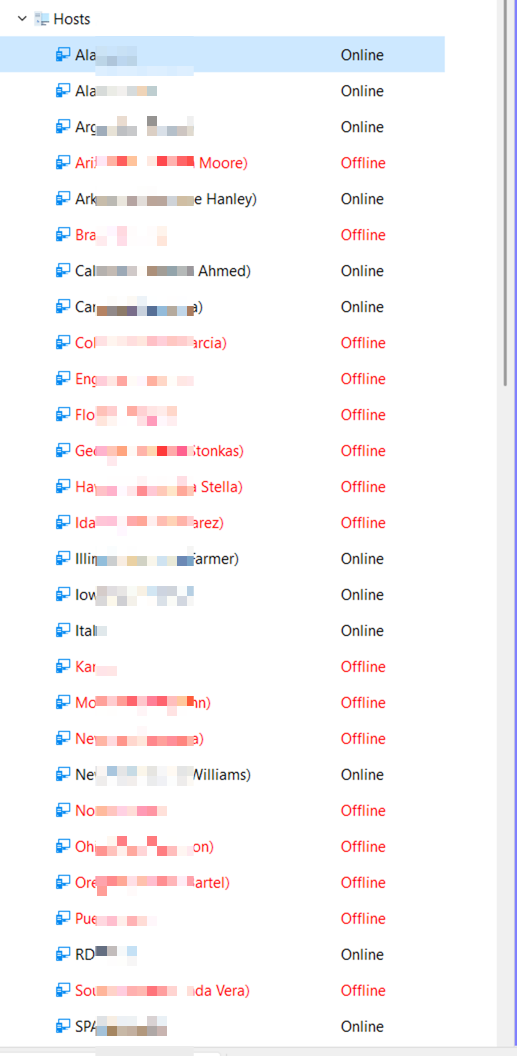
Let an entry restrict which credentials appear in the credential prompt
Current behavior
When an entry (or a Host template) uses Linked (vault) credentials pointed at a Password List or a folder, the prompt at launch shows every row/entry in that list. There is no way to narrow it per entry.
Problem
As an MSP I keep one Password List per client with every user's login. When I open a workstation I only ever want two options: that machine's end user and the shared admin account. Instead I get the full list of 20+ rows and have to scroll or type into the search box on every launch. The current workarounds (a sub-list or subfolder per machine, or a separate RDP entry per credential) multiply entries and defeat the point of centralizing the list.
Request
On any entry whose Credentials are Linked (vault) to a Password List or folder, add an optional "Allowed credentials" selector: a multi-select of the rows/entries in that list. At launch, the prompt shows only the selected rows. If exactly one is selected, connect without prompting.
Nice-to-haves
- Same selector on Host entries, so host-launched templates with Inherited credentials receive the filtered set.
- Allow a shared entry (e.g. the admin account) to be pinned so it always appears first.
Benefit
One credential list per client, one entry per machine, two clicks to connect as either the user or the admin. No duplicated credentials, no per-machine folders.
Application Window resizing in Mac OS Parallels
On a side note, I was hesitant to migrate from Intel Macs to the Apple Silicon because I thought I would lose VM functionality. I never tried ARM Windows and didn't think much about it. After running ARM Windows 11 on my new Mac Studio M4 Max, my eyes are open. It's substantially faster than x86 Windows on my 2020 iMac. And can install any Windows software, ARM or x86. No way can I go back to Intel Macs. RDM runs so well in Parallels, I stopped using the native Mac OS RDM. Now I just have to figure out how to afford this new machine.
Application Window resizing in Mac OS Parallels
I started running RDM in Windows 11 ARM on my Mac Studio M4. The performance is fantastic. Much better than on my Intel iMac. The only issue is resizing the main application window. It's challenging to grip the mouse at the corners to resize. I have tested this using many other applications. RDM is the only one not playing nice with the corners.
Screen video trying to grab corner

WireGuard Implementation
OK, thanks for checking.
WireGuard Implementation
Is it in the Mac OS version. I don't see it?


Execute in current tab for typing macro
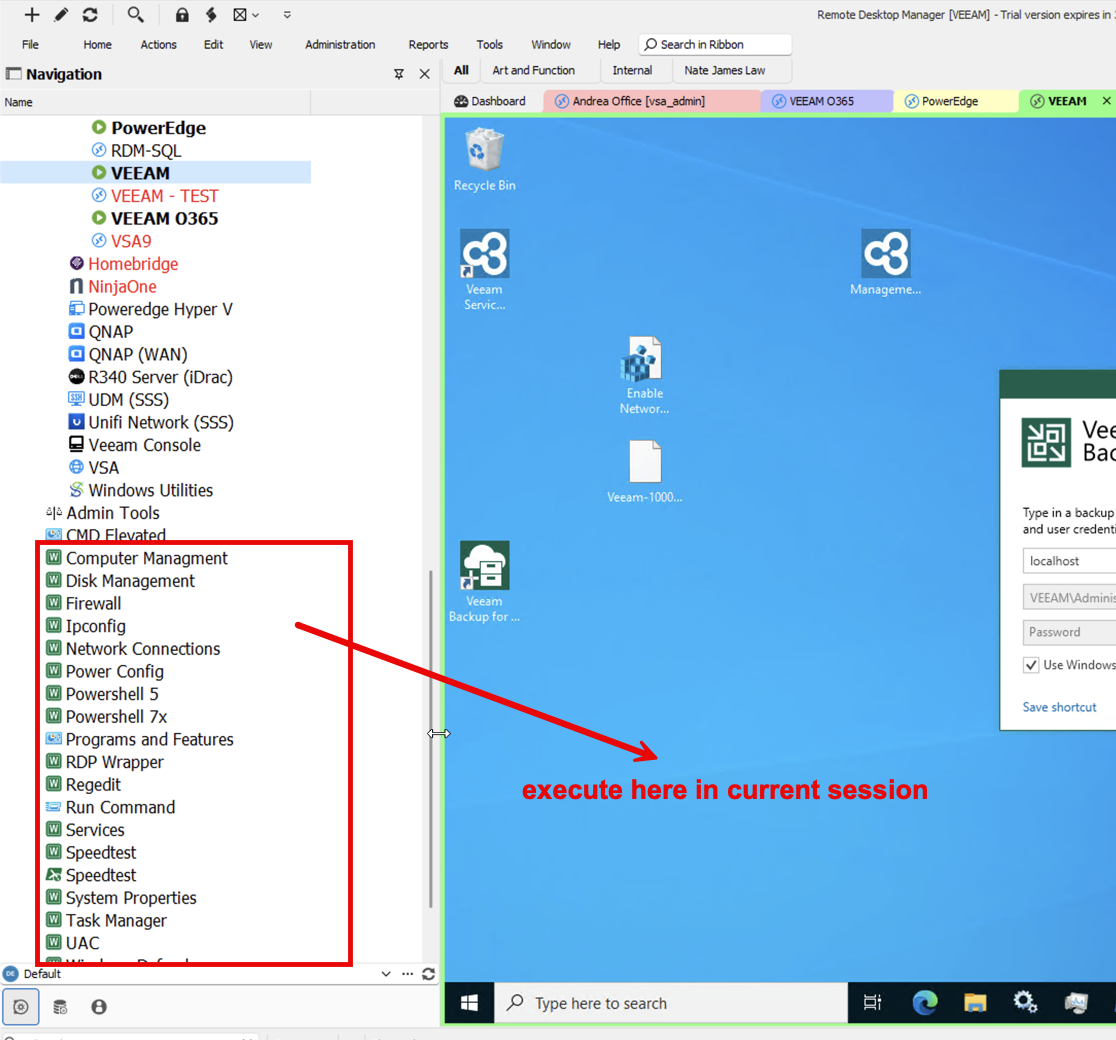
How do I execute the macro typing in the session that is the current view? It always executes on my local machine. FYI: I have worked with support on this issue and they think it's bug.
Execute in current tab for typing macro
What part of that document am I supposed to follow?
Execute in current tab for typing macro
I would like to simply execute the typing macro in the current session window with a single or double click.
setup FileShare session
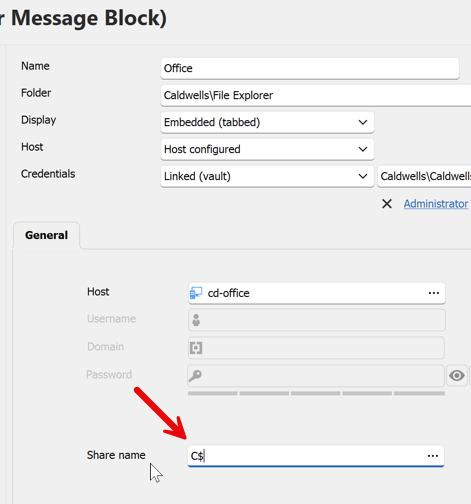
Is it possible to load more than one share name at a time? For example add C$, D$, and W$.
Host List like Credentials List
I would like to make an entry containing host names in the same way we can do so in the Credential List entry. Almost all of my connections are linked to a separate host. Being able to contain all hosts inside a single entry (same as Credential List) would be more efficient.


Add delay time in {DELAY} command
I have to say, Royal TS got it right with the way they implemented Macro typing. Inputting the delay time into each {DELAY} command allows the command to be precisely executed while keeping the entire macro much shorter and easier to read and edit.
For example:
Royal TS Macro: $EffectiveUsername${ENTER}{WAIT:600}{ENTER}{WAIT:450}$EffectivePassword${ENTER}{WAIT:150}{ENTER}{WAIT:500}{ENTER}
RDM Macro: $USERNAME${ENTER}{DELAY}{DELAY}{DELAY}$PASSWORD${ENTER}{DELAY}{DELAY}{ENTER}
You only need to use {DELAY} once in the Royal TS macro. In my experience, I could get my Macros working in much less time than RDM. And sites authenticate much faster.