Execute in current tab for typing macro

Is there a way to make double click the default to execute a typing macro entry in the current tab? I have several repetitive commands I type in my telnet/SSH windows that I would like to save as macros. This would be extremely helpful and would allow me to dump SecureCRT as the terminal of choice. Even better would be a button bar like in the screenshot attached. That would make it work EXACTLY like SecureCRT.
SecureCRT_2017-05-30_17-20-49.png
All Comments (10)
Hello,
Yes, this is possible.
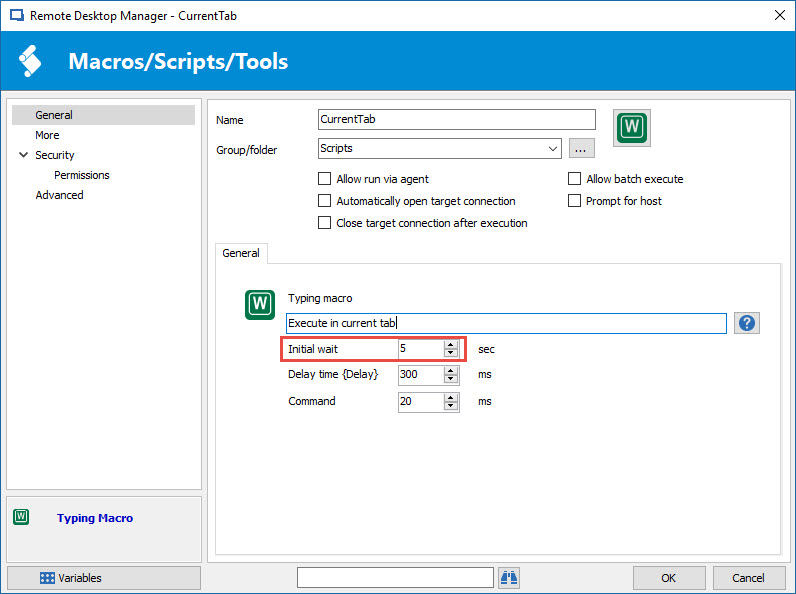
Create a Typing Macro macro/script/tool session.You may have to adjust the Initial wait time to let you the time to position the cursor properly in the session.
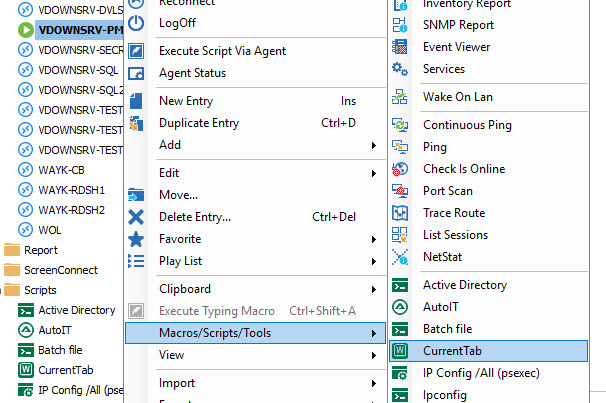
Once the session is created, open the remote connection. Then, right-click on the session in the Navigation Pane and select Macro/Script/Tool and your typing macro session.
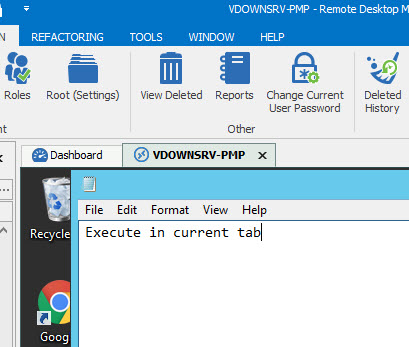
Position the cursor in the remote session and wait the execution of the macro.
Best regards,
Jeff Dagenais
2017-05-30_21-09-44.jpg
2017-05-30_21-09-01.jpg
2017-05-30_21-08-24.jpg
Yeah I know that works. I was wondering if you could double click the macro in the connection tree on the left side. It's faster if you want to run multiple macros in a row rather than right clicking on it. Sometimes I spam 2 or 3 of them at once. It's a timing thing when collecting debugs on Cisco devices.
Hello,
This cannot be done by double-clicking the macro session in the Navigation Pane.
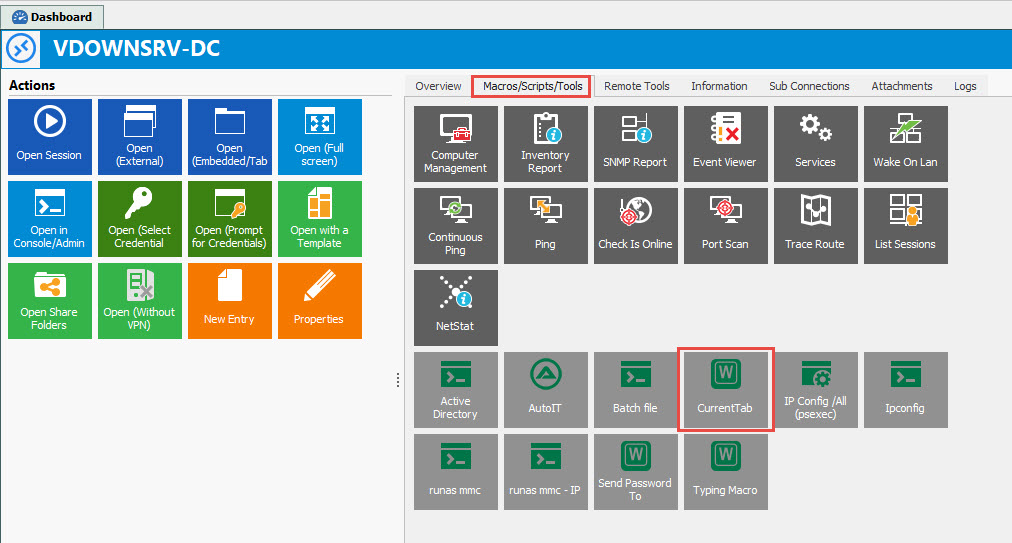
However, this can be done from the Dashboard by pressing the button associate to the macro session
Best regards,
Jeff Dagenais
2017-05-30_22-02-03.jpg
That still doesn't issue the command in the correct tab. It just launches it instantly in the current window with is the dashboard window. I guess I will just have to submit a feature request.
I would like to simply execute the typing macro in the current session window with a single or double click.
Hello,
Thank you for reaching out.
Could you kindly follow the steps outlined in the following document?
Event Auto-Typing Macro Documentation
Please let me know if this resolves your issue.
Best regards,
Tommy Sanders
What part of that document am I supposed to follow?
Hello,
I apologize if my previous message was unclear or unhelpful.
Could you kindly provide more details or clarification regarding your question?
What exactly are you trying to accomplish?
Best regards,
Tommy Sanders
How do I execute the macro typing in the session that is the current view? It always executes on my local machine. FYI: I have worked with support on this issue and they think it's bug.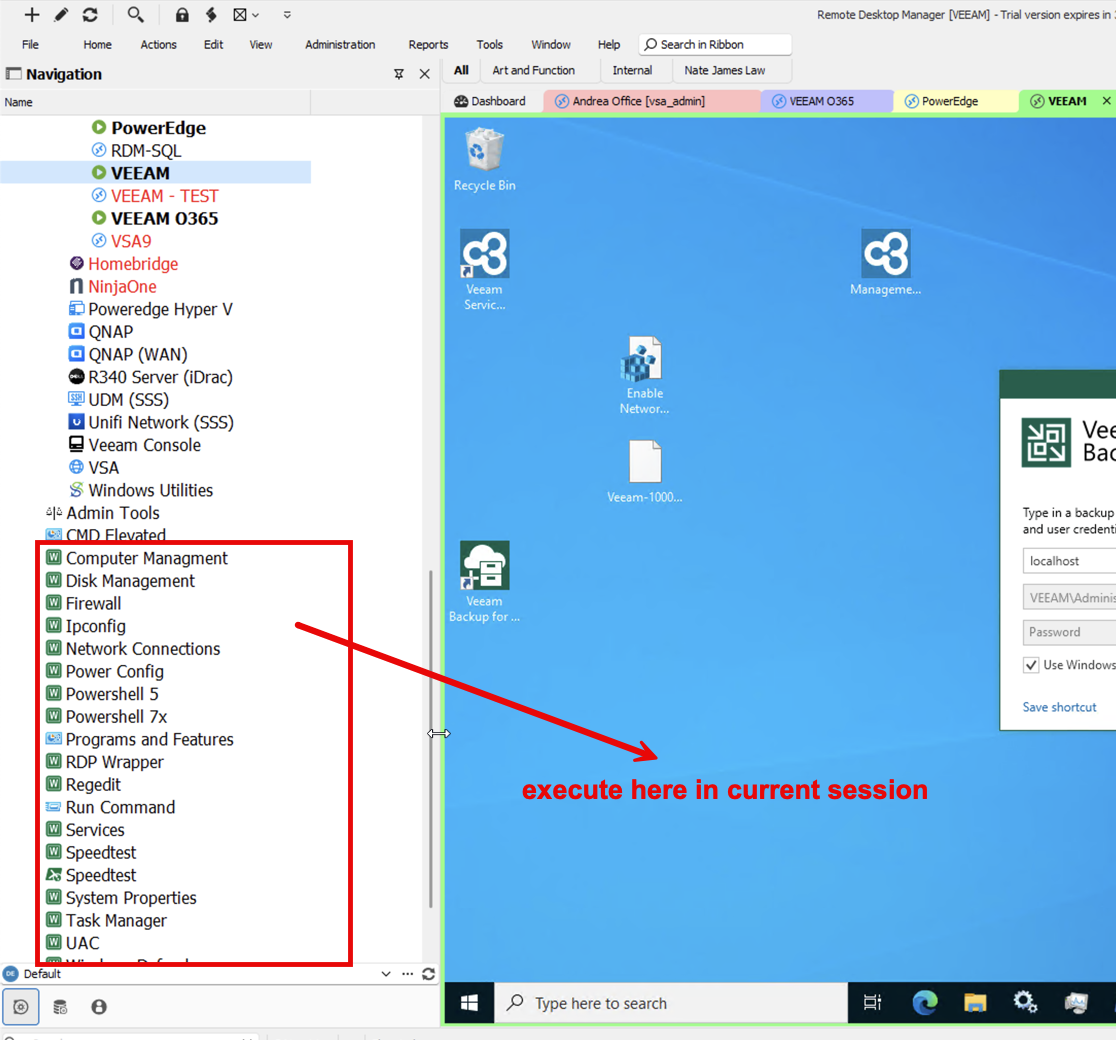
2024-09-10_08-19-20.png
Hello,
Thank you for your screenshot.
A case has been opened with my colleague, and you will receive feedback from them shortly.
Best regards,
Tommy Sanders