
UniformEric
Web browser entry's automatic favicon not showing in tabs
Hi Erica,
thanks for the notification!
I installed and tested it.
It's working fine!
Thanks!
regards
Eric
Web browser entry's automatic favicon not showing in tabs
Hi Hubert,
in 2026.3.12.0 it's kind of working.
some sessions are working and some not.
Looks a little bit like if I manually imported a picture it's working and icons added with "Assign Favicon" are not working.
regards
Eric
Web browser entry's automatic favicon not showing in tabs
Hello Hubert,
all right, thanks!
You understood right.
Just click on "Assign Favicon" next to the Website. The blue globe will change after few seconds to the google G.
If you then start a session the blue globe (top little square in your screenshot) is gone, but the google G isn't shown, no favicon is there.
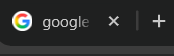
I gues it use the favicon like the default ones? Because its helpful to find fast the right session, like in the daily use with an web browser.
e.g. with chrome:
regards
Eric
Web browser entry's automatic favicon not showing in tabs
Hi,
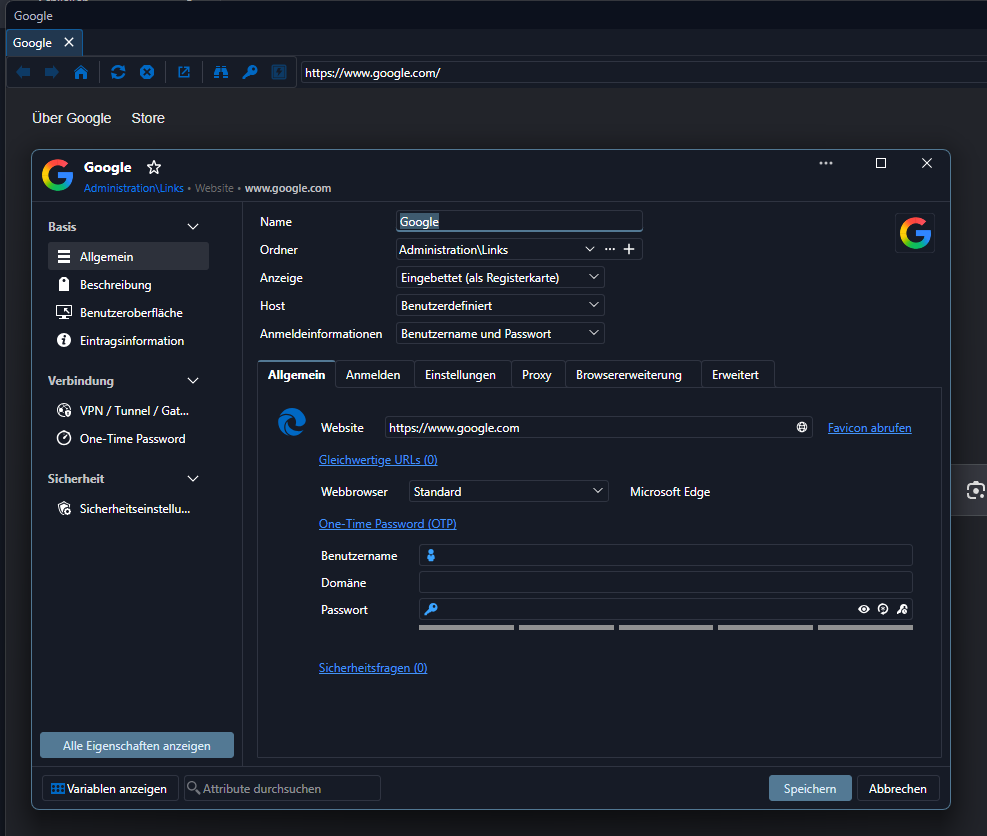
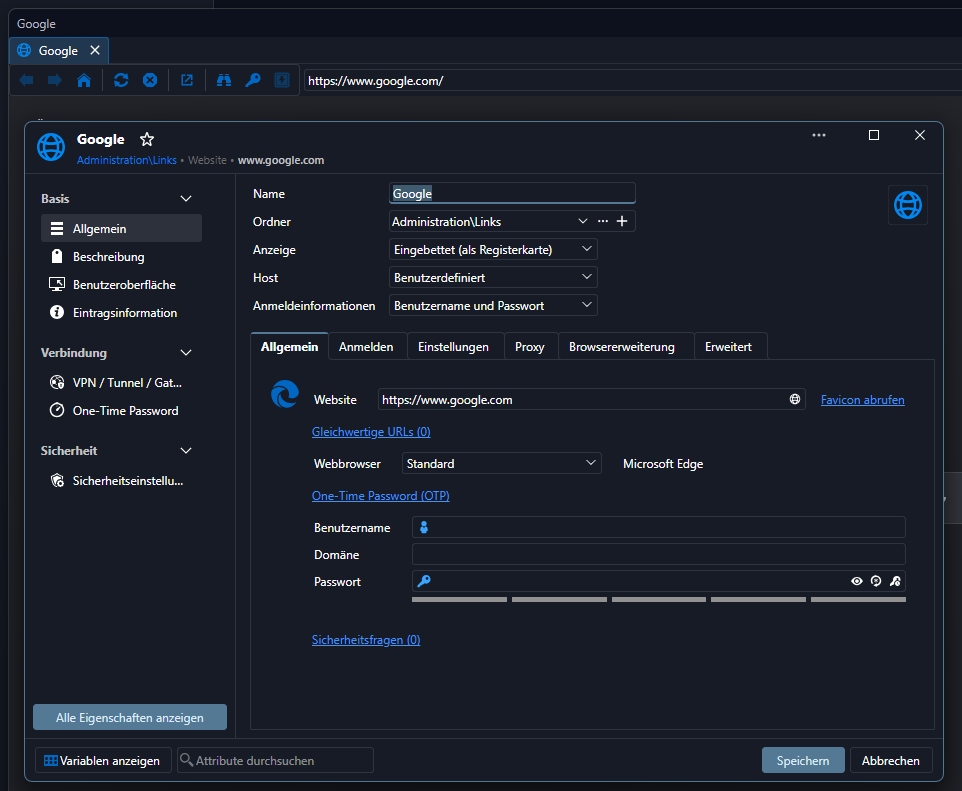
just additional to show what I mean.
sorry for the german setting, but I guess you see what I mean.
automatic favicon:
default:
regards
Eric
Web browser entry's automatic favicon not showing in tabs
Hi,
I have also the problem that all custom icons are not shown, if the connection is open. If I switch the setting back to default the icon is shown.
I havn't a VPN connection.
Version 2026.3.8.0
regards
Eric
"open when availabel" gone?
Hi Samuel,
perfect, this worked!
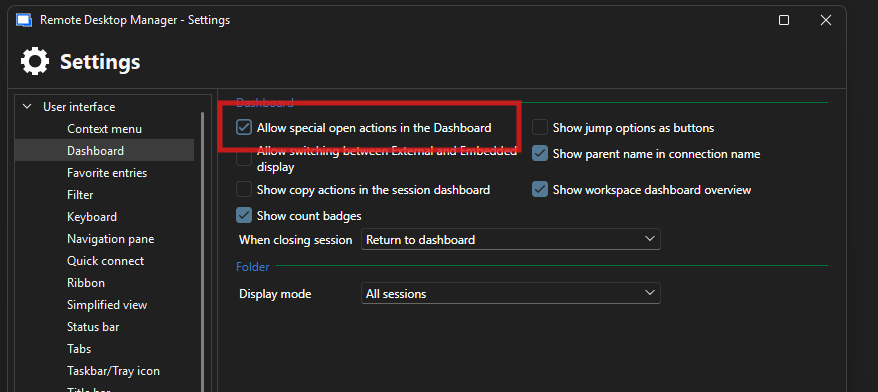
Just a little addition: restart RDM is requiered and if you want to see it at the dashboard you need to "allow special open actions in the Dashboard".
Thanks, @Samuel Dery!
best regards
Eric
"open when availabel" gone?
Hi,
2026.2.13.0
I miss the "open when available" button, since the last couple versions. I couldn't find any hind in the release notes.
Usualy it was in the contxt menu of "open with parameters", but it's not there.
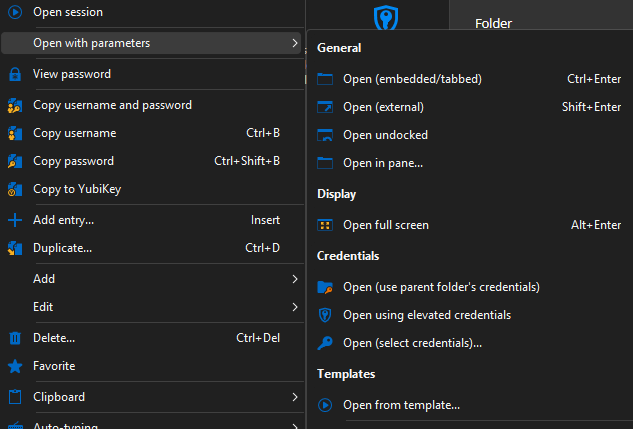
Only in the quick connection I still can find it.
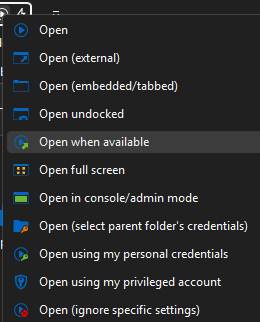
Has someone the same "problem" or can tell in which version it's still available? It was a realy nice feature, specially in reboot situations, because it's automaticlly reconnected the connect and I didn't forgot to work on this connection...
regards
Eric
RDM Version 2024.1.27.0: Fix turns into bug? // Embedded Powershell (MSC / MMC)
Hi,
I have again the kind of same problem.
OS Win11 and 2025.2.29.0
I don't know how long it is back again.
cmd window isn't embedding, but I don't get the message window from the first post.
Edit 1: problem just on Win11, Win10 works fine
Edit 2: System -> for Developer -> Terminal -> let Windows decide
regards
Eric
Terminal change to Windows-Konsolenhost (maybe Windows-consol host in english) fixed it and embedding works again.
regards
Eric
RDM Version 2024.1.27.0: Fix turns into bug? // Embedded Powershell (MSC / MMC)
Hi,
I have again the kind of same problem.
OS Win11 and 2025.2.29.0
I don't know how long it is back again.
cmd window isn't embedding, but I don't get the message window from the first post.
Edit 1: problem just on Win11, Win10 works fine
Edit 2: System -> for Developer -> Terminal -> let Windows decide
regards
Eric
Cannot upgrade from 2024.3.18.0 to 2024.3.20.0 64-bit - Cannot find the 2024.3.18.0 MSI File
With this KB it was still not working for me, I needed the right msi version.
At the download website you can find previous versions and the actual msi download.
At the URL you can change the version and download the specific version you need.
With the msi in the right folder (like the second screenshot from the main post) I could upgrade my installation.
with 2025.2.13.1 I had this problem, now I'm on 2025.2.27.0
https://devolutions.net/remote-desktop-manager/home/previousversions/
Cannot upgrade from 2024.3.18.0 to 2024.3.20.0 64-bit - Cannot find the 2024.3.18.0 MSI File
new KB topic name...
https://docs.devolutions.net/rdm/kb/troubleshooting-articles/cannot-uninstall-update-rdm/
Update notification vs dark mode
Hello,
Could you please try deleting the WebView2.Cache folder?
You can find it at the following path:
C:\Users\<username>\AppData\Local\Devolutions\RemoteDesktopManager\WebView2.Cache
Kindly let me know if this resolves the issue.
Best regards,
worked!
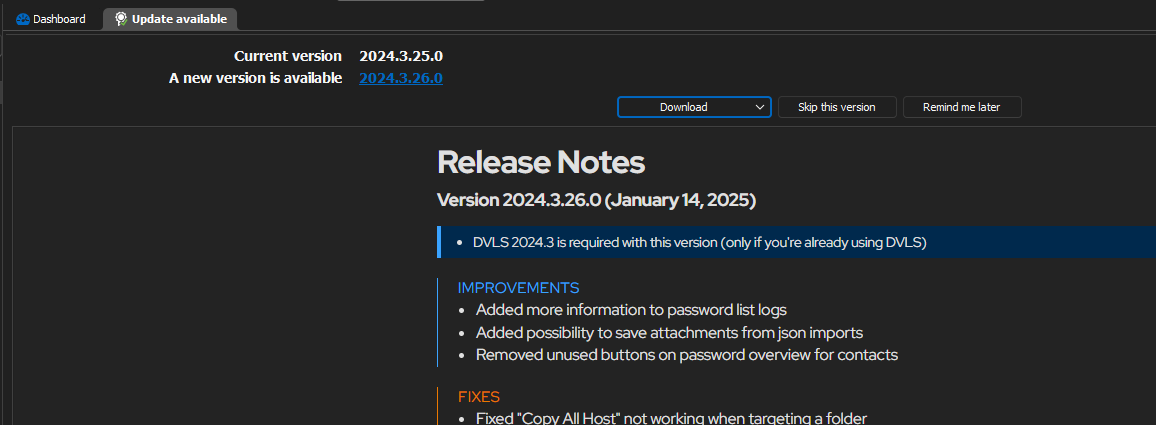
Thanks!
regards
Eric
Update notification vs dark mode
Hello,
with issue: Win10, company laptop, company IT GPO / registry and so on, daily used, all RDM versions frequendly updated, the only one which I know
without issue: Win11, private laptop
The laptop with the issue will be replaced by my IT..., depence on the time shedule today or on monday. It's I guess then solved for my site. As long I have the laptop I can give feedback. Maybe with the new one I will get it again. :D
regards
Eric
Update notification vs dark mode
Hello,
no, after disconnect and rebooting, the issue is still there.
regards
Eric
Update notification vs dark mode
Hello,
oh sorry, two different laptops. Both with the same software version.
The one with the issue I use mainly with an additional second wide screen. the font is black in the software, it doesn't matter on which screen.
The other with no issue Is use without any second screen.
regards
Eric
Update notification vs dark mode
Hello,
aha, funny that you ask this, right, I have a widescreen display (3440 x 1440) and a laptop screen (1920 x 1080) both with default 100 % zoom.
At my other setting I have just the laptop, there ist the font colour right.
regards
Eric
Update notification vs dark mode
Hi,
I have the same problme, this are my settings.
My language setting is usually german but on english it's the same problem as shown in the topic screenshot.
My current version is 2024.3.25.0
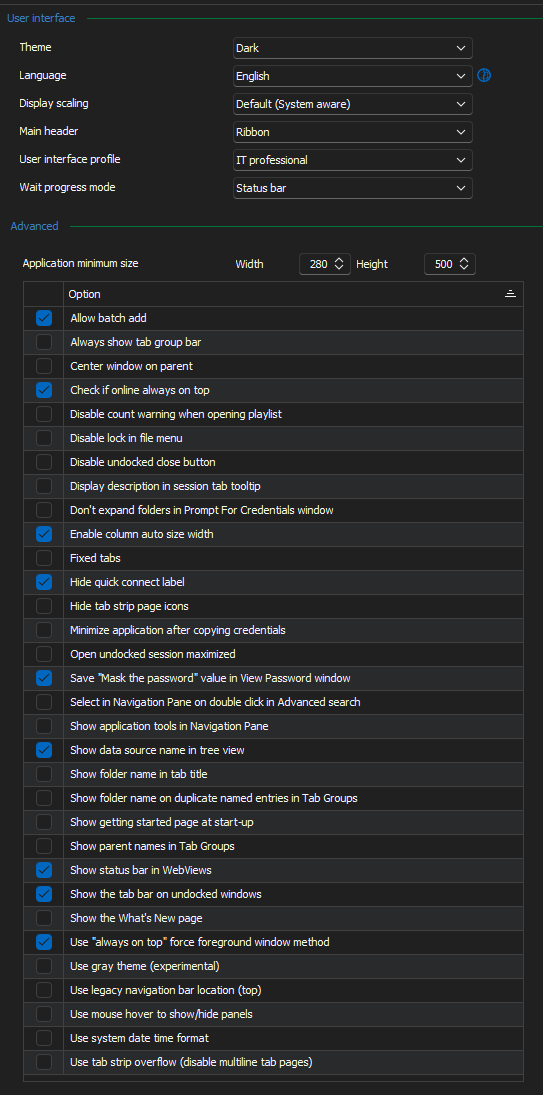
regards
Eric
RDM Version 2024.1.27.0: Fix turns into bug? // Embedded Powershell (MSC / MMC)
Hi all,
for my case it's now working, with version 2024.1.29.0.
Script output is embedded back to the RDM window.
regards
Eric
RDM Version 2024.1.27.0: Fix turns into bug? // Embedded Powershell (MSC / MMC)
Hi,
I had also a problem with a ps script (converted to .exe), which I execute over cmd command. (case 00059413)
The cmd window was not embeddet back to the RDM window and I got the message from the first post.
With the new version 2024.1.28.0 the error message is gone, but the window is still not embedding back to the RDM window. The last running version for this situation was 2024.1.25.0.
Regards
Eric