Update notification vs dark mode

Hi guys,
when the application is in the dark mode, the "Update available" notification is unreadable.
It's black text on dark background. Theme > Dark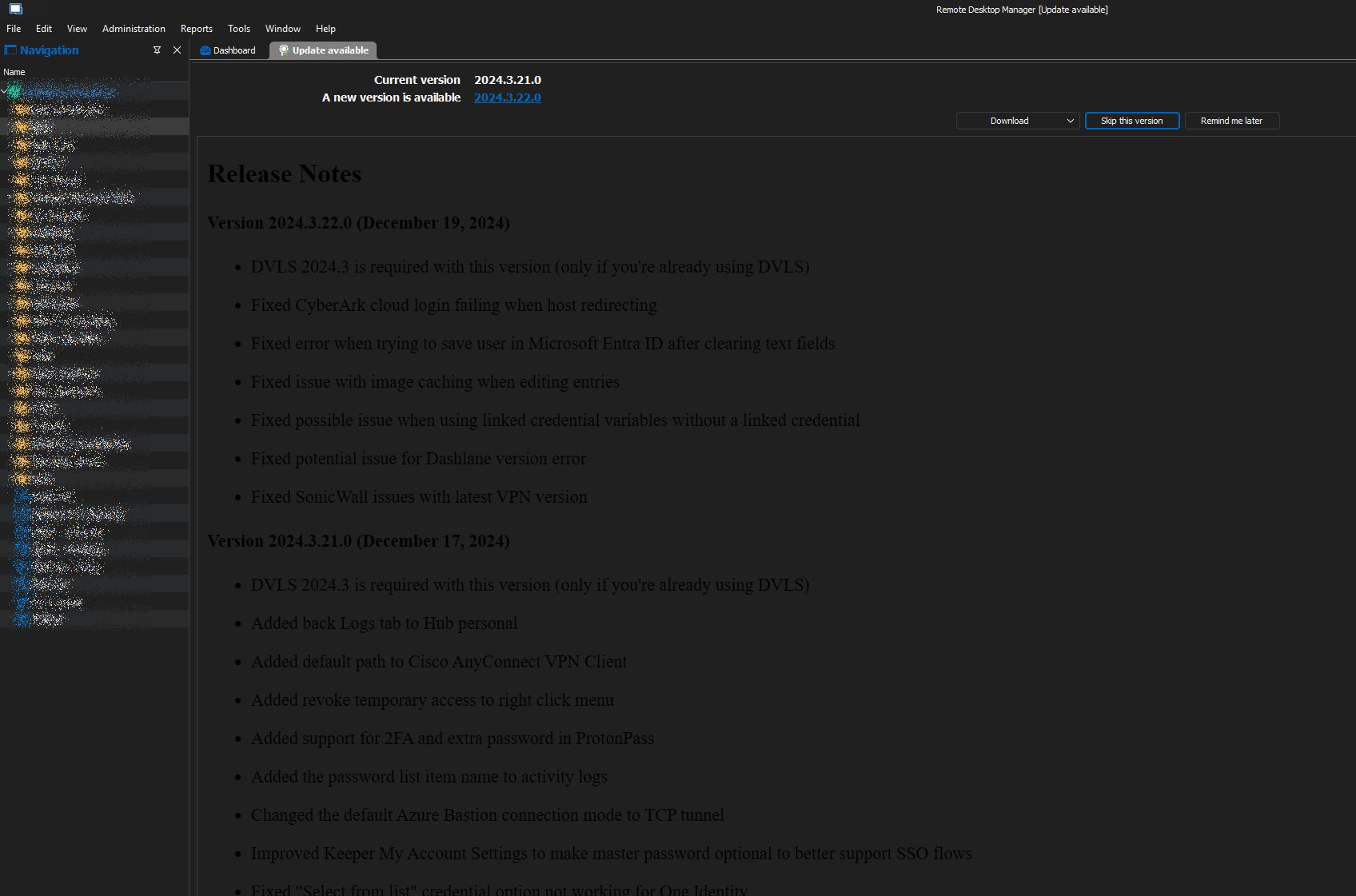
RDM-Notification.jpg
Recommended Answer
Hello,
Could you please try deleting the WebView2.Cache folder?
You can find it at the following path:
C:\Users\<username>\AppData\Local\Devolutions\RemoteDesktopManager\WebView2.Cache
Kindly let me know if this resolves the issue.
Best regards,
Tommy Sanders
All Comments (16)
Hello,
Thank you for bringing this matter to our attention.
I attempted to replicate the issue on my end but was unable to do so, as everything appears to be functioning as expected. Could you please confirm if any changes have been made to the default settings under File > Settings > User Interface?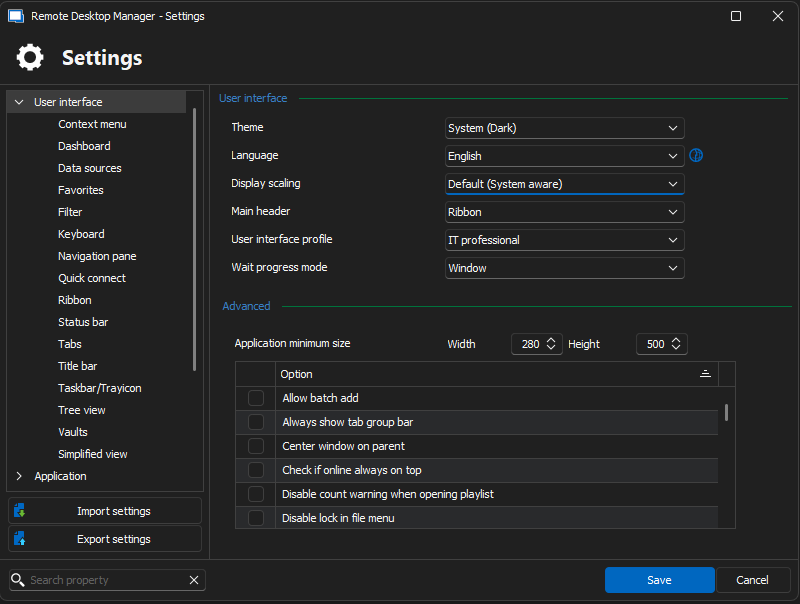
I look forward to your response.
Best regards,
Jacob Lafrenière
25f41f36-76d0-4cfe-9539-14c7a55e1ffb.png
Hi,
I have the same problme, this are my settings.
My language setting is usually german but on english it's the same problem as shown in the topic screenshot.
My current version is 2024.3.25.0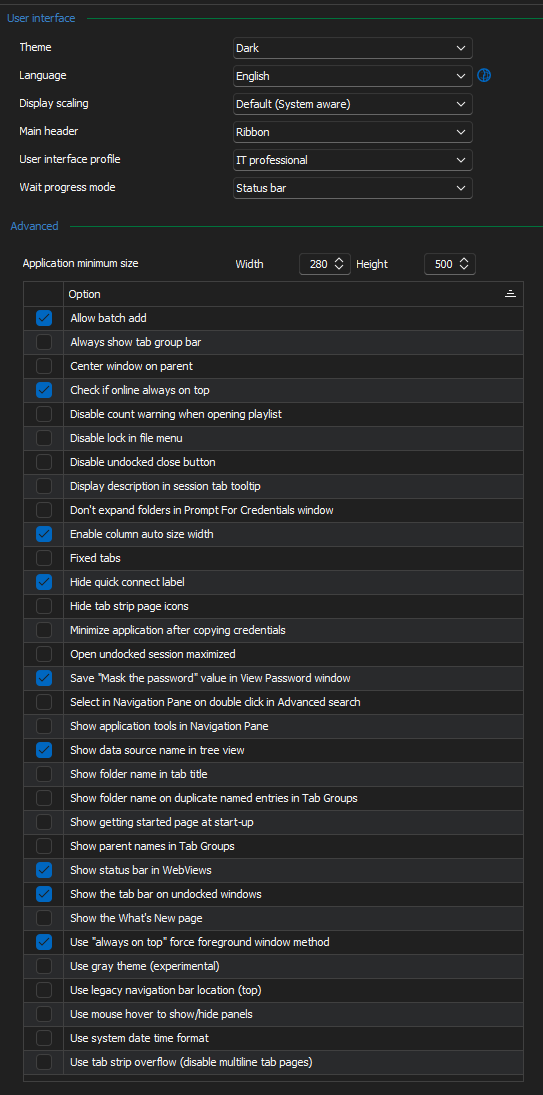
regards
Eric
d838272f-9785-4597-9e9a-2c84bdf86126.png
Hello,
Thank you for providing this information.
Could you let me know the resolution you are using on your monitor setup? Additionally, do you have any special DPI settings applied (e.g., percentage of zoom in your display settings)?
Best regards,
Jacob Lafrenière
Hello,
aha, funny that you ask this, right, I have a widescreen display (3440 x 1440) and a laptop screen (1920 x 1080) both with default 100 % zoom.
At my other setting I have just the laptop, there ist the font colour right.
regards
Eric
Hello,
To make sure I grasp the information correctly.
When you open the software only with your laptop screen, the issue isn't showing?
Best regards,
Jacob Lafrenière
Hello,
oh sorry, two different laptops. Both with the same software version.
The one with the issue I use mainly with an additional second wide screen. the font is black in the software, it doesn't matter on which screen.
The other with no issue Is use without any second screen.
regards
Eric
Hello,
Thank you for your prompt response!
Could you test something for me? Please disconnect the widescreen display, reboot the laptop, and then check the behaviour again without the monitor connected.
Let me know the results, and we can proceed from there.
Best regards,
Jacob Lafrenière
Hello,
no, after disconnect and rebooting, the issue is still there.
regards
Eric
Hello,
This is quite unusual. Do you have any additional information that might help differentiate the two computers and pinpoint the issue?
Your input would be greatly appreciated as we work to resolve this.
Best regards,
Jacob Lafrenière
Hello,
with issue: Win10, company laptop, company IT GPO / registry and so on, daily used, all RDM versions frequendly updated, the only one which I know
without issue: Win11, private laptop
The laptop with the issue will be replaced by my IT..., depence on the time shedule today or on monday. It's I guess then solved for my site. As long I have the laptop I can give feedback. Maybe with the new one I will get it again. :D
regards
Eric
Just some info here - if its related: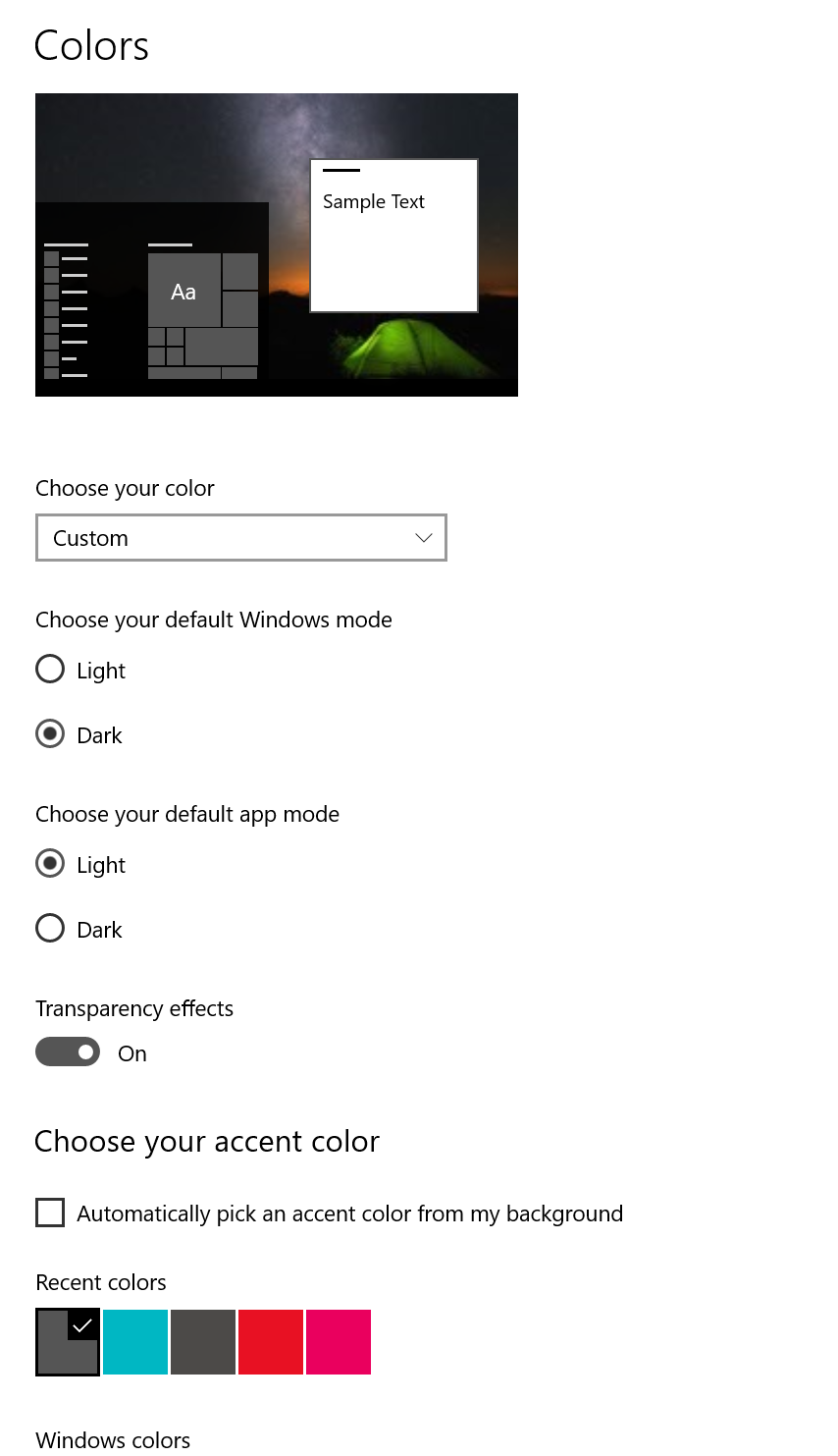
daf1152e-8657-41de-9a4b-6af350183602.png
I suspect that is the problem: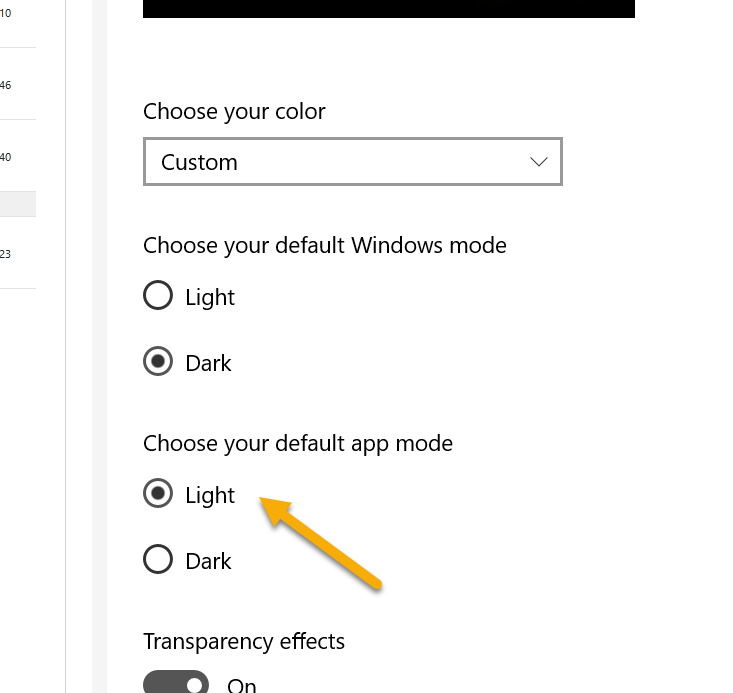
And change this: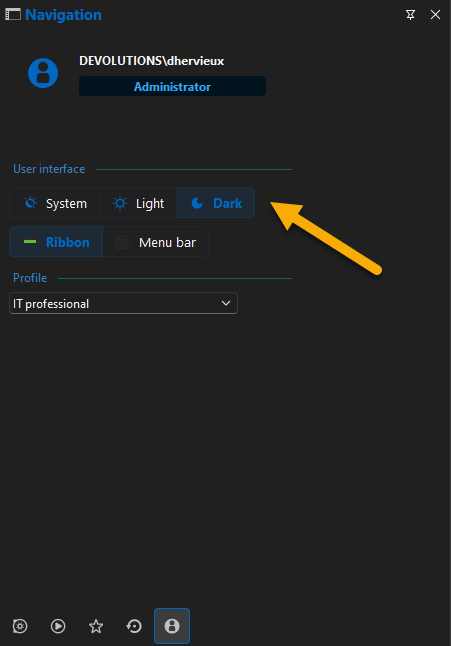
Instead of the System
Regards
David Hervieux
a4056598-0c76-4e8e-9b81-4edd924a17a0.png
b3b469e0-9674-44d5-85a5-c60da0f7f078.png
I switched windows to dark and it made no difference (and yet, I did restart RDM)
Hello,
Could you please try deleting the WebView2.Cache folder?
You can find it at the following path:
C:\Users\<username>\AppData\Local\Devolutions\RemoteDesktopManager\WebView2.Cache
Kindly let me know if this resolves the issue.
Best regards,
Tommy Sanders
Hello,
Could you please try deleting the WebView2.Cache folder?
You can find it at the following path:
C:\Users\<username>\AppData\Local\Devolutions\RemoteDesktopManager\WebView2.Cache
Kindly let me know if this resolves the issue.
Best regards,
Oh yah, the magic words did it. Removing the cache content did the trick. Now it is fine.
Hello,
Could you please try deleting the WebView2.Cache folder?
You can find it at the following path:
C:\Users\<username>\AppData\Local\Devolutions\RemoteDesktopManager\WebView2.Cache
Kindly let me know if this resolves the issue.
Best regards,
worked!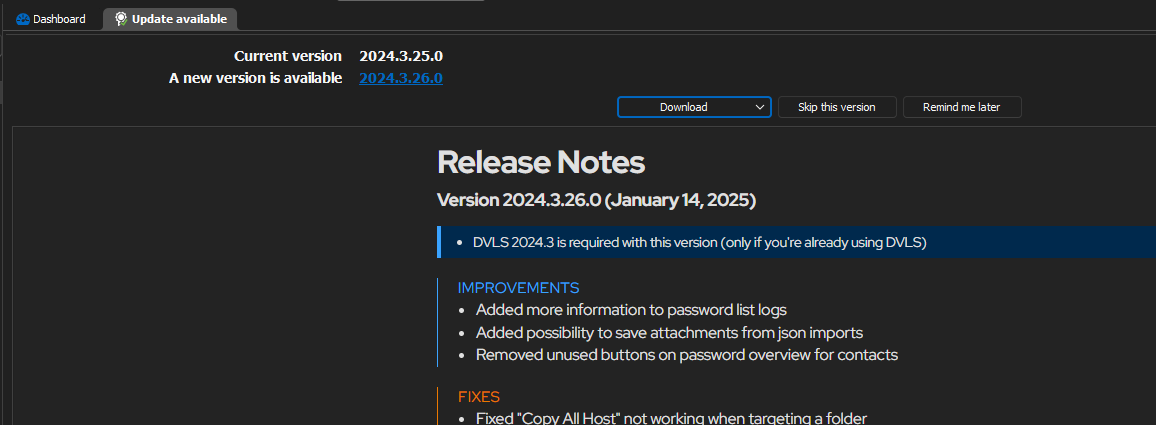
Thanks!
regards
Eric
02a8e47d-c83b-4360-924d-30fb1a23f0f3.png