Web browser entry's automatic favicon not showing in tabs

Hi,
I have also the problem that all custom icons are not shown, if the connection is open. If I switch the setting back to default the icon is shown.
I havn't a VPN connection.
Version 2026.3.8.0
regards
Eric
All Comments (10)
Hi,
just additional to show what I mean.
sorry for the german setting, but I guess you see what I mean.
automatic favicon: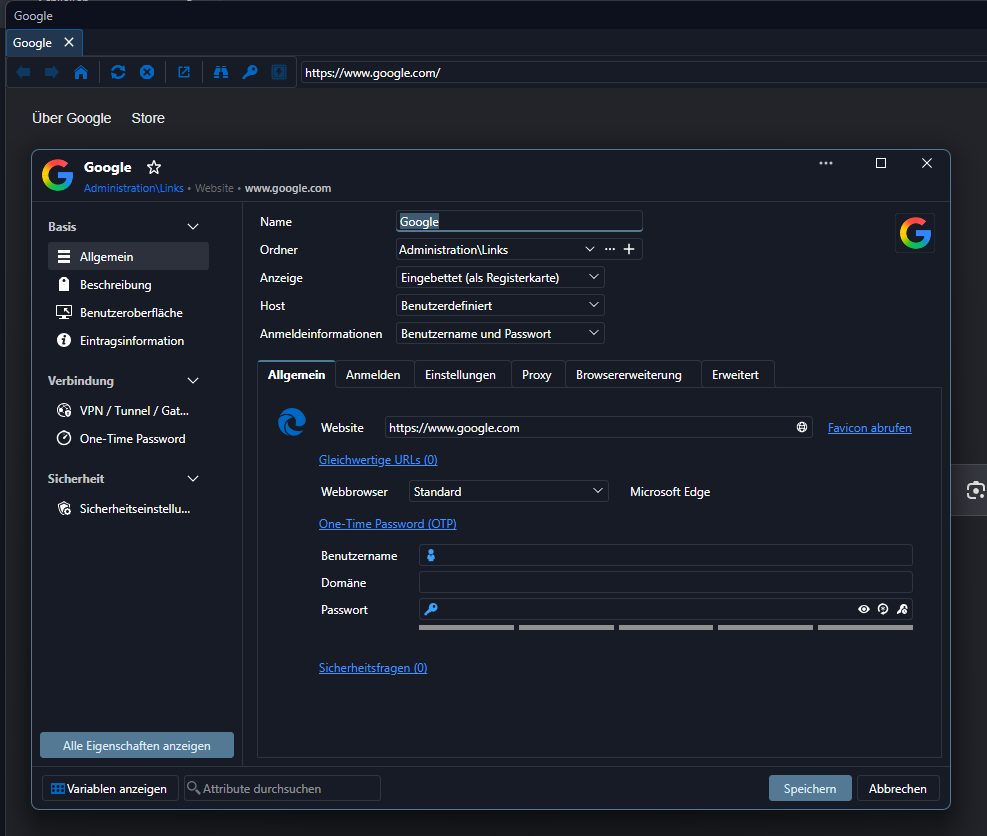
default: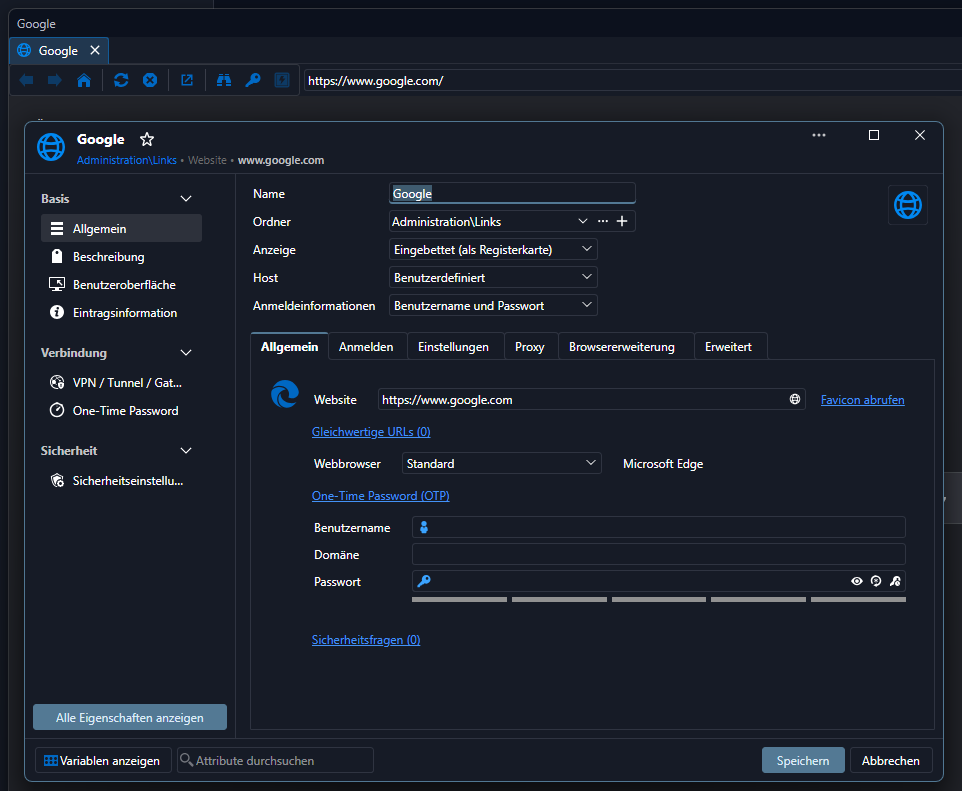
regards
Eric
954c23d1-1ba5-40d1-8b6d-0e5cf23211f4.png
2c487744-f73a-499c-b344-6becd11bb84f.png
Hello Eric,
I took the liberty of creating a new thread for your issue, as the one you originally posted in is quite old and a lot has changed since then. It will be easier for us to track here.
Just so I understand properly, your issue here is that the icon of the session is not shown when you open the entry, if that icon was automatically found rather than manually assigned, is this correct? Would it be possible to show how you've assigned this icon in the case that works, and what the steps are for the case that doesn't work?
I'm asking since I'm trying to reproduce the issue but I can't get it to replicate in the exact way your screen capture shows. On my end, in an entry where the icon was automatically calculated based on the website, I see the "generic" website icon rather than the one that was found. It could be improved but it doesn't look like the issue you're encountering yourself.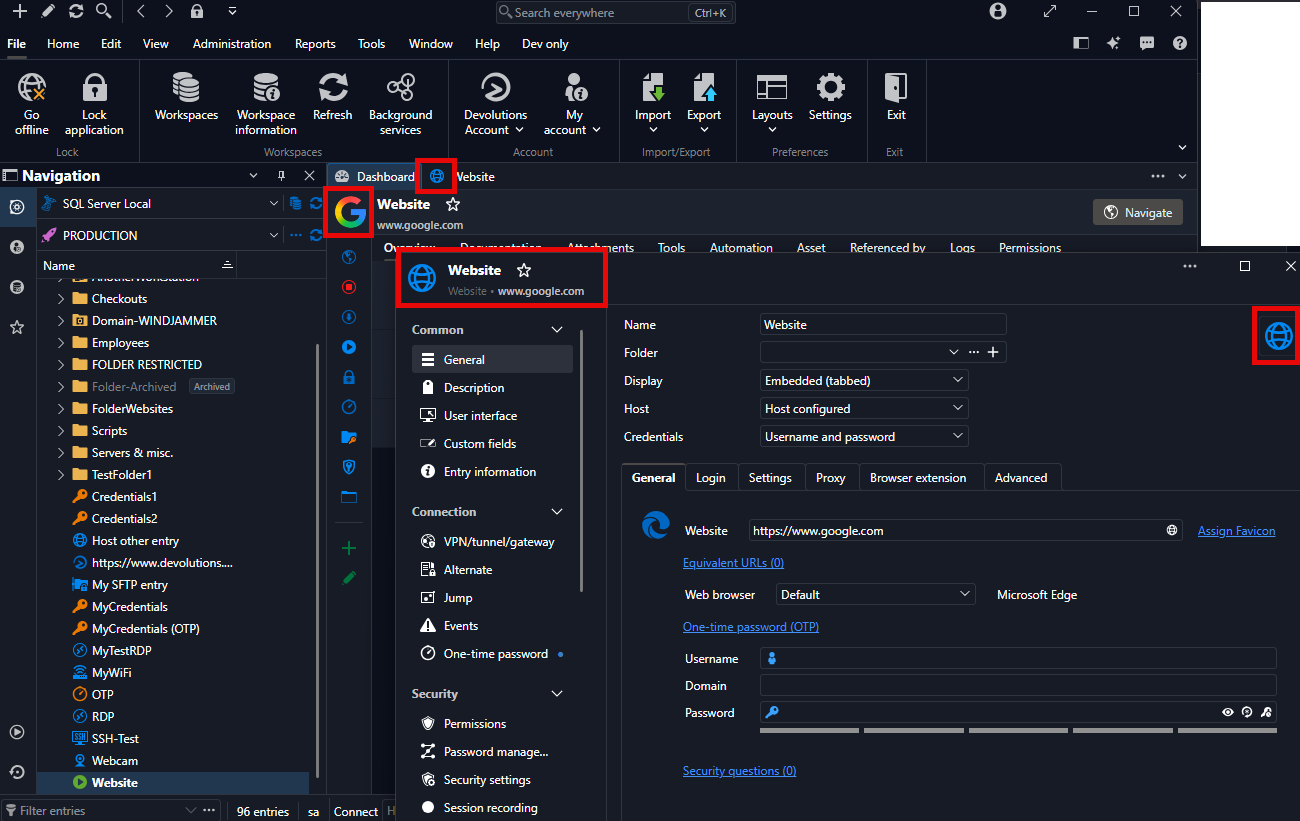
Regards,
Hubert Mireault
d1e6e88d-8f60-4747-8ec0-387f04b3e0fd.png
Hello Hubert,
all right, thanks!
You understood right.
Just click on "Assign Favicon" next to the Website. The blue globe will change after few seconds to the google G.
If you then start a session the blue globe (top little square in your screenshot) is gone, but the google G isn't shown, no favicon is there.
I gues it use the favicon like the default ones? Because its helpful to find fast the right session, like in the daily use with an web browser.
e.g. with chrome: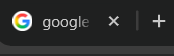
regards
Eric
032d6d5c-710a-4768-a565-6e913b941a75.png
I can reproduce the issue, I will open a ticket, thank you for confirming.
Regards,
Hubert Mireault
Hi Hubert,
in 2026.3.12.0 it's kind of working.
some sessions are working and some not.
Looks a little bit like if I manually imported a picture it's working and icons added with "Assign Favicon" are not working.
regards
Eric
Hello,
The ticket is still opened on our side. We made a lot of fixes in .12, but nothing specific for this. It's good to know that despite this, the behavior has (somewhat) improved on your side.
Regards,
Hubert Mireault
Hello,
The issue with automatically assigned favicons not being displayed in the session tabs has been fixed. The fix should be available in the upcoming version, which should be 2026.3.13.
Regards,
David Godin
Hello,
Thank you for your patience while our team looked into the issue you reported.
I'm happy to let you know that the latest version of Remote Desktop Manager (2026.3.13.0) is now available. You can download it from our website here:
https://devolutions.net/remote-desktop-manager/download/
Once you have installed the update, could you please test it in your environment and confirm that everything now works as expected? If the issue persists or if you notice anything unusual related to the same original problem, just reply to this message with a few details, and we will be glad to look into it further.
Thank you for your collaboration.
Best regards,
Érica Poirier
Hi Erica,
thanks for the notification!
I installed and tested it.
It's working fine!
Thanks!
regards
Eric
Hello Eric,
Thank you for confirming that the issue is resolved.
Best regards,
Carl Marien