Cannot upgrade from 2024.3.18.0 to 2024.3.20.0 64-bit - Cannot find the 2024.3.18.0 MSI File
Cannot upgrade from 2024.3.18.0 to 2024.3.20.0 64-bit - Cannot find the 2024.3.18.0 MSI File

Hi,
I am having a problem with upgrading the RDM Program from 2024.3.18.0 to 2024.3.20.0, I am getting an error, it goes through the update process, downloads the newer version (See screenshot_1), it brings up the UAC as if it is about to update, then stops and opens the App without updating.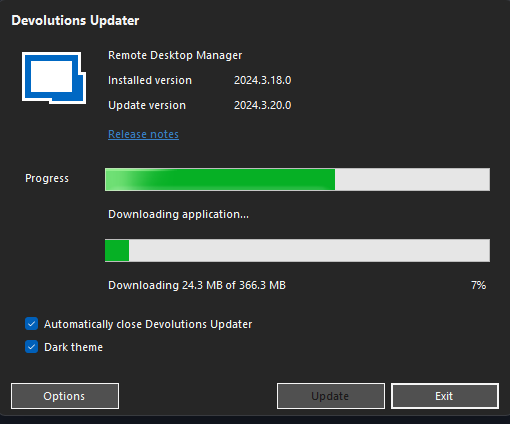
I have tried to remove it via Control Panel to install a fresh but no, still not liking it, when I try to Revo it off, it then tells me that the 2024.3.18.0 MSI is missing. (Screenshot_2)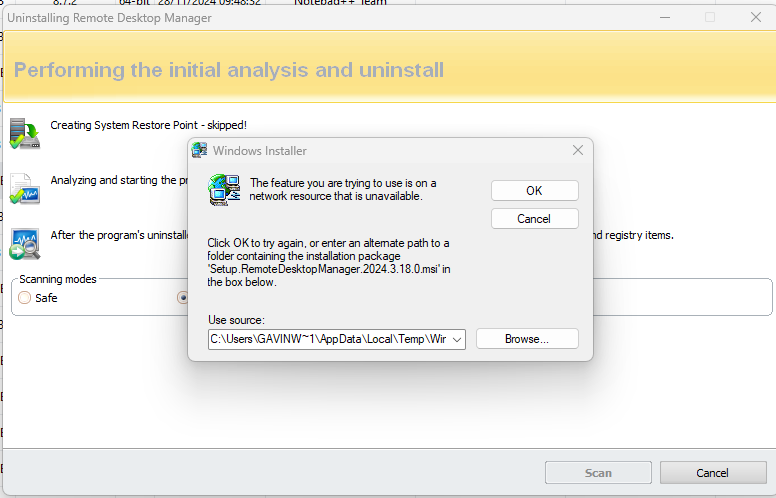
I have tried to get the MSI File but I can only download the EXE Version.
Any help will be greatly appreciated.
Screenshot_2.png
Screenshot_1.png
All Comments (5)
Hello,
Please follow the steps from this KB topic.
Regards,
Min
Hello,
Please follow the steps from this KB topic.
Regards,
Min
Thank you for the quick response, I wil ltry that tomorrow when I can access it, I will let you know how it goes.
Hello,
Please follow the steps from this KB topic.
Regards,
Min
Thank you for the quick response, I wil ltry that tomorrow when I can access it, I will let you know how it goes.
Sorry for the delay, that worked great, thank you.
With this KB it was still not working for me, I needed the right msi version.
At the download website you can find previous versions and the actual msi download.
At the URL you can change the version and download the specific version you need.
With the msi in the right folder (like the second screenshot from the main post) I could upgrade my installation.
with 2025.2.13.1 I had this problem, now I'm on 2025.2.27.0
https://devolutions.net/remote-desktop-manager/home/previousversions/