
Stefan
Activity Logs - PasswordList - The activity logs doesn't show which credentials was used in the PasswordList
Hi Marc-Antoine,
I've updated RDM Client to 2024.3.27 an Server to 2024.3.11.
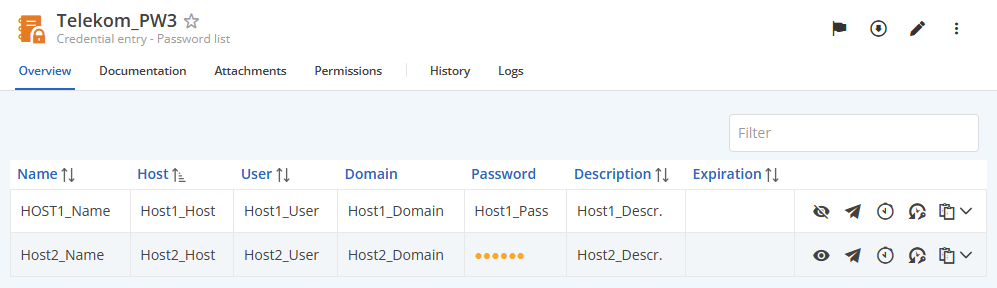
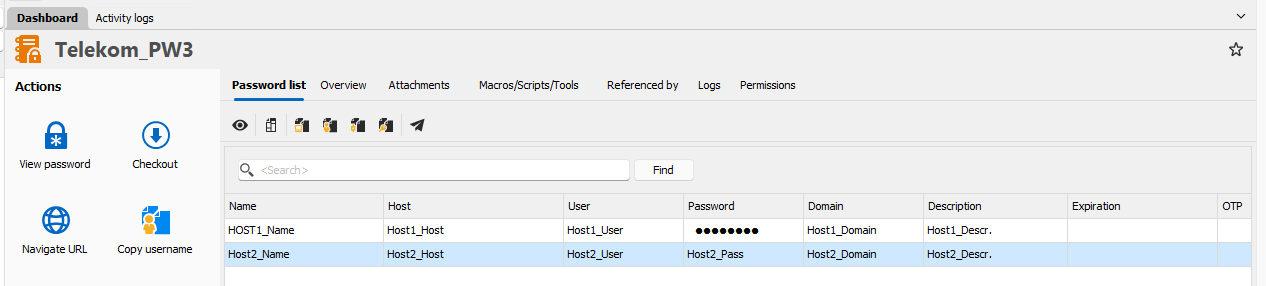
Then I created a new PL with two entries.
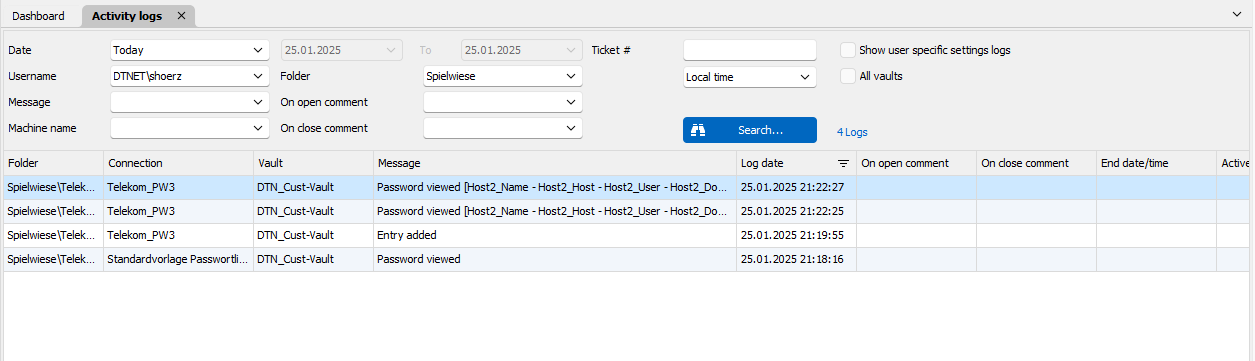
I've viewed Entry 1 by web interface and entry 2 by RDM.
Only entry 2 is logged.
Regards
Stefan
Activity Logs - PasswordList - The activity logs doesn't show which credentials was used in the PasswordList
Hi Jonathan,
Thank you - that is working fine.
One more question to this.
Viewing a password in Devolutions Server Web Access this event appears not in the Activity log. Where can I find this event?
Regards
Stefan
Activity Logs - PasswordList - The activity logs doesn't show which credentials was used in the PasswordList
Hello Jonathan,
one more point.
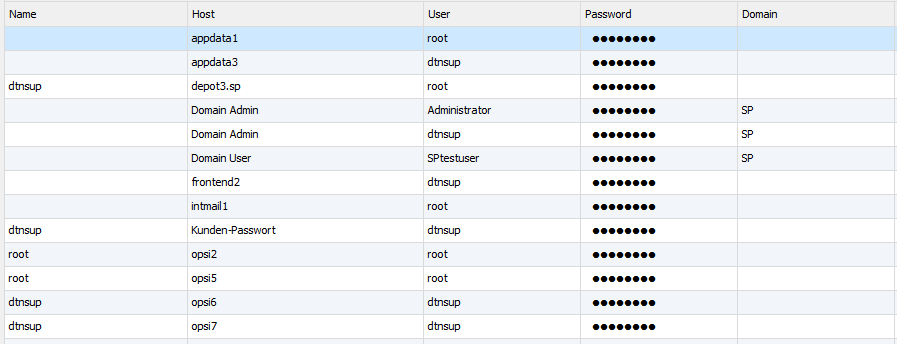
The name field in Activity Log is not enough, because it's not unique and doesn't identify the credential.
We need host, user and domain as well.
regards
Stefan
Activity Logs - PasswordList - The activity logs doesn't show which credentials was used in the PasswordList
Hello Jonathan,
one more test result.
As we are using RDM for many years, some entries are existing longer.
Adding a new Password List object, the password list item is shown in activity report.
The other password list objects are quite older.
Is it possible, that password list object has changed internally and your change is only working for the new entry type?
regards
Stefan
Activity Logs - PasswordList - The activity logs doesn't show which credentials was used in the PasswordList
Hello Jonathan,
thank you for your change. I installed just now your new version 2024.3.21.0. (Server is 2024.3.9.0).
I wonder why I see the list item name in some folders and not in others.
Any idea?
Regards
Stefan


Offline Data can still be accessed even data has expired
Hello Samuel,
I will test this settings.
Do I understand right - this setting is done in RDM client application as administrator but is stored on the server. Then RDM client of every user gets this client settings from server?
And second question - does this mean, that cache expiring still can be bypassed by never stopping RDM client?
regards
Stefan
Offline Data can still be accessed even data has expired
Hello,
we are using RDM with offline mode and cache for working onsite on customer premises with our notebooks.
When RDM is started when cache is valid (before expiring), then we can access all data.
When you exit RDM and start RDM again after offline data has expired, data can not be accessed.
All OK up to here.
Bute when you don't exit RDM and keep RDM open offline data could still be accessed although data has expired. This works even after hibernate.
We have RDM 2024.3.17 and Devolutions Server 2024.3.7.
regards
Stefan
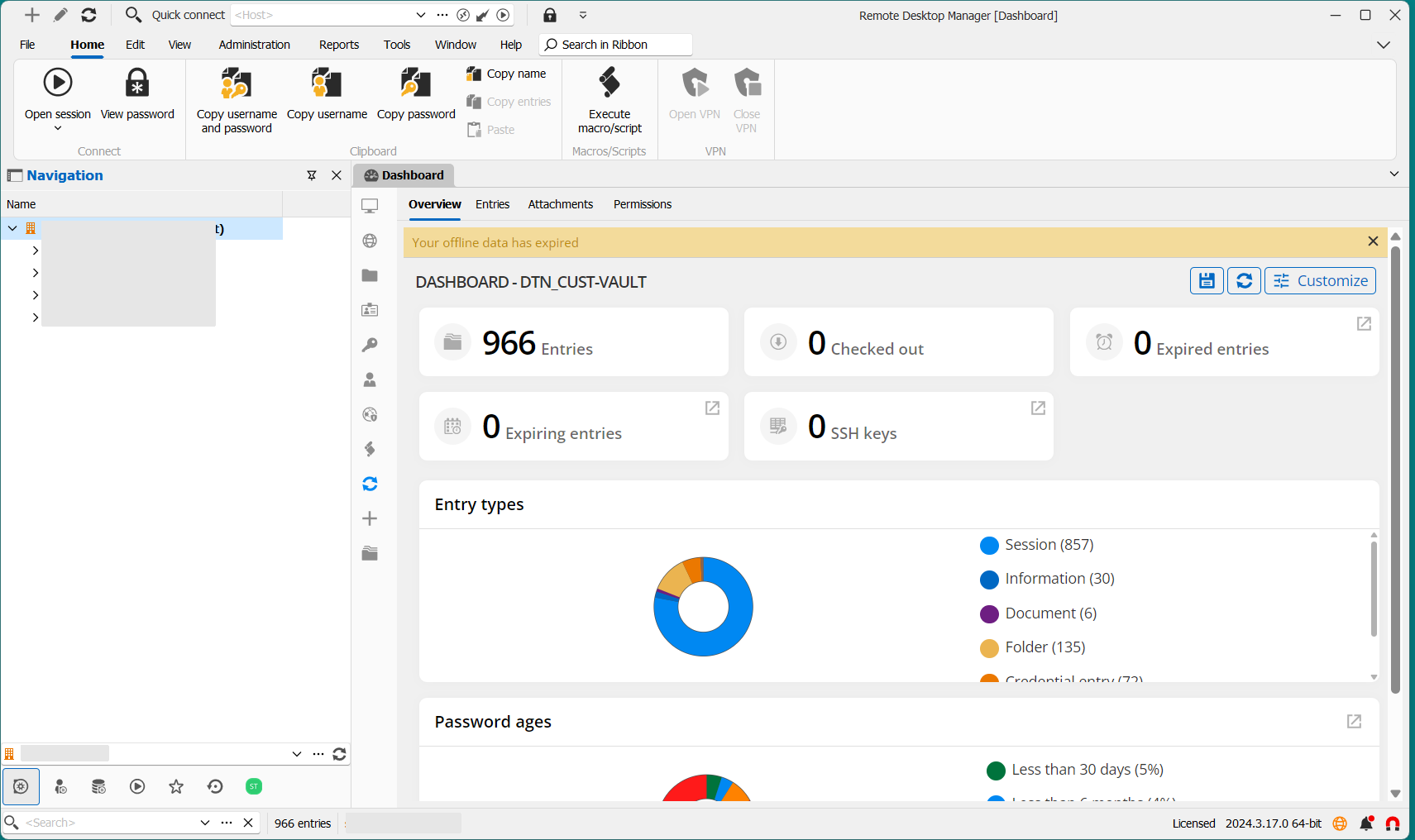
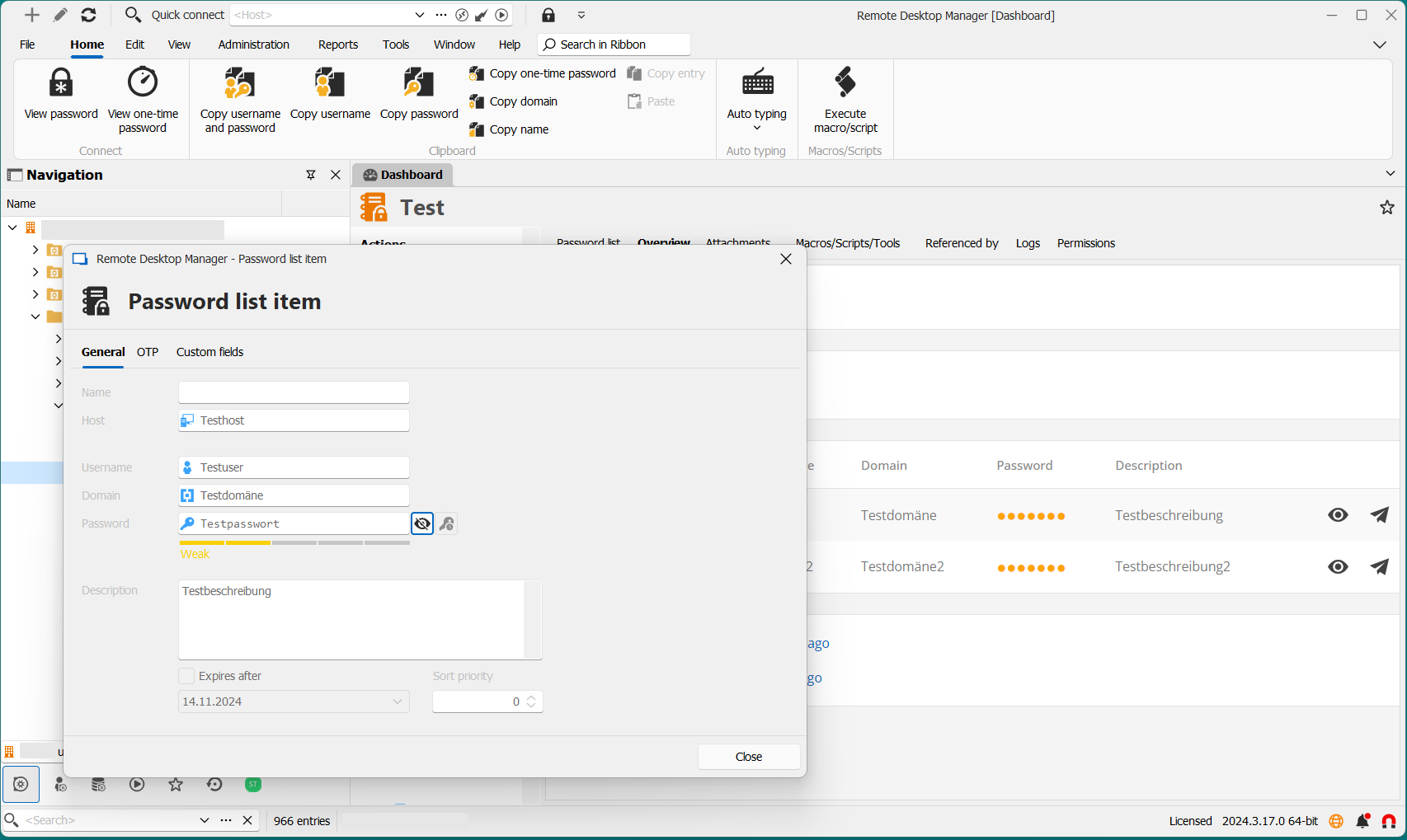
Activity Logs - PasswordList - The activity logs doesn't show which credentials was used in the PasswordList
Hello David,
do you have an update here for me?
regards
Stefan
Search field in Password List doesn't allow space as AND
Hello Majeau,
thank you again for the great improvment you have done for password list.
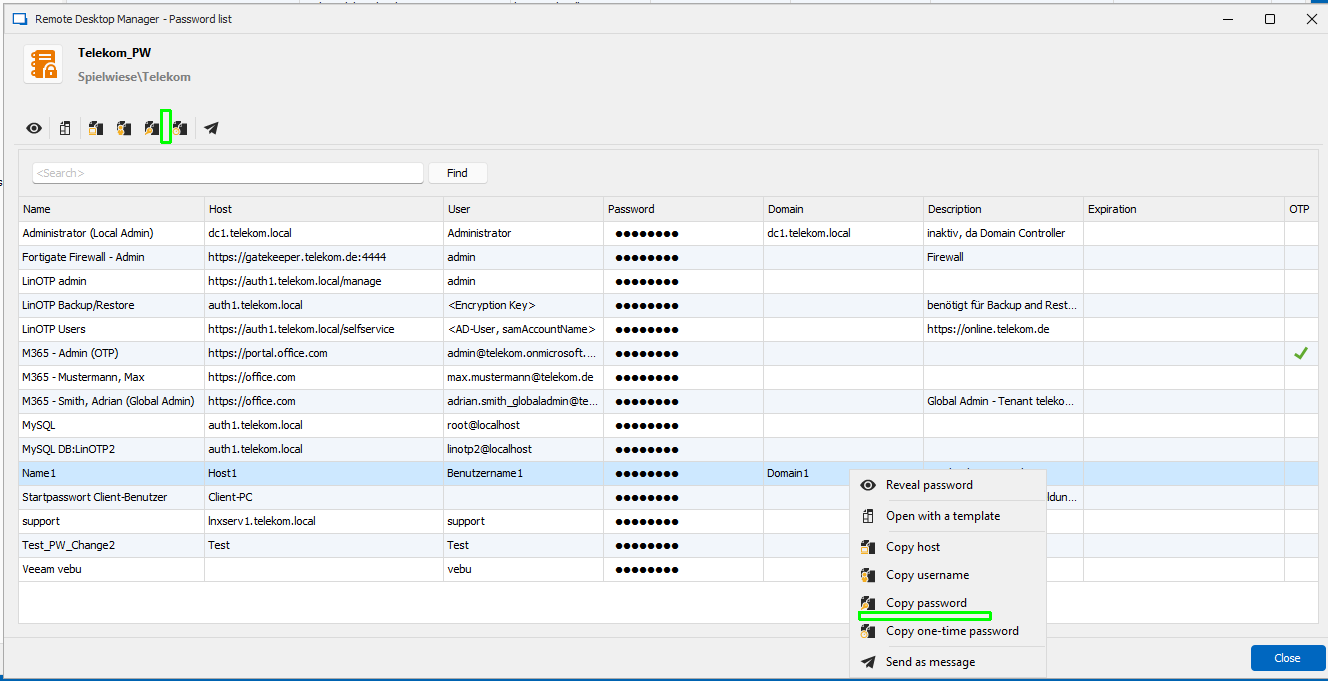
You have added double click for "Copy domain" in password list, this helps a lot.
For ease of use (as double click is a "hidden feature") and for consistency reasons I would suggest adding "Copy domain" to right click menu and to icon bar as well.
And for same reasons, if this is possible, add double click for OTP column as well.
Again thank you
Stefan
Search field in Password List doesn't allow space as AND
Hello Jafran,
thank you for the changes.
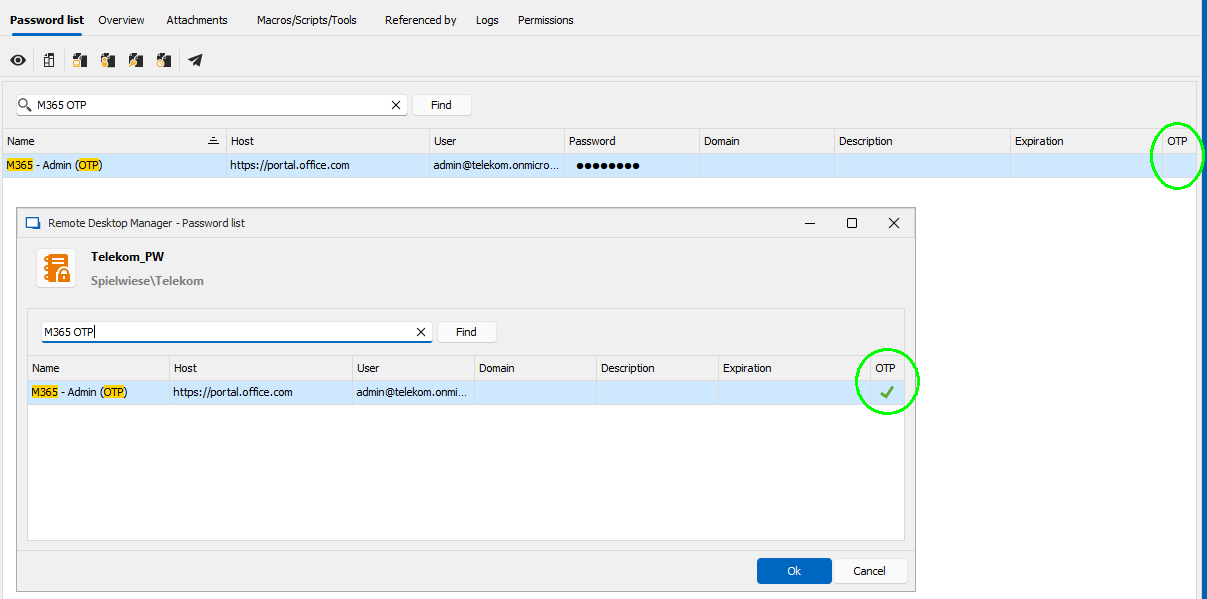
I've found another small bug.
In Password list "View mode" in the coloumn OTP, there is a green arrow for entries with OTP.
In Password list "Dashboard mode" this green arrow is missing.
Regards
Stefan
Activity Logs - PasswordList - The activity logs doesn't show which credentials was used in the PasswordList
Hello David,
thank you.
This feature is quite important for us. We must know, which passwords of an password list e.g. with emergency accessaccounts, are used, that we can change them afterwards.
Thanks in advance and regards
Stefan Hörz
Activity Logs - PasswordList - The activity logs doesn't show which credentials was used in the PasswordList
Hello,
we are using Password Lists extensivly.
For Auditing reasons we want to check, wheter certain passwords are used.
With entries of type Username/Password the Activity Log lists which user has used a password.
When the password is in a password list, Activity Logs show only that the password list was used, but not which credential.
Please add in Activity Logs the information for the specific credential.
Regards
Stefan


Search field in Password List doesn't allow space as AND
Hello Hubert,
may I add a third point:
Double click in Domain should copy Domain (similar to Copy host/username/password).
And for consistency this sould be also possible in right mouse button menu and in the Icon bar on top of the list.
Again Thank you
Stefan
Search field in Password List doesn't allow space as AND
Hello Hubert,
great job - thanks a lot. With version 2024.3.10 you have implemented these features, that helps us very much.
May I ask you for two minor changes?
Focus in search field after opening PL
When I open a PL the cursor should be already in search field that I can immediately start entering my search key
Double Click PL should open Dashboard mode directly
When I open a PL with right mouse button > View Password or the action button View Password, I enter directly the Dasboad mode.
With double clicking the PL opens in view mode. Again double clicking an entry, the PL switches to Dashboard mode.
For my opinion view mode is not necessary at all and you can open directly in Dashboard mode by double clicking the PL entry.
Again thanks a lot for this great enhancement
regards
Stefan
RDM Offline Mode with domain user without notebook in domain
Hello Maxim,
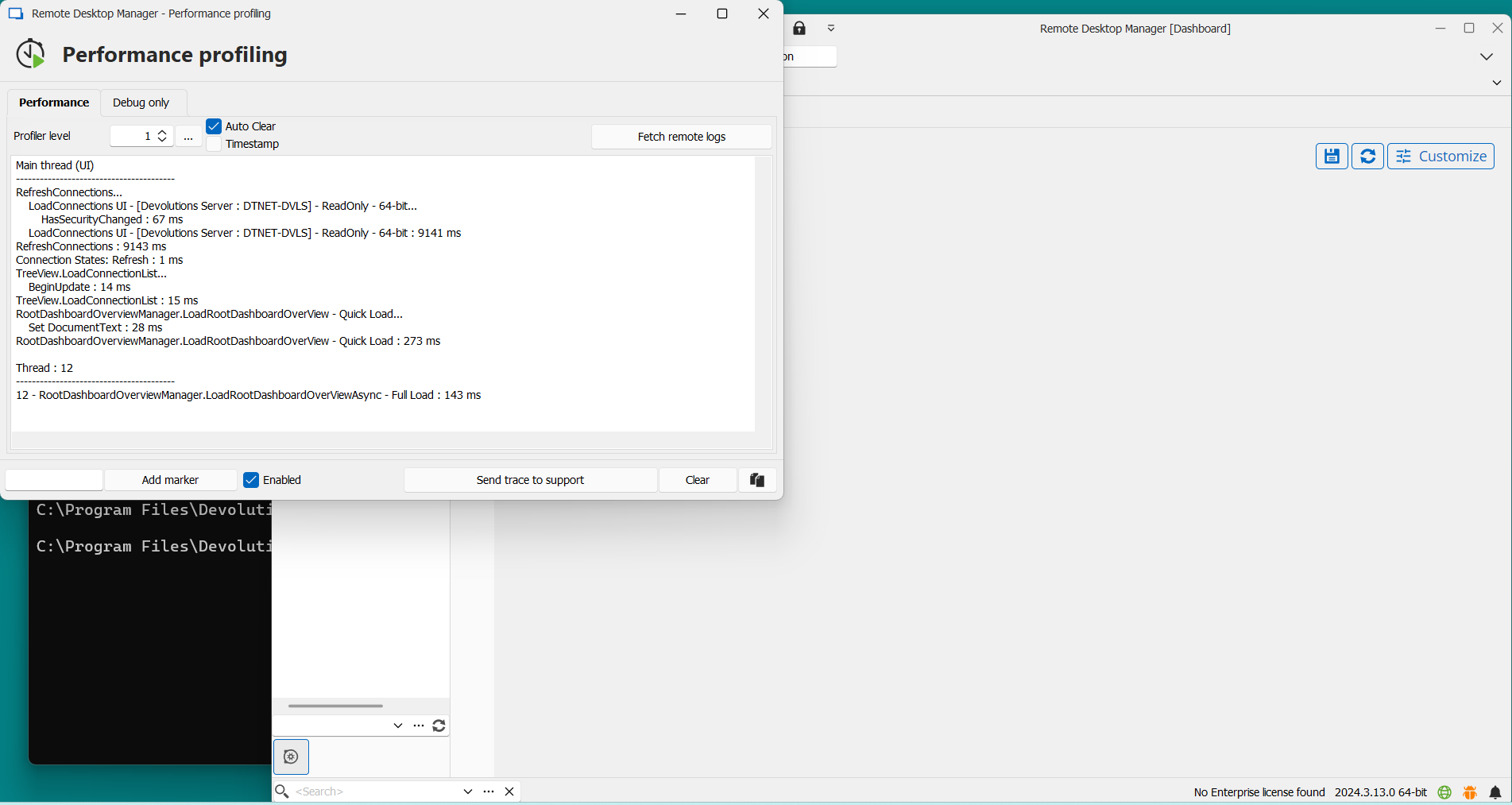
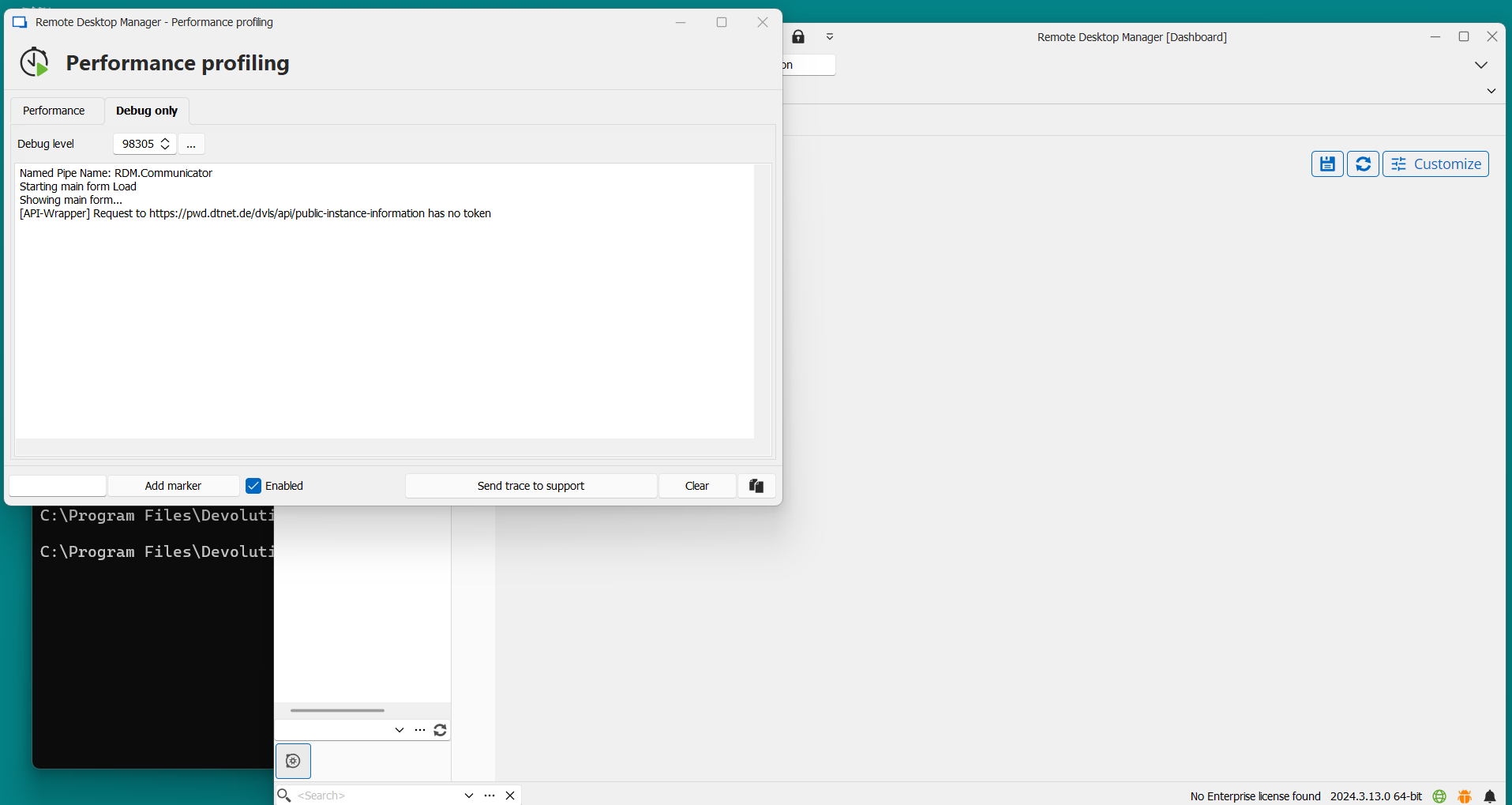
when I'm offline (Laptop disconnected from network) I cannot set Debug to 98305 because I can enter profiler only when offline error has already occured.
Nevertheless I've done so and send you Screenshots.
Is this what you have expected?
regards
Stefan
RDM Offline Mode with domain user without notebook in domain
Hello Maxim,
I have uploaded the reuqested video (FORUM-RDM-OFFLINE-MODE.mkv).
Please be patient, RDM needs a while to be started.
regards
Stefan
RDM Offline Mode with domain user without notebook in domain
Hello,
we are using Devolution Server (2024.3.3) with domain authentication RDM (2024.3.12).
Offline mode for domain users with notebooks that are domain members works fine.
Now we want to use RDM offline mode with laptops that are not domain members.
When I'm online I can authenticate via browser with my domain credentials.
But when my notebook is offline, this is not possible and local cache is not available.
Are there settings for this?
Regards
Stefan
OTP seed is disclosed in password list although "View sensitive information" = disallowed
Hello Michael,
thank you very much for your comprehensive reply. Yes, this fully answers my question.
Parts of the vault we need offline. So with this knowledge, we will split our vault into one for offline use and one for credentials that are more critical like break glass or emergency access accounts. This vault we switch to security level "High".
Thank you and regards
Stefan
OTP seed is disclosed in password list although "View sensitive information" = disallowed
Hello Michael,
thank you for your swift answer and your quick solution.
I'm wondering that you can stop the disclosure of sensitive data with changes in the client.
As Devolution Server is a highly secure data source I would have expected that permissions are controlled by server not by client.
So is this right also for other permission settings that RDM client has access to all data independently of user rights?
regards
Stefan
OTP seed is disclosed in password list although "View sensitive information" = disallowed
Thank you, Samuel.
may I ask you one question related to this.
Which entry or information is treated as "sensitive information"? I haven't found a list in documentaion.
Regards
Stefan
OTP seed is disclosed in password list although "View sensitive information" = disallowed
Hello,
with the permission "View sensitive information = disallowed" OTP seed is not allowed to be seen by an user.
This works for an OTP entry as well as for an Username/Password entry.
But it doesn't work for an OTP seed in password list.
Here OTP seed is revealed to the user although "View sensitive information" right is disallowed.
(Password list > Properties > Edit password with OTP > Tab OTP > Key: Reveal password shows OTP seed).
Please fix.
I'm using Devolutions Server 2024.3.3 and RDM Client 2024.3.12
Regards
Stefan
RDP connection: Default Setting for Display
Hello Hubert,
This is OK, we have an RDM manual for internal use, where I can make an appropriate entry.
For eas of use it would be nicer, if same things were done the same way.
But this works for me.
Thank you
Regards
Stefan
RDP connection: Default Setting for Display
Hello,
I prefer RDP connections with Display = Embedded (tabbed).
Others prefer Undocked.
So please introduce a value Default, that everyone could set the Display in his own settings.
For other settings you've done this already (e.g. Secreen sizing mode).
Regards
Stefan

Search field in Password List doesn't allow space as AND
Hello Hubert,
I'm not sure, if my last mail reached you because I havn't been logged in in your forum.
Yes, that's what I want, with one addition: "Host" should also be copied.
Thank you for your great support.
Regards
Stefan
Search field in Password List doesn't allow space as AND
Hello Jafran,
The changes in PL you have done are great for finding the passwords.
But we are a IT system house not a inhouse IT department. Very often we are working remotely on a management server at customer site, because
we do not have direct access to all ressouces.
So we are looking for a convenient way of working in a single remote session where we need different passwords in this session (e.g. Login in SQL Server, ...).
This could be a way of undocking PL, the non modal window as mentioned or something else.
Thanks a lot for your support
Stefan