Offline Data can still be accessed even data has expired

Hello,
we are using RDM with offline mode and cache for working onsite on customer premises with our notebooks.
When RDM is started when cache is valid (before expiring), then we can access all data.
When you exit RDM and start RDM again after offline data has expired, data can not be accessed.
All OK up to here.
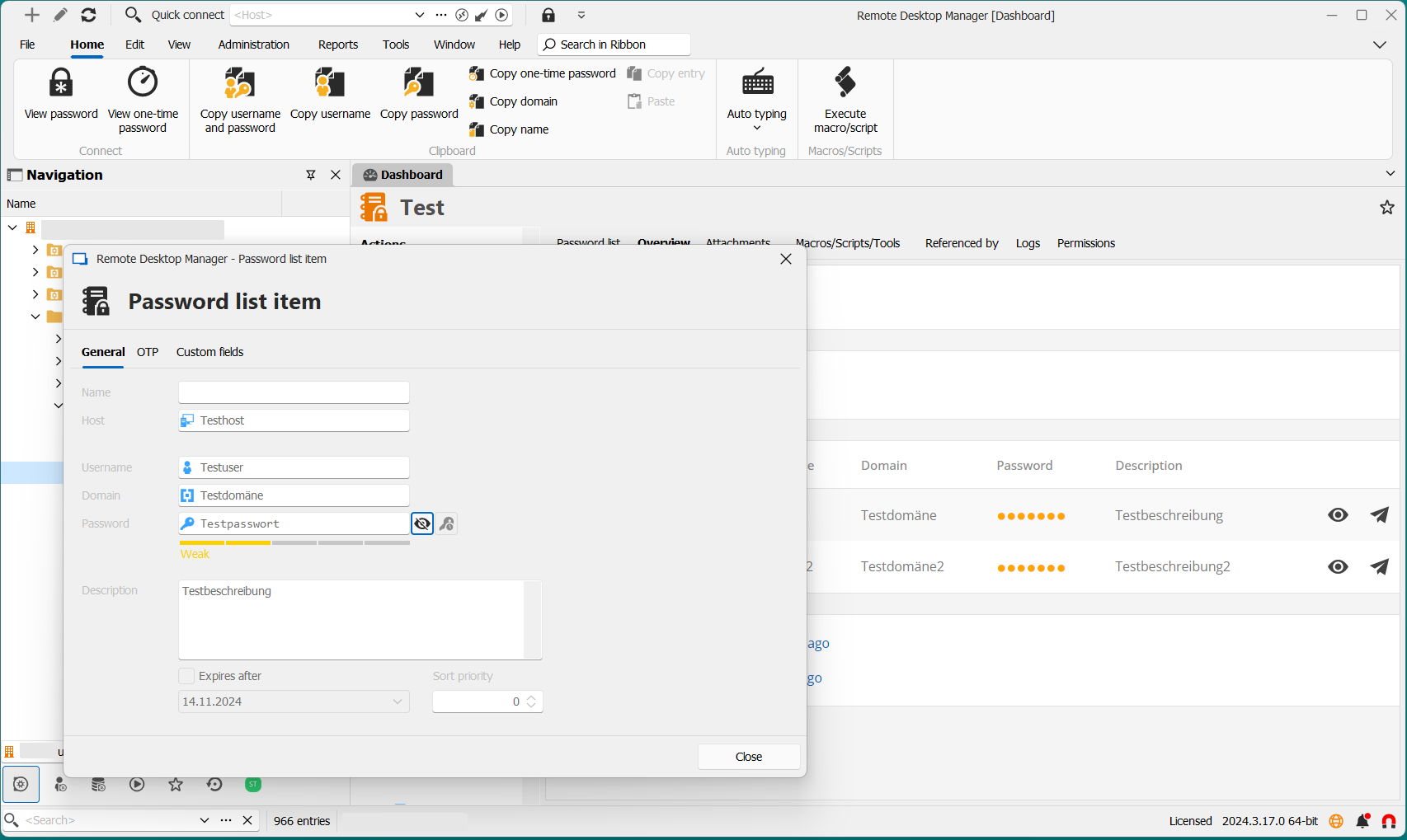
Bute when you don't exit RDM and keep RDM open offline data could still be accessed although data has expired. This works even after hibernate.
We have RDM 2024.3.17 and Devolutions Server 2024.3.7.
regards
Stefan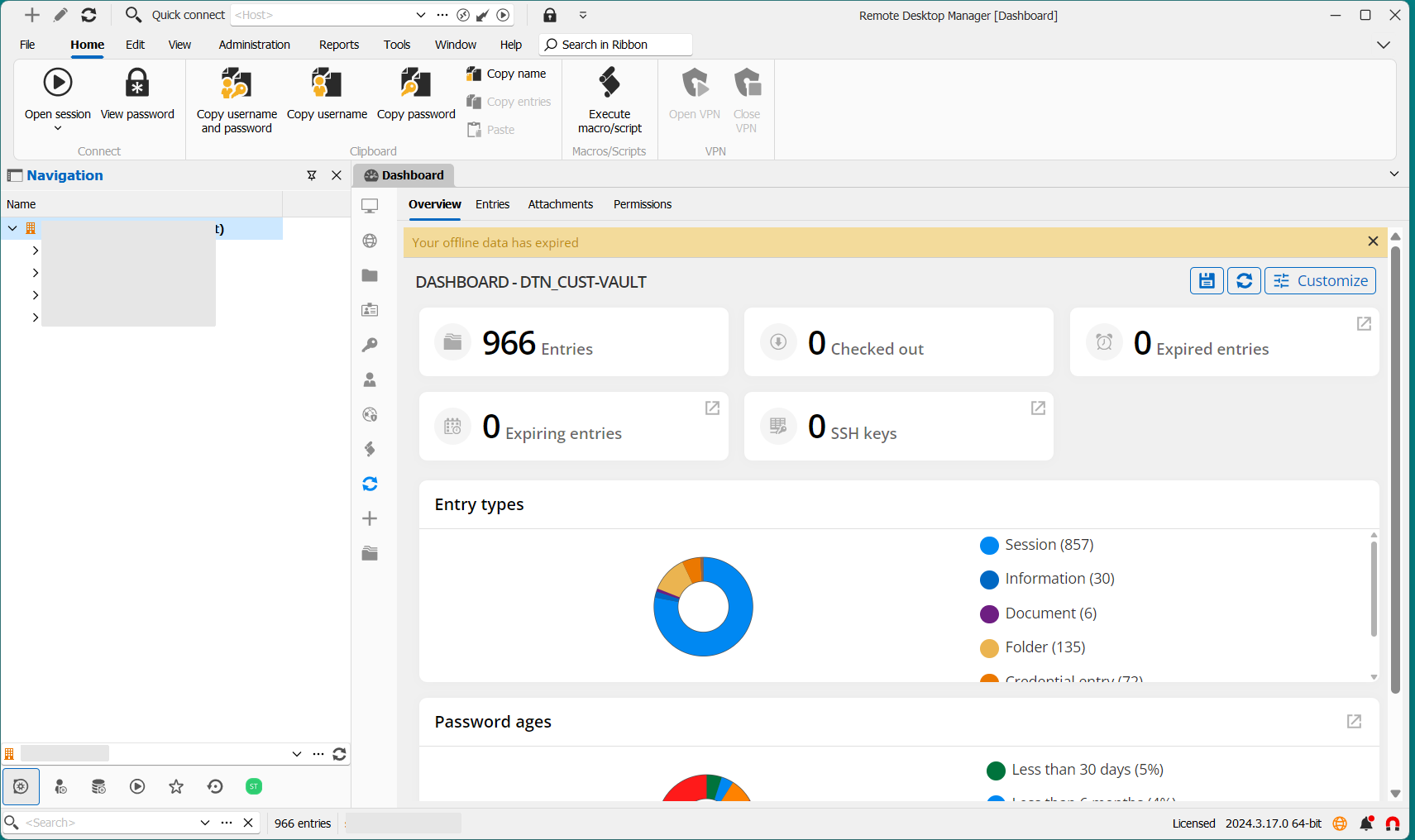
bef0aa21-4b89-4a3a-8a03-38670f80153f.png
9eb7cdc3-2c1c-461c-8d02-cfc4636a59f5.png
All Comments (4)
Hello Stefan,
Thank you for bringing this to our attention. It seems like there might be an issue with the offline data cache not being invalidated properly when RDM remains open, even after the data has expired. This behavior is not expected, and we understand the importance of ensuring data security and integrity.
I will report this issue to our development team, and we will look into adding a validation mechanism to flush the data from memory, especially after hibernation, as you suggested.
Best regards,
David Hervieux
Hi Stefan,
It seems the data in your case is being retrieved from memory rather than from the cache. To ensure the data is not kept in memory after hibernation, you could enable the "Auto-disconnect data source on standby" option in your data source's system settings. The data source can then be re-accessed, if still available, either by using the refresh button or by enabling the "Automatically reconnect on activity" option.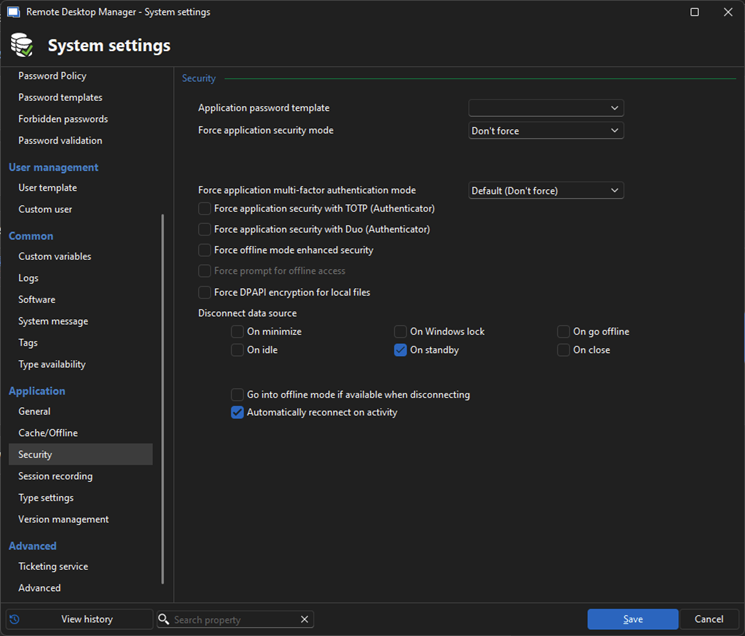
Hopefully this addresses your concern.
Best regards,
Samuel Baker
864f2363-8f0b-48c3-8a3a-80a2dfb179e1.png
Hello Samuel,
I will test this settings.
Do I understand right - this setting is done in RDM client application as administrator but is stored on the server. Then RDM client of every user gets this client settings from server?
And second question - does this mean, that cache expiring still can be bypassed by never stopping RDM client?
regards
Stefan
Hello Stefan,
About the first question, yes this is stored server side and can also be enabled through the web UI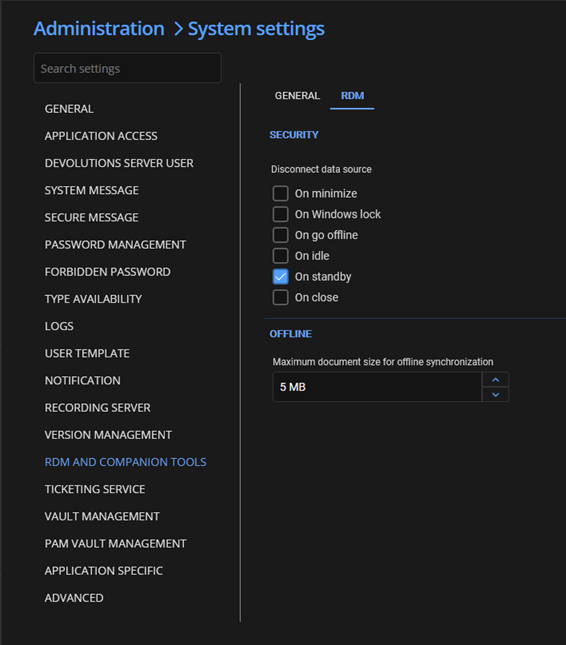
And the second, this is indeed the case and not the expected behavior. We will be working on a more permenant fix without the need for the disconnect data source option workaround.
Best regards,
Samuel Baker
f1726666-5e44-4ab8-bd37-45b0ace4147e.png