
(user deleted)
RDM crashed while editing entry, entry now locked for editing by me. How to unlock?
Hi Xavier and Érica,
Thanks for the responses. Xavier's suggestion worked for me.
Solved!
RDM crashed while editing entry, entry now locked for editing by me. How to unlock?
Hi all,
We use RDM Enterprise with DVLS. Today, I was editing an entry using RDM when RDM crashed. When I reopened it, it now shows the entry is locked for editing and can not edit it from RDM. Editing through the DVLS web interface still works.
How can I unlock this entry?
Thanks,
Patrick
Web Login and Password templates
Hi Olivier, that's exactly what I mean. See attached image. I would expect the following:
Having the option to select Password Templates in the Password Generator (under the General dropdown, maybe?)
Setting a default Password Template in the Web Login options (or having it mandated by the Data Source)

Web Login and Password templates
When generating passwords using the generator in Web Login, I would like to have the Password Templates configured in the datasource (checked it for both DVLS and Hub) available and honored if required. I suppose that this isn't added yet.
Restrict built-in admin (custom Devolutions accounts) to login from localhost only
Maurice, sorry for bumping an older thread here.
I have the same concern as Michael but from a different standpoint: I would like to secure DVLS by only allowing Azure AD authentication - but if something is not working with this authentication we have no path to take to make changes to the configuration. A bypass from the Devolutions Server Console to allow custom user login from localhost (configured on either the 'authentication modes' level in Administration > Server Settings > Authentication; or as Michael already suggested, on the user level combined with a bypass URL) would really help.
Considering the current (latest) release: in a scenario where the 'Authenticate with Devolutions Server custom user' authentication mode is disabled, what avenues are available to restore access in the event of Office365 user authentication mode issues (e.g. expired secrets, missing applications in Azure AD, etc.)?
Adding Devolutions Gateway settings to RDP entry via Web
I fear I already know the answer is going to be no(t yet), but just in case: is it possible to configure the Gateway settings for an RDP entry in Web? (for use with Launcher)
RDP entry - how to configure Devolutions Gateway
Thanks for confirming. I will keep an eye out for that release.
RDP entry - how to configure Devolutions Gateway
Hi Xavier,
Just to confirm: if configured on the entry on RDM Windows, would the functionality at least work on RDM Mac? Or is there no support at all?
Kind regards,
Patrick
RDP entry - how to configure Devolutions Gateway
Hi Team,
Currently trialing DVLS and RDM Enterprise. In DVLS, I've successfully installed and configured a (remote) Devolutions Gateway instance which is testing as healthy.
Next, I created an RDP session in the Vault (using Web) and wanted to configure it to use the Devolutions Gateway. I found no settings for this, so I figured I had to configure this in RDM.
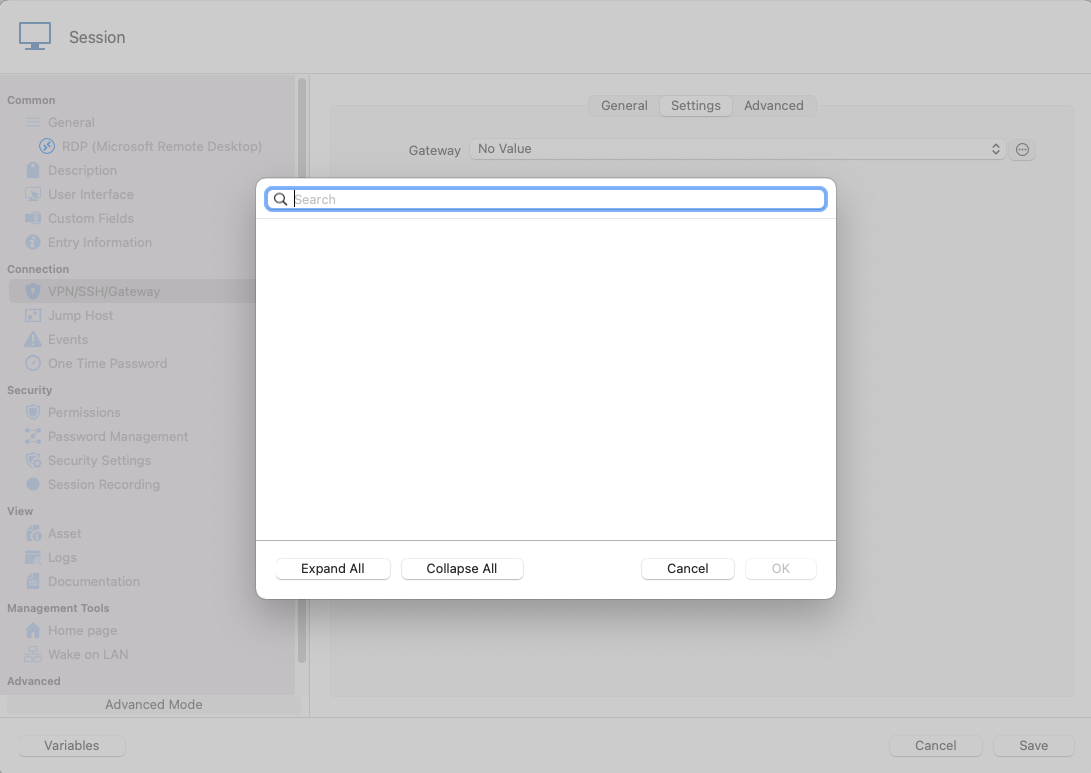
Installed RDM and configured it to use DVLS as the datasource. When configuring VPN/SSH/Gateway for the session entry, I choose 'Always Connect' and set the type to 'Existing' > 'Gateway'. On the Settings tab, I should be able to choose a Gateway but the gateway doesn't show up in the list. Even when I click on the button next to the list (with the three dots), it doesn't come up in the list. See screenshots below.
What am I doing wrong?
Thanks in advance for the help!

Issue with 2020.3 launcher
Hi France,
Exciting stuff indeed, but I believe the end-user experience is not optimal to receive an update notification for an updated version that doesn't work with current Hubs. Did I miss something in the Release Notes, or is this a bug in the 2020.3.0.2 release?
In other words: should I instruct my users not to update until the migration, or will this be fixed in a bugfix release shortly?
That being said, I will look forward to the invitation.
Kind regards,
Patrick de Ritter
Issue with 2020.3 launcher
Hi Gabriel,
Thanks! What is the process for migrating our Password Hub to the new launcher? I'm trying to find some documentation so I can inform our users.
Kind regards,
Patrick
Issue with 2020.3 launcher
I got the prompt to update to 2020.3.0.2 just now, which I immediately did of course. However, it seems that our Password Hub is just not quite ready yet.

Can you provide a download link to the previous version?
Dark mode
Hi Maxime,
Thanks for the quick reply. Good to know it's already in the works. Thing to add: it would be nice to have the applications follow the setting of the OS (so Dark mode in OS > Dark mode in Hub).
Take care,
Patrick
Dark mode
Hi team,
Some users in our organization would really like to have a Dark Mode option in Password Hub Desktop and Mobile apps. Most of our users heavily use dark modes in other software like Office, Visual Studio and even Remote Desktop Manager.
Can you consider adding this? Thanks!
Kind regards,
Patrick
Silent installation of Devolutions Cloud desktop app
Hi David,
Thanks for your reply. After some further digging in what the value would be for QuietUninstallString in the registry after installing the desktop app, I found that the uninstaller uses /S to silently uninstall. Tried that with the Setup file, works like a charm!
Invocation:
Setup.Devolutions.PasswordHubDesktop.2019.2.3.0.exe /SThanks for checking in on this though! Think you can put this on de Help somewhere for others to find?
Kind regards,
Patrick de Ritter
Silent installation of Devolutions Cloud desktop app
Hi all,
I've been looking for a way to silently install the Password Hub desktop application for Windows. I've tried the obvious /quiet /q /silent /verysilent switches, but no luck so far. I understand the installation is already streamlined so it doesn't require user interaction, however a /quiet switch that allows for installation without progress boxes and not starting the app afterwards would be really useful for automated client deployments.
Thanks for the help!
Kind regards,
Patrick de Ritter
Bug report: Update button remains greyed out when changing Excluded Characters in Password Template
Hi all,
I found a small bug in the Password Templates section of Password Hub. When you edit an existing Password Template, and you only make a change in the "Exclude the following characters:" field under the parameters of the template, the Update button will remain greyed out (indicating you have not changed anything). If I then edit another parameter (e.g. raising the amount of the password length or clicking one of the checkboxes) makes the button available.
I am using a Windows 10 Pro installation (1909 build) using the new Microsoft Edge (Chromium Edge) version 81.0.4416.53.
If there is a better way to report bugs in the future, please let me know.
Kind regards,
Patrick de Ritter
Custom Installer deployment with Azure SQL (Universal login)
Hi Stéfane,
Thank you for your reply. I think this is a very smart way to incorporate my workaround. Please give me a headsup when this change has made it into a release version.
Kind regards,
Patrick de Ritter
Custom Installer deployment with Azure SQL (Universal login)
Hi James,
Thank you for getting back to me. I think I have found a solution as well.
So, the problem is here twofold:
The first that I create a Custom Installer with the datasource, without the datastore credentials (as these are user-specific). RDM is right to give an error message that the User ID value should not be null. In my opinion, this can be resolved by having the "Allow change username" option available, and RDM asking for the username on first run.
The second is datastore errors I posted. It seems this was due to a change on the side of the Azure App Registration, and was a faulty configuration on my end.
In short, I managed the following workaround for the Intune deployment:
I deploy a PowerShell script in user context which sets a User Environment Variable %AzureADUPN% with the Azure AD UserPrincipalName as value.
([System.Environment]::SetEnvironmentVariable('AZUREADUPN', "$(whoami /upn)", [System.EnvironmentVariableTarget]::User))I created a new data source where the username references the Environment Variable, and create the Installer File with the option "Include Data Source Credentials". A Custom Installer is created with this Installer File and deployed silently. As long as the environment variable is filled, this works like a charm!
So, in conclusion: I think the 'Allow change username' should be available for Microsoft Azure SQL datasource for environments where this workaround is not feasible.
Thanks again for looking into this!
Kind regards,
Patrick
Custom Installer deployment with Azure SQL (Universal login)
Hi Jean-Francois,
I'm using "Active Directory Interactive (with MFA support)" and have configured it using the Help guide.
I've been able to authenticate using this user and other users when I install the Enterprise Edition and configure the data source manually.
Kind regards,
Patrick
Custom Installer deployment with Azure SQL (Universal login)
Hi all,
I've been trying to build a working Custom Installer for the following scenario:
We host the RDM database in Azure SQL (single database). Our users are created from within the datasource settings so Contained Database Users using Azure AD are provisioned. I want to create a custom installer with the datasource preconfigured, where the user fills in their own username and authenticate to the datasource.
However, after deploying, I get an error that the username field is empty. (attached: rdm1.png) When I go and enter the username, click Test Database and successfully authenticate, it still gives an error. (attached: rdm2.png)
Furthermore, the checkbox for "Allow change username" is greyed out; I have a hunch the issue is around this option being unavailable (while it was before).
Please, I'd appreciate any help you can give.
Kind regards,
Patrick
Version deployed
Hi France,
Password Hub has a CLI (command-line interface) tool to automate tasks.
This is great!
I might be quick to the draw, but I can't seem to find any documentation of the working of this CLI tool. Any idea where I can find it?
I tried using some known switches like /? and -Help, but these don't give helpful output.
Kind regards,
Patrick
Public roadmap or UserVoice?
Hi Maxime and France,
Thanks for your replies. I would love that, France. I will send you my emailaddress via Private Message.
Thank you!
Patrick
Public roadmap or UserVoice?
As we're looking into this product for our business, I would like to ask if there is any roadmap for this product available only, or a UserVoice platform? The product has some good potential, and we would like to know if Password Hub would move in the way we would like it to.
I've seen some great features suggested already, some of which were supposedly added to the backlog; would be nice to see how the product is supposed to grow.
Thank you!
Devolutions Cloud Windows application stuck on loading
This works for me. Thank you!