
gertvanniekerk
Show pop-up warning when server is already in use by other user
Also this option cannot be configured to be inherited in the settings, we'd love an option to be able to configure this on our top level to get it enabled on everything :)
Show pop-up warning when server is already in use by other user
For any future persons seeing this post.
We enabled this but couldn't understand why it didn't work for non admin users. We found out that users needs permissions to the Activity Logs under System permissions (Miscellaneous)
This doesn't seem to be documented anywhere, so if any from Devolutions sees this post please add this to your documentation or link to it :P
As of writing we are running Devolutions Server 2026.16.0.
Devolutions Server 2026.3 BETA
FYI the Release notes link incorrectly points to: https://devolutions.net/remote-desktop-manager/release-notes/beta/
MacOS RDM Script type + linking type to entries
Hi Devolutions
Your support has confirmed that this is currently not supported for MacOS RDM, and has asked us to create a feature request here on your forum.
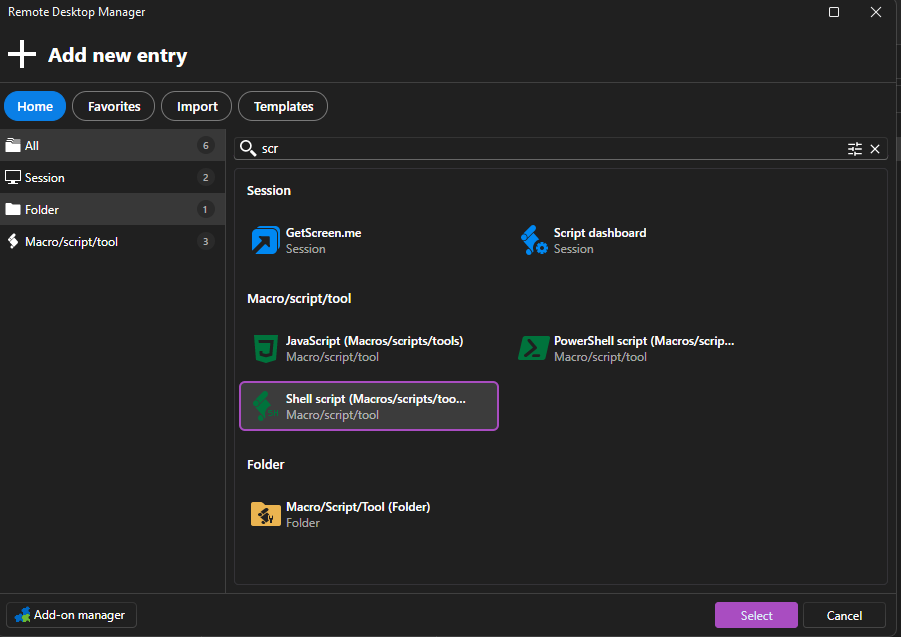
Our company has started using Devolutions Server recently. One of the use cases which we cannot use right now is the "Script" entries and using the "Linked" option for website entries when using the MacOS RDM. Right now we have to configure the script directly on each web entry in order for it to work for MacOS. Also the "Script" entry cannot be created from MacOS RDM.
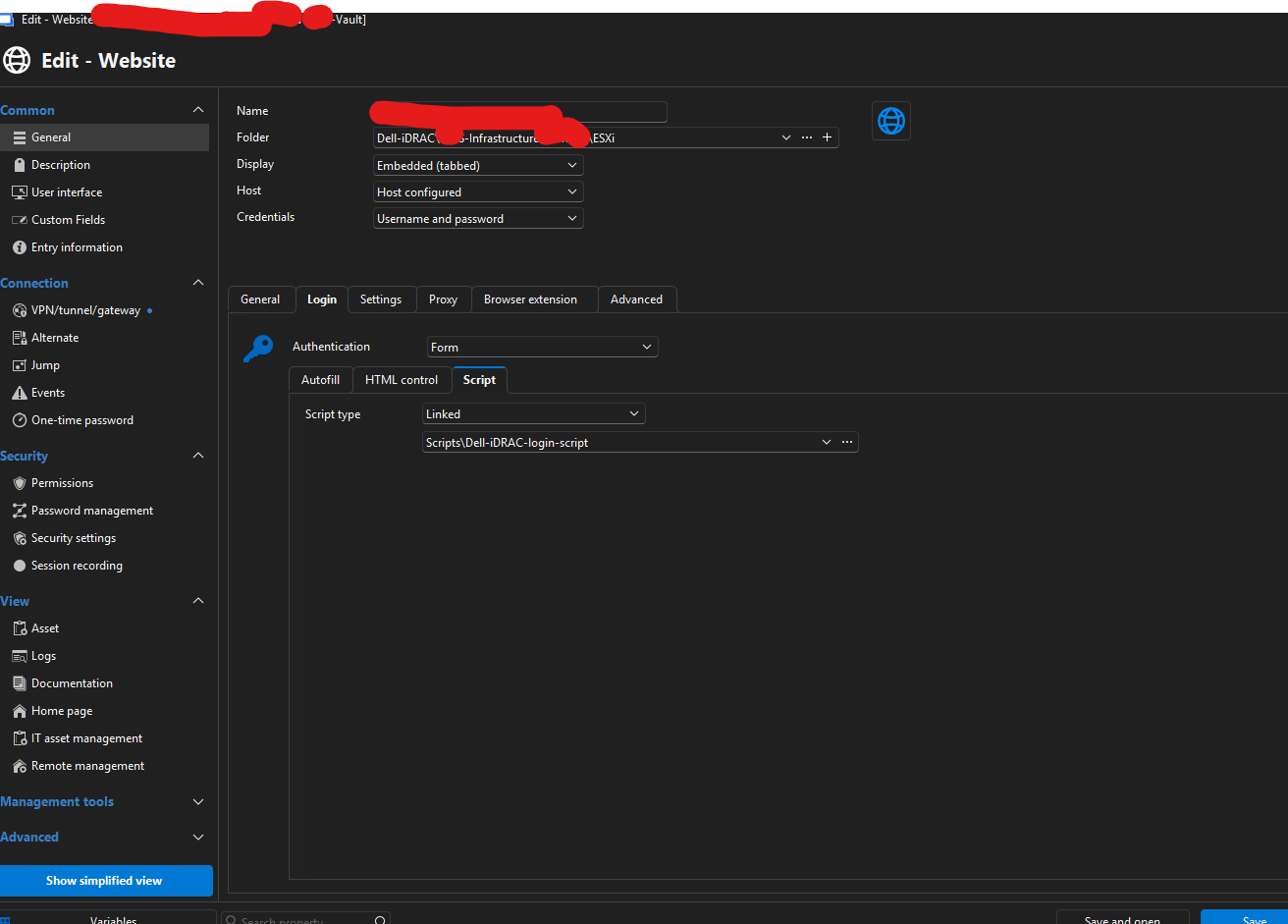
We've also tried using a Windows RDM to configure the entry with the "linked" option, but it does not work for MacOS RDM when trying to use it, the settings simply does not exists on MacOS RDM.
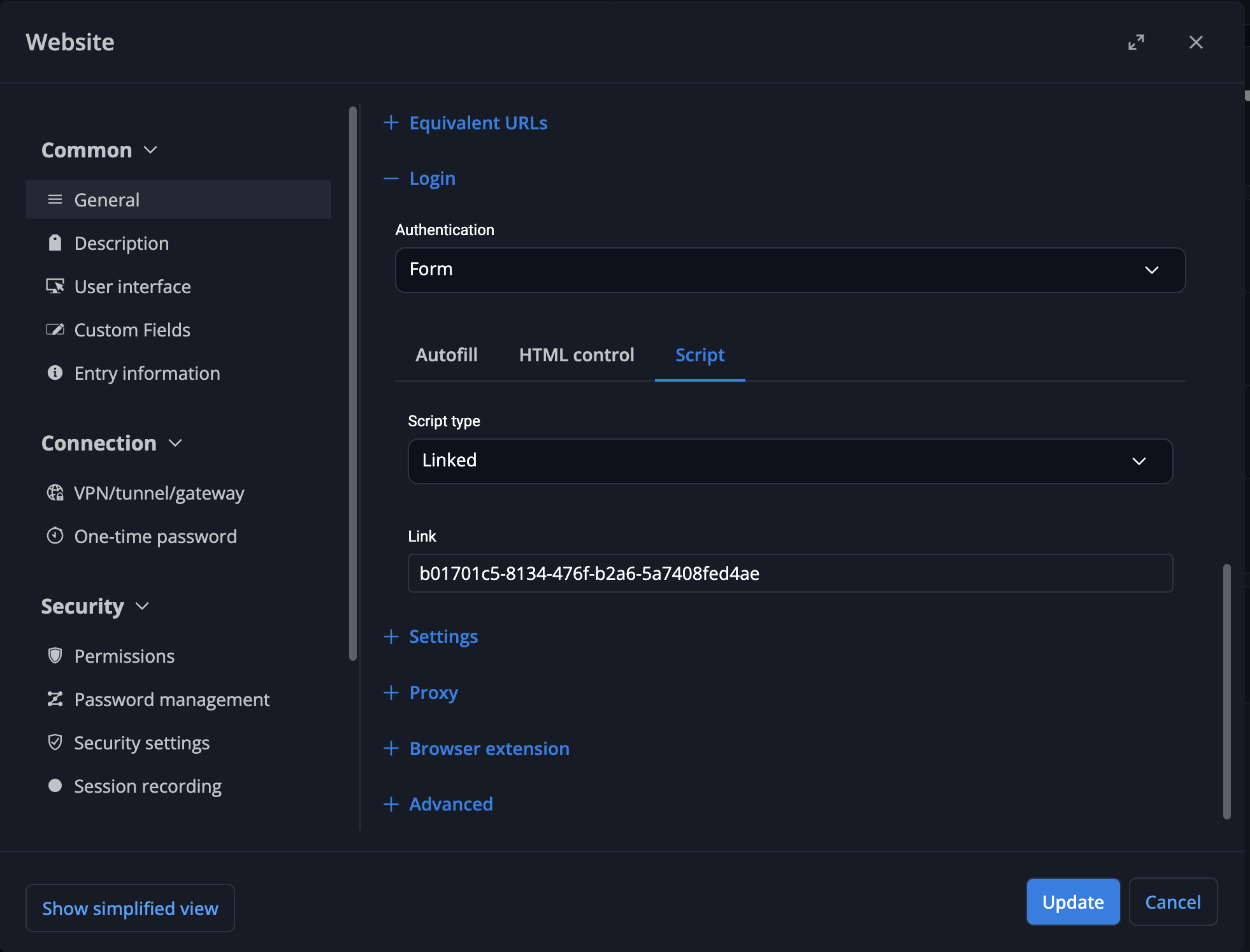
Also as a site note, the web interface is able to configure this option, but a script cannot be selected, you have to manually type the UUID of script, this could be optimized and should be a dropdown/or menu selection of which scripts are available, just like the Windows RDM does it.
Web interface screenshot:
Windows RDM example, login script configured to "linked":
Windows RDM example, script type entry
Regards.
Gert
Devolutions Server side setting: Close idle sessions when using gateway
Hi Devolutions
Were quite new to your product and just had a meeting with one of your Business Solutions Analyst. He confirmed that Devolutions Server does not currently have a server side setting to close out idle sessions.
We are exclusively using Devolutions Gateway to reach infrastructure + customers (we're an MSP). In theory it should be possible for the Devolutions Server / Devolutions Gateway to be able to detect when an session is idle and then close it out.
Types of entries should ideally include all types of entries used by an Devolutions Gateway, in our example 99% of them are RDP, SSH and web entries. It should be enforced server side, no matter if it's RDM for Windows/Mac or using the web console.
Justifications for this feature:
Prevent users from hugging entries, other users could think that an user is using an entry while it's actually not in use anymore, if the original user forgot to close the session, this leads to frustration because you would have to verify with that user if they are actually still using it or not.
Prevent multiple hour Gateway Session Recordings. We are already seeing some recordings that lasts several hours because of this, we have Windows GPO's to lock the RDP after X amount of minutes, this though results in the recording keep going and showing the Windows lock screen. We only logoff the Windows users when it's been idle for 16 hours.
Regards.
Gert
Reverse Proxy for Gateway Agents
In the latest Devolutions Agent, the release notes says: "Service - Add experimental transparent routing through the Agent Tunnel"
When installing the Devolutions Agents and selecting the "Agent Tunnel", it asks me for an "Enrollment string" which it says I can get from my Gateway Operator.
Do you have some sort of guide, I've tried my way around but I'm unable to find this "Enrollment string", and your current documentation does not show anything regarding this?
Regards,
Gert
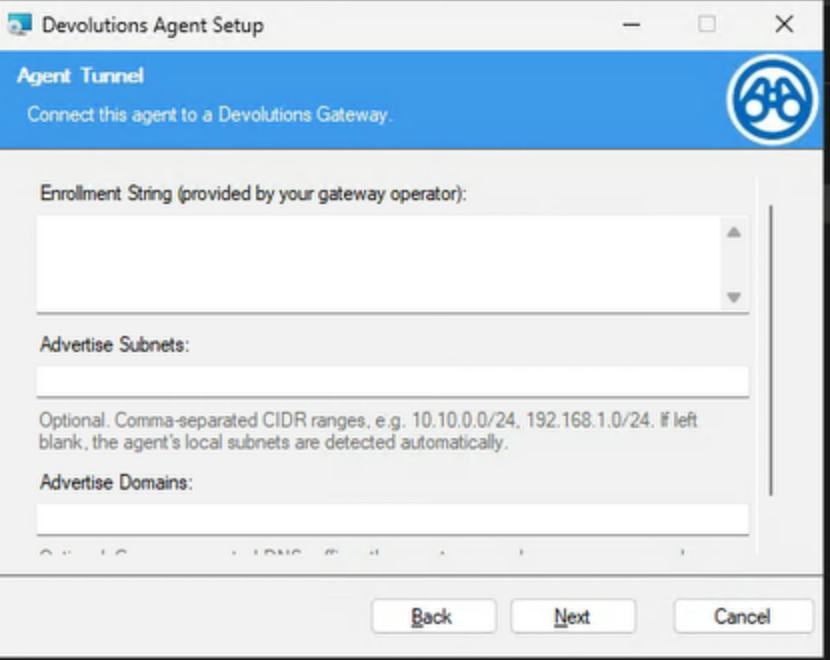
Reverse Proxy for Gateway Agents
This sounds really interesting if this is truly an "call home" network design Devolutions is working on.
We're an MSP company which POC'ed your software around 2-3 years ago, and the main reason we did not choose you was because as an MSP with many customers where we manage our servers in their site/network, we always have a hard requirement for the software we use needs to be able to call home in order for us to be able to use it.
Back then you also license per gateway which would have costed way to much for us, I can see the licensing has changed and this is no longer the case.
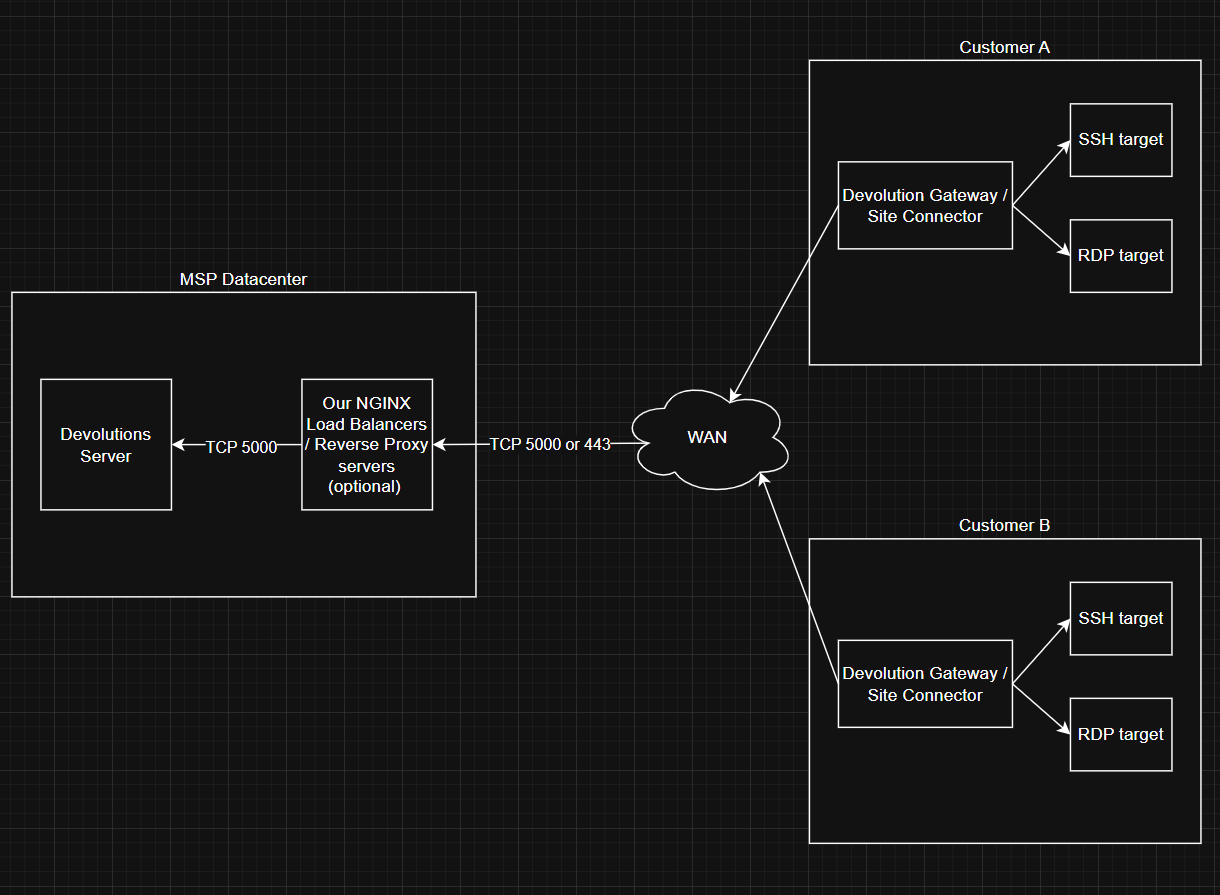
@Benoit Cortier I've quickly sketched this on draw.io, is it correct that this is the flow of traffic that will hope to support is the upcoming release?
Other questions
Will you support that we can place an reverse proxy (NGINX) in front of the Devolution server?
Can the port be changed to simply be 443, this makes outbound port requirement on the customers network much easier since almost everybody has 443 open
Will this work for all types of your Gateway servers? (Windows, Linux and Docker)
We are running af trial on the software now. I've configured some gateway servers, it seems they needs to be signed with trusted certs as far as I understand? Also the CRL also needs to work or can we simply just use the "Publish revocation list" once and everything will just work? (I'm thinking of the challenge of deploying + maintaining around 50 gateway servers)
Regards.
Gert