MacOS RDM Script type + linking type to entries
1 vote

Hi Devolutions
Your support has confirmed that this is currently not supported for MacOS RDM, and has asked us to create a feature request here on your forum.
Our company has started using Devolutions Server recently. One of the use cases which we cannot use right now is the "Script" entries and using the "Linked" option for website entries when using the MacOS RDM. Right now we have to configure the script directly on each web entry in order for it to work for MacOS. Also the "Script" entry cannot be created from MacOS RDM.
We've also tried using a Windows RDM to configure the entry with the "linked" option, but it does not work for MacOS RDM when trying to use it, the settings simply does not exists on MacOS RDM.
Also as a site note, the web interface is able to configure this option, but a script cannot be selected, you have to manually type the UUID of script, this could be optimized and should be a dropdown/or menu selection of which scripts are available, just like the Windows RDM does it.
Web interface screenshot: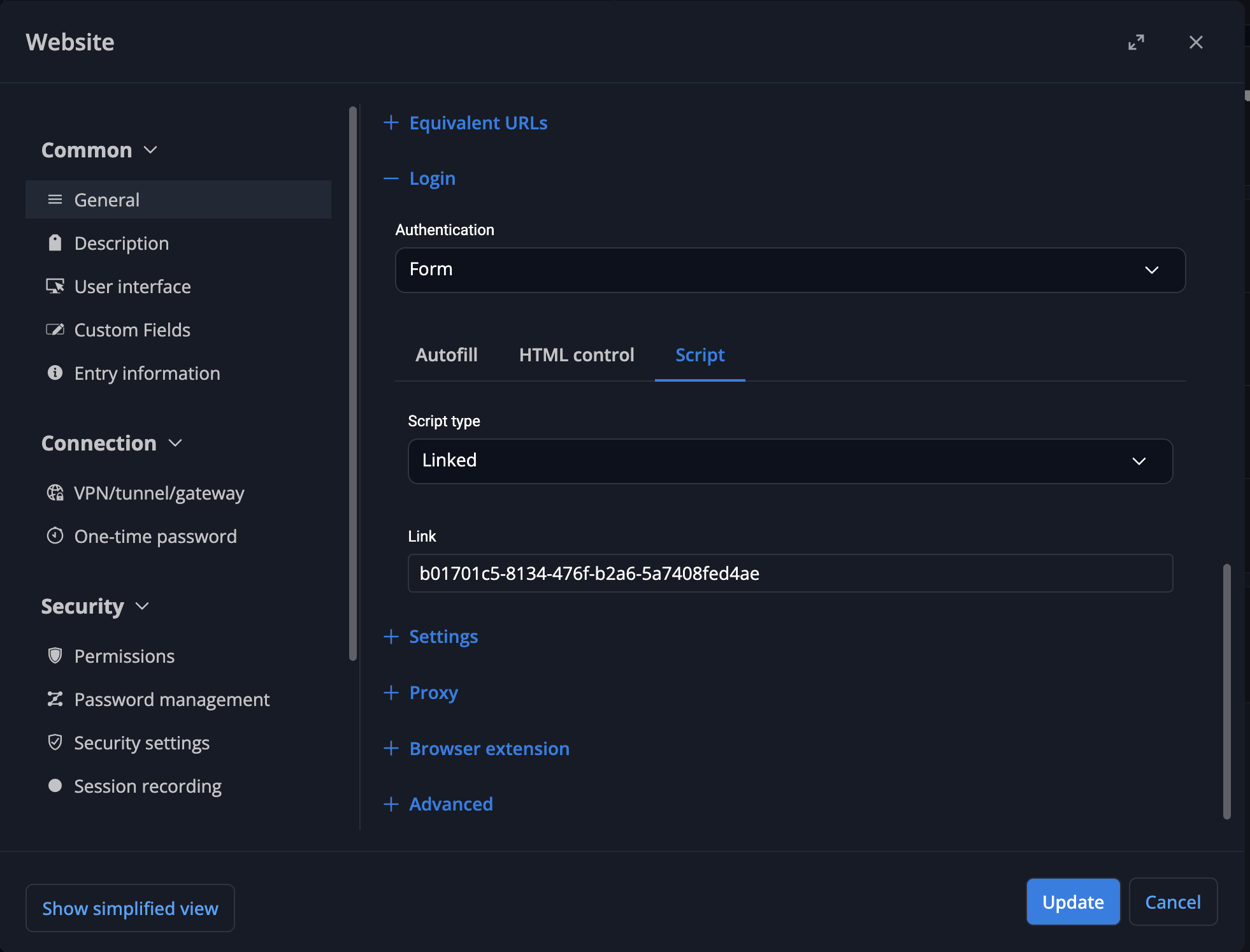
Windows RDM example, login script configured to "linked":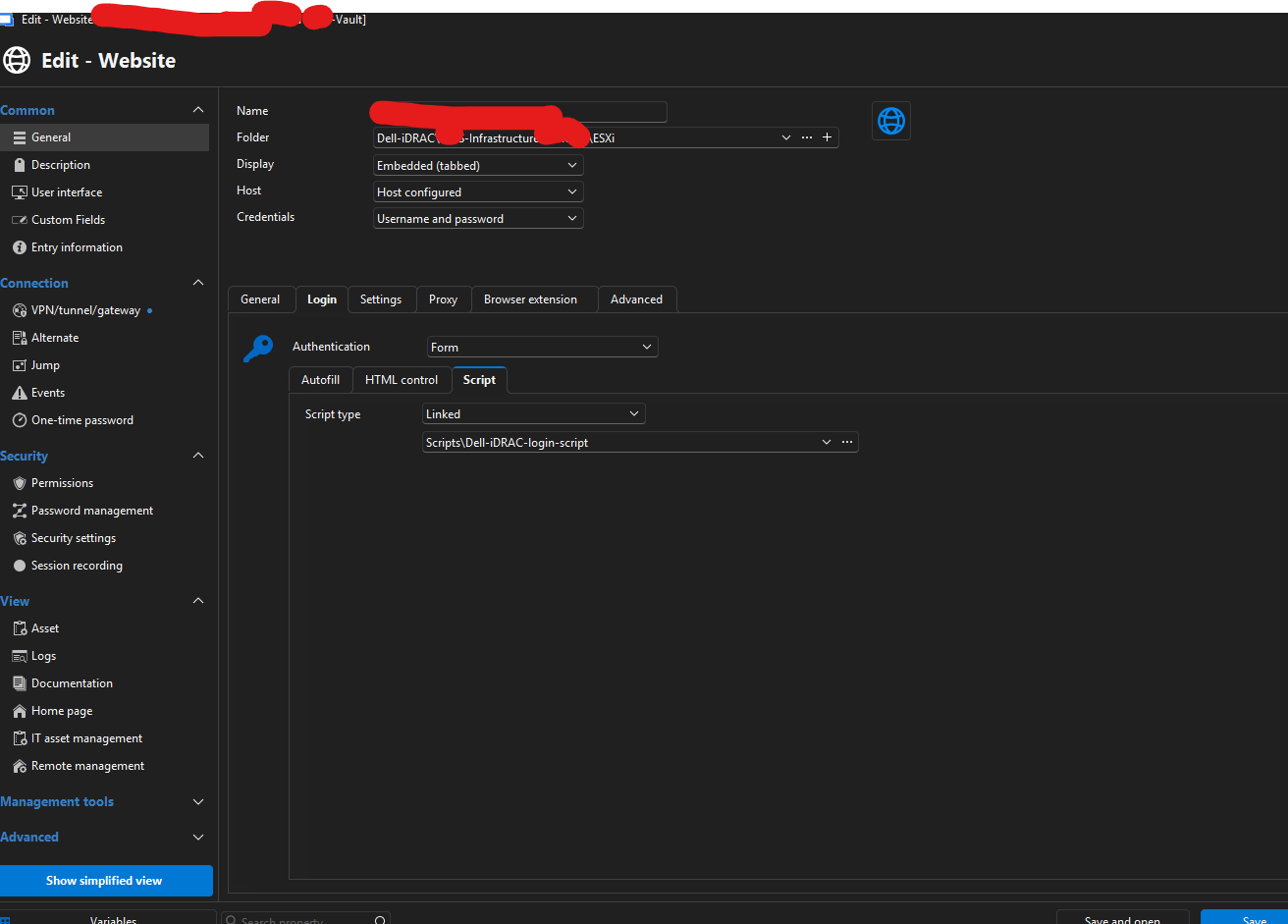
Windows RDM example, script type entry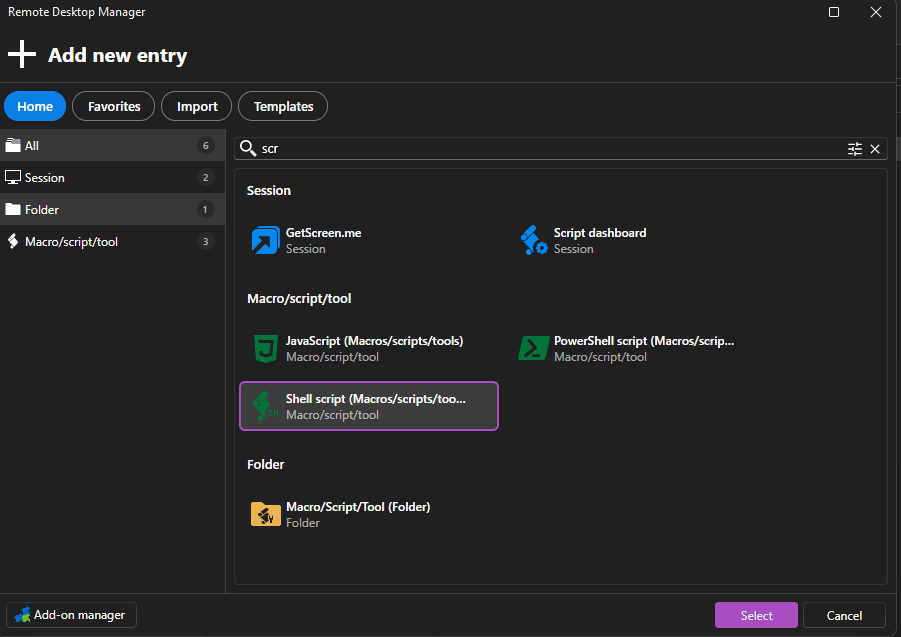
Regards.
Gert
Windows_Devolutions_RDM_02.png
Windows_Devolutions_RDM_01.png
Devolutions_Webinterface_01.png
All Comments (2)
Hello,
Thank you for making this post, it will add visibility for other users that might be looking for the same feature. I can confirm the support team also contacted us directly about this, so we already opened the case to add what you requested on the mac version of RDM. I also believe the DVLS team is aware of the issue on their end. We will let you know once it is ready.
Best regards,
Maxim Buisson
Hello,
Thank you for being so patient!
I'm pleased to inform you that a new version of RDM Mac (2026.3.0.5) has been released, featuring the fix for your issue.
Latest Version: Download RDM
Please let us know if this works or if you encounter any issues.
Best regards,
Maxim Robert