
btojs
Exception on launch on Fedora 45
I was going to post the same - my coworker updated his Fedora and RDM stopped working because of OpenSSL4.
Slim Hidden Navigation Panel
Hi.
In my opinion pining navigation panel should look different. Here's how I would see it. Slim and simple. Another thing is I think terminal window should always be resized to fit window insted being under navigation panel. (An option would be nice to choose either resize terminal window or stay under navigation panel).


Navigation panel hiding
Just to let you know - same thing happens with RPM popup on tab. Clicking inside terminal is not closing it.
Reconnecting host, duplicating tab, sftp
All tabs are docked in main window. This only happens when using shortcut. Via other means it is okay. Seems to me that function called by shortcut get always highest id of opened tab instead of active tab. Moving tab order does not change this behaviour - always last opened tab gets reconnected.
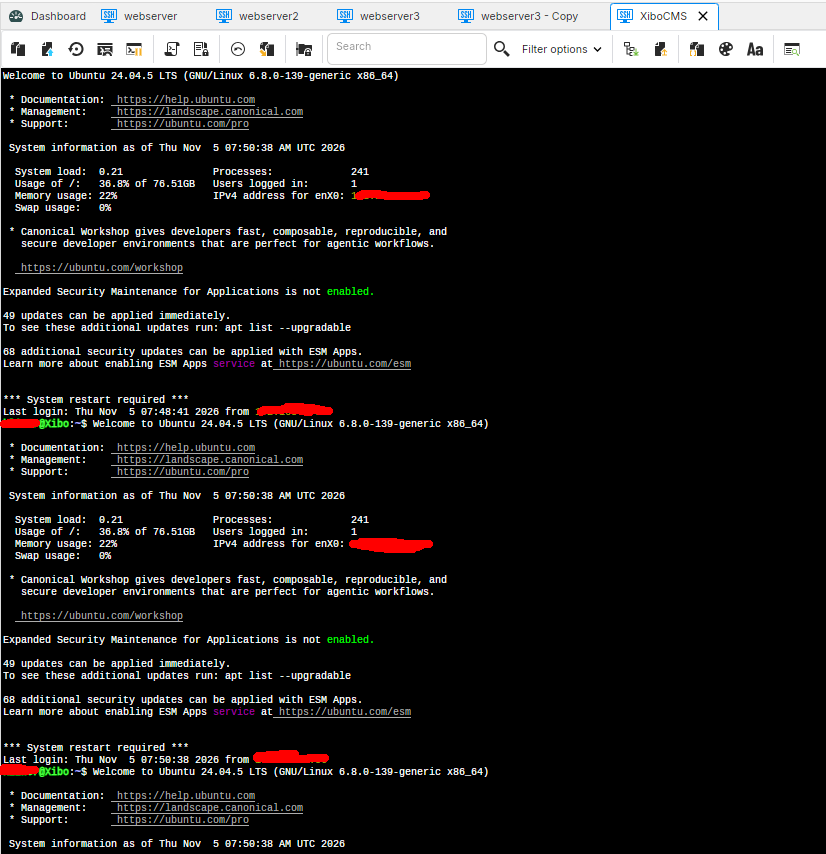
In every tab I did Ctrl+R (my reconnect shortcut) and every time it happened in XiboCMS tab.
Navigation panel hiding
Version 2026.3.2.1
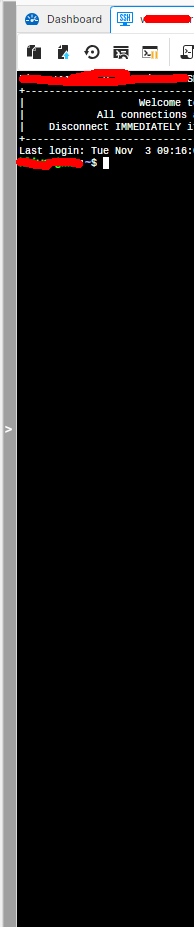
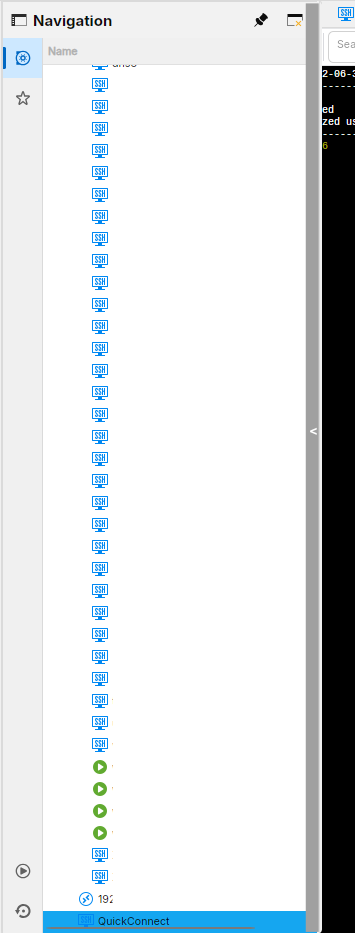
If Navigation panel is unpinned then this panel on the left show with Navigation. When you click on it show navigation panel. It hides when you click on RDM or go outside RDM window with mouse but it does not when clicking on terminal window.
In my opinion pining navigation panel should look different. Here's how I would see it. Slim and simple. Another thing is I think terminal window should always be resized to fit window insted being under navigation panel.
Reconnecting host, duplicating tab, sftp
Version 2026.3.2.1
Reconnect - shortcut works but reconnect ALWAYS happens in last tab no matter in witch activated tab I use it. (tested having 5 tabs opened and doing reconnect in each. tab 5 was the only on being reconnected each time)
Duplicate Quick Connect - no change.
SFTP - opens. It would be nice to have option to hide hidden files/folders on list. Also it would be nice to have sort options - right now folders are in some order instead of alphabetical.
Syntax highlighting
Looks okay now
Quick connect
After a while I can say that it is not working properly.
Pinned icons in quick access are dissappearing.
I added to quick access "quick connect" and "reconnect".
After starting app both are gone. When I click on View then "quick connect" comes back. "Reconnect" comes back only when I click on Home...
Quick connect in toolbar does not allow to type anything in when last active element was terminal tab (tab with rdp works).
Syntax highlighting
In 2026.2.2.2 - Settings -> Session type -> Terminal and here was syntax highlight. Why was this removed? It seems to be working as I have syntax highlight after update but on another PC with fresh install I have none.
Syntax highlighting
Oh. So it is just via entry setting? No global one?
Syntax highlighting
RDM 2026.3.1.1, normal package
Where are syntax highlighting settings now?
There is no syntax highlighting in File – Settings – Types – Sessions – Terminal
as is said here: https://docs.devolutions.net/rdm/knowledge-base/knowledge-base-articles/syntax-highlighting
Quick connect
Awesome! Thanks
Quick connect
Hi.
I would really appreaciate if Quick connect button could be placed in File ribbon and before Dashboard tab.
I know it is in View ribbon but File ribbon is displayed most of the time so I would expect it here.
Having a small button as tab before Dashboard tab would be nice too.
Reconnecting host, duplicating tab, sftp
Version 2026.3.0.5 via normal deb package.
Since update to this version my keyboard shortcut for Reconnect (CTRL+R) is no longer working.
When connection to host is active this shrotcut does "(reverse-i-search)`':" on host instead of reconnect.
When host is disconnected nothing is happening.
Another thing with duplicating tab.
I have 5 tabs opened. 4 saved and 1 opened via this field on the bottom (all ssh). Duplicating saved tab works ok. Duplicating this not saved tab works but it works differently. It creates new tab, activates last active tab, then asks for username, password. New duplicated tab is not activated (as it is when saved tab is duplicated).
Clicking on SFTP button while connected to linux host via ssh does nothing.
"Disconnected" on wrong tab
Thanks. For now seems to be ok.
"Disconnected" on wrong tab
Unfortunately, it is still not working correctly.
I have 4 tabs open.
Tab 1 - host 1
Tab 2 - host 2
Tab 3 - host 2
Tab 4 - host 3
I was disconnected from Tab 3 and when clicking RMB on Tab3->Reconnect the reconnect action always happens in Tab 2.
"Disconnected" on wrong tab
I can't really do a video.
Nothing happens to tab labels when switching tabs. Label changes only when I do a manual reconnect inside that tab.
I tested it a little more, it seems when timeout happens "Disconnected" is applied to currently active tab.
My Linux to Zorin OS 18.1
"Disconnected" on wrong tab
Version now: 2026.2.0.4
Version before: 2026.1.2.2
Data source: Local data source
Session type: all ssh
Tabs opened by double click on vault entry
First two tabs have timeout on server set and are disconnected when reached
Third tab is always active
Disconnect action - keep tab open


"Disconnected" on wrong tab
Hi.
I have 3 tabs opened.
First one is correctly "Disconnected".
Second one is disconnected but "Disconnected" on tab is missing.
Third tab is connected but "Disconnected" on tab is shown.
Noticed that on previous version, newest one still has this problem.
Multiple concurrent active connections to the same host
Hmm, looks similar.
I can't reproduce today being disconnected from all tabs of host at the same time. I will be observing this more closely when it happens again.
But, being reconnected in first tab of this host instead of currently active tab is happening everytime.
Multiple concurrent active connections to the same host
Hi. There is a bug with this feature.
Tab1 and Tab2 connected to the same host.
In Tab1 when typing exit to disconnect I am getting disconnected from both tabs.
Another example:
I reconnect in Tab1, switch to root.
I reconnect in Tab2 - in Tab2 nothing happens, I was reconnected in Tab1.
RDM 2026.1.2.2 Terminal syntax highlighting import/export
Hm.. That is intuitive. Maybe change label in global settings to Export ALL/Import ALL or global? Right now it look like it means to export selected one.
In profile too I think it should be Import/Export PROFILE. I tought it was Import/Export RULE.
Anyway - I hope that profiles added globally will be selectable in host entry in the future.
RDM 2026.1.2.2 Terminal syntax highlighting import/export
Hi.
Awesome that it was added and works.
I added two profiles, selected one as default. Works.
Now, I wanted to select second one for specific host and in host entry I can't see a way to select globally added profile. I can only make a custom one.
So, I exported profile I added globally to XML and tried to import in custom profile in host entry - "Unable to import the file aaaa.xml"
Why?
Accessing Serial Ports on Linux.
+1 from me too
Global Max Scrollback Lines
Hi.
Please add global setting Max Scrollback Lines.